In this guide, you’ll learn how to integrate Prometheus with Flux v2 to scrape controller metrics and visualize them in Grafana. We’ll leverage the monitoring folder from the fluxcd/flux2 GitHub repo and deploy a PodMonitor CRD and Grafana dashboards via Flux Kustomizations.

1. Explore the monitoring directory

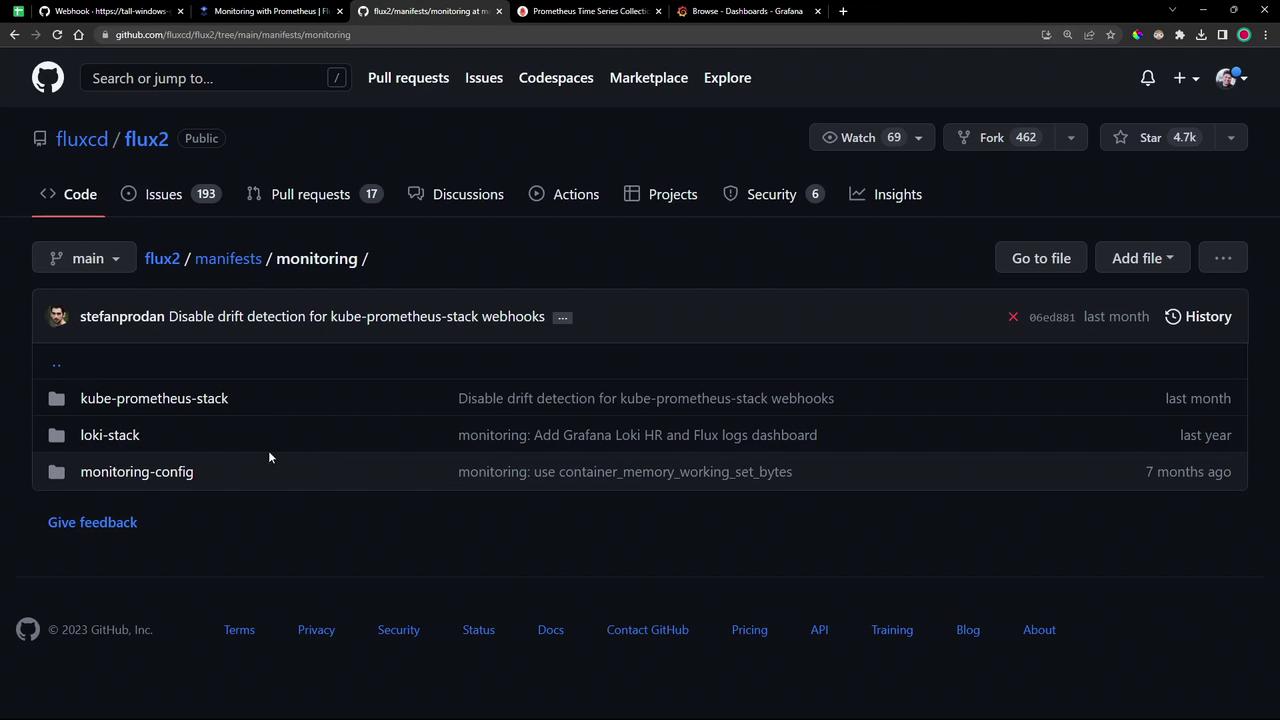
Clone or browse the Flux repository and locate the monitoring folder:
The image shows a GitHub repository page for "fluxcd/flux2" with a focus on the "monitoring" directory, containing folders like "kube-prometheus-stack" and "loki-stack."
Inside monitoring/ you’ll find:
  • PodMonitor YAML for scraping all Flux controllers.
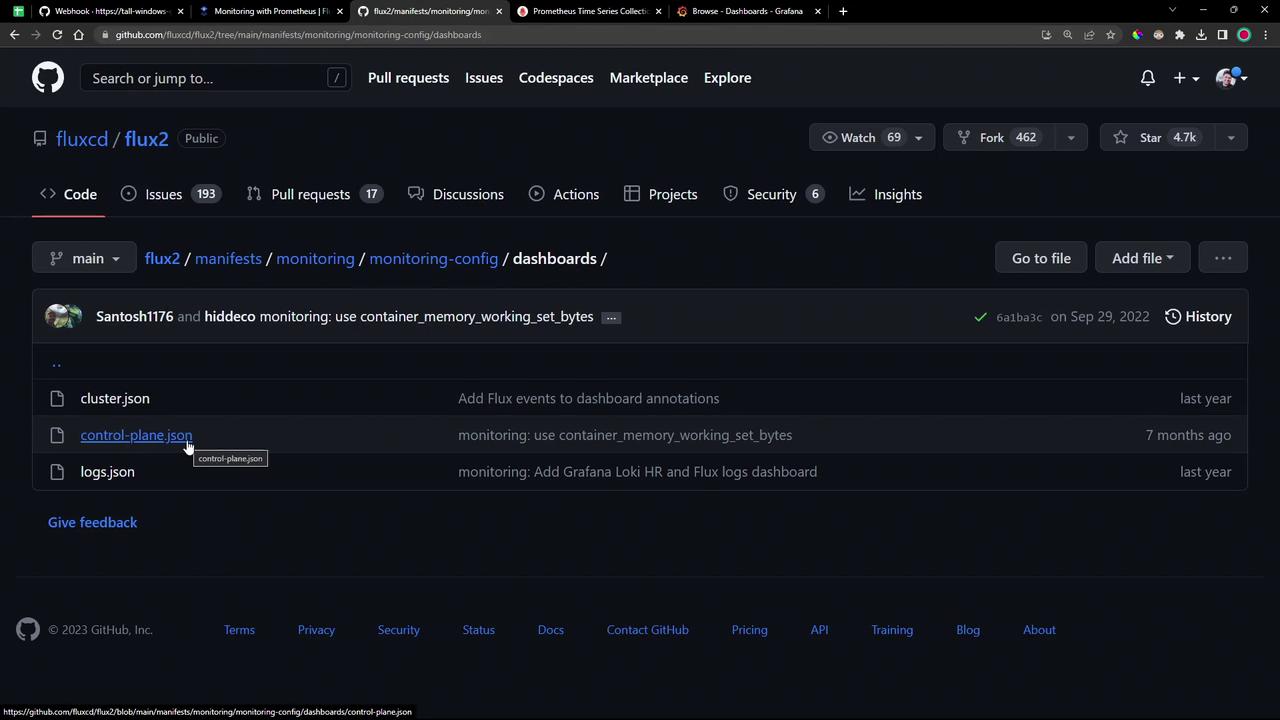
  • A dashboards/ folder with two Grafana JSON files:
    • cluster.json
    • controlplane.json
The image shows a GitHub repository page for "fluxcd/flux2" with a focus on the "dashboards" directory, displaying JSON files related to monitoring configurations.

2. Apply the Flux PodMonitor

The PodMonitor CRD instructs Prometheus to scrape metrics from Flux controllers in the flux-system namespace:
Ensure the Prometheus Operator and its CRDs (including PodMonitor) are installed (for example via the kube-prometheus-stack).
Apply it directly or via Flux:

3. Create a Flux Kustomization

Automate the deployment by defining a Flux Kustomization that points to your Git source:
You can export this with the Flux CLI:
Commit and push:
Reconcile the Git source and kustomization:
Verify the PodMonitor is ready:

4. Validate in Prometheus

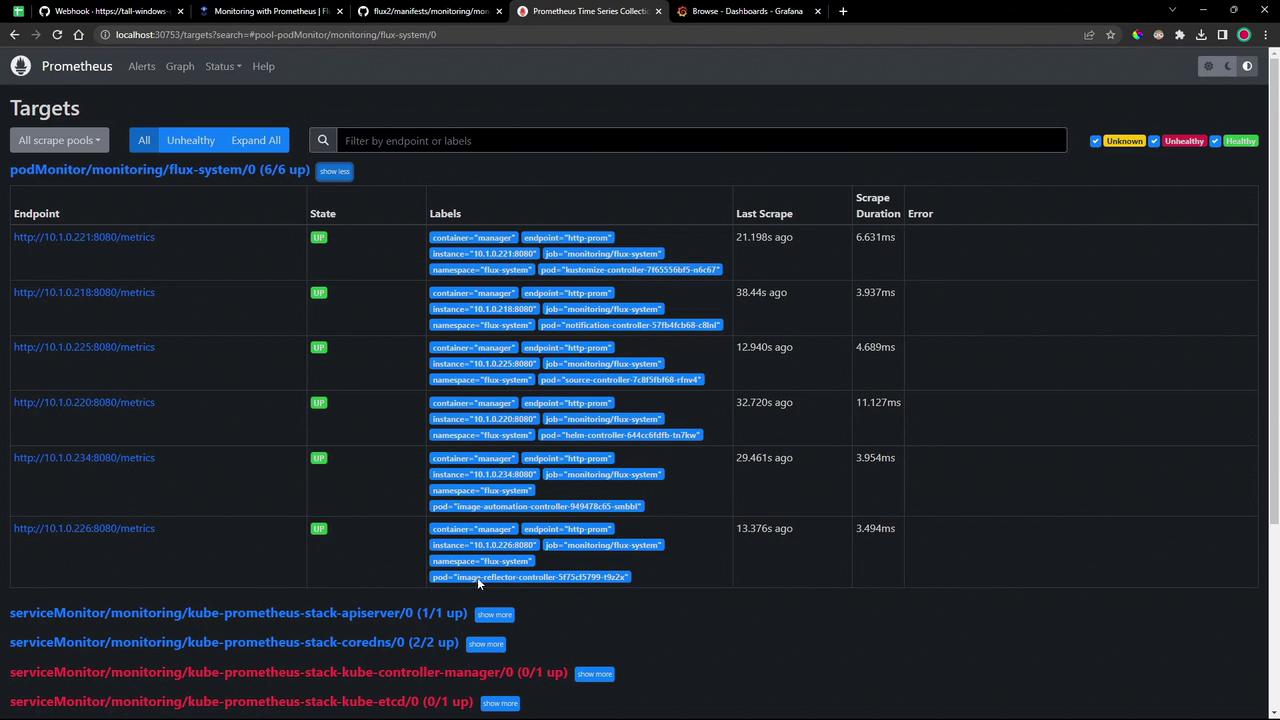
Open your Prometheus UI and go to Status → Targets. Within seconds, the Flux controller endpoints should appear as UP:
The image shows a Prometheus monitoring dashboard displaying the status of various targets, with endpoints, states, labels, and scrape durations. All listed targets are marked as "UP," indicating they are functioning properly.

Common gotk_ Queries

Run any query in Graph view to see real-time metrics:
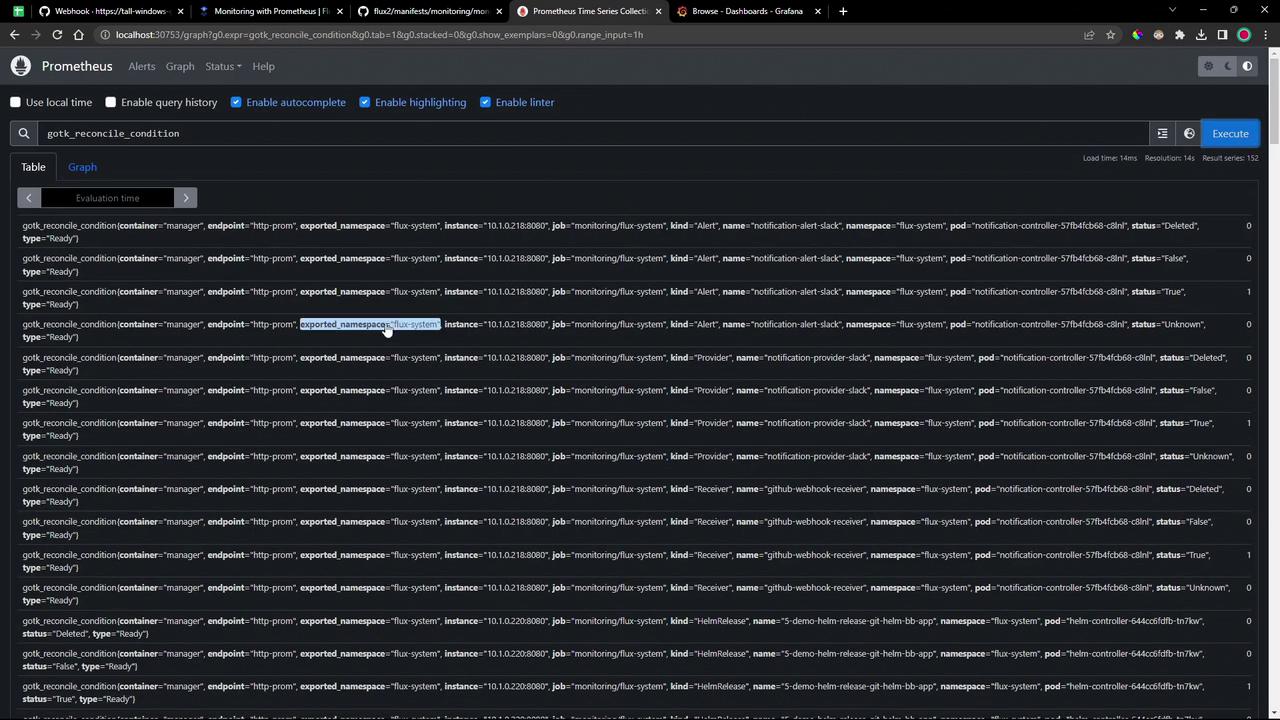
The image shows a Prometheus monitoring interface displaying query results related to the "gotk_reconcile_condition" metric, with details about containers, endpoints, and statuses.
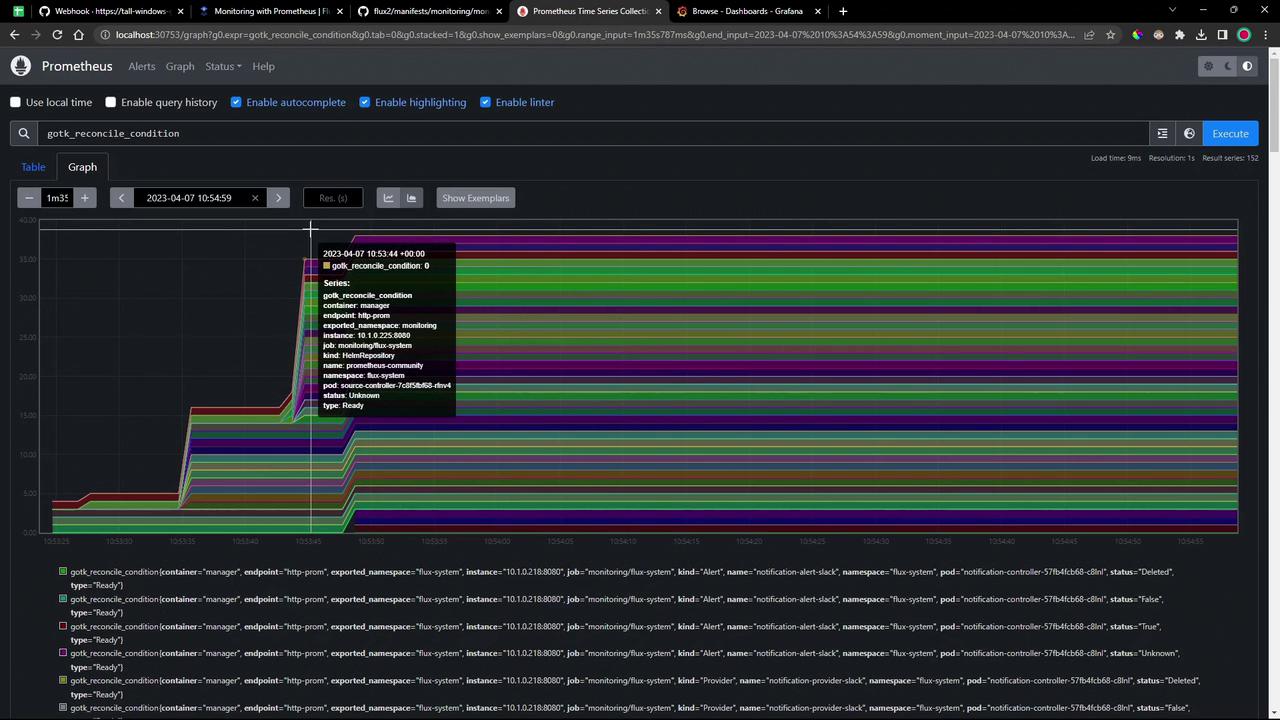
Switch to Graph mode for time-series visualization:
The image shows a Prometheus monitoring dashboard with a graph displaying multiple colored lines representing different metrics over time. A tooltip provides detailed information about a specific data point on the graph.

5. Explore Grafana Dashboards

After Flux applies the dashboard JSON, refresh Grafana. Two dashboards are now available:
  • Flux Control Plane
  • Flux Cluster Stats

Flux Control Plane

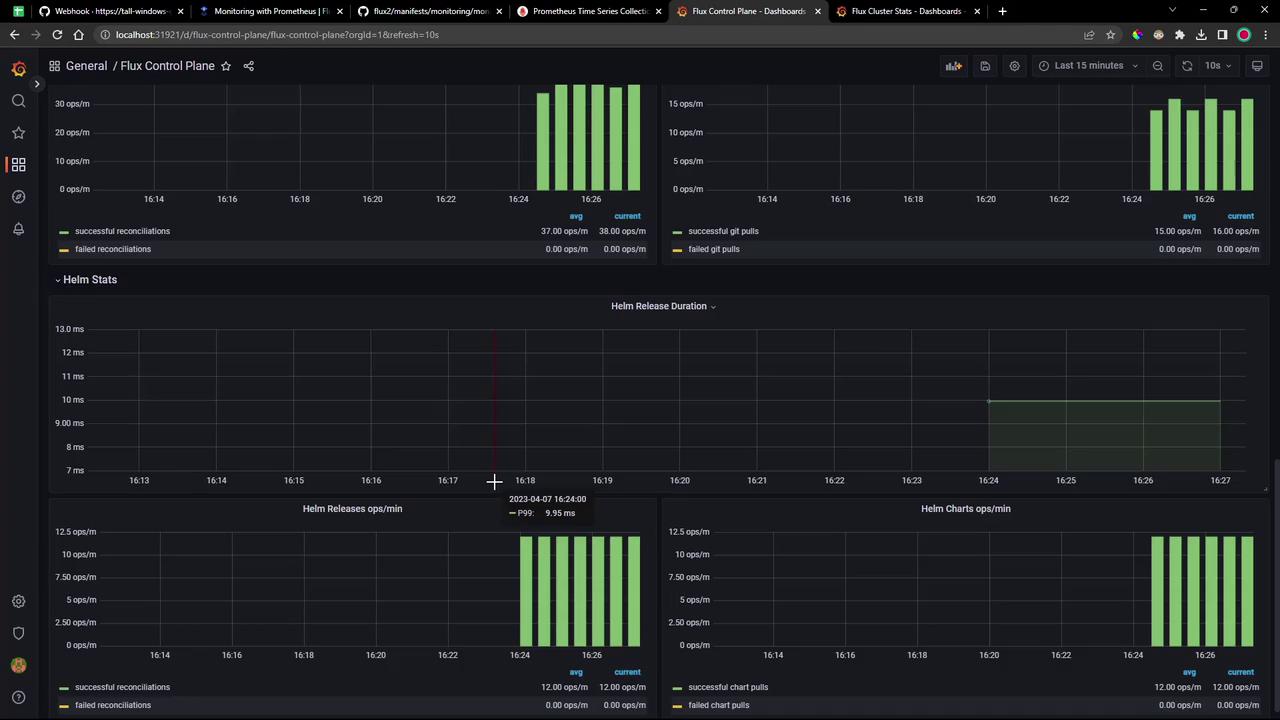
Tracks each controller’s queue lengths, CPU/memory usage, API request rates, and reconciliation durations:
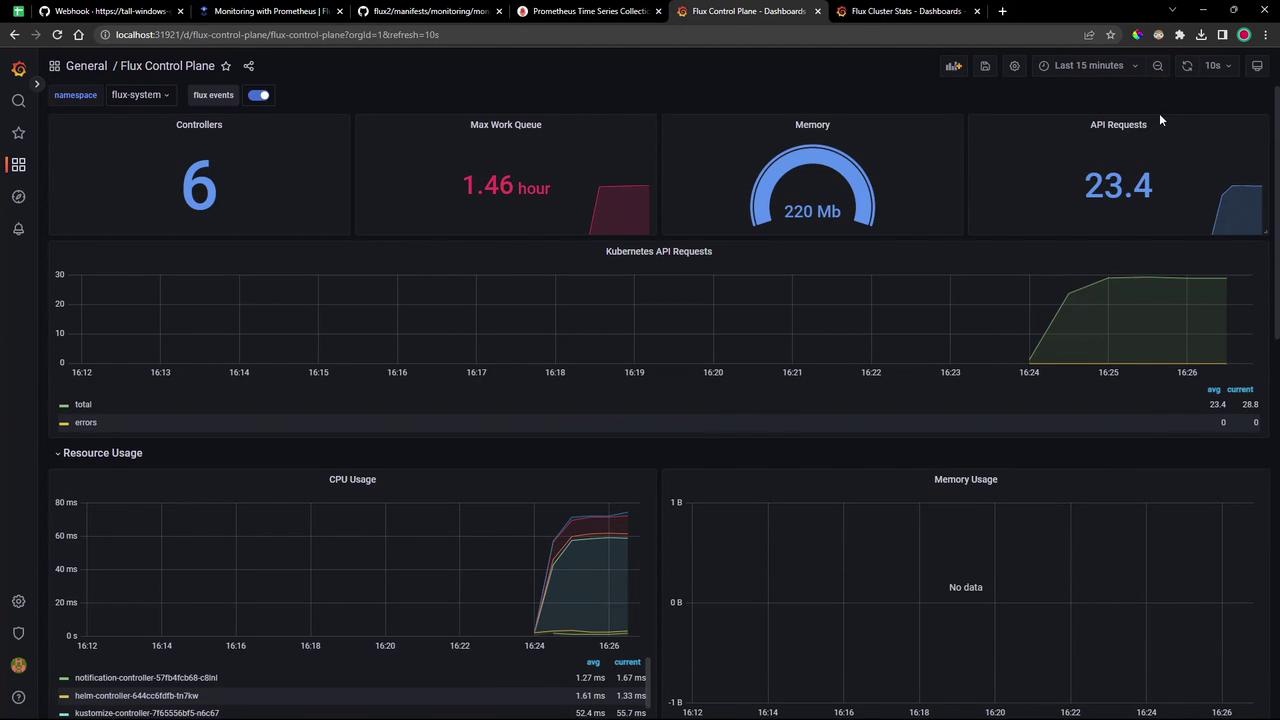
The image shows a dashboard interface displaying metrics for a Flux Control Plane, including controllers, max work queue time, memory usage, API requests, and resource usage graphs for CPU and memory.
The image shows a dashboard with graphs displaying metrics related to a Flux control plane, including successful and failed reconciliations, Git pulls, and Helm stats.

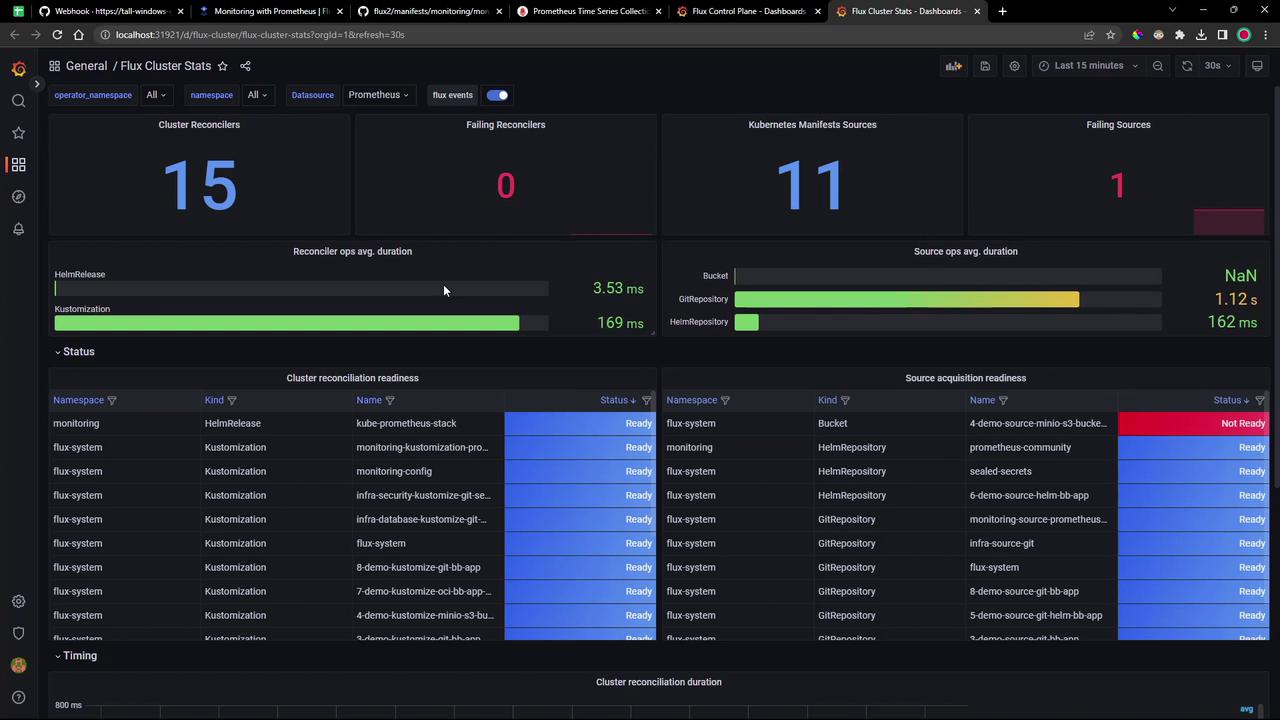
Flux Cluster Stats

Provides cluster-wide health: counts of reconcilers, failing controllers, manifest source statuses, operation durations, and readiness tables:
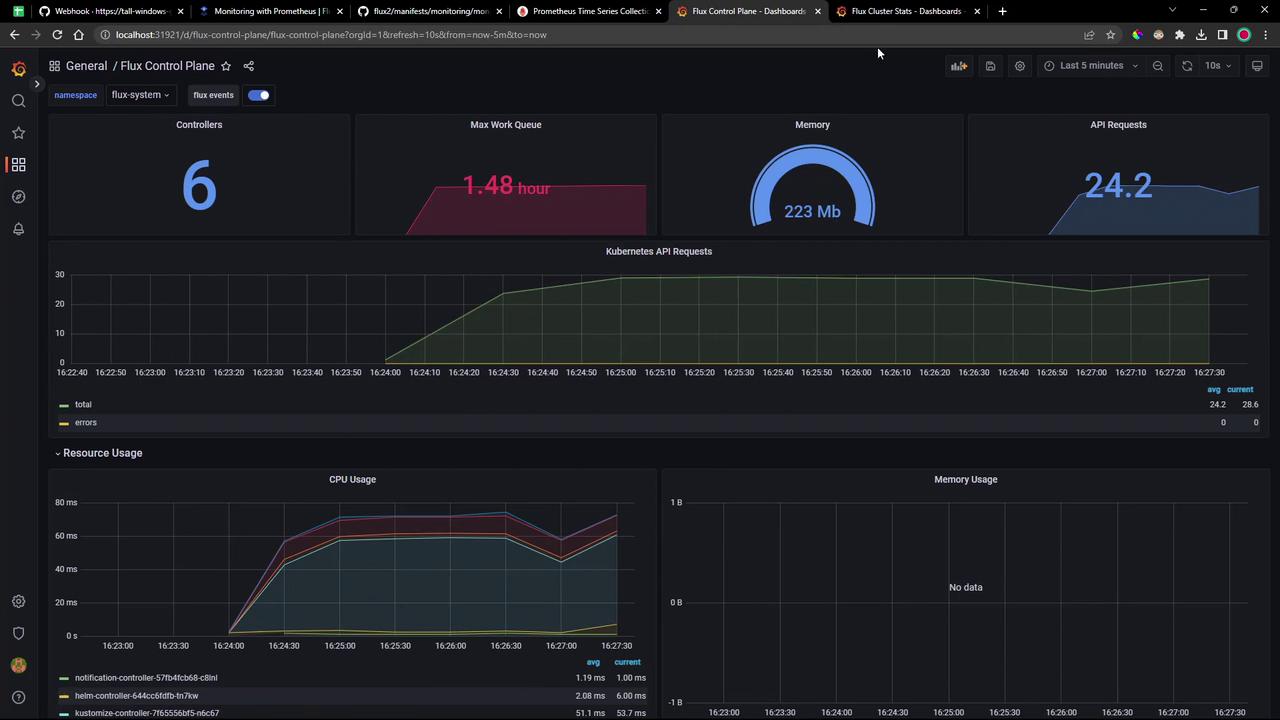
The image shows a dashboard interface displaying metrics for a Flux Control Plane, including controllers, max work queue time, memory usage, API requests, and resource usage graphs.
The image shows a Flux Cluster Stats dashboard displaying metrics such as cluster reconcilers, failing reconcilers, Kubernetes manifest sources, and their statuses. It includes tables and graphs indicating reconciliation readiness and operation durations.
These dashboards ship out of the box—just apply them to get comprehensive visibility into your Flux GitOps workflows.

Watch Video

Practice Lab