Documentation Index Fetch the complete documentation index at: https://notes.kodekloud.com/llms.txt
Use this file to discover all available pages before exploring further.
In this guide, we’ll walk through signing and verifying an OCI artifact using Cosign and then configuring Flux CD to fetch and verify that artifact before deploying it in Kubernetes.
Prerequisites
A fork or clone of the bb-appsource-git repository
Docker CLI installed and authenticated
A GitHub personal access token with read:packages and write:packages scopes
Flux CLI installed
A Cosign key pair generated (cosign.key and cosign.pub)
1. Prepare the Repository
Switch to a new feature branch:
Under the manifests/ folder, confirm you have:
namespace.yaml
deployment.yaml
service.yaml
Verify your deployment.yaml uses version 7.10.0 :
apiVersion : apps/v1
kind : Deployment
metadata :
name : block-buster
labels :
app : block-buster
api : downward
usage : global
spec :
replicas : 1
selector :
matchLabels :
app : block-buster
template :
metadata :
labels :
app : block-buster
env : dev
version : 7.10.0
spec :
containers :
- name : app
image : siddharth67/block-buster-dev:7.10.0
imagePullPolicy : Always
resources :
requests :
cpu : "100m"
memory : "256Mi"
2. Authenticate to GitHub Container Registry
Log in to GitHub Container Registry (GHCR) using your username and personal access token:
docker login ghcr.io --username sidd-harth-2
# Enter your GHCR token when prompted
Ensure your token has at least read:packages and write:packages scopes to push and pull images.
3. Push the OCI Artifact with Flux
Package your manifests folder and push it as an OCI artifact:
flux push artifact \
oci://ghcr.io/sidd-harth-2/bb-app:7.10.0- $( git rev-parse --short HEAD ) \
--path= "./manifests" \
--source= "$( git config --get remote.origin.url)" \
--revision= "7.10.0/$( git rev-parse --short HEAD)"
Expected output:
pushing artifact to ghcr.io/sidd-harth-2/bb-app:7.10.0-d6c285f
artifact successfully pushed to ghcr.io/sidd-harth-2/bb-app:7.10.0-d6c285f@sha256:eda014...
Verify the new package under Packages → bb-app on GitHub.
4. Sign the Artifact with Cosign
Pull the image by tag:
docker pull ghcr.io/sidd-harth-2/bb-app:7.10.0-d6c285f
Sign by digest:
cosign sign \
--key ../cosign/cosign.key \
ghcr.io/sidd-harth-2/bb-app@sha256:eda014...
Approve uploading to the transparency log when prompted. A .sig blob is now attached to your OCI package.
5. Verify the Signature Locally
Use your public key to confirm the artifact’s integrity:
cosign verify \
--key ../cosign/cosign.pub \
ghcr.io/sidd-harth-2/bb-app@sha256:eda014...
You should see:
Verification for ghcr.io/sidd-harth-2/bb-app@sha256:eda014...
- The cosign claims were validated
- Evidence of claims in the transparency log was verified offline
- The signatures were verified against the specified public key
Change to your Flux cluster repo:
cd ~/block-buster/flux-clusters/dev-cluster
Create an OCIRepository source for GHCR:
flux create source oci 10-demo-source-oci-bb-app \
--url oci://ghcr.io/sidd-harth-2/bb-app \
--tag 7.10.0-d6c285f \
--secret-ref ghcr-auth \
--provider generic \
--export > 10-demo-source-oci-bb-app.yaml
Edit 10-demo-source-oci-bb-app.yaml to include Cosign verification:
apiVersion : source.toolkit.fluxcd.io/v1beta2
kind : OCIRepository
metadata :
name : 10-demo-source-oci-bb-app
namespace : flux-system
spec :
interval : 1m0s
provider : generic
url : oci://ghcr.io/sidd-harth-2/bb-app
ref :
tag : 7.10.0-d6c285f
secretRef :
name : ghcr-auth
verify :
provider : cosign
secretRef :
name : cosign-pub
Apply the source:
kubectl apply -f 10-demo-source-oci-bb-app.yaml
Ensure secrets exist:
kubectl -n flux-system get secret ghcr-auth cosign-pub
Create and apply a Kustomization to deploy the manifests:
flux create kustomization 10-demo-kustomize-oci-bb-app \
--source=OCIRepository/10-demo-source-oci-bb-app \
--target-namespace=10-demo \
--path= "./" \
--prune=false \
--interval=10s \
--export > 10-demo-kustomize-oci-bb-app.yaml
kubectl apply -f 10-demo-kustomize-oci-bb-app.yaml
7. Confirm Verification and Deployment
Reconcile and check the OCI source status:
flux reconcile source oci -n flux-system 10-demo-source-oci-bb-app
flux get sources oci -n flux-system
You should see READY True.
Inspect the SourceVerified condition:
kubectl -n flux-system get ocirepository 10-demo-source-oci-bb-app -o yaml
Verify deployment in the 10-demo namespace:
kubectl -n 10-demo get all
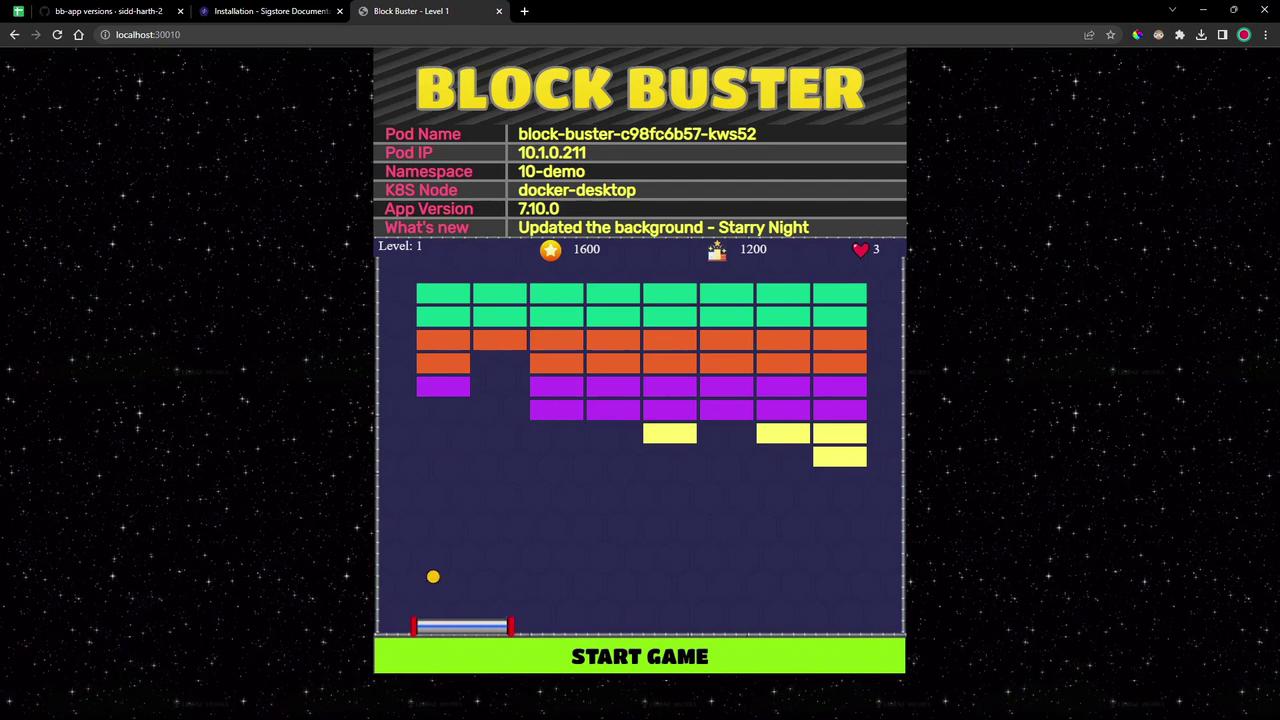
Access the application on its NodePort (e.g., localhost:30010). You should see version 7.10.0 of Block Buster:
Links and References