bb-app image (7.7.0-0bb2691) from GHCR, configure authentication, and create a Kustomization to manage deployments.
Prerequisites
- A Kubernetes cluster with Flux CD installed (Flux Installation Guide).
fluxCLI andkubectlconfigured to target your cluster.- Docker (optional) to verify the image locally.
Overview of Flux Resources
1. Pull the OCI Image Locally (Optional)
Verify thebb-app image before integrating with Flux:
ghcr.io/sidd-harth-2/bb-app) and the tag (7.7.0-0bb2691).
Public OCI registries (e.g., Docker Hub) typically don’t require authentication. Private registries like GHCR do.
2. Create an OCIRepository Source
Register the image in Flux by creating anOCIRepository. Update the tag to 7.7.0-0bb2691:
demo-source-oci-bb-app.yaml:
3. Create the OCI Authentication Secret
Flux requires credentials to pull from a private registry. Generate a GitHub Personal Access Token (PAT) with theread:packages scope, then create the secret:
Keep your GitHub PAT secure. Do not commit
ghcr-auth.yaml to public repositories.flux-system namespace:
4. Create a Kustomization for Deployment
Define aKustomization that references your OCIRepository, sets up health checks, and enforces dependency ordering:
demo-kustomize-bb-app.yaml:
Health Checks
Flux polls the specified resource and waits until it’s ready before marking the Kustomization as healthy. Example for a Git-based Kustomization:Dependencies
ThedependsOn field enforces deployment order. In this demo, bb-app waits for infra-database-git-mysql (your SQL database) to succeed first.
5. Reconcile and Debug
Check the Kustomization status:Ready:
6. Verify the Deployment
List all resources in thebb-app namespace:
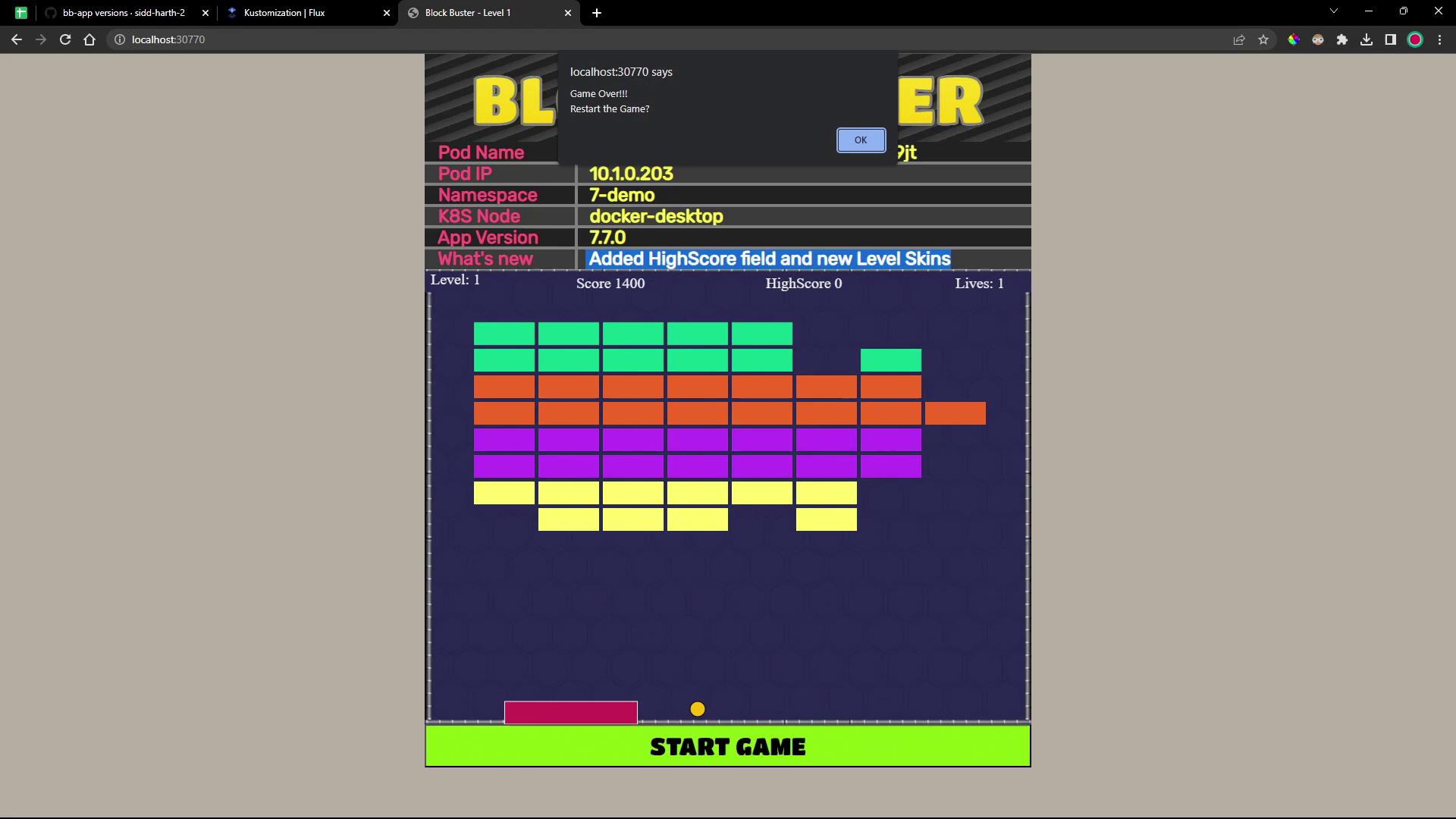
http://127.0.0.1:3770. In version 7.7.0 you’ll notice a new “High Score” field—but a known bug prevents high scores from persisting: