

- Scrapers downloading every photo.
- Bots attempting to brute-force or guess passwords.
- Buggy clients repeatedly hammering your servers and consuming capacity.
1) Rate limiting
You already encounter rate limiting in everyday apps: type a password wrong too many times and the app demands you wait before trying again. That behavior protects login endpoints from repeated attempts.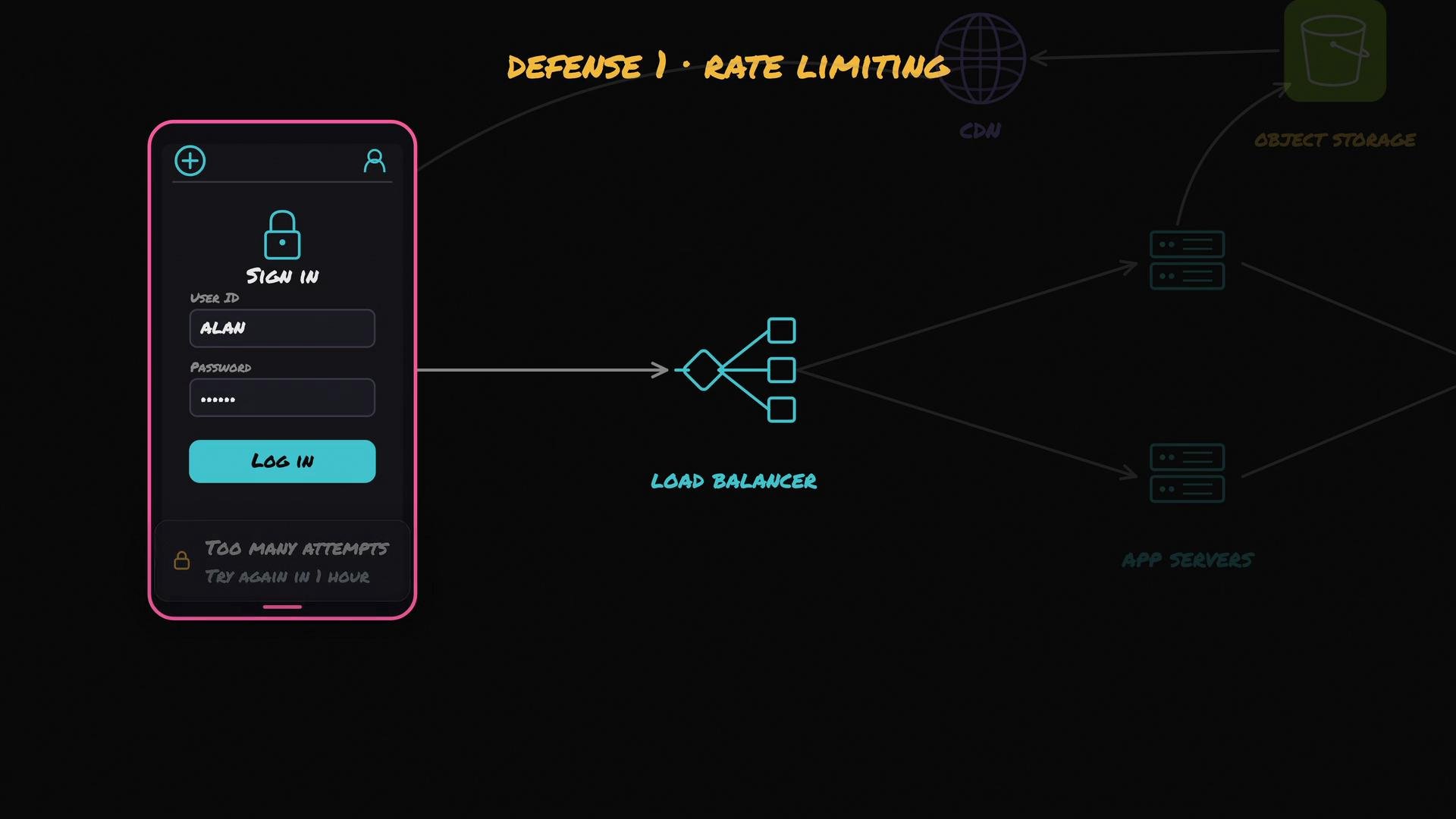
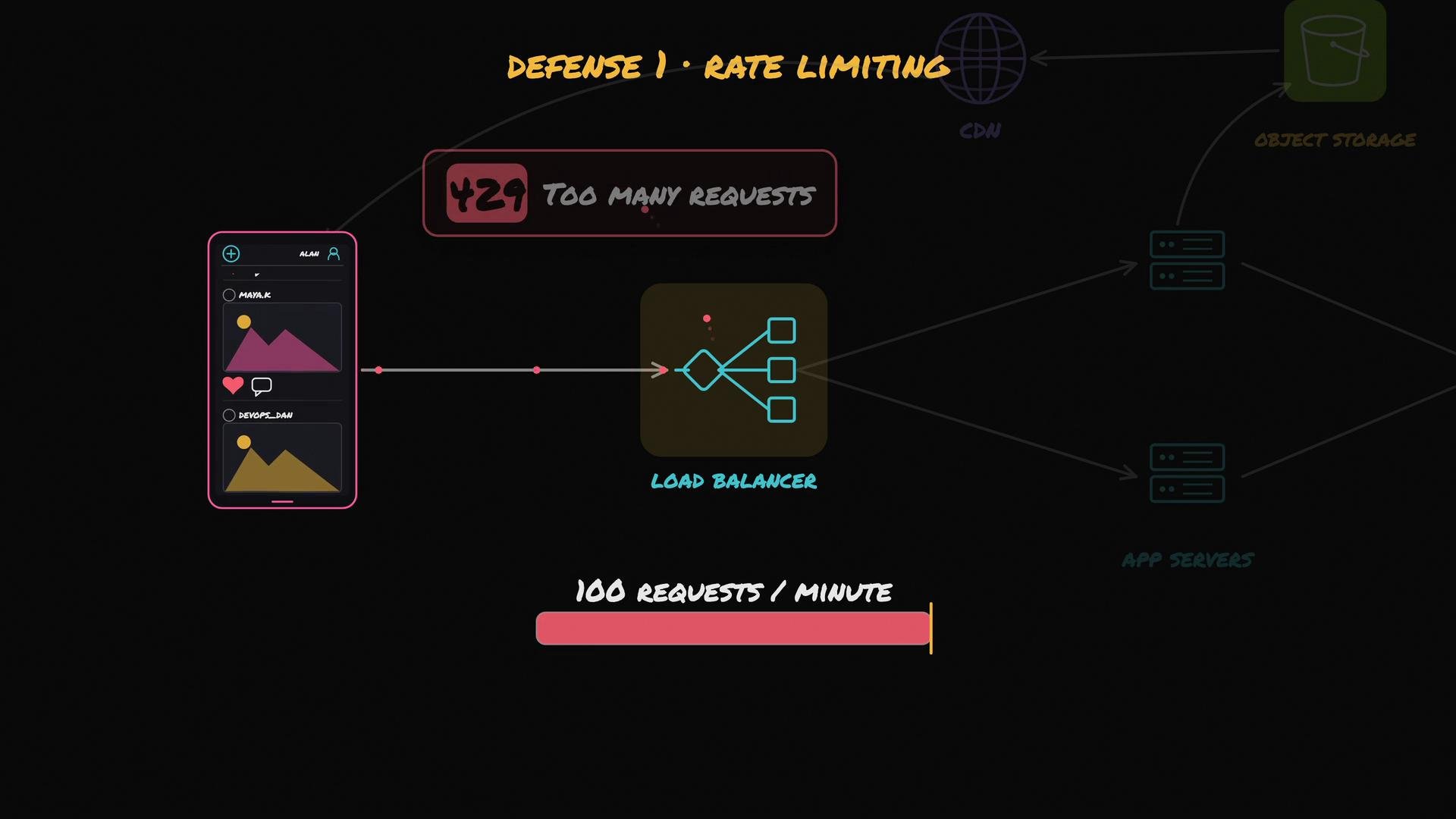
100 requests per minute per API key. When a client exceeds the limit, respond with HTTP 429 (Too Many Requests) and include a Retry-After header indicating when requests can resume.
Example HTTP response for a throttled request:
- Stops abuse — scrapers and other malicious clients are slowed or blocked.
- Protects resiliency — buggy clients can’t take down entire services because the rate limiter caps their impact.
- Token bucket or leaky bucket algorithms for smooth enforcement.
- Per-user, per-API-key, per-IP, and per-endpoint limits (different endpoints may need different limits).
- Burst allowance for short spikes, but enforce sustained limits.
- Expose limits and remaining quota in response headers (e.g.,
X-RateLimit-Limit,X-RateLimit-Remaining).
2) Encrypt all connections (HTTPS / TLS)
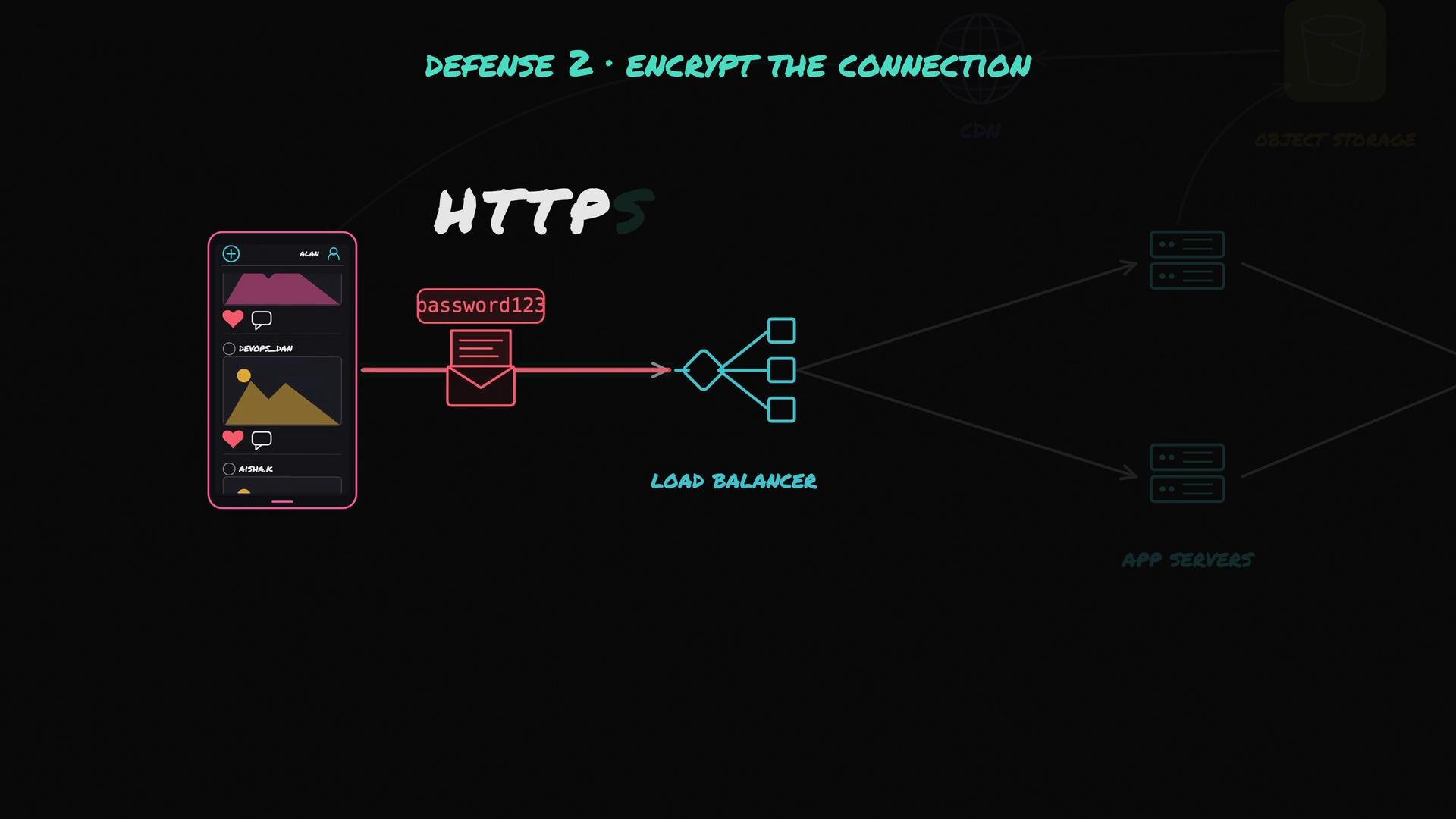
Every client-server connection must be encrypted: use HTTPS (TLS). Plain HTTP transmits credentials, tokens, and data in plaintext that can be observed or modified in transit. In production, TLS termination commonly happens at the edge (e.g., load balancer, CDN, or edge proxy). Best practices for TLS:- Require TLS 1.2+ and prefer TLS 1.3.
- Use strong cipher suites and disable legacy, insecure protocols.
- Renew and rotate certificates before expiry; automate certificate management where possible.
- Terminate TLS at trusted edge components and protect internal traffic appropriately.
3) Authentication vs Authorization
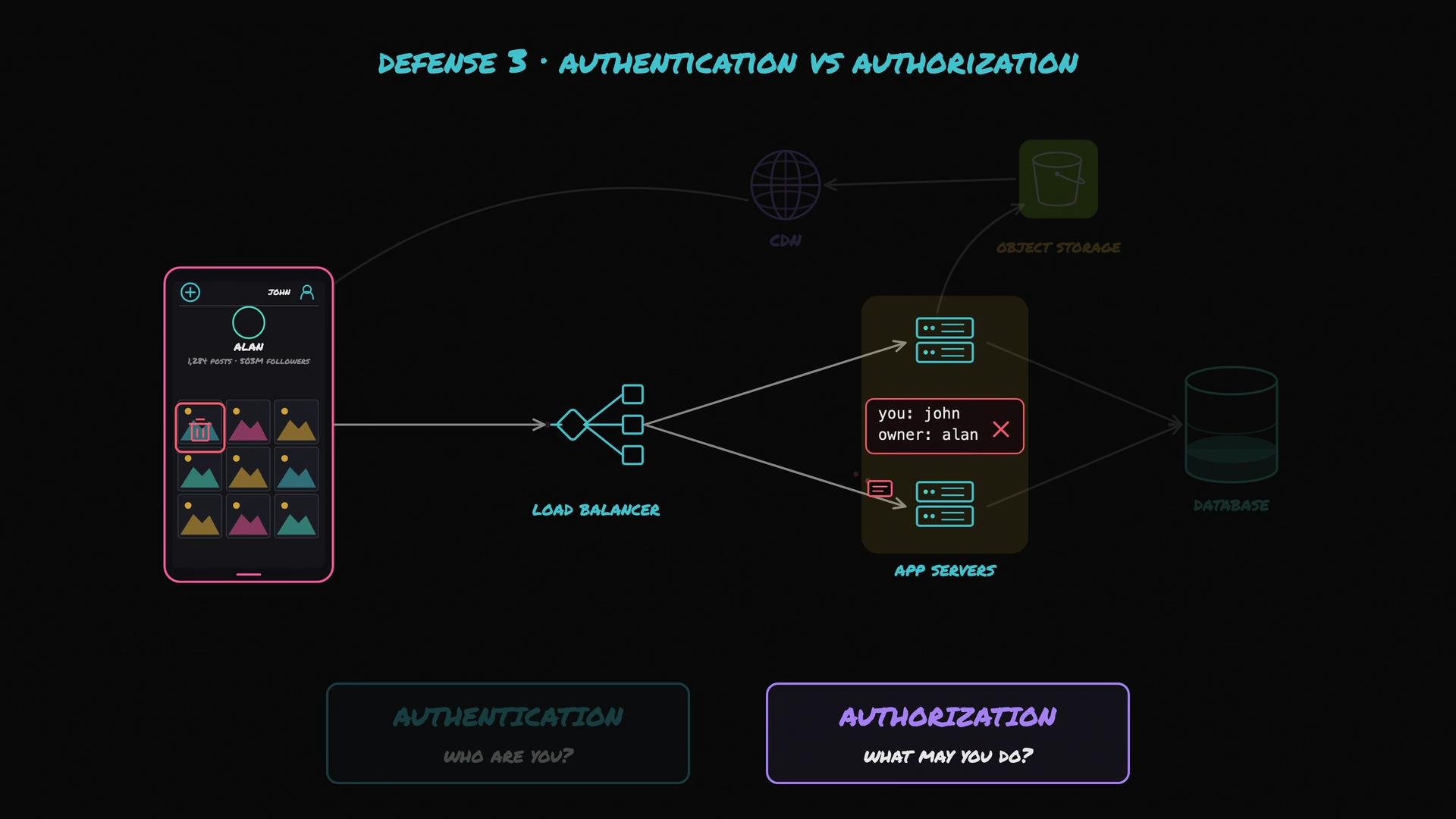
Understanding and separating authentication and authorization is critical.- Authentication: “Who are you?” — the process of verifying a user or client (login flows, API keys, OAuth tokens).
- Authorization: “What are you allowed to do?” — once identity is established, check permissions for specific actions or resources.
- Centralize authorization checks or use well-tested libraries/policies (e.g., attribute-based access control, RBAC).
- Validate both resource ownership and action-level permissions before performing sensitive operations.
- Log authorization failures for visibility and incident investigation.
4) Signed URLs for private content
In a photo app, public assets are accessible broadly, while private photos must remain restricted even if hosted in the same object storage and served through a CDN. If a direct object URL leaks, how can you limit access? Use signed (time-limited) URLs. A signed URL is analogous to a ticket that grants access to a single resource for a short period. The server generates a URL that includes an expiration and cryptographic signature. After the expiry time, the URL becomes invalid, limiting the damage if links leak. Use cases:- Short-lived access for private files delivered via CDN.
- Pre-signed PUT/POST URLs for direct uploads to object storage.
5) Never trust incoming data — validate and sanitize
Treat all client input as untrusted. Validate every field, header, and query parameter before using it in business logic or database statements. A classic risk is SQL injection. If you concatenate raw input into SQL, an attacker can escape the query context and run arbitrary commands. For example, a malicious payload might look like:- Using parameterized queries / prepared statements.
- Enforcing strong input validation (types, sizes, allowed characters).
- Using ORM abstractions that automatically parameterize queries where appropriate.
6) Secrets management
Your system relies on secrets: database passwords, API keys, signing keys, and more. Protect secrets by following these principles:- Never hard-code secrets in source code or bake them into container images.
- Store secrets in a dedicated secrets manager and inject them at runtime.
- Limit secret scope and grant least privilege.
- Rotate secrets regularly and log access to the secrets store.
Security checklist for a public API: rate limit clients, encrypt all connections, enforce authentication and authorization, use signed URLs for private content, validate all incoming data, and keep secrets out of source code.
Quick reference table: core controls
None of the above dives into advanced offensive-security techniques, but these basics are where most real incidents start. Implementing and consistently enforcing these measures will mitigate a large fraction of common attacks and accidental outages.