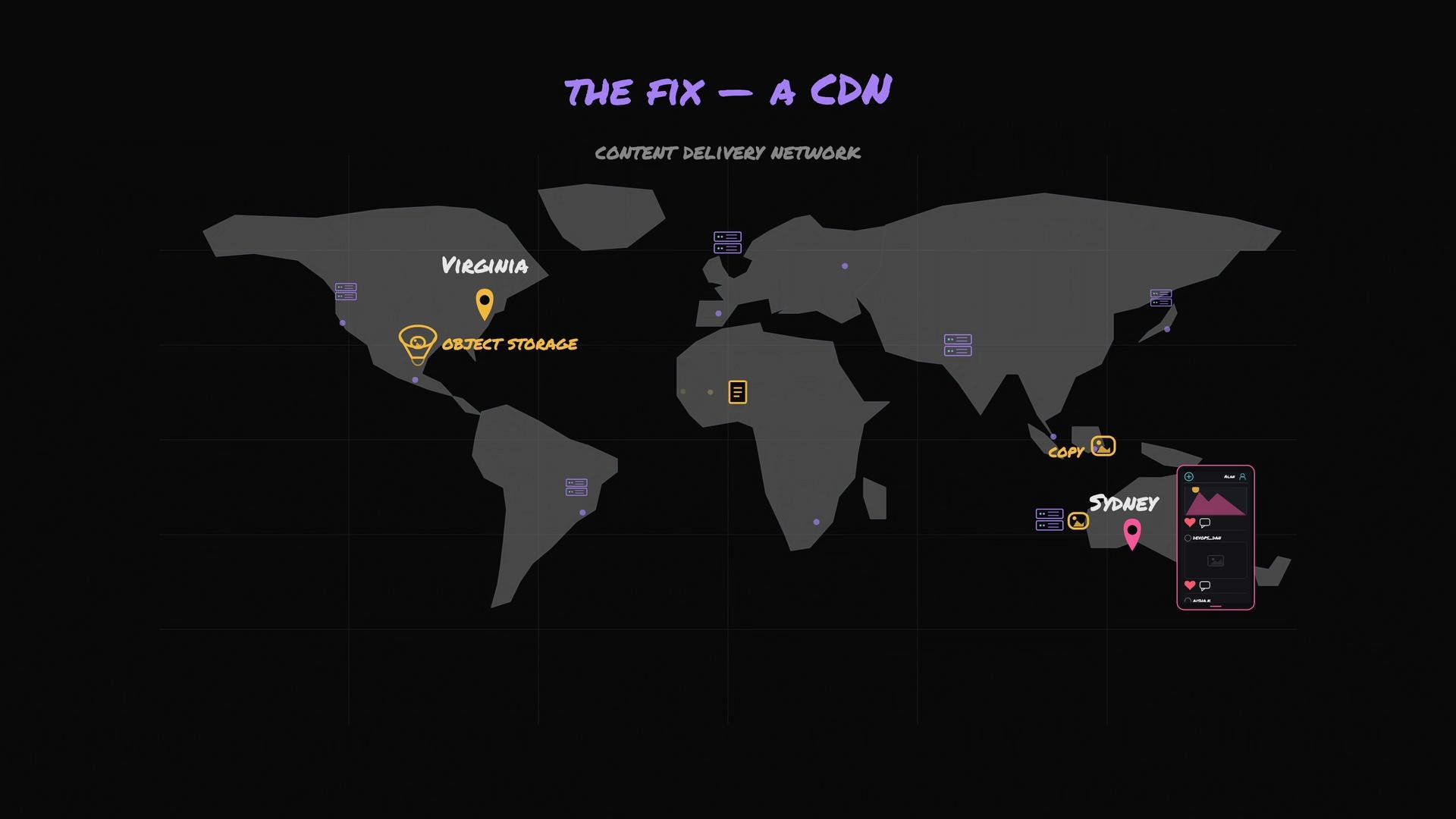
We moved large image and video files to object storage, and our database now stores only each file’s URL. Returning an image to a user becomes a simple operation: the application returns the URL, and the browser fetches the file from object storage. That works well until users far from the object storage begin to see slow load times. Imagine the object storage sits in the Virginia (USA) region and the app becomes popular in Sydney, Australia. Users in Sydney must wait for every photo to traverse roughly fifteen thousand kilometers and many network hops. Even at near light-speed in fiber, that distance introduces perceptible latency. And users rarely load just one photo — a single user scrolling a feed may trigger dozens of such long trips. The problem is physics: images are slow because the origin is far from users. We cannot move Virginia closer to Sydney, but we can store copies of those photos closer to Sydney. That is exactly what a CDN does. A CDN (Content Delivery Network) is a geographically distributed fleet of servers whose job is to keep copies of your files physically close to your users.
The image is a world map illustrating a content delivery network (CDN) with locations marked in Virginia and Sydney, labeled with "Object Storage" and "Copy" respectively. It includes small icons representing servers and mobile devices.
The CDN stores copies in edge locations (Sydney, London, Mumbai, and hundreds more), minimizing latency by serving files from locations close to users. How a CDN speeds delivery
  • A user in Sydney requests a photo.
  • The nearest edge location (Sydney edge) checks whether it already has the photo.
  • On the first request, the Sydney edge fetches the photo from the origin object storage in Virginia, returns it to the user, and caches a copy locally.
  • Subsequent Sydney users requesting the same photo get it directly from the Sydney edge — typically delivered in milliseconds instead of the multi-hundred-millisecond trip from Virginia.
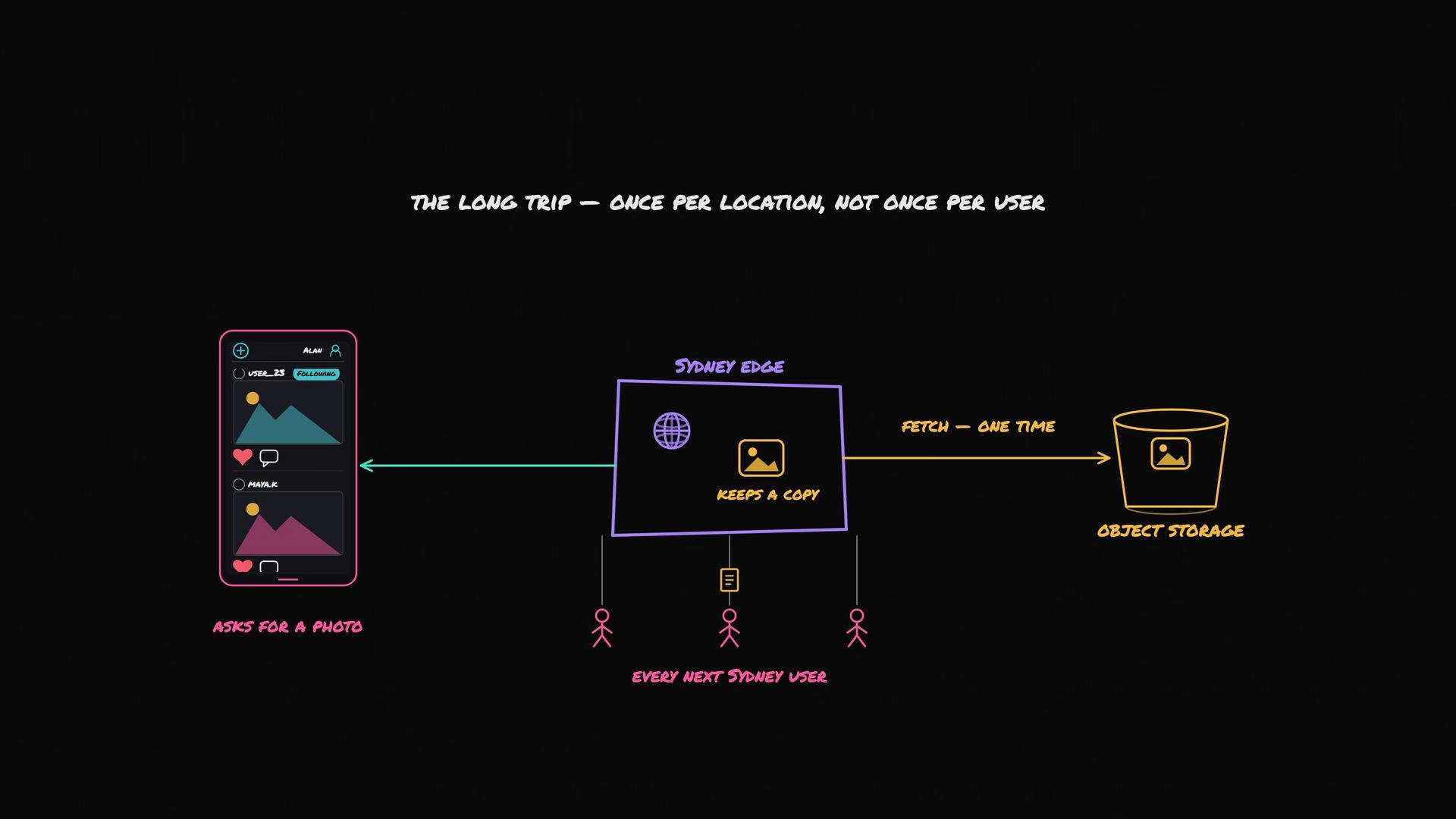
The image illustrates a data flow diagram showing how a photo request from a mobile app is handled. It incorporates a local edge server that caches the image to reduce repeated fetches from object storage.
Additional benefits
  • Offload origin bandwidth: If a celebrity posts a photo and millions view it, the CDN edges handle most requests; the origin often serves only one fetch per edge (when edges miss the cache).
  • Improved global performance: Users experience lower latency and faster page load times.
  • Cost efficiency: Reduced egress from origin object storage typically lowers bills.
Cache consistency and invalidation A CDN is effectively a distributed cache, so edge copies can become stale. Each cached object on an edge has a TTL (time-to-live). When the TTL expires, the edge may perform a conditional request to the origin (for example using If-Modified-Since or ETag) to check whether the file changed. If unchanged, the edge continues to serve the same object; if changed, it fetches the new version. When you need immediate removal (for example, a user deletes a photo), you can explicitly invalidate or purge the object so edges drop their cached copies as soon as possible.
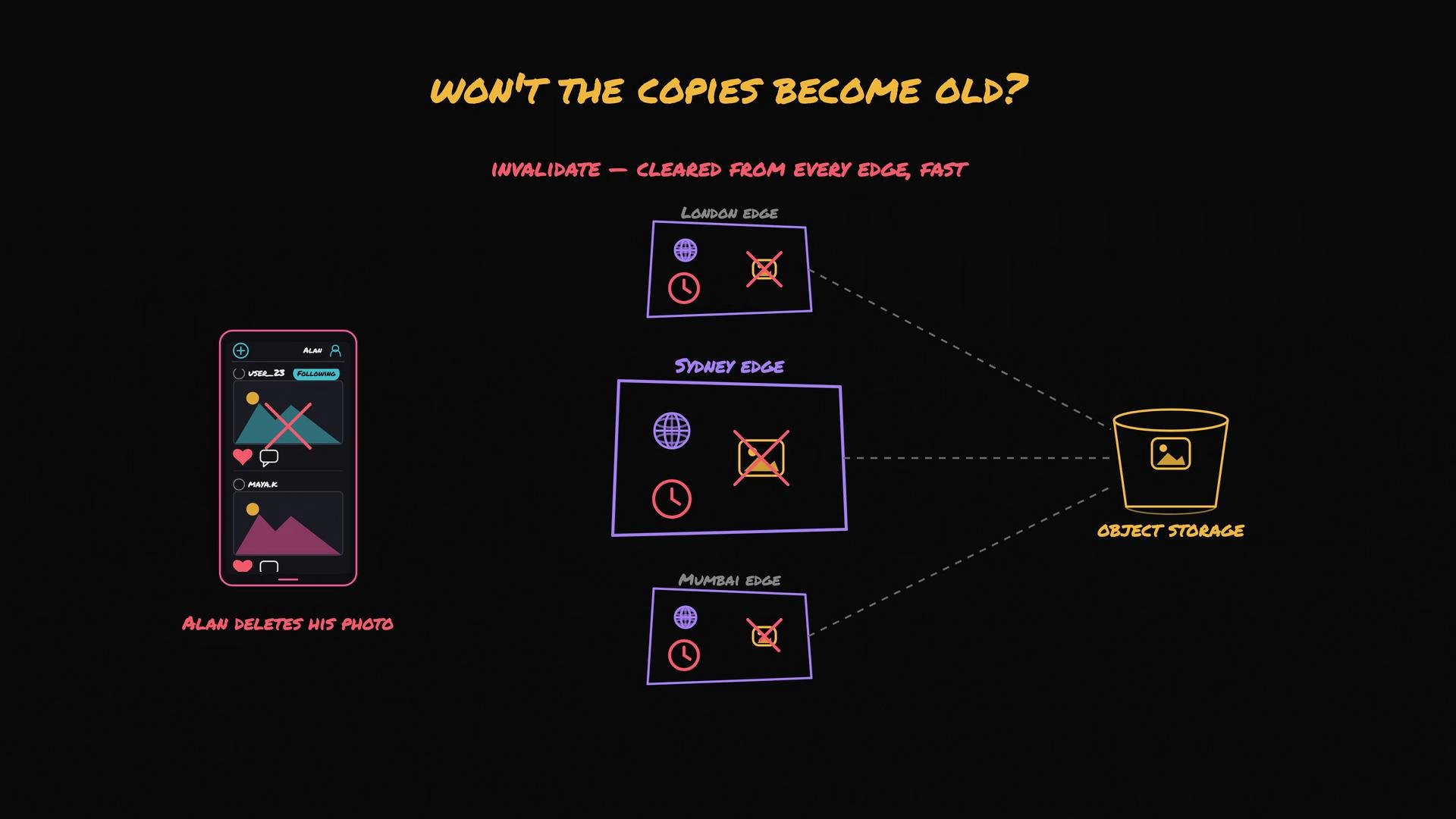
The image illustrates a process where a user's photo is deleted from a mobile app, triggering the invalidation and removal of copies across different edges (London, Sydney, and Mumbai) and object storage.
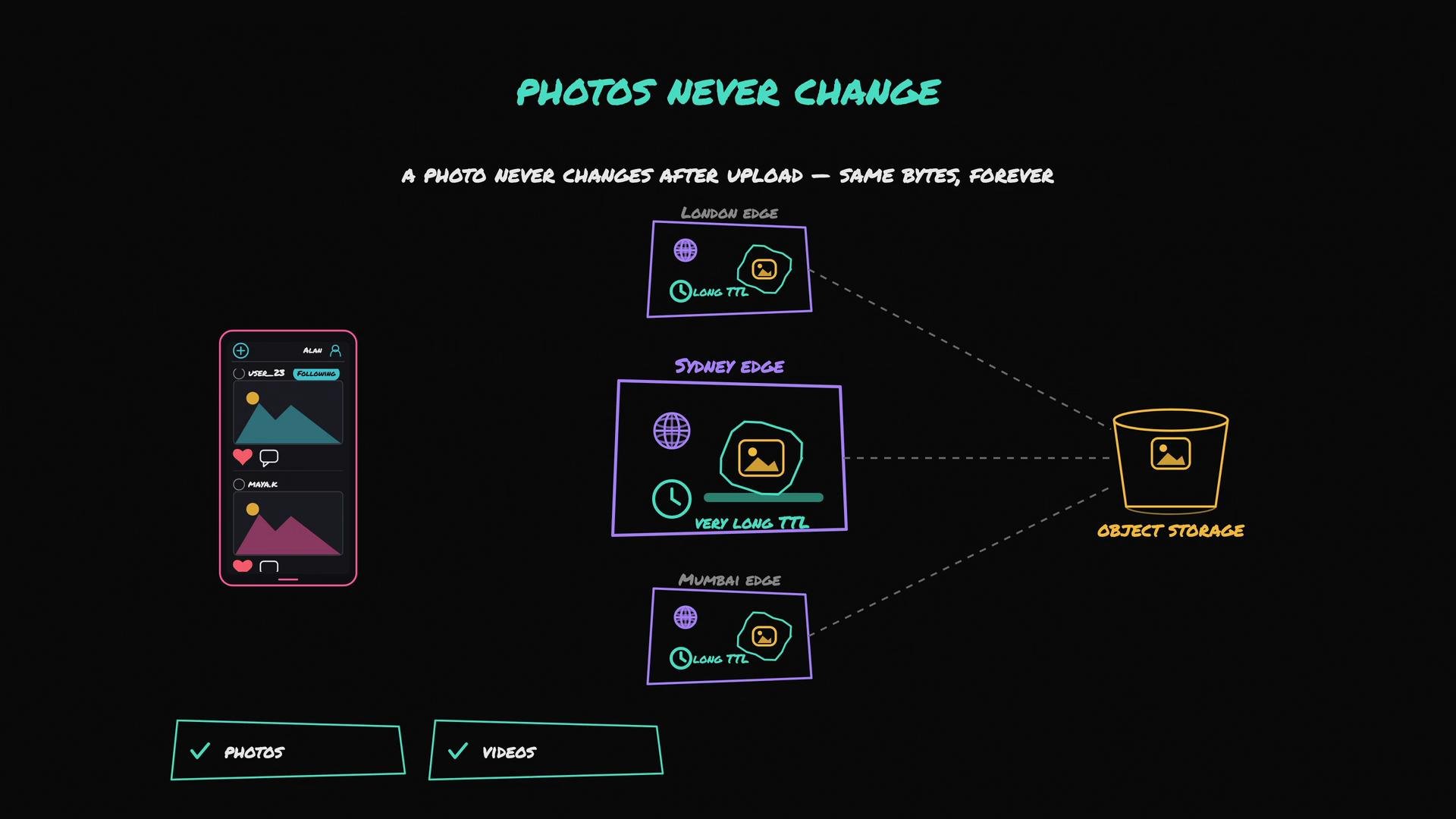
For many media workloads this is straightforward: photos and many videos are immutable once uploaded. That immutability allows long TTLs and reduces cache churn, making CDNs particularly well-suited for large, static assets requested by many users.
The image illustrates a concept where photos never change after upload, showing an object storage system connected to edge locations in London, Sydney, and Mumbai with varying time-to-live (TTL) durations. It also includes a mobile app interface displaying photo sharing functionalities.
How the browser finds the nearest edge There are two distinct conversations involved when serving media to users:
  1. Conversation with your app servers (unchanged)
    • The browser requests the feed from your application server.
    • The app server queries the database and returns the feed. Photo URLs in the feed should point at your CDN domain (for example, cdn.example.com) rather than the origin object storage.
  2. Conversation with the CDN
    • The browser requests the CDN URL.
    • The CDN routing system (DNS, Anycast, or similar mechanisms) directs the browser to the nearest edge location (Sydney for Sydney users, London for London users).
    • The edge serves the photo from cache, or fetches it from the origin if it does not have it.
End-to-end flow summary
  • The browser asks your application server for the feed.
  • The app server returns feed data with photo URLs pointing to the CDN.
  • The browser fetches photos from the CDN domain.
  • The CDN routes the request to the nearest edge.
  • The edge serves photos from cache and contacts origin only on cache misses or validation.
Our app servers keep handling small, dynamic operations (user data, feed composition), while the CDN handles heavy media delivery, reducing latency and origin load. Quick reference table When to use a CDN
  • You serve large static assets (images, videos, binaries) to users in multiple regions.
  • You want to reduce origin bandwidth and cost.
  • You need consistent, low-latency delivery for a global audience.
Use a CDN when serving photos, videos, or other large static assets to a global audience: it reduces latency for users and offloads traffic from your origin.
Further reading and providers
  • Common CDN features to evaluate: regional edge coverage, cache invalidation APIs, support for ETag/Last-Modified, TLS, and signed URLs for protected assets.
  • Popular providers: Amazon CloudFront, Cloudflare CDN, Fastly.
In short: if you serve photos or videos to a global audience, a CDN is essential for low-latency delivery and cost-effective scaling.

Watch Video