In this guide, you’ll learn how to organize Terragrunt configurations for AWS infrastructure into logical layers—root, account, region, and environment—while centralizing reusable Terraform modules. This structure promotes consistency, scalability, and easy maintenance across multiple AWS accounts and regions.

1. Root Directory Overview

At the top level, maintain a root/ directory that holds all live environments and shared modules:
root/
├── account-1/
├── account-2/
└── modules/
DirectoryPurpose
account-1/Terragrunt configurations for AWS Account 1
account-2/Terragrunt configurations for AWS Account 2
modules/Central repo for all Terraform modules (local, Git, or registry)
Place reusable Terraform modules in modules/ to keep your infrastructure code DRY and version-controlled.

2. Account-Level and Region Structure

Within each account folder, separate configurations by AWS region. Inside each region, create one directory per environment (dev, staging, production, etc.):
root/account-1/
└── us-east-1/
    ├── dev/
    ├── staging/
    └── production/
  • us-east-1/: Configurations scoped to the us-east-1 region.
  • dev/, staging/, production/: Environment-specific folders containing terragrunt.hcl.

3. Terragrunt Configuration (terragrunt.hcl)

Each environment directory must include a terragrunt.hcl file that:
  • References the Terraform module source.
  • Defines input variables for that environment.
  • Configures remote state backend (S3 & DynamoDB).
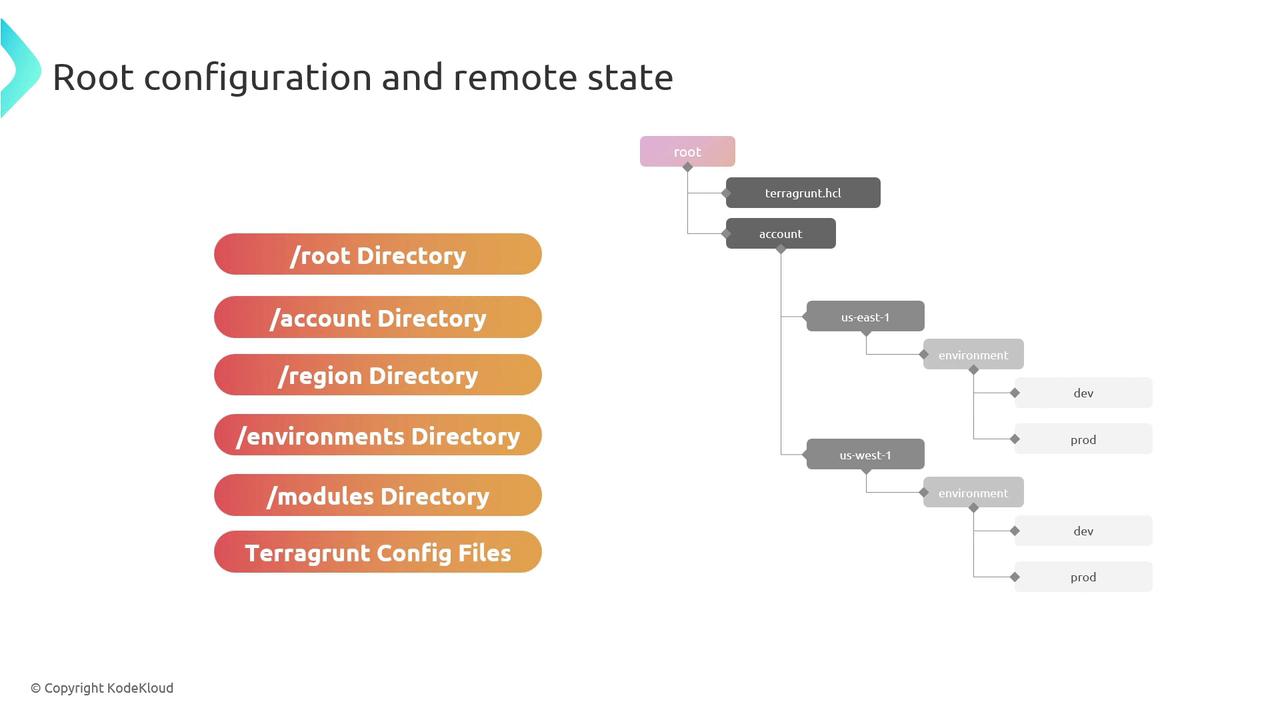
The image shows a diagram of a directory structure for root configuration and remote state, including directories for root, account, region, environments, modules, and Terragrunt config files. It also illustrates a hierarchy with nodes for different environments and regions.

4. Example terragrunt.hcl

Below is a sample configuration for the dev environment in account-1’s us-east-1 region:
terraform {
  source = "../../../modules/vpc"
}

inputs = {
  environment = "dev"
  cidr_block  = "10.0.0.0/16"
}

remote_state {
  backend = "s3"
  config = {
    bucket         = "my-terraform-state"
    key            = "account-1/us-east-1/dev/terraform.tfstate"
    region         = "us-east-1"
    dynamodb_table = "terraform-locks"
    encrypt        = true
  }
}

5. Customization & Best Practices

  • Use clear, consistent naming conventions for accounts, regions, and environments.
  • Reference your shared modules via relative paths or Git/Terraform Registry URLs.
  • Leverage Terragrunt’s include and dependency blocks to minimize duplication.
Never hard-code sensitive values (API keys, secrets) in terragrunt.hcl. Use AWS Secrets Manager, SSM Parameter Store, or environment variables instead.

By following this layered directory structure and best practices, you’ll build a scalable, maintainable foundation for managing AWS infrastructure with Terragrunt.