

- An AWS FIS experiment configured to terminate or impair EC2 instances
- An ASG with
minCapacityset to a desired level - A CloudWatch dashboard pre-populated with the relevant widgets
Dashboard Widgets Overview
How to Interpret the Charts
-
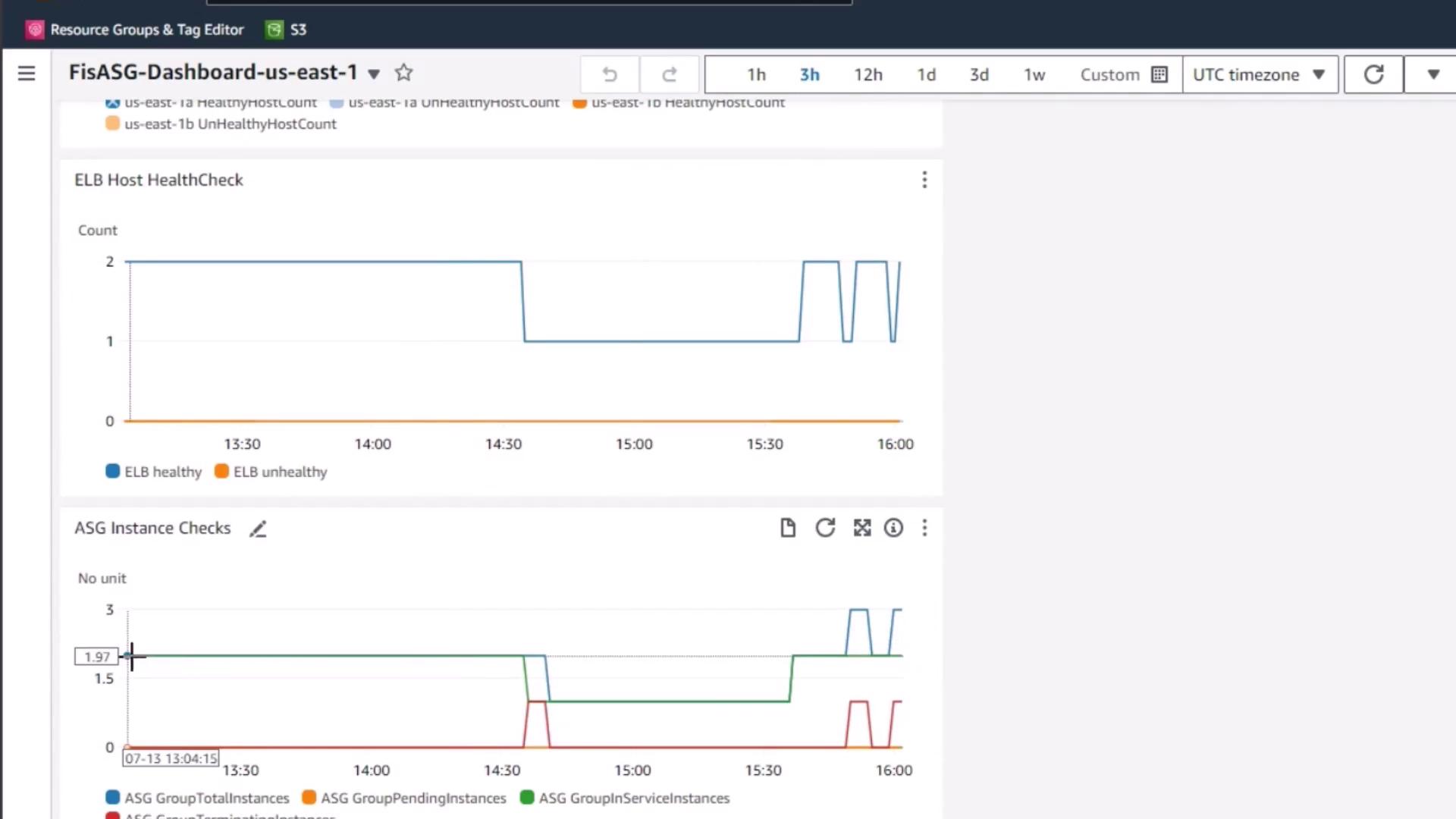
ELB Host HealthCheck
- Baseline: Starts with 2 healthy instances.
- During FIS: One instance is terminated → healthy count drops to 1.
- Recovery: ASG’s
minCapacity=2triggers a replacement → healthy count returns to 2.
-
ASG Instance Checks
- Pending: Instances being initialized after launch.
- InService: Fully operational, serving traffic.
- The graph pattern mirrors the ELB health trend, reflecting when the ASG spins up replacement instances.
If you terminate multiple instances at once or set a high desired capacity, the ASG may launch many replacements simultaneously. Monitor the ASG Instance Checks widget to avoid unexpected resource costs.