

Prerequisites
- You have an active ECS Fargate cluster (e.g., pay-for-adoption).
- Container Insights is enabled for your cluster.
- Permissions to view AWS CloudWatch metrics.
Baseline metrics enable you to compare system behavior before and after fault injection. Make sure you record the values for each metric over a consistent time window.
1. Navigate to Container Insights
- Open the AWS Management Console.
- Go to CloudWatch > Container Insights > ECS.
- Select your ECS cluster (for example, pay-for-adoption).
- Set the time range to the last 30 minutes.
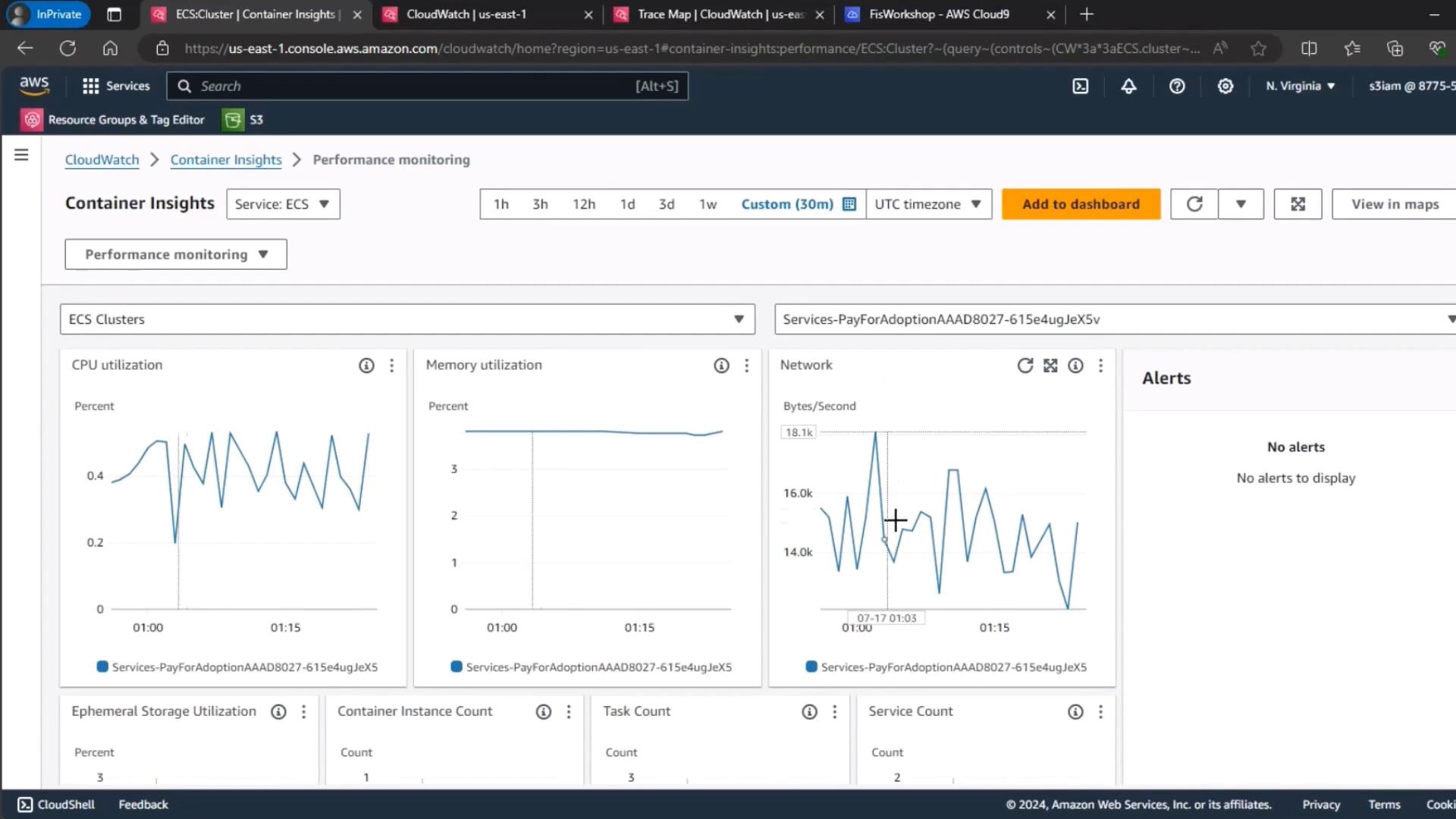
2. Review Key Metrics
Use the following table to track your baseline values:If any metric is already at or near its limit (e.g., > 80% CPU or memory), address capacity issues before proceeding with fault injection.