

1. Empty Amazon S3 Buckets
Before tearing down your CloudFormation stacks or CDK apps, you must empty every S3 bucket. AWS will not delete buckets that contain objects.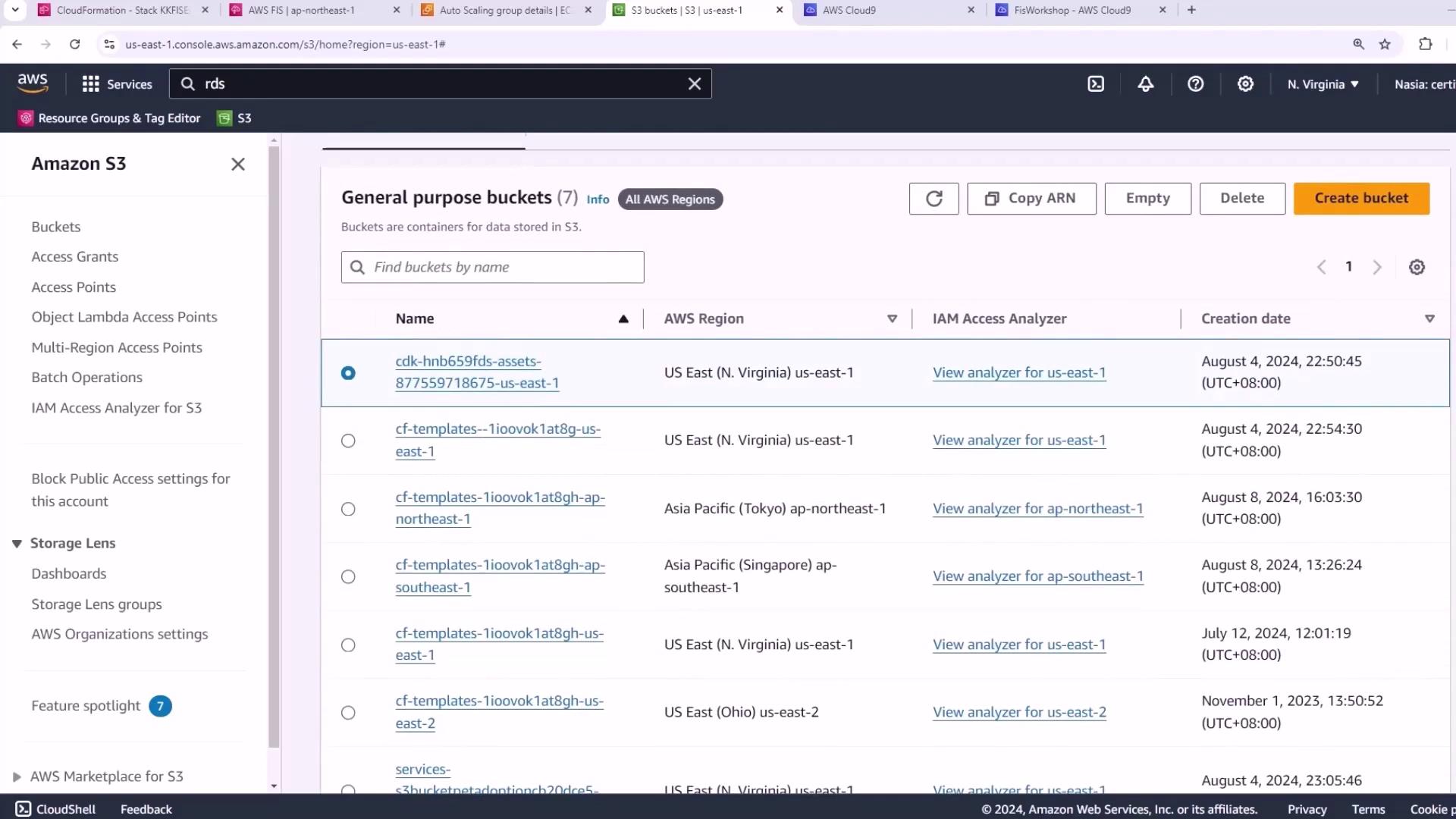
Buckets with existing objects will block stack deletion. Ensure all objects are removed first.
- Open the Amazon S3 console.
- Select each workshop bucket.
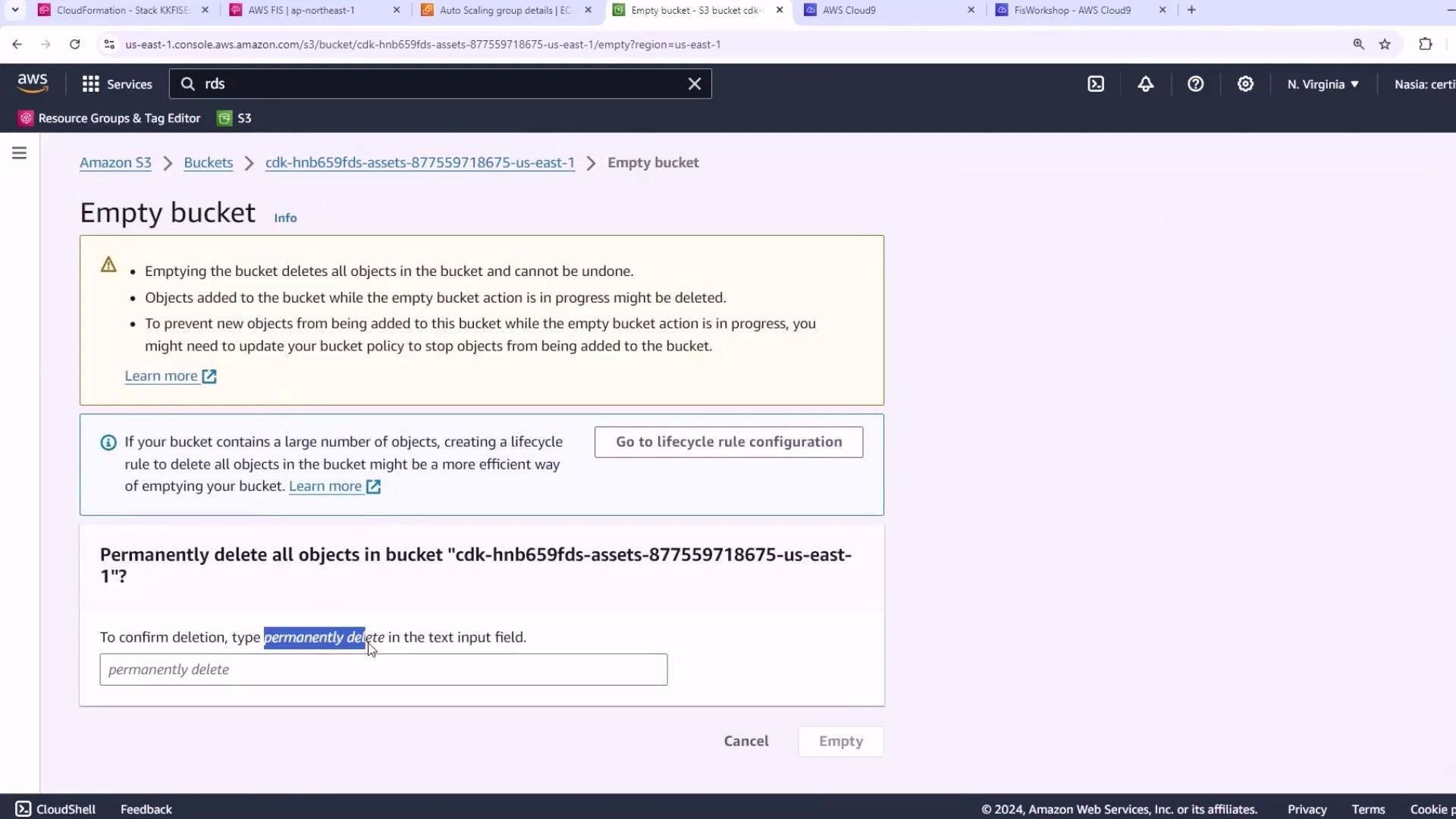
- Click Empty.
- Type permanently delete and confirm.
2. Delete RDS Snapshots
Remove any manual snapshots of your Aurora database. Retained snapshots prevent the CloudFormation stack from deleting the database instances.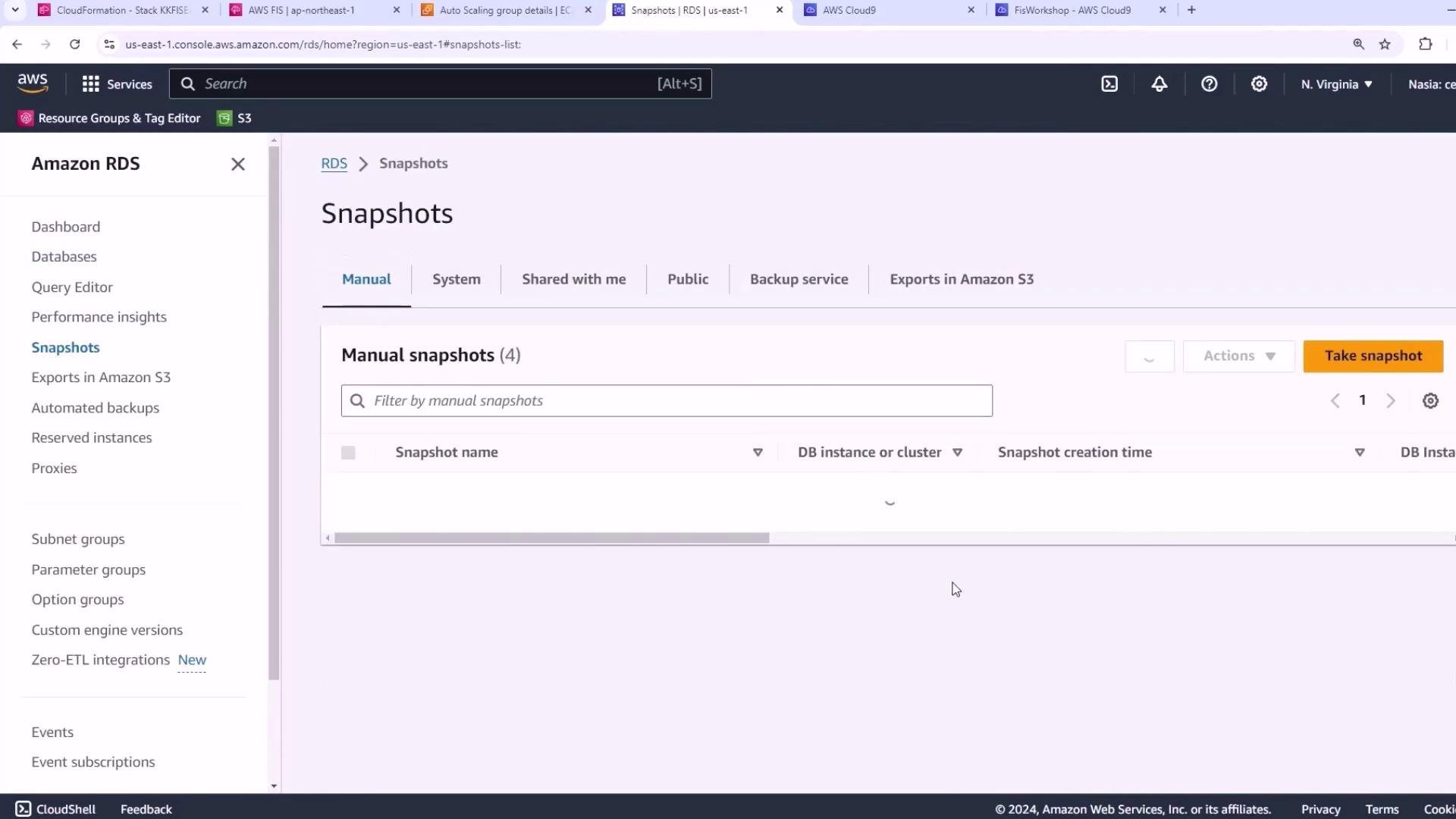
- Go to the Amazon RDS console.
- Choose Snapshots in the navigation pane.
- Select each manual snapshot and delete.
Automated snapshots created by RDS are cleaned up when you delete the database instance.
3. Destroy CDK Stacks
With buckets and snapshots removed, destroy your CDK-managed stacks:y to confirm. For more details, see the AWS CDK CLI Reference.
4. Remove Manual Auto Scaling Resources
If you created an Auto Scaling group and launch template manually, delete them now.- Navigate to the Auto Scaling Groups console.
- Select the group (e.g., in the Tokyo region).
- Click Delete, then type delete to confirm.
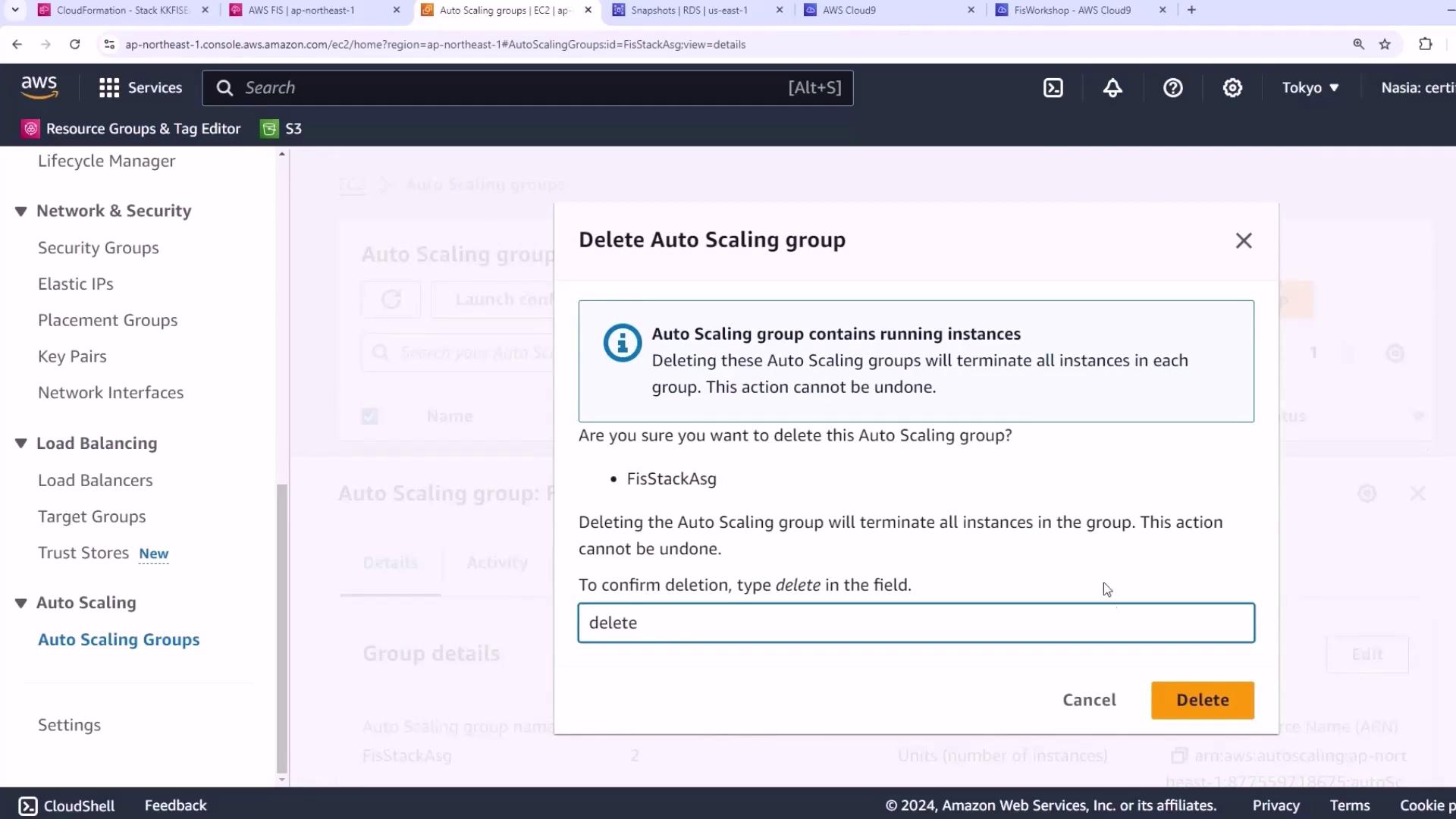
- Finally, delete the associated launch template to terminate any remaining EC2 instances.
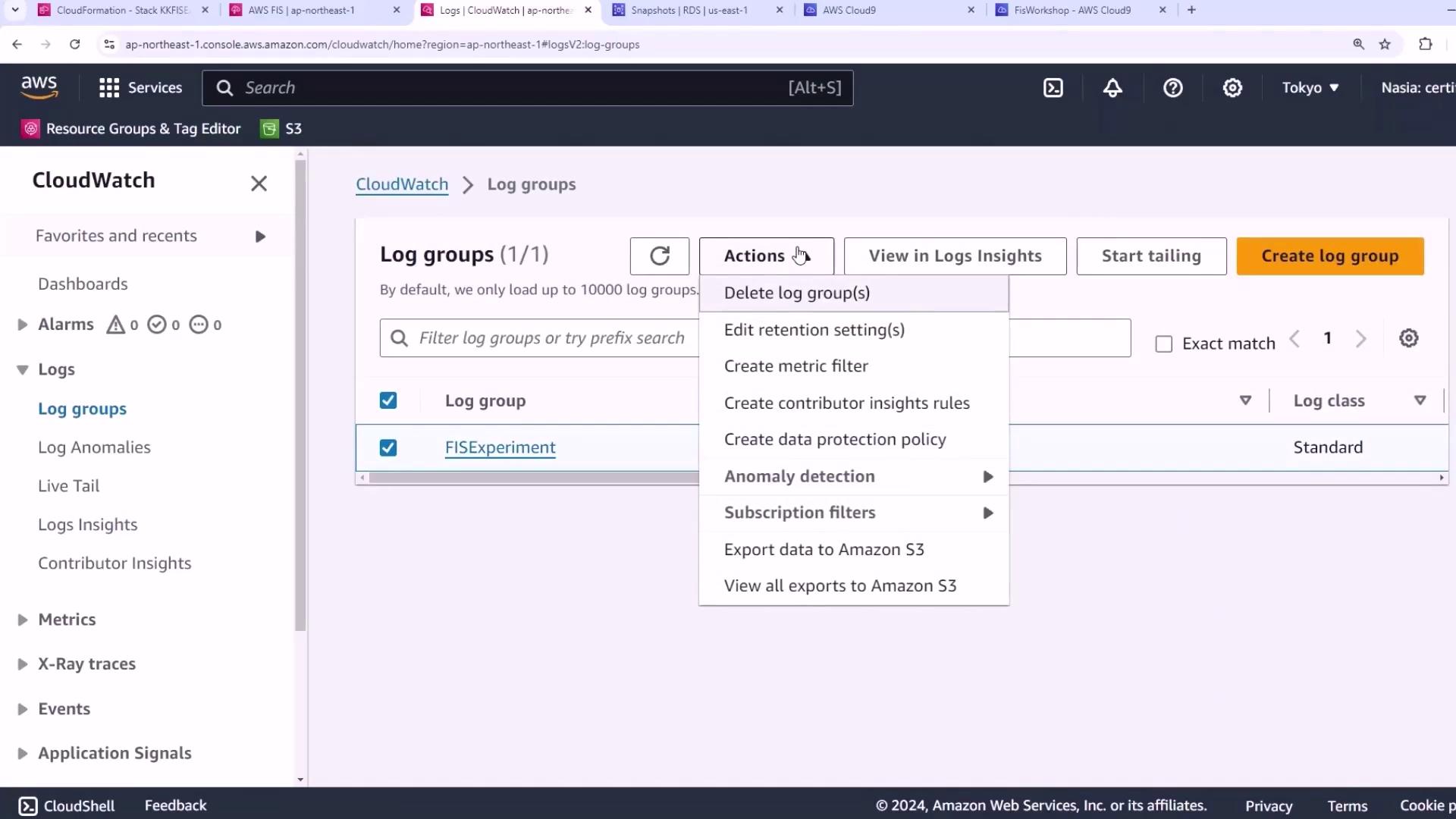
5. Delete CloudWatch Log Group
Remove the CloudWatch Logs group created during the workshop.- Open the CloudWatch console.
- Click Log groups.
- Select your log group, then choose Actions → Delete log group.
References
- Deleting Amazon S3 Buckets
- Deleting Amazon RDS Snapshots
- AWS CDK CLI Reference
- Deleting Auto Scaling Groups
- Deleting CloudWatch Log Groups