

- An AWS account with administrative permissions
- An existing Amazon EKS cluster (e.g.,
pet-site) - A Kubernetes service account IAM role with FIS permissions
- AWS FIS enabled in your account
1. Create the FIS Experiment Template
1.1 Configure Basic Settings
- Sign in to the AWS FIS console and go to Experiment templates.
- Click Create experiment template.
- Provide the following details:
- Name: EKS-Memory-Stress
- Description: Inject memory stress into pods on EKS for resilience testing
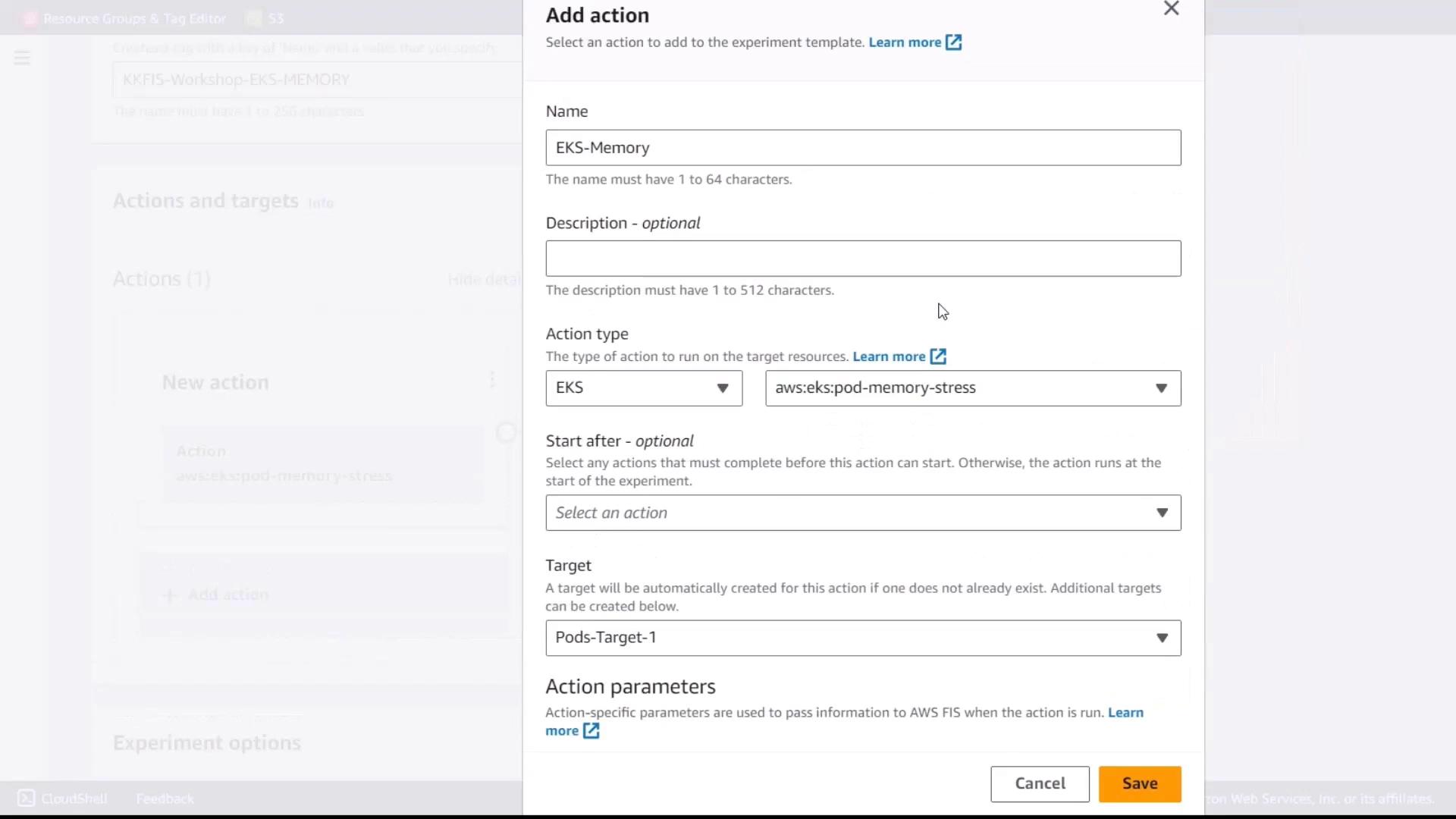
1.2 Add a Memory Stress Action
- Under Actions, click Add action.
- Set these parameters:
- Action name: eks-memory
- Action type:
aws:eks:inject-fault - Fault action: Pod Memory Stress
1.3 Specify Action Parameters
Configure the memory stress parameters:Setting
Percentage to 50 limits memory consumption to half of available memory on targeted pods.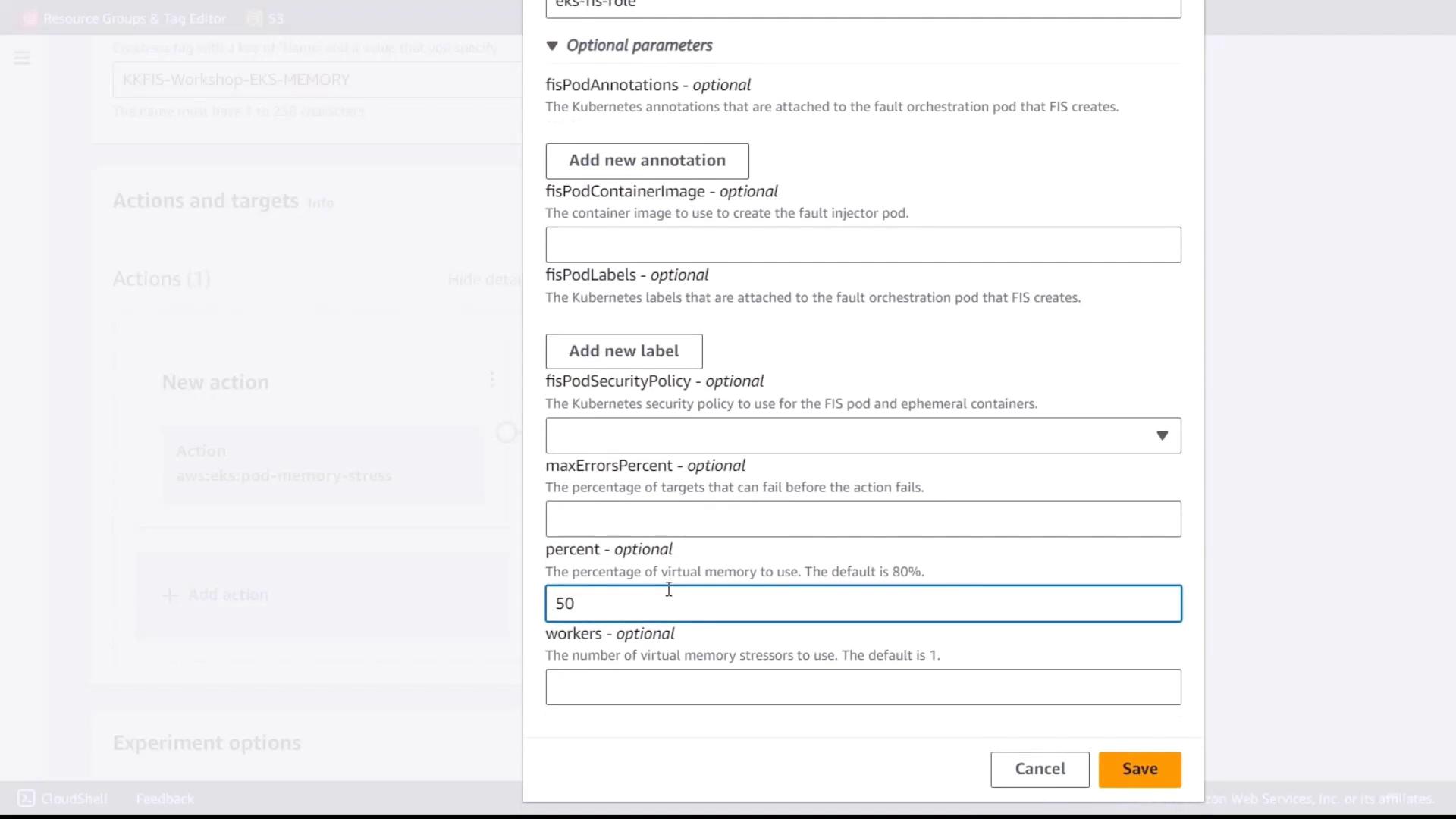
2. Define the Target Pods
- In the Targets section, click Add target.
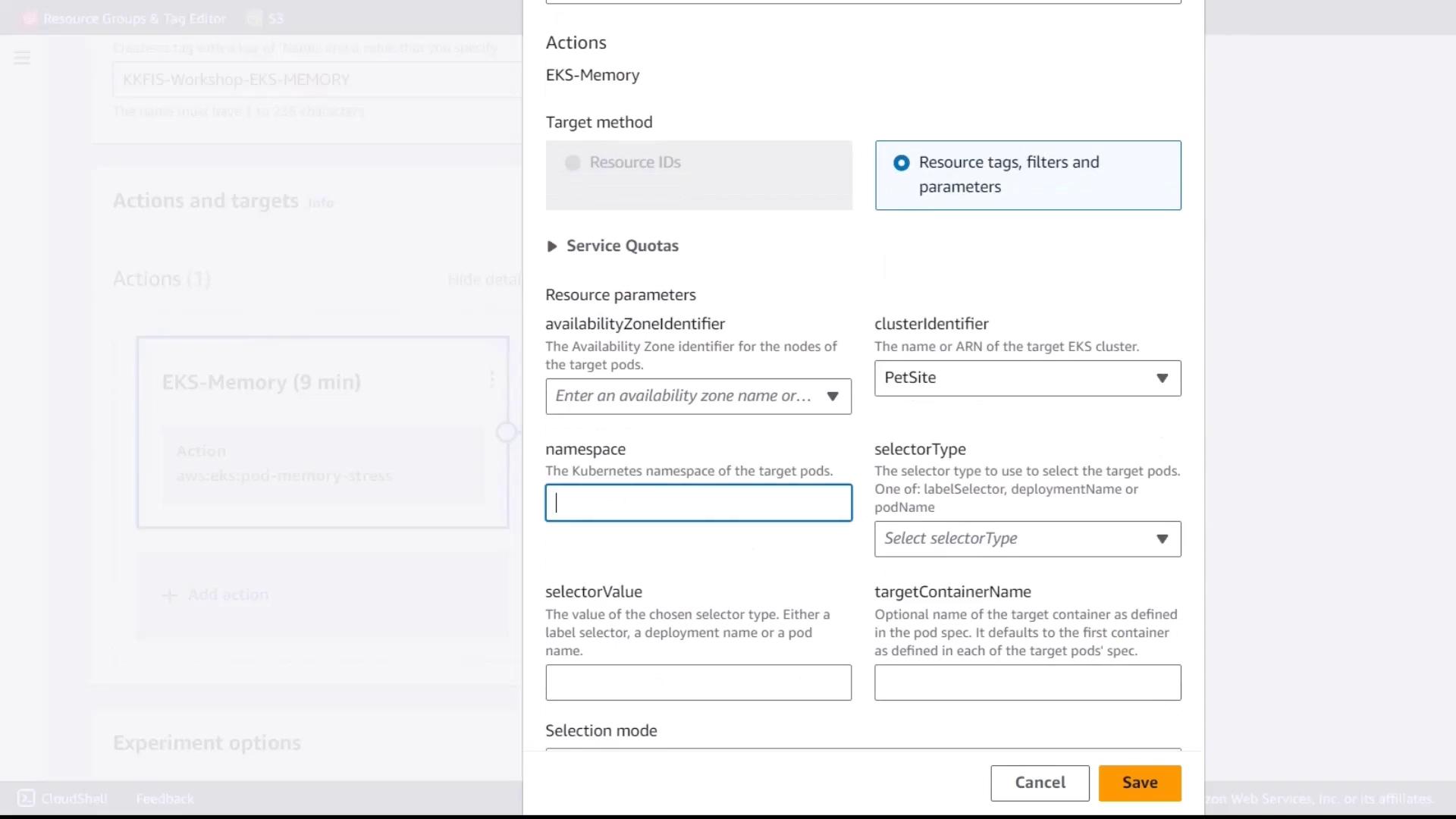
- Enter the following values:
- Cluster:
pet-site - Namespace:
default - Selector type: Label
- Selector value:
app=pet-site
- Cluster:
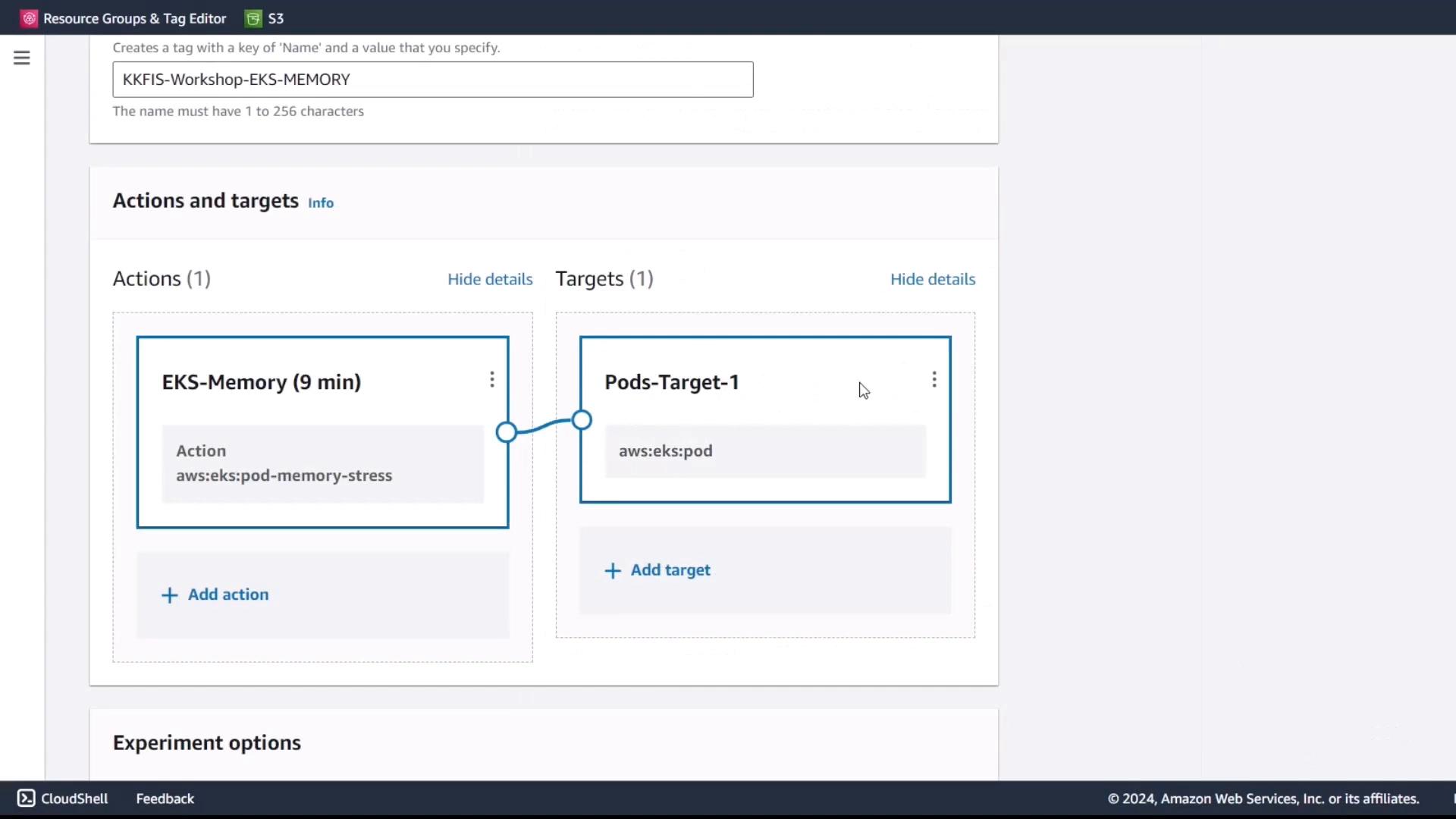
- Review and save the target configuration.
3. Review and Create
- Verify all settings:
- Action:
eks-memory(Pod Memory Stress) - Target: Pods labeled
app=pet-sitein thedefaultnamespace onpet-sitecluster
- Action:
- Attach the experiment IAM role to allow publishing logs to CloudWatch.
- Click Create experiment template.
4. Execute and Monitor the Experiment
- From the Experiment templates list, select EKS-Memory-Stress and click Start experiment.
- Let the experiment run for the configured duration (9 minutes).
- Monitor performance metrics in:
- CloudWatch RUM
- EKS container performance dashboards