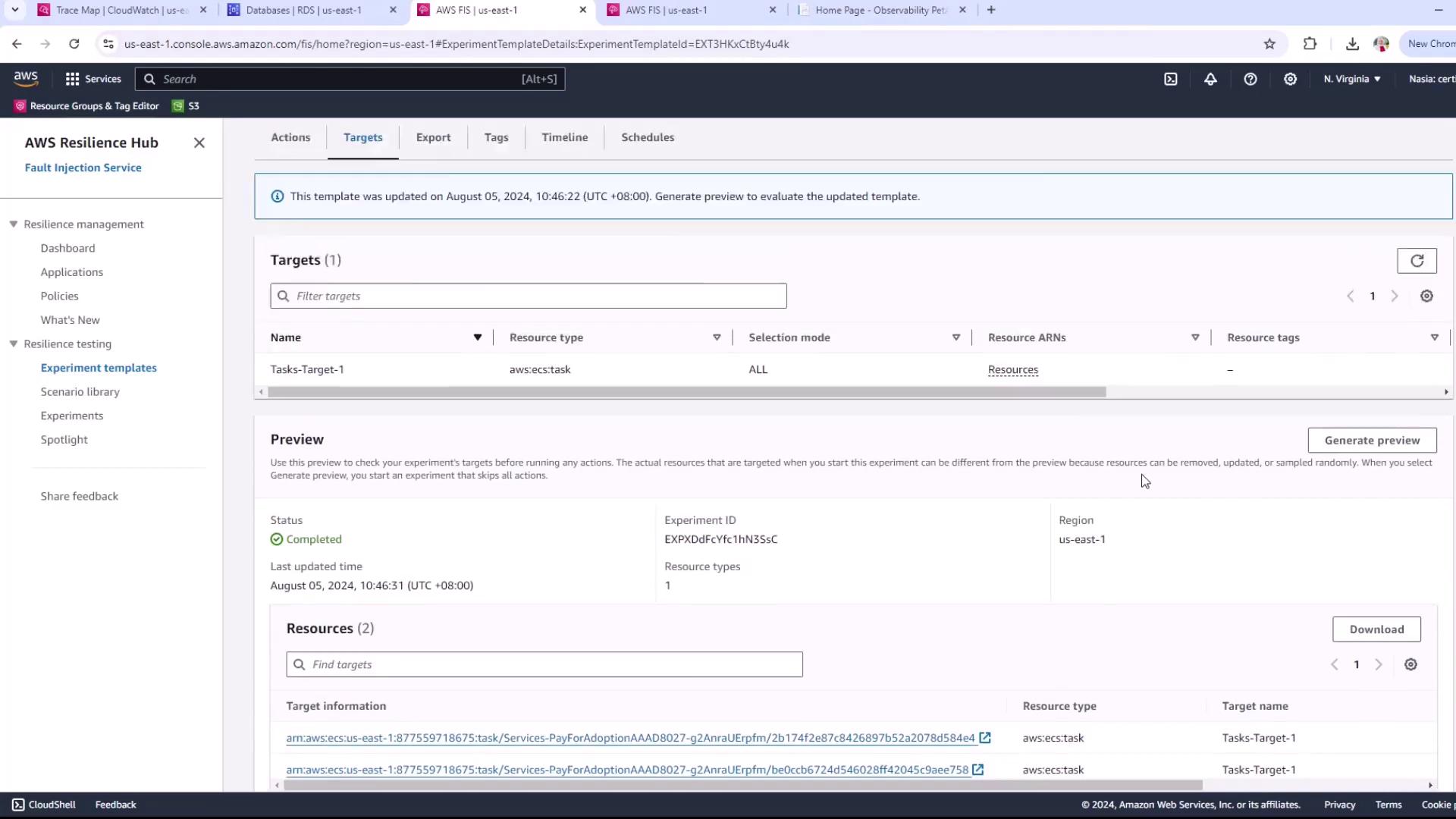
- An existing ECS Fargate service with tasks prefixed by
pay-for-adoption - IAM role for FIS (e.g.,
AWSFISRole) withfis.amazonaws.comtrust and necessary permissions - CloudWatch log group (e.g.,
FIS-experiments) for experiment logs
Table of Contents
- Step 1: Create a New Experiment Template
- Step 2: Define the I/O Stress Action
- Step 3: Configure the Target
- Step 4: Assign IAM Role and Enable Logging
- Step 5: Review and Launch
- References
Step 1: Create a New Experiment Template
- Sign in to the AWS Console and go to AWS Fault Injection Simulator (FIS) > Experiment templates.
- Click Create experiment template, then confirm your AWS account.
- Fill in the basic details:
- Name:
ecs-fargate-io-stress-test(optional) - Description:
- Name:
- Leave other settings at their defaults and proceed to the Actions section.
Step 2: Define the I/O Stress Action
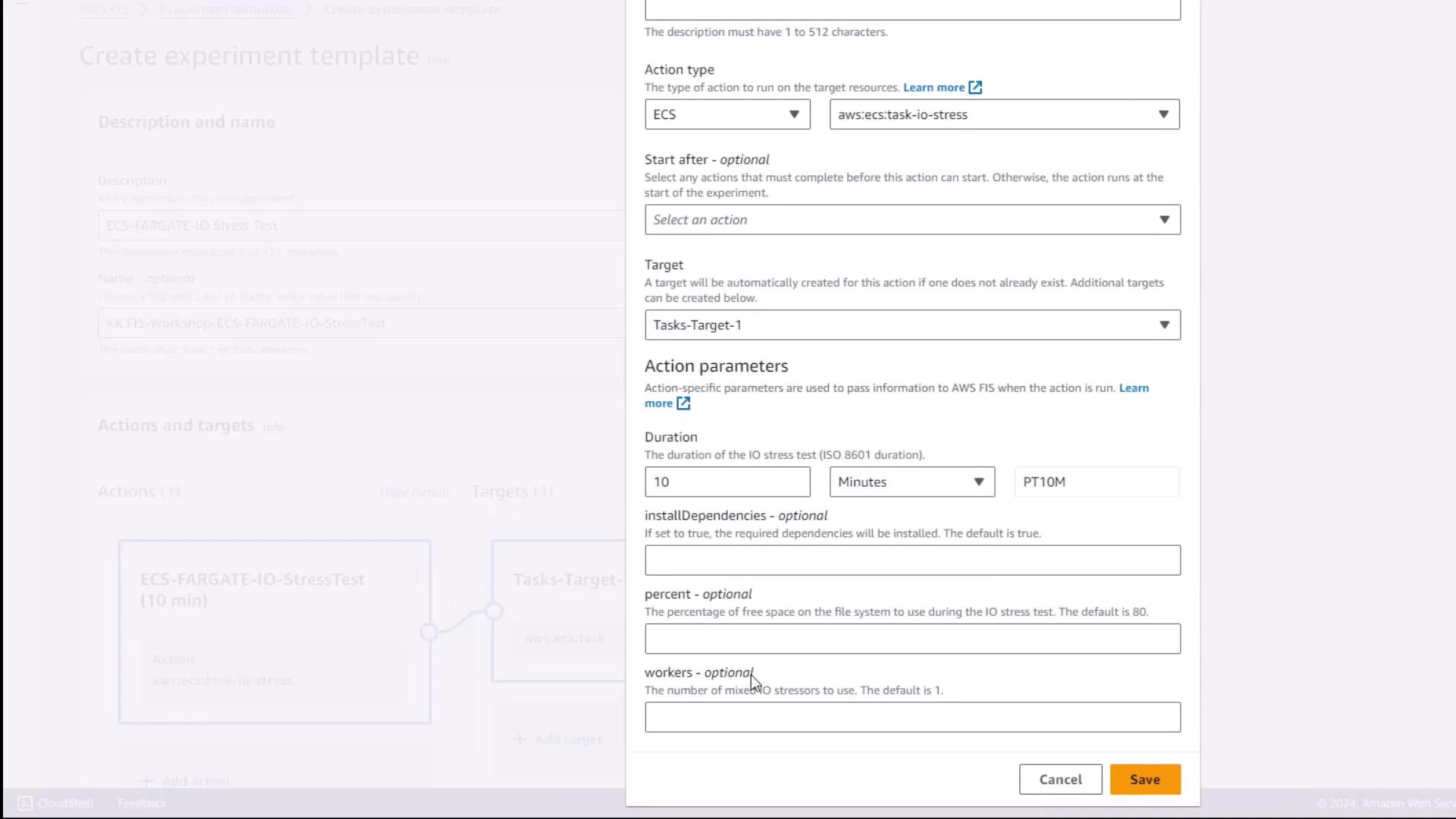
- Under Actions, click Add action.
- For Action name, enter:
- Select AWS ECS Task I/O stress as the Action type.
- Configure action parameters:
- Click Save.
Step 3: Configure the Target
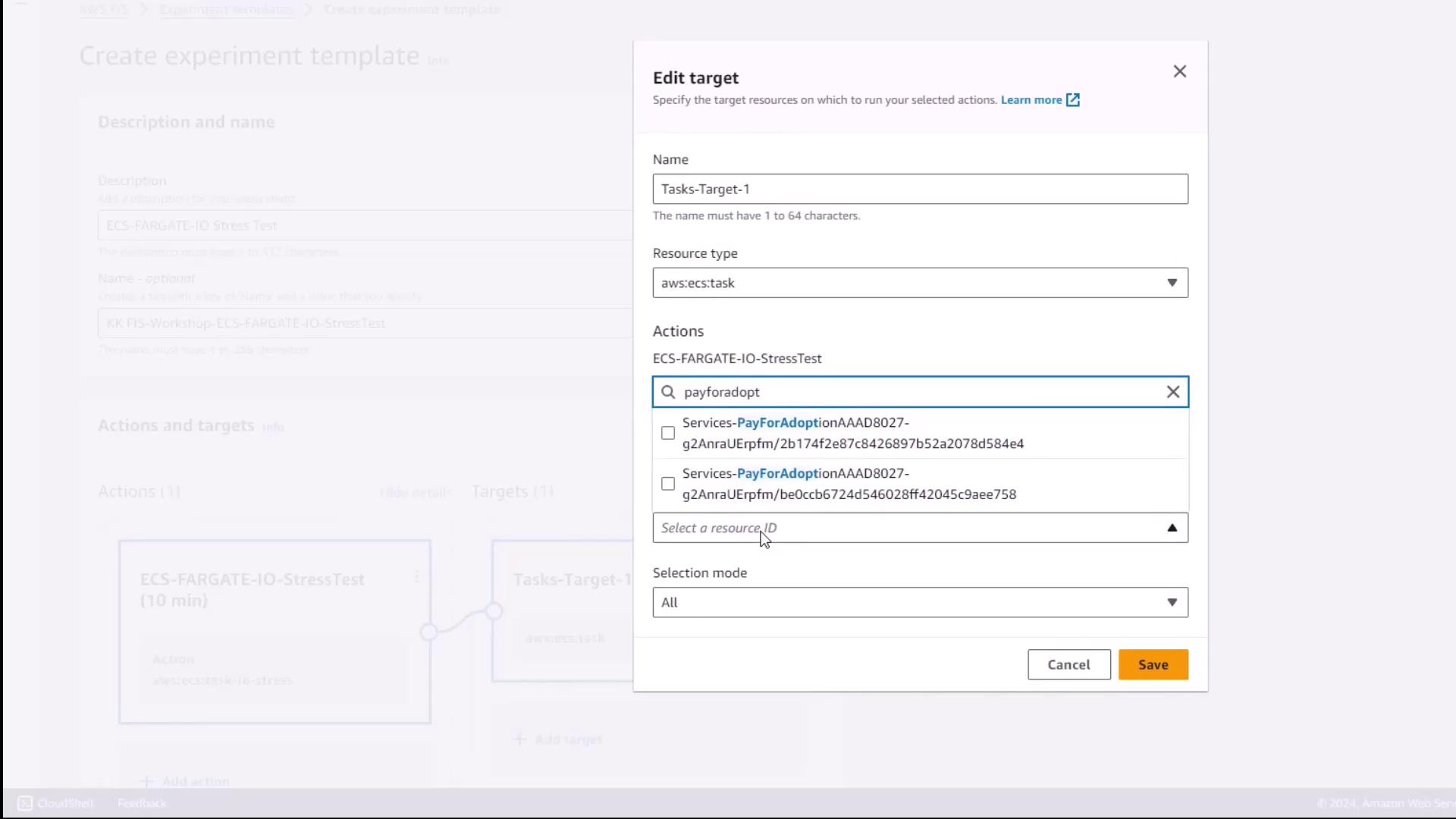
- Scroll to Targets and choose Add target.
- Set Resource type to
ecs:Task. - Under Target method, pick Resource ID.
- In the filter box, enter the prefix
pay-for-adoptionto find matching tasks. - Select both ECS Fargate tasks from the results.
- Keep Selection mode as All (to target every matching task).
- Click Save.
Step 4: Assign IAM Role and Enable Logging
- Under Experiment role, choose your IAM role for FIS (e.g.,
AWSFISRole). - In Logs, select Send logs to CloudWatch Logs and choose the log group
FIS-experiments. - Click Create experiment template to finalize.
Ensure your IAM role has permissions for both FIS actions and CloudWatch logging. Missing permissions can cause experiment failures.
Step 5: Review and Launch
- On the template summary page, verify:
- The action name and parameters
- The target tasks
- The experiment role and log configuration
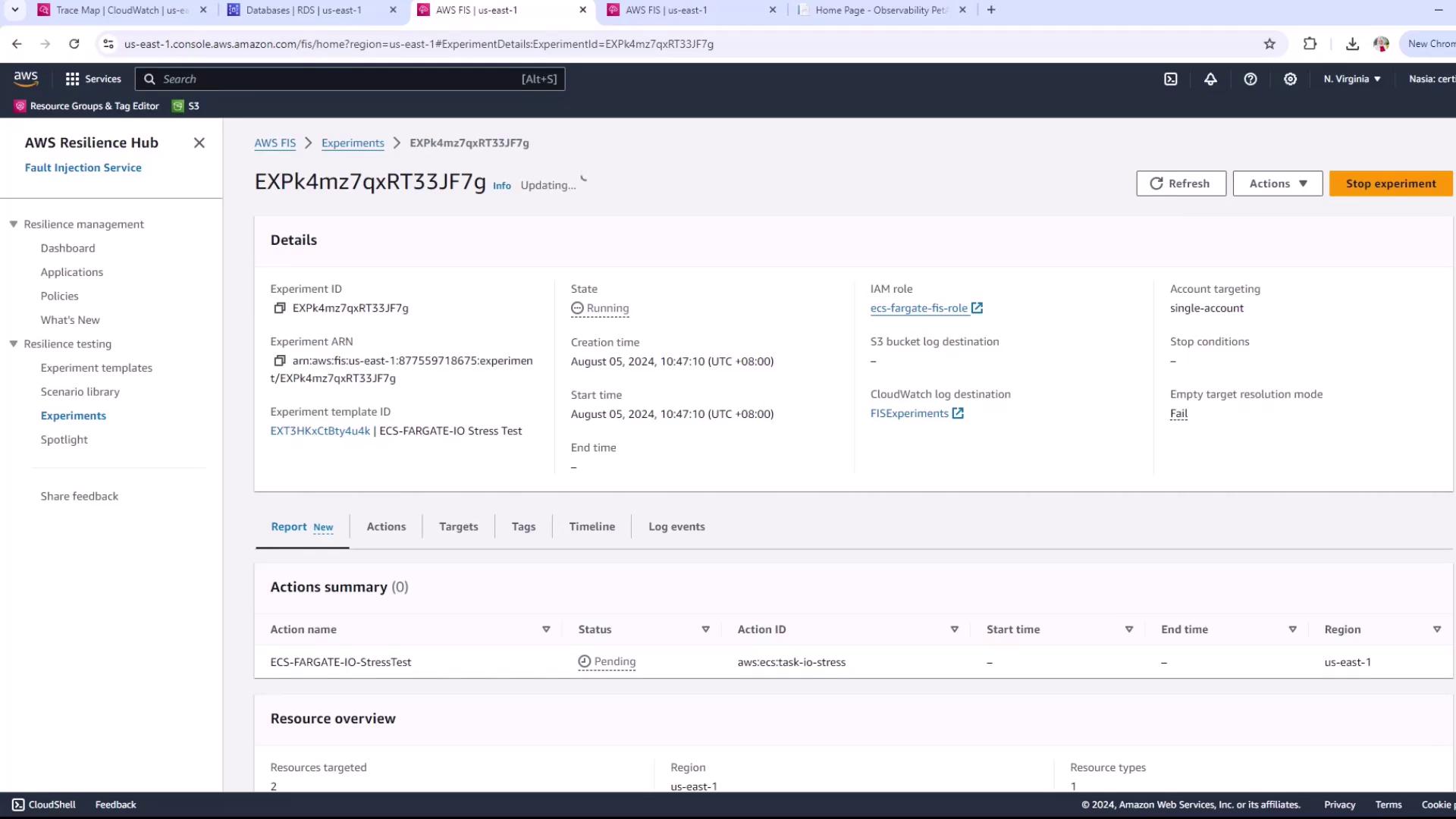
- Click Start experiment.
- Monitor the state switch to Running.