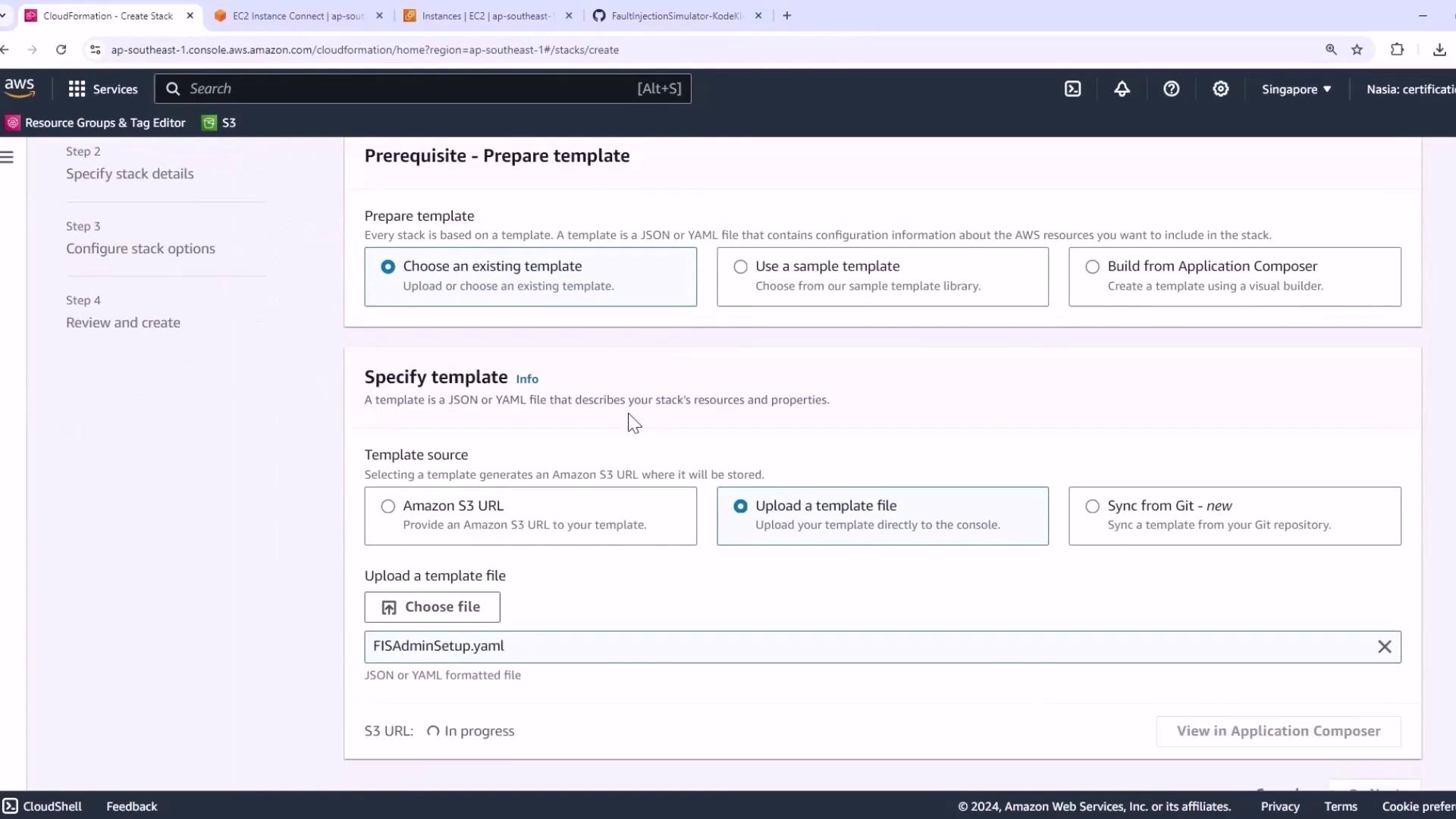
Previously, we deployed our application build environment on EC2 using the AWS Console. In this tutorial, we’ll automate that process with AWS CloudFormation. The template (FISAdminSetup.yaml) is in the GitHub repo (see README).
This template:
Defines two parameters:
DefaultVPCId : Your default VPC ID
LatestAl2023AmiId : Latest Amazon Linux 2023 AMI ID (kernel 6.1)
Creates an IAM role (fisworkshop-admin) for EC2 & Systems Manager
Provisions an EC2 instance with security group, instance profile, and user data
AWSTemplateFormatVersion : "2010-09-09"
Parameters :
DefaultVPCId :
Type : AWS::EC2::VPC::Id
Description : Default VPC ID for the region
LatestAl2023AmiId :
Type : AWS::SSM::Parameter::Value<AWS::EC2::Image::Id>
Description : Latest Amazon Linux 2023 AMI ID (kernel 6.1)
Default : "/aws/service/ami-amazon-linux-latest/al2023-amazon-linux-latest-6-x86_64"
Resources :
FISWorkshopAdminRole :
Type : AWS::IAM::Role
Properties :
RoleName : fisworkshop-admin
AssumeRolePolicyDocument :
Version : "2012-10-17"
Statement :
- Effect : Allow
Principal :
Service :
- ec2.amazonaws.com
- ssm.amazonaws.com
FISAdminEC2Instance :
Type : AWS::EC2::Instance
DependsOn : FISWorkshopAdminInstanceProfile
Properties :
InstanceType : m5.xlarge
ImageId : !Ref LatestAl2023AmiId
KeyName : !Ref FISWorkshopKeyPair
SecurityGroupIds :
- !Ref FISWorkshopSecurityGroup
IamInstanceProfile : !Ref FISWorkshopAdminInstanceProfile
UserData :
Fn::Base64 : !Sub |
#!/bin/bash
yum update -y
curl -fsSL https://rpm.nodesource.com/setup_current.x | bash -
yum install -y nodejs git docker
systemctl start docker && systemctl enable docker
npm install -g aws-cdk --force
# Install kubectl
curl -o kubectl https://s3.us-west-2.amazonaws.com/amazon-eks/1.29.0/bin/linux/amd64/kubectl
chmod +x kubectl && mv kubectl /usr/local/bin/
# Install Helm
curl --location "https://get.helm.sh/helm-v3.1.3-linux-amd64.tar.gz" | tar xz -C /tmp
mv /tmp/linux-amd64/helm /usr/local/bin/helm
# Install eksctl
curl --location "https://github.com/weaveworks/eksctl/releases/latest/download/eksctl_$(uname -s)_amd64.tar.gz" | tar xz -C /tmp
mv /tmp/eksctl /usr/local/bin/eksctl
All dependencies (Node.js, Docker, AWS CDK, kubectl, Helm, eksctl) are installed automatically via EC2 user data.
Open the CloudFormation console .
Click Create stack > With new resources (standard) .
Upload the FISAdminSetup.yaml template.
Click Next .
Configure stack details:
Stack name : FIS-Admin-Setup
DefaultVPCId : Select your default VPC
LatestAl2023AmiId : Confirm or override the AMI
Click Create stack and wait until the status is CREATE_COMPLETE.
Provisioned Resources
Resource Description EC2 Key Pair SSH key for instance access IAM Role & InstanceProfile EC2 & Systems Manager permissions Security Group Network rules for the EC2 instance EC2 Instance m5.xlarge instance with all tools installed
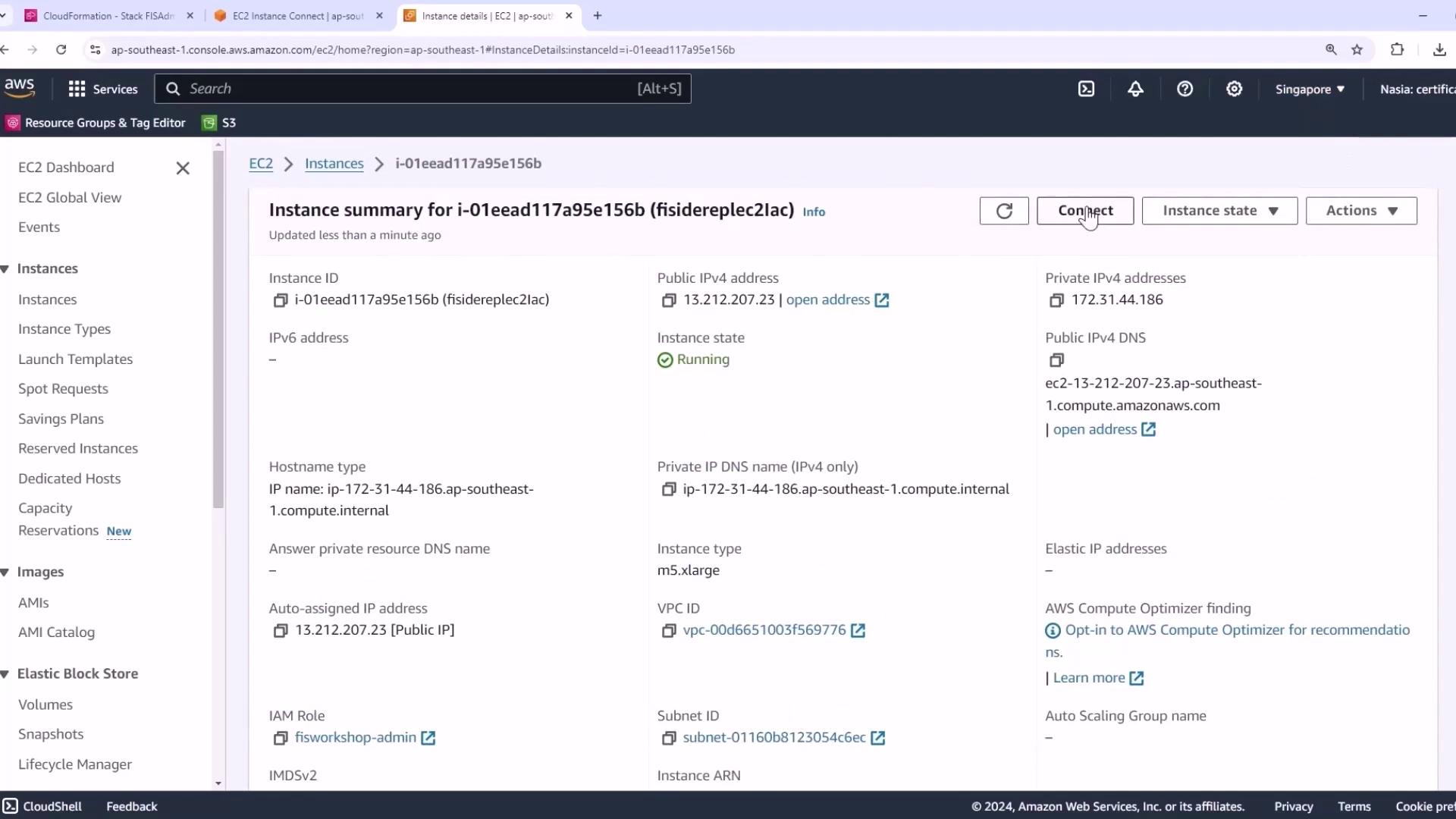
Verify the EC2 instance in the console:
SSH into the instance and run:
git version # e.g., git version 2.40.1
node --version # Node.js
docker --version # Docker
cdk --version # AWS CDK
kubectl version --client
helm version
eksctl version
Prepare the FIS Workshop Environment
Clone the AWS Fault Injection Simulator workshop:
mkdir -p ~/environment/workshopfiles
git clone https://github.com/aws-samples/aws-fault-injection-simulator-workshop-v2.git \
~/environment/workshopfiles/fis-workshop
Verify AWS Region & IAM Role
export AWS_REGION = $( curl -s 169.254.169.254/latest/meta-data/placement/region )
echo "AWS_REGION is $AWS_REGION "
aws sts get-caller-identity --query Arn \
| grep fisworkshop-admin -q \
&& echo "IAM role is valid." \
|| echo "IAM role NOT valid. Terminate and retry."
If the IAM role validation fails, stop here. Ensure fisworkshop-admin is correctly attached before proceeding.
Install Dependencies & Bootstrap CDK
cd ~/environment/workshopfiles/fis-workshop/PetAdoptions/cdk/pet_stack
npm install
npm audit fix
cdk bootstrap
Deploy the FIS Workshop Stacks
Build your service Docker image:
docker build --platform=linux/amd64 -t my-image:latest .
Deploy the main FIS CDK stack (replace with your ARNs):
cdk deploy FisStackAsg \
--context admin_role= $EKS_ADMIN_ARN \
--context dashboard_role_arn= $CONSOLE_ROLE_ARN \
--require-approval never
Retrieve the Petstore site URL:
export MYSITE = $( aws ssm get-parameter --name '/petstore/petsiteurl' \
| jq -r .Parameter.Value \
| tr '[:upper:]' '[:lower:]' \
| cut -f 3 -d '/' )
echo "Petstore URL: $MYSITE "
Deploy FIS serverless & observability components (may take up to 30 minutes).
Your CloudFormation-based environment is now ready for the AWS Fault Injection Simulator workshop!
References