

latest tag by default. For example, this command:
latest tag (at the time of writing, that pointed to Redis 8.6.1). To request a specific version, append the tag after a colon. For example, to run Redis 7.4:
latest.
To discover available tags and what each one represents, visit the image’s page on Docker Hub and check the “Tags” tab. That listing often includes short/long tags and descriptions so you can choose the correct variant (for example, alpine, slim, or a specific version).
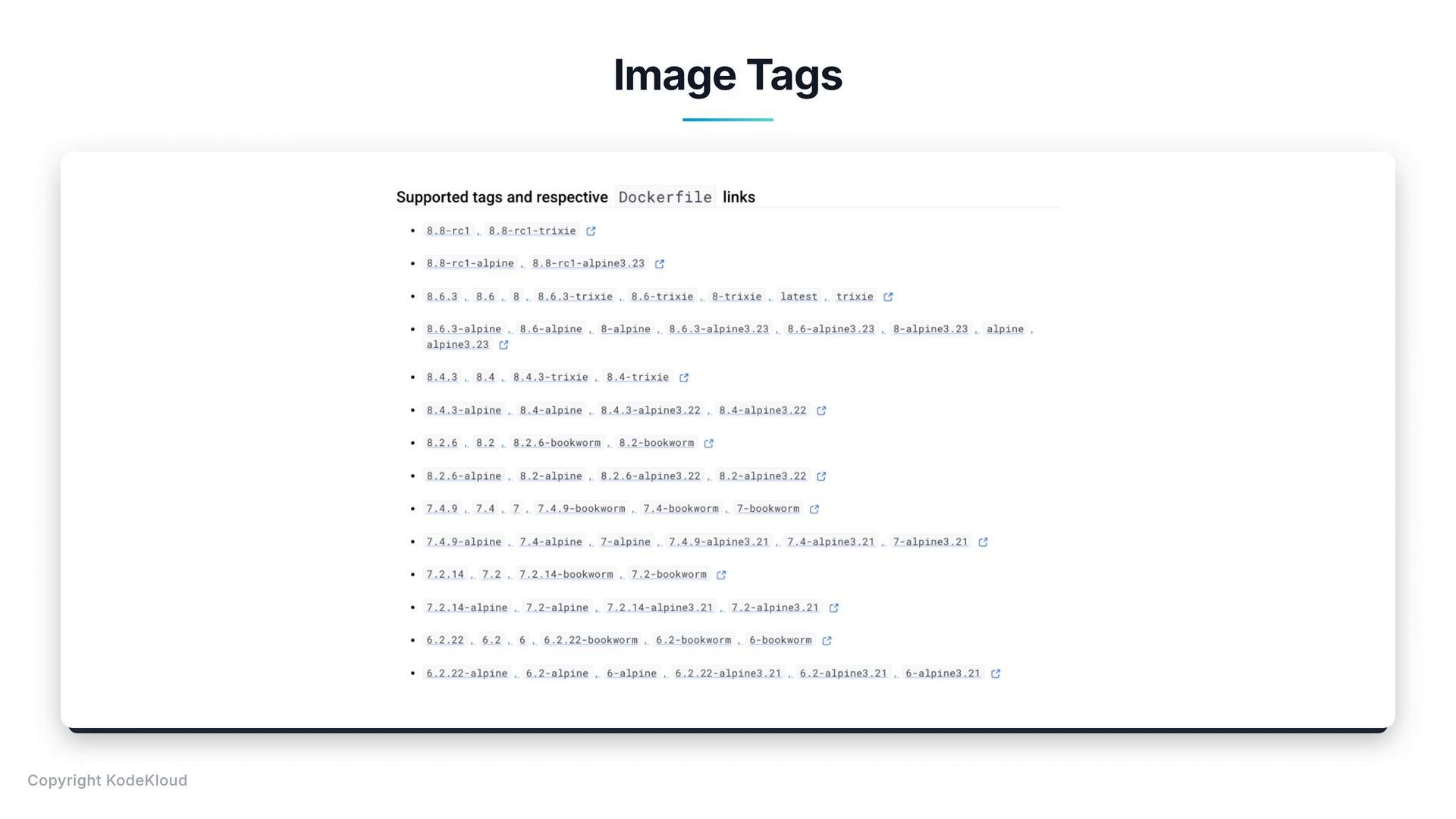
redis:6.1 and redis:7.4, both will appear in your local image list.
To list images on your host:
Tip: For reproducible builds and deployments, prefer versioned and variant tags (for example,
redis:7.4-alpine). You can also pin to an image digest using the manifest digest (for example, redis@sha256:<digest>) to guarantee the exact image content.In production, avoid relying on the
latest tag. latest is a moving target and may change when image authors push new releases. Pin deployments to a specific, immutable tag (for example, redis:7.4-alpine) or to an image digest (redis@sha256:<digest>) so you deploy the same image every time.