

The problems we faced
- OS compatibility: ensuring every service version worked with the chosen host OS was time-consuming. Sometimes a service version simply wouldn’t run on the OS we preferred, forcing a change of OS or service version.
- Library and dependency conflicts: one service might need a different native library version than another. Upgrades and component changes required re-checking compatibility across the stack.
- Environment drift: development, test, and production environments differed, which caused bugs that only appeared in one stage.
- Slow onboarding: new developers needed to follow long installation instructions and run many commands to recreate the working environment.
Different developers used different OSes, so we couldn’t guarantee identical behavior across machines. This created what many call the “matrix from hell” — a tangled web of versions and dependencies.
What we needed
We needed a solution that would:- eliminate OS and dependency compatibility issues,
- allow independent upgrades of components,
- make onboarding trivial for new developers.
docker run or docker-compose up. As long as Docker was installed on the host, the underlying OS largely ceased to be a blocker.
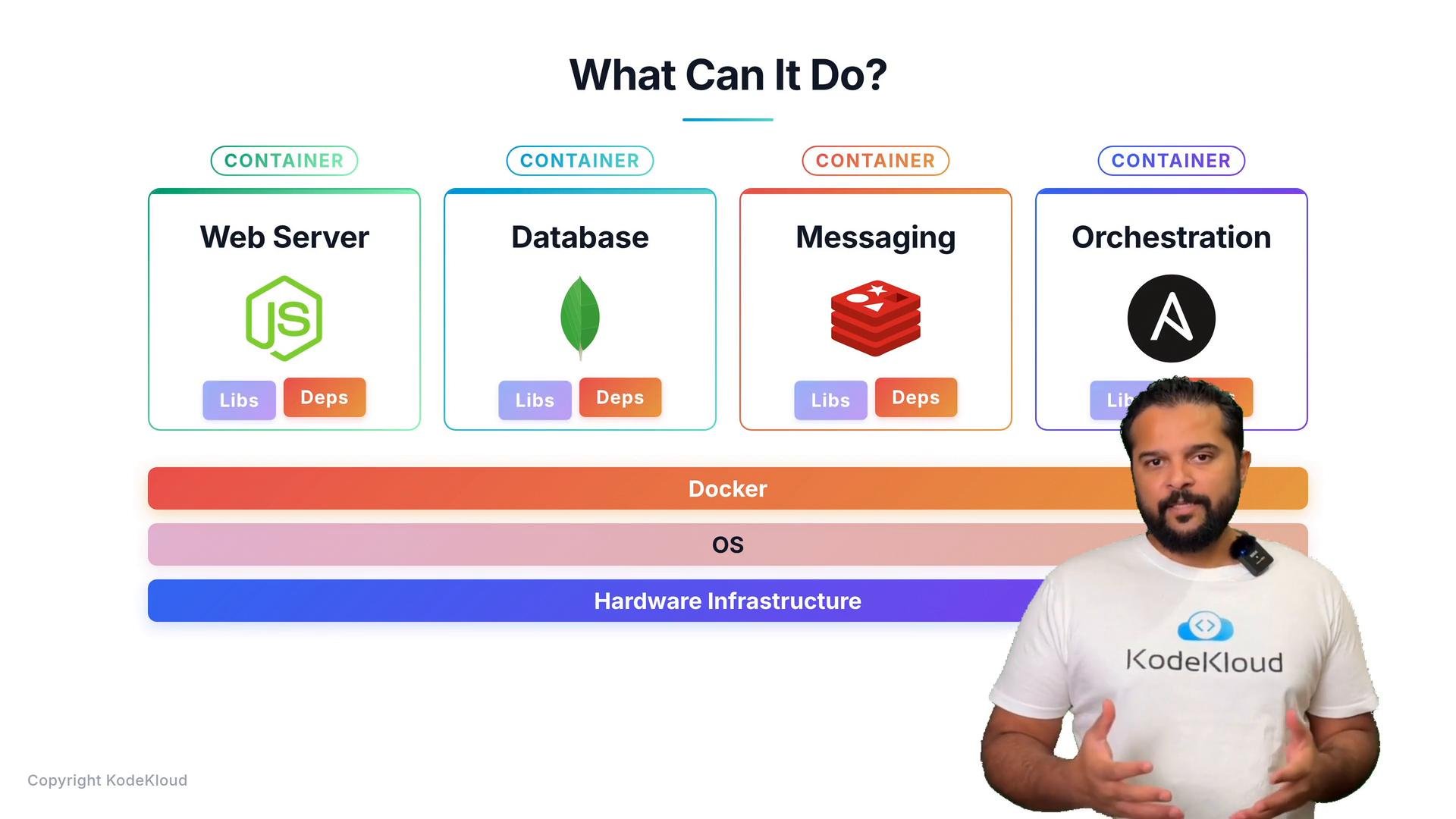
Docker provides isolation, reproducibility, and portability: each service runs in its own environment with its dependencies, ensuring consistent behavior across machines and stages.
Containers share the host kernel. Ensure your host’s CPU architecture and kernel features are compatible with the containers you plan to run.
Quick benefits at a glance
See also: