This guide demonstrates several document chunking strategies using a compact, self-contained Python implementation. You’ll see how each method behaves on a sample document, learn practical trade-offs, and get CLI examples to reproduce the outputs. These patterns are useful for Retrieval-Augmented Generation (RAG), semantic search, vector indexing, and any pipeline that needs consistent, token-bounded text inputs. What you’ll find here:
  • A reusable DocumentChunker implementation (complete file below).
  • Practical examples and CLI invocations for each chunking strategy.
  • Guidance on combining structural and size-limiting approaches for best results.
  • Links to tokenizers and parsing libraries for production use.
# document_chunker.py
from pathlib import Path
import re
from typing import List, Dict, Any, Callable, Optional


class DocumentChunker:
    def __init__(self):
        pass

    def read_file(self, file_path: str) -> str:
        path = Path(file_path)
        if path.suffix.lower() == ".pdf":
            return self._read_pdf(path)
        if path.suffix.lower() in {".docx", ".doc"}:
            return self._read_docx(path)
        # Default: plain text or markdown
        return path.read_text(encoding="utf-8")

    def _read_pdf(self, file_path: Path) -> str:
        # Placeholder: use a PDF library like PyPDF2 (https://pypi.org/project/PyPDF2/), pdfplumber (https://github.com/jsvine/pdfplumber), or PyMuPDF/fitz (https://pypi.org/project/PyMuPDF/) in a real implementation
        raise NotImplementedError("PDF reading not implemented in this demo. Replace with a PDF parser.")

    def _read_docx(self, file_path: Path) -> str:
        # Placeholder: use python-docx (https://python-docx.readthedocs.io/) for DOCX in a real implementation
        raise NotImplementedError("DOCX reading not implemented in this demo. Replace with python-docx parsing.")

    def chunk_by_lines(self, text: str, max_lines: int = 10) -> List[Dict[str, Any]]:
        lines = text.splitlines()
        chunks = []
        for i in range(0, len(lines), max_lines):
            block = "\n".join(lines[i : i + max_lines])
            chunks.append({
                "chunk_id": len(chunks),
                "start_line": i + 1,
                "end_line": min(i + max_lines, len(lines)),
                "method": "line_by_line",
                "content": block,
            })
        return chunks

    def chunk_fixed_size(self, text: str, chunk_size: int = 1000, overlap: int = 0) -> List[Dict[str, Any]]:
        chunks = []
        i = 0
        text_len = len(text)
        while i < text_len:
            end = min(i + chunk_size, text_len)
            chunks.append({
                "chunk_id": len(chunks),
                "start_char": i,
                "end_char": end,
                "method": "fixed_size",
                "content": text[i:end],
            })
            i += chunk_size - overlap if chunk_size > overlap else chunk_size
        return chunks

    def chunk_sliding_window(self, text: str, window_size: int = 1000, step_size: int = 500) -> List[Dict[str, Any]]:
        chunks = []
        i = 0
        text_len = len(text)
        while i < text_len:
            end = min(i + window_size, text_len)
            chunks.append({
                "chunk_id": len(chunks),
                "start_char": i,
                "end_char": end,
                "method": "sliding_window",
                "content": text[i:end],
            })
            i += step_size
        return chunks

    def chunk_by_sentences(self, text: str, max_sentences: int = 5) -> List[Dict[str, Any]]:
        # Very simple sentence splitter based on punctuation followed by whitespace and a capital letter.
        sentences = re.split(r'(?<=[.!?])\s+', text.strip())
        chunks = []
        for i in range(0, len(sentences), max_sentences):
            start = i
            end = min(i + max_sentences, len(sentences))
            block = " ".join(sentences[start:end])
            chunks.append({
                "chunk_id": len(chunks),
                "start_sentence": start + 1,
                "end_sentence": end,
                "method": "sentence_based",
                "content": block,
            })
        return chunks

    def chunk_by_paragraphs(self, text: str, max_paragraphs: int = 3) -> List[Dict[str, Any]]:
        paragraphs = [p for p in re.split(r'\n\s*\n', text.strip()) if p.strip()]
        chunks = []
        for i in range(0, len(paragraphs), max_paragraphs):
            start = i
            end = min(i + max_paragraphs, len(paragraphs))
            block = "\n\n".join(paragraphs[start:end])
            chunks.append({
                "chunk_id": len(chunks),
                "start_paragraph": start + 1,
                "end_paragraph": end,
                "method": "paragraph_based",
                "content": block,
            })
        return chunks

    def chunk_by_pages(self, text: str, lines_per_page: int = 50) -> List[Dict[str, Any]]:
        lines = text.splitlines()
        chunks = []
        for i in range(0, len(lines), lines_per_page):
            start_line = i + 1
            end_line = min(i + lines_per_page, len(lines))
            block = "\n".join(lines[i:end_line])
            chunks.append({
                "chunk_id": len(chunks),
                "page": len(chunks) + 1,
                "start_line": start_line,
                "end_line": end_line,
                "method": "page_based",
                "content": block,
            })
        return chunks

    def chunk_by_sections(self, text: str, heading_pattern: str = r'^\s*#{1,6}\s+') -> List[Dict[str, Any]]:
        # heading_pattern should be a regex that matches the start of a section header (e.g., Markdown headings).
        pattern = re.compile(heading_pattern, flags=re.MULTILINE)
        matches = list(pattern.finditer(text))
        chunks = []
        if not matches:
            # No headings found: return whole text as one chunk
            return [{"chunk_id": 0, "method": "section_based", "content": text}]
        for idx, m in enumerate(matches):
            start = m.start()
            end = matches[idx + 1].start() if idx + 1 < len(matches) else len(text)
            chunks.append({
                "chunk_id": idx,
                "start_char": start,
                "end_char": end,
                "method": "section_based",
                "content": text[start:end].strip(),
            })
        return chunks

    def chunk_by_tokens(self, text: str, max_tokens: int = 512) -> List[Dict[str, Any]]:
        # Naive tokenization by whitespace. Replace with a tokenizer (tiktoken: https://github.com/openai/tiktoken, Hugging Face tokenizers: https://huggingface.co/docs/tokenizers/index) for production.
        tokens = text.split()
        chunks = []
        for i in range(0, len(tokens), max_tokens):
            block = " ".join(tokens[i:i + max_tokens])
            chunks.append({
                "chunk_id": len(chunks),
                "start_token": i,
                "end_token": min(i + max_tokens, len(tokens)),
                "method": "token_based",
                "content": block,
            })
        return chunks

    def chunk_document(self, file_path: str, method: str, **kwargs) -> List[Dict[str, Any]]:
        text = self.read_file(file_path)
        method_map: Dict[str, Callable[..., List[Dict[str, Any]]]] = {
            "line": self.chunk_by_lines,
            "fixed": self.chunk_fixed_size,
            "sliding": self.chunk_sliding_window,
            "sentence": self.chunk_by_sentences,
            "paragraph": self.chunk_by_paragraphs,
            "page": self.chunk_by_pages,
            "section": self.chunk_by_sections,
            "token": self.chunk_by_tokens,
        }
        func = method_map.get(method)
        if not func:
            raise ValueError(f"Unknown chunking method: {method}")
        return func(text, **kwargs)


def print_chunks(chunks: List[Dict[str, Any]], show_metadata: bool = True) -> None:
    for idx, chunk in enumerate(chunks):
        header = f"--- Chunk {idx + 1} ---"
        print(header)
        if show_metadata:
            # Print metadata as a single line for readability
            meta = {k: v for k, v in chunk.items() if k not in {"content"}}
            print("Metadata:", meta)
        print("Content:")
        print(chunk.get("content", "").strip())
        print()
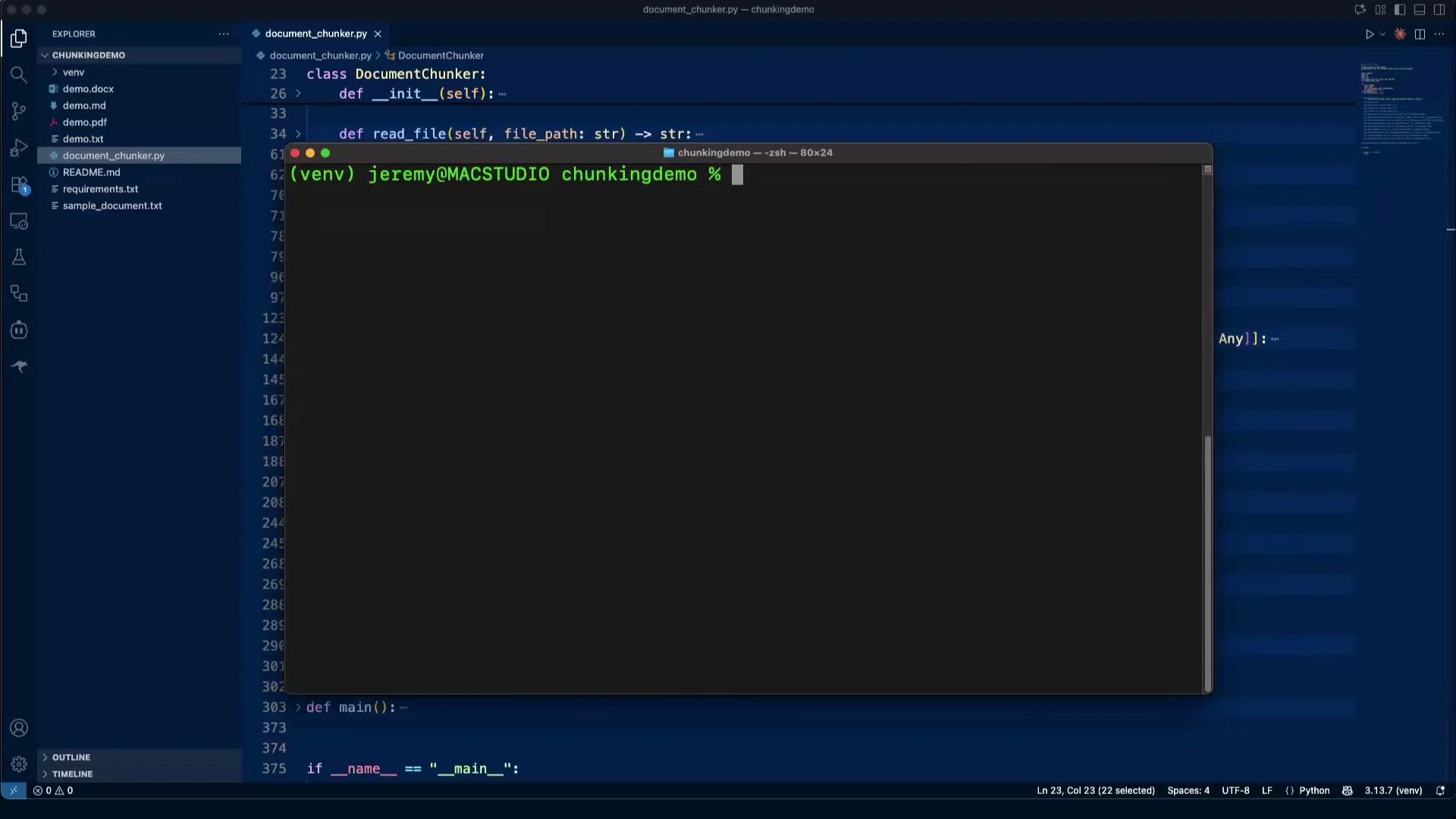
The image shows a Visual Studio Code interface with a file explorer on the left and a Python file named "document_chunker.py" open for editing. A terminal window is open at the bottom with a command prompt in a virtual environment.

Overview of chunking strategies

Below are the key strategies demonstrated by the DocumentChunker class. Each method trades off semantic alignment, chunk size control, and continuity across boundaries.
StrategyBest forNotes / Typical options
Line-by-lineFixed-record formats, logs--max-lines <n> groups N lines per chunk. Low semantic awareness.
Fixed-size with overlapToken-limited models--chunk-size <chars> and --overlap <chars> preserve some context across boundaries.
Sliding-windowSmooth overlap for retrieval--window-size <chars> and --step-size <chars> produce overlapping windows.
Sentence-basedLinguistic atomicity--max-sentences <n> preserves sentence boundaries; sensitive to punctuation.
Paragraph-basedNatural semantic grouping--max-paragraphs <n> relies on blank-line separators.
Page-basedPDFs / DOCX with page structure--lines-per-page <n> or direct page extraction via parser.
Section / Heading-basedStructured docs (Markdown)--heading-pattern '<regex>' splits by headings (e.g., ^\s*#{1,6}\s+).
Token-basedModel-aware chunking--max-tokens <n> requires a tokenizer (e.g., tiktoken, HF tokenizers).
References:

1) Line-by-line chunking

Line-by-line chunking groups a fixed number of lines into each chunk. This method is reliable when records are line-oriented (logs, structured exports), but it has no semantic awareness — chunks can split sentences or paragraphs arbitrarily. Example CLI:
(venv) jeremy@MACSTUDIO chunkingdemo % python document_chunker.py demo.txt line --max-lines 5
Typical output for a chunk (metadata + five lines):
--- Chunk 3 ---
Metadata: {'chunk_id': 2, 'start_line': 11, 'end_line': 15, 'method': 'line_by_line'}
Content:
- Audience: Parsers, chunkers, splitters, tokenizers, and the curious.
- License: Public Domain of Nonsense (PDN).

KEY FEATURES
- Consistent headings and subheadings
When to use:
  • When input data maps to fixed-record line blocks.
  • As a low-level primitive combined with semantic grouping.
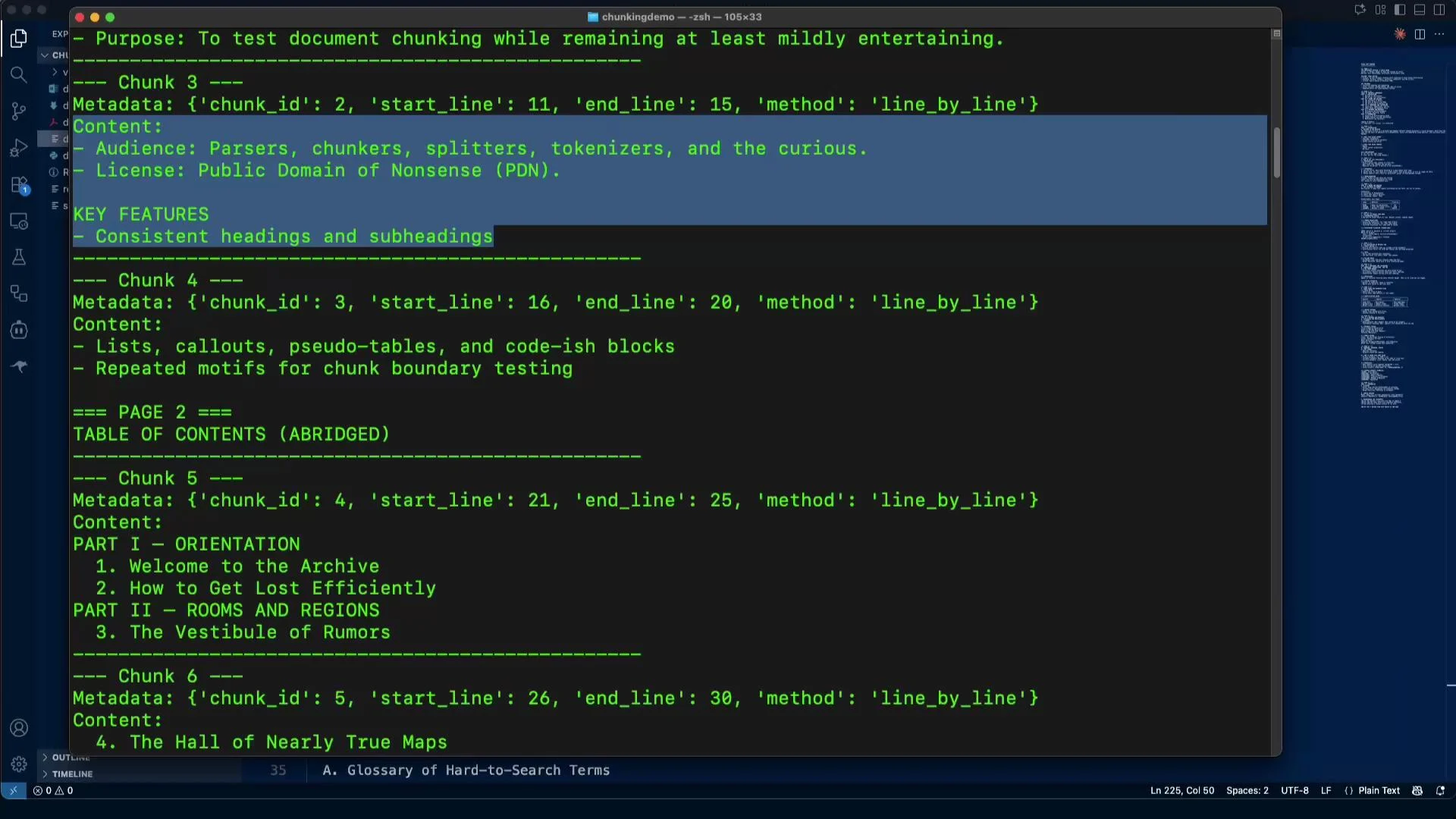
The image shows a code editor with a document related to testing document chunking, displaying metadata and content descriptions for different chunks. The text includes headings and subheadings, as well as a table of contents.

2) Fixed-size chunking with overlap

Fixed-size chunking splits text into character-range chunks of a fixed length. Overlap preserves context when a semantic unit spans a boundary, which helps retrieval and question-answering tasks. Example CLI:
(venv) jeremy@MACSTUDIO chunkingdemo % python document_chunker.py demo.txt fixed --chunk-size 500 --overlap 50
Sample metadata:
Metadata: {'chunk_id': 15, 'start_char': 6750, 'end_char': 7067, 'method': 'fixed_size'}
Sample chunk:
--- Chunk 15 ---
Metadata: {'chunk_id': 14, 'start_char': 6300, 'end_char': 6800, 'method': 'fixed_size'}
Content:
OFFSETS (SYMBOLIC)
[0-800): Front Matter
[800-1600): Orientation
[1600-2400): Rooms & Regions
[2400-3200): Creatures & Custodians
[3200-4000): Methods & Measures
[4000-END): Appendices
When to use:
  • When you must guarantee a maximum chunk size for model input.
  • Use overlap to reduce information loss across chunk boundaries.

3) Sliding-window chunking

Sliding-window chunking creates overlapping windows of a fixed size and advances by a step. Compared to naive fixed-size with overlap, sliding windows are often easier to reason about because overlap is controlled by the step size. Example CLI:
(venv) jeremy@MACSTUDIO chunkingdemo % python document_chunker.py demo.txt sliding --window-size 800 --step-size 400
Output metadata examples:
Metadata: {'chunk_id': 0, 'start_char': 0, 'end_char': 800, 'method': 'sliding_window'}
Metadata: {'chunk_id': 1, 'start_char': 400, 'end_char': 1200, 'method': 'sliding_window'}
Why it helps:
  • Boundaries (e.g., headings, TOC entries) will appear in multiple chunks, enabling robust retrieval or reranking.

4) Sentence-based chunking

Sentence-based chunking splits text into sentences and groups a fixed number of sentences per chunk. This yields linguistically coherent chunks but depends on accurate sentence splitting. Example CLI (max 3 sentences per chunk):
(venv) jeremy@MACSTUDIO chunkingdemo % python document_chunker.py demo.txt sentence --max-sentences 3
Sample output:
---- Chunk 36 ----
Metadata: {'chunk_id': 35, 'start_sentence': 106, 'end_sentence': 108, 'method': 'sentence_based'}
Content:
- Corridor Drift: Navigation via attention leakage. - Margin Migration: Footnotes on walkabout. B.

---- Chunk 37 ----
Metadata: {'chunk_id': 36, 'start_sentence': 109, 'end_sentence': 111, 'method': 'sentence_based'}
Content:
SAMPLE INDICES
Names: Apparitio; Corridor (Anonymous); Vine (Bookmark)
Subjects: Maps–Ethics; Ink–Mutable; Chunking–Heuristics
Caveats:
  • Short sentences produce small chunks; consider grouping more sentences or applying a minimum character or token threshold.
  • For production, swap the simple regex splitter with a robust sentence tokenizer (e.g., spaCy).
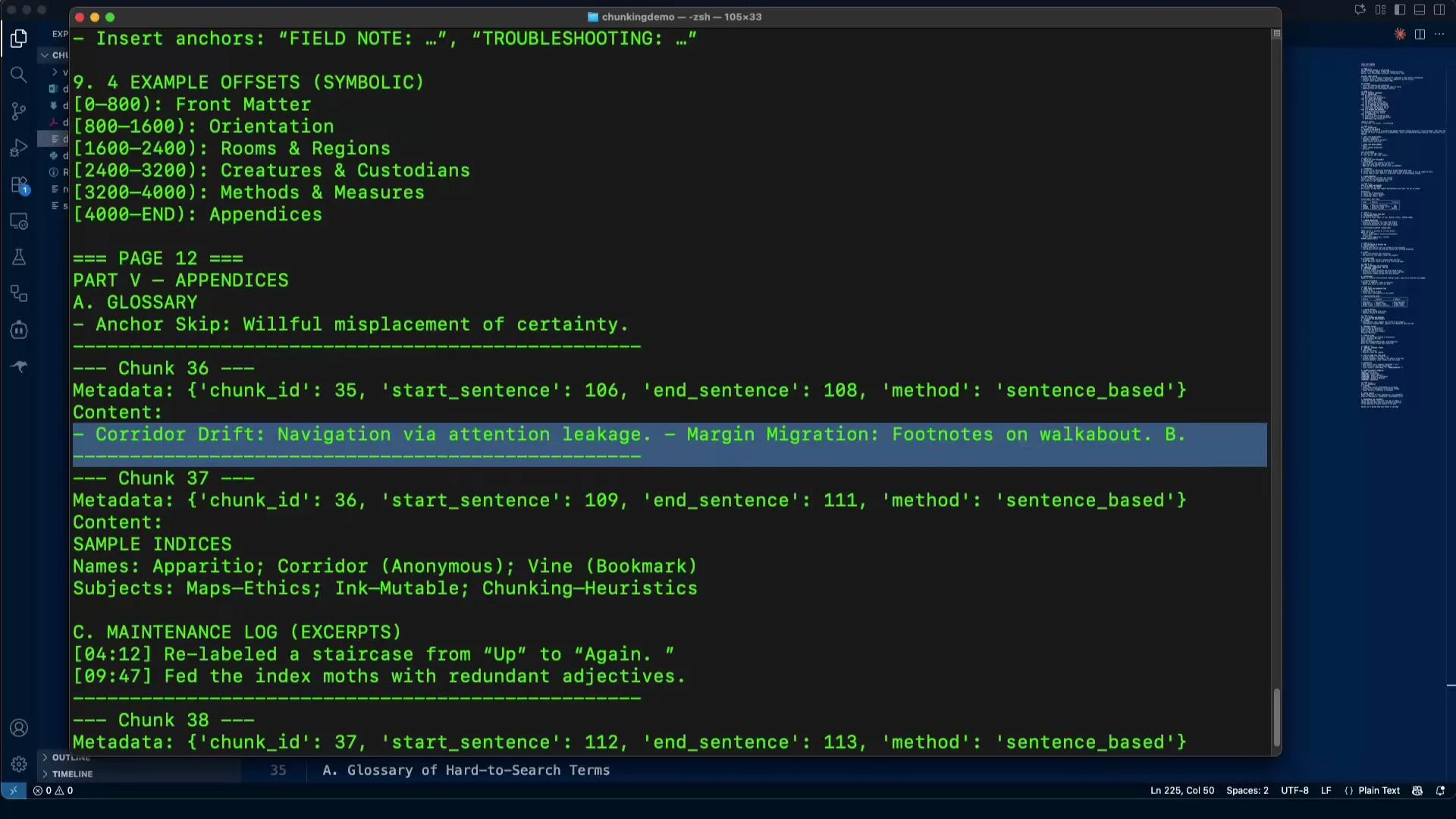
The image shows a code editing interface with text related to symbolic example offsets and metadata for chunks of content. It includes labels like "Corridor Drift" and "Maintenance Log," with various sections highlighted or outlined.

5) Paragraph chunking

Paragraph-based chunking groups text at blank-line boundaries. Paragraphs are often good semantic units for many narrative or documentation-style sources. Example CLI:
(venv) jeremy@MACSTUDIO chunkingdemo % python document_chunker.py demo.txt paragraph --max-paragraphs 2
Notes:
  • This method requires clear paragraph delimiters. Preprocessing is sometimes needed if paragraphs are not separated by blank lines (e.g., in OCR output).

6) Page chunking (useful for PDFs and DOCX)

Page chunking uses page boundaries or approximated line ranges to preserve page-level layout. This is essential when headers, footers, or figures belong to a specific page. Usage notes:
  • The demo includes a 10-page DOCX. The chunker reports pages sequentially.
  • Example metadata for the last page:
Metadata: {'chunk_id': 9, 'page': 10, 'start_line': 271, 'end_line': 294, 'method': 'page_based'}
When to prefer:
  • Legal, academic, or scanned documents where page context matters.
  • Combine with per-page OCR or page-aware parsing for better fidelity.

7) Section / Heading-based chunking (Markdown example)

Heading-based chunking splits by headings and preserves logical document structure — ideal for manuals, specs, and Markdown content. Example CLI (Markdown headings):
(venv) jeremy@MACSTUDIO chunkingdemo % python document_chunker.py demo.md section --heading-pattern '^\s*#{1,6}\s+'
Tips:
  • Adjust the --heading-pattern regex for your document format (e.g., HTML headers, reStructuredText).
  • Use this method first, then apply sentence, paragraph, or token-based limits inside sections.
Typical findings: chunk 51 might correspond to an H2 “Glossary”, chunk 52 to “Sample indices”, etc.

Combining strategies & production tips

There is no one-size-fits-all chunker. Common, practical strategies include:
  • Run heading/section-based splitting first to preserve logical units, then apply token-based or fixed-size chunking within each section to respect model input limits.
  • Use sliding windows or fixed overlap to ensure context continuity across boundaries when retrieval quality matters.
  • Replace the naive token splitter with a production tokenizer: tiktoken for OpenAI models or Hugging Face tokenizers for other models.
Additional resources:
Best practice: combine structural chunking (sections/headings/pages) with size-limiting chunking (token or fixed-size with overlap). This preserves semantics while respecting model input limits.
If you want to experiment, the accompanying repository includes the document_chunker.py file shown above and the sample documents used in these examples.

Watch Video

Practice Lab