In this hands-on guide we’ll build a local ChromaDB-backed semantic search workflow that persists to disk and demonstrates both ingestion and similarity queries using SentenceTransformers embeddings. What you’ll end up with:
  • A persistent local ChromaDB instance.
  • A simple ingestion flow that chunks text files and upserts embeddings.
  • A query function that runs similarity searches with optional metadata filters.
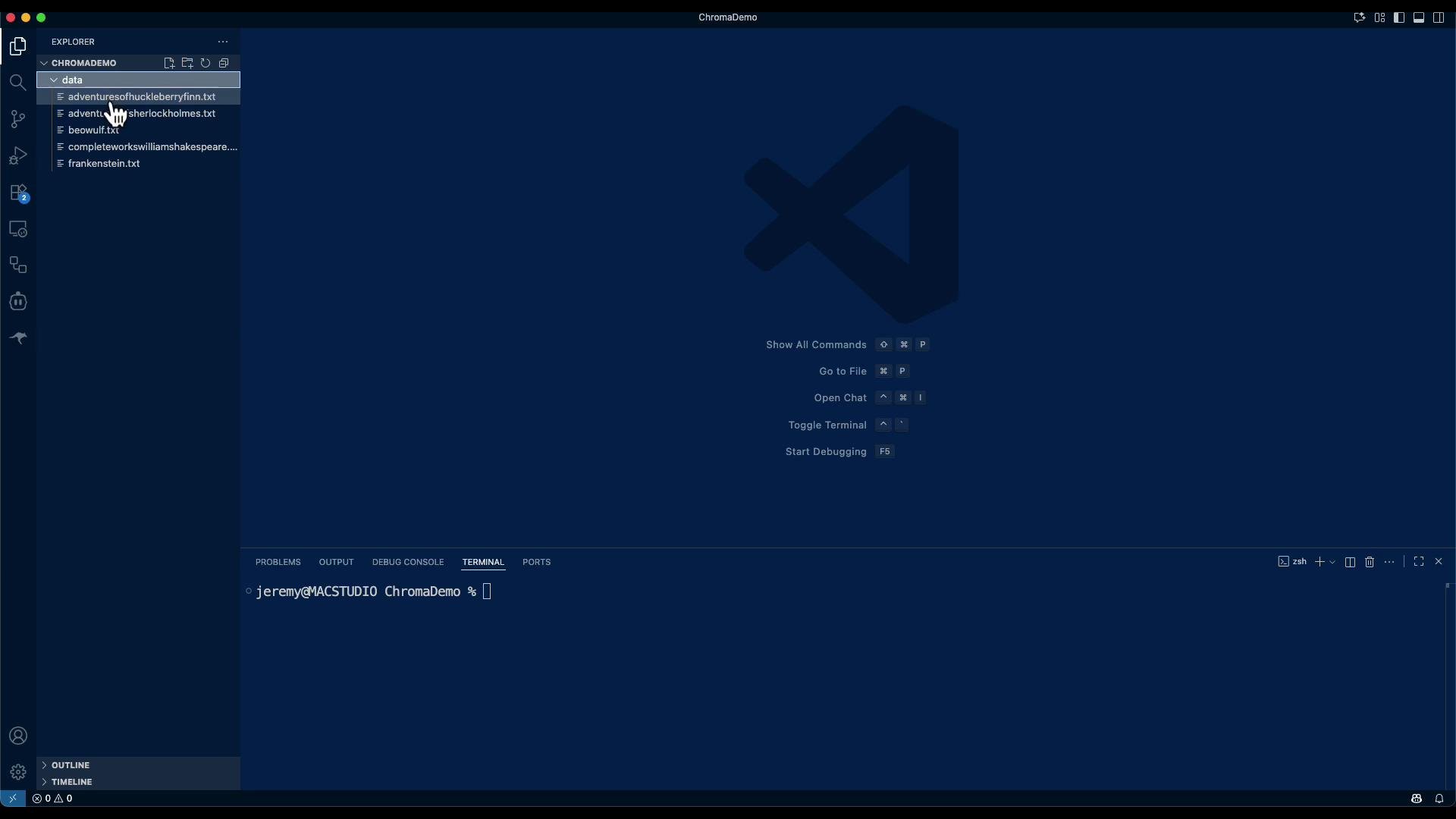
Dataset used in this demo: several public-domain texts such as The Adventures of Huckleberry Finn, Sherlock Holmes, Beowulf, Complete Works of William Shakespeare, and Frankenstein.
This image shows an open Visual Studio Code window with a file explorer on the left displaying several text files. The terminal at the bottom indicates a command line in use.
Note: this is a demo of using a vector database for retrieval. It is not a complete search engine (there are additional components like LLM-based re-ranking, result aggregation, and QA prompt engineering you would add later).
This lesson/article demonstrates basic ingestion and retrieval with ChromaDB. You will get document hits and snippet-level results but not a fully featured QA system out of the box. Consider adding an LLM re-ranker and result post-processing for production-quality answers.
Tip: If you run into compatibility issues with PersistentClient, check your installed chromadb version and adapt to chromadb.Client(...) or the version-appropriate persistent API. Also consider pinning chromadb and sentence-transformers versions in a requirements.txt for reproducible environments.

Quick overview

The demo demonstrates:
  • Setting a local persistence path for ChromaDB.
  • Using a SentenceTransformers model to produce embeddings.
  • Reading .txt files from data/, chunking long documents into overlapping segments, and creating deterministic chunk IDs for idempotent ingestion.
  • Upserting (idempotent) into a Chroma collection.
  • Running similarity queries with optional where metadata filters.
Files produced in this example:
FilePurpose
ingest_and_query.pyIngests .txt files into ChromaDB, then runs demo queries.
data/*.txtSource plain-text documents to index (e.g., beowulf.txt, shakespeare.txt).

Environment and dependencies

Create and activate a Python virtual environment, then install required packages.
python -m venv .venv
source .venv/bin/activate
pip install --upgrade pip
pip install chromadb sentence-transformers
Note: Installing sentence-transformers can pull several dependencies (transformers, torch) depending on your environment. Consider using a GPU-enabled environment or CPU-only builds as appropriate.

Implementation — single consolidated script

Below is a consolidated, cleaned-up example that shows the key steps. Save as ingest_and_query.py (or split into ingest.py and query.py if you prefer to separate concerns).
# ingest_and_query.py
import os
import glob
from pathlib import Path
import chromadb
from chromadb.utils import embedding_functions

# --------- (A) Choose persistence location ---------
DB_DIR = Path("chroma_db")
DB_DIR.mkdir(exist_ok=True)

# Create a persistent client (data survives restarts)
# Note: PersistentClient is available in some chromadb versions.
# If your version expects chromadb.Client(...), adapt accordingly.
client = chromadb.PersistentClient(path=str(DB_DIR))  # loads existing DB if present

# --------- (B) Choose an embedding function ---------
# Use SentenceTransformers model for embeddings
embedding_fn = embedding_functions.SentenceTransformersEmbeddingFunction(
    model_name="all-MiniLM-L6-v2"
)

# --------- (C) Get or create collection ---------
collection = client.get_or_create_collection(
    name="demo_texts",
    embedding_function=embedding_fn,
    metadata={"hnsw:space": "cosine"}  # cosine is common for semantic search
)

# --------- (D) Simple chunker ---------
def chunk_text(text: str, max_chars: int = 1500, overlap: int = 200):
    """Split long text into overlapping chunks to improve recall."""
    chunks = []
    start = 0
    n = len(text)
    while start < n:
        end = min(start + max_chars, n)
        chunk = text[start:end]
        chunks.append(chunk.strip())
        # move start forward, but keep 'overlap' characters overlapping
        start = end - overlap if (end - overlap) > start else end
    return [c for c in chunks if c]

# --------- (E) Read .txt files and prepare records ---------
DOCS_DIR = Path("data")
paths = sorted(glob.glob(str(DOCS_DIR / "*.txt")))

documents = []
metadatas = []
ids = []

for p in paths:
    file_id_base = Path(p).stem  # e.g., "beowulf"
    with open(p, "r", encoding="utf-8") as f:
        raw = f.read()

    # If text is long, chunk it; otherwise keep as a single chunk
    chunks = chunk_text(raw, max_chars=1500, overlap=200) if len(raw) > 1800 else [raw]

    for idx, ch in enumerate(chunks):
        uid = f"{file_id_base}__{idx:03d}"  # idempotent ID per file chunk
        documents.append(ch)
        metadatas.append({
            "source": os.path.basename(p),
            "chunk": idx
        })
        ids.append(uid)

if not ids:
    print("🚨 No .txt files found in ./data")
else:
    # --------- (F) Upsert into Chroma (idempotent) ---------
    # Upsert will add new records or replace existing records with same IDs.
    collection.upsert(
        ids=ids,
        documents=documents,
        metadatas=metadatas
    )
    print(f"✅ Ingested {len(ids)} records from {len(paths)} file(s).")

# --------- (G) Run a few demo queries ---------
def search(query_text: str, k: int = 4, where: dict = None):
    """
    Query the collection.
    - query_text: string to search
    - k: number of results to return
    - where: optional metadata filter dict, e.g. {"source": "beowulf.txt"}
    """
    res = collection.query(
        query_texts=[query_text],
        n_results=k,
        where=where  # optional metadata filter dict
    )

    print(f"\n🔎 Query: {query_text}")
    # robustly handle result structure
    ids_res = res.get("ids", [[]])[0]
    docs_res = res.get("documents", [[]])[0]
    metas_res = res.get("metadatas", [[]])[0]
    dists_res = res.get("distances", [[]])[0] if res.get("distances") else [None] * len(ids_res)

    for i in range(len(ids_res)):
        id_ = ids_res[i]
        meta = metas_res[i] if i < len(metas_res) else {}
        doc = docs_res[i] if i < len(docs_res) else ""
        dist = dists_res[i] if i < len(dists_res) else None
        dist_str = f"{dist:.4f}" if isinstance(dist, (int, float)) else "N/A"
        snippet = doc[:180].replace("\n", " ")
        print(f" • id={id_}  dist={dist_str}  source={meta.get('source')}\n   {snippet}...")

# Example queries
if ids:
    search("Describe how Beowulf defeats the monster's mother.", k=3)
    search("Who was Grendel, and why did he attack Heorot?", k=3)
    search("Why does Macbeth decide to kill Duncan?", k=3)

Idempotency and duplicate handling

  • Deterministic chunk IDs: we use file_stem__{idx:03d} so re-running ingestion with the same files won’t create duplicate vectors.
  • Use collection.upsert(...) for idempotent behavior: it inserts new IDs and replaces existing ones with the same identifier.
  • If you want ingestion to fail on duplicate IDs, use collection.add(...), which raises on duplicates.

Running the script

  1. Place plain-text files under ./data (each book as a .txt).
  2. Run:
python ingest_and_query.py
The first run may take longer while embeddings are computed and the index is built. Example (trimmed) terminal output:
✅ Ingested 5609 records from 5 file(s).

🔎 Query: Describe how Beowulf defeats the monster's mother.
 • id=beowulf__009  dist=0.2638  source=beowulf.txt
   ...and the monster retreats to his den, howling and yelling with agony and fury. The wound is fatal....
 • id=beowulf__002  dist=0.3854  source=beowulf.txt
   ...Rejoicing of the Danes (XIV). Hrothgar's Gratitude (XV). ...

🔎 Query: Who was Grendel, and why did he attack Heorot?
 • id=beowulf__118  dist=0.4706  source=beowulf.txt
   ...The torch of the firmament. He glanced 'long the building, and turned...
...
These results show which document chunks the vector search considers most similar. For human-readable, direct answers, pass the retrieved chunks to an LLM for synthesis and re-ranking.

Production considerations and next steps

  • Add an LLM-based re-ranker or QA system to synthesize precise answers from retrieved chunks.
  • Improve chunking: use sentence- or token-aware splits (e.g., Hugging Face tokenizers) and retain character offsets.
  • Enrich metadata: store title, author, chapter, and location offsets to enable more powerful where filters and provenance.
  • Indexing and scaling: if you scale beyond a laptop, evaluate managed vector DBs, clustering, or distributed deployments for performance and reliability.
  • Security & cost: consider encryption, access controls, and cost of hosted embeddings vs local compute.
This demo shows how to set up and experiment locally with ChromaDB and Sentence Transformers for semantic retrieval.

Watch Video

Practice Lab