

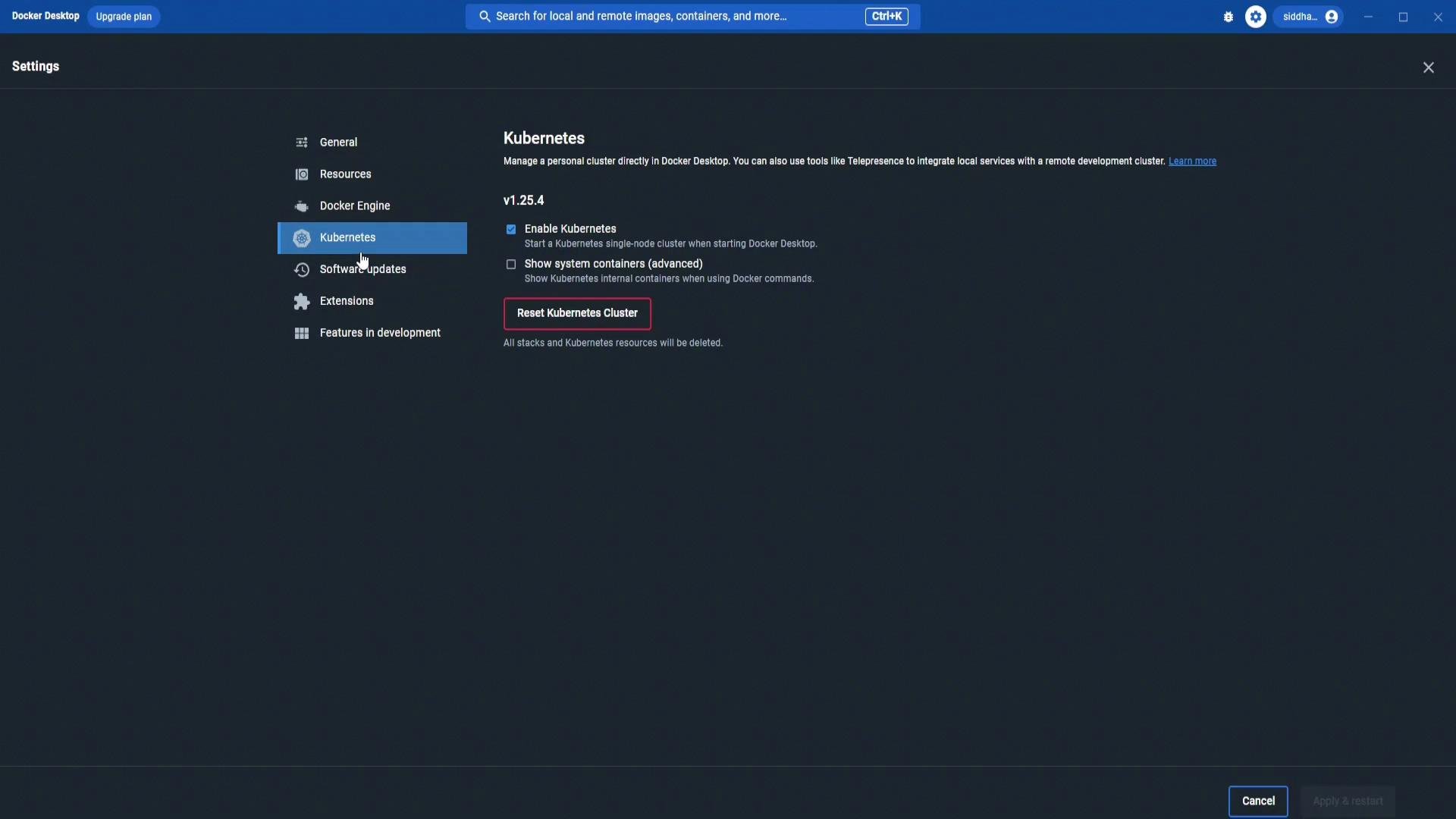
Docker Desktop must have Kubernetes enabled. The Docker Desktop settings (Kubernetes enabled) are shown here:
- Confirm the
fluxCLI is not installed:
- Install the Flux CLI using the official install script and enable Bash completion:
- Verify the installed CLI version:
flux version without cluster components will report:
bootstrap command that installs the Flux controllers into your cluster and configures them to sync with a Git repository. The GitHub bootstrap requires a GitHub Personal Access Token (PAT) with the appropriate scopes (typically repo for repository creation/management and deploy key configuration).
Quick example of the bootstrap command (placeholders shown in backticks):
Create a GitHub Personal Access Token
Create a PAT with the minimum scopes required for bootstrap (commonly
repo). On GitHub: Settings → Developer settings → Personal access tokens → Generate new token (classic). Copy and store the token securely — GitHub will not show it again after you leave the page.
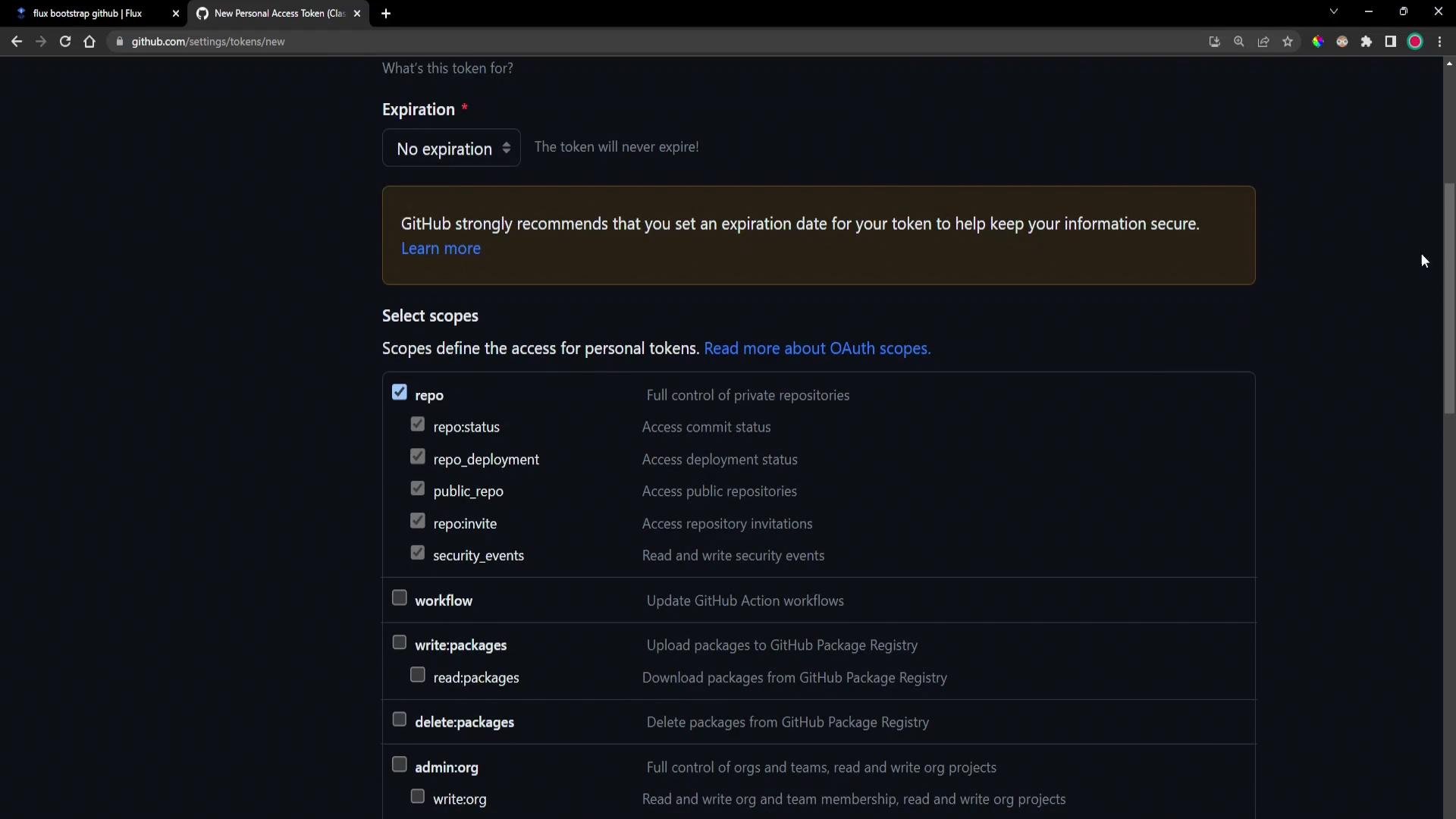
For security, grant tokens the minimum scopes required and set an expiry. The bootstrap process typically requires the
repo scope to create a repository and add deploy keys; consider using a short-lived token if possible.- Flux connects to GitHub and creates (or uses) the specified repository.
- Flux generates component manifests (namespace, CRDs, controllers).
- Flux installs controllers into the
flux-systemnamespace. - Flux generates a deploy key pair: the public key is added to the GitHub repo; the private key is stored in a Kubernetes Secret in
flux-system. - Flux commits generated manifests into the repository and pushes them to the
mainbranch. - Flux reconciles the Kustomization to apply manifests and validates component health.
flux-clusters/dev-cluster/flux-system/— contains generated manifests such as:gotk-components.yamlgotk-sync.yaml- Kustomization YAML files
gotk-components.yaml (auto-generated by Flux):
- Confirm the
flux-systemnamespace exists:
- Inspect resources in
flux-system:
- source-controller
- kustomize-controller
- helm-controller
- notification-controller
flux-system) that holds the private deploy key. The public key is configured as a deploy key in the GitHub repository.
- List Flux-related CRDs:
- Check CLI and controller versions:
- You installed the
fluxCLI and bootstrapped Flux to your Kubernetes cluster usingflux bootstrap github. - Bootstrap created (or used) a GitHub repository, generated and committed Flux manifests, installed Flux controllers into the
flux-systemnamespace, created CRDs, and configured a deploy key so Flux can sync with the repository. - The repository contains Flux-generated manifests (e.g.,
gotk-components.yaml,gotk-sync.yaml, and Kustomizations). You can now edit the repo to add your cluster manifests and let Flux reconcile and apply changes automatically (GitOps).
- Flux v2 documentation: https://fluxcd.io/docs/
- Flux CLI installation: https://fluxcd.io/installation/
- GitHub Personal Access Token docs: https://docs.github.com/en/authentication/keeping-your-account-and-data-secure/creating-a-personal-access-token
- Kubernetes documentation: https://kubernetes.io/docs/