

- Log in to Docker Hub
- Pull an existing upstream image
- Tag and push that image to your Docker Hub repository
- Update a Kubernetes Deployment to reference the pushed image
- Create Flux GitRepository and Kustomization objects to deploy the manifest
- Verify the application is running and confirm the bug fix present in version 7.8.0
- Flux docs: https://fluxcd.io/docs/
- Docker Hub: https://hub.docker.com/
- Kubernetes docs: https://kubernetes.io/docs/
Prerequisites
Make sure to replace
siddharth67 in the examples below with your own Docker Hub username wherever applicable. For improved security, prefer using a Docker access token instead of your password when running docker login.Never commit Docker credentials or access tokens to git. Use secret management or CI/CD secret stores when automating image pushes.
1) Log in to Docker Hub
If you are authenticated to another registry, log out first, then log in to Docker Hub:2) Pull the existing image
Pull the upstream image used as the source for this demo:3) Tag the image for your Docker Hub repository
Tag the pulled image to point at your Docker Hub repository and the desired image name. Replaceyour-username with your Docker Hub username:
4) Push the image to Docker Hub
Push the tagged image up to your Docker Hub repository:7.8.0 tag is visible in your Docker Hub repository UI for your-username/bb-app-flux-demo.
5) Update the deployment manifest
Edit the Deployment YAML stored in thebb-app-source repository (branch 8-demo) so the image: field points to your pushed image. This minimal example highlights the image: field to change:
siddharth67 with your Docker Hub username in the image: field.
6) Publish manifests and create Flux objects
The demo uses two repositories:- A source repo that contains application manifests (
bb-app-sourcebranch8-demo) - A Flux repo that contains Flux GitRepository and Kustomization manifests (e.g.,
flux-clusters)
flux-clusters/dev-cluster directory, create a GitRepository source and Kustomization for the 8-demo branch. The commands below use --export to save the generated objects to YAML files:
flux-clusters repo). To accelerate reconciliation after pushing, run:
7) Verify deployment
Confirm Flux created the8-demo namespace and applied the manifests:
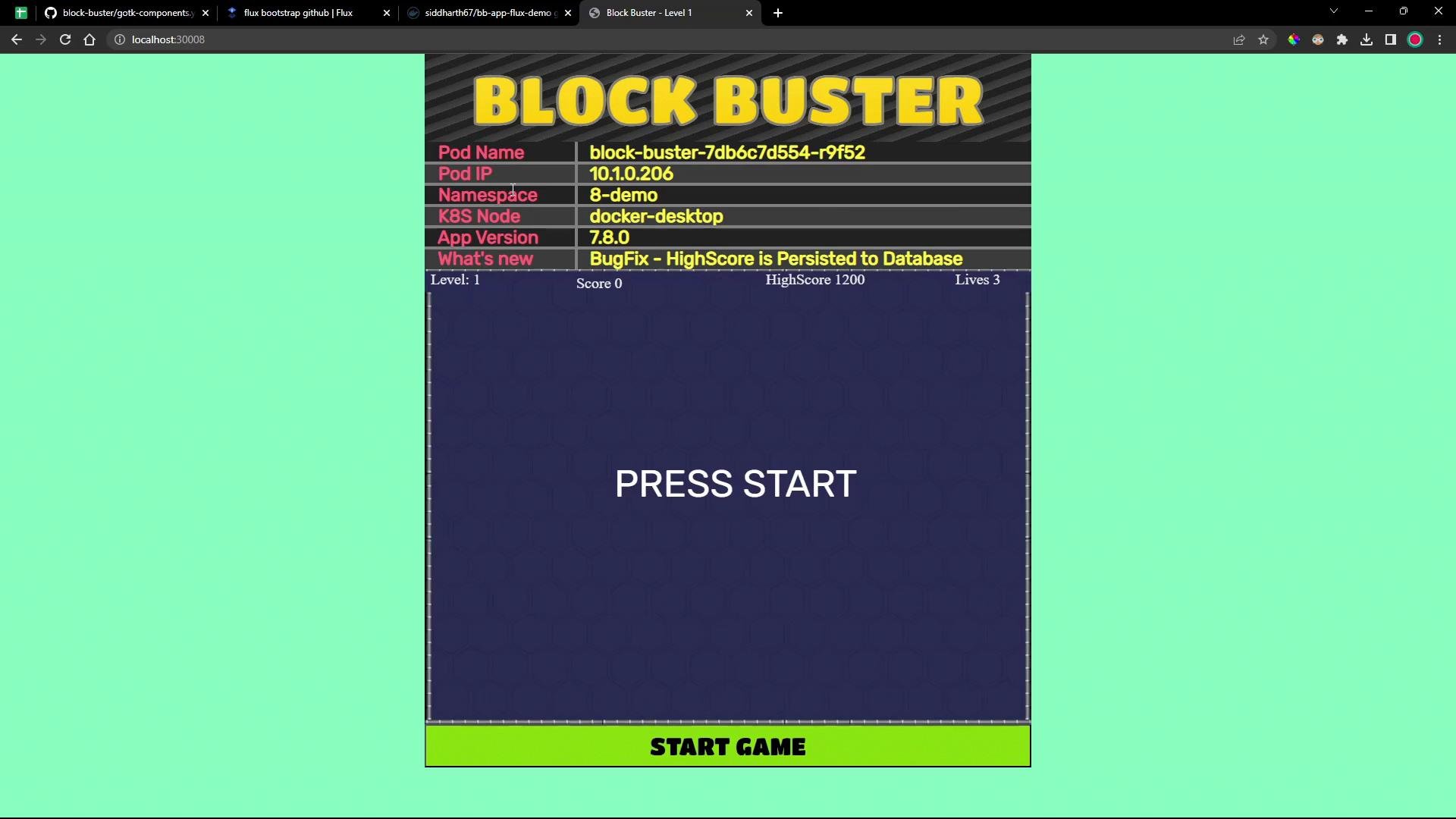
1200 will be persisted and displayed in the high score field after restarting — confirming the fix in 7.8.0.
Next steps
- Automate image updates with Flux Image Automation Controller and an
ImageRepositoryobject to fetch tags from Docker Hub automatically. - Integrate CI to build and push images and then let Flux detect and roll out updates.
For more on Flux GitRepository and Kustomization, see the Flux documentation: https://fluxcd.io/docs/
That’s all for this demo.