

HelmRelease. It keeps the same sequence of operations used in the demo and includes exact manifests and commands you can follow.
Overview
- Ensure the Helm chart is stored in a Git repository (a branch is fine).
- Create a
GitRepositorysource so Flux’s source-controller can fetch the repo. - Create a
HelmReleasethat references theGitRepositoryand the chart path/version. - Optionally provide a
values.yamloverride file when creating theHelmRelease. - Commit the generated manifests into the repository Flux watches and let Flux reconcile them.
- A Kubernetes cluster with Flux installed (flux CLI available).
- The Helm chart present in a Git repository and reachable via HTTPS or SSH.
- Access to the branch that contains the chart (the demo uses branch
5-demo).
- In the demo the repository
bb-app-sourcecontains a Helm chart on branch5-demo. - Make sure you switch to that branch locally before working with the chart.
GitRepository CRD so the source-controller can fetch it:
flux create helmrelease which generates a HelmRelease manifest. You can point the chart source to a GitRepository. The CLI also accepts a --values file which Flux reads locally and embeds into the exported YAML when you use --export.
When using
--values with flux create helmrelease --export, Flux reads the values file from the local filesystem where you run the command and embeds those values into the generated HelmRelease YAML. Ensure the path you specify exists locally before running the command.GitRepository and HelmRelease.
Inspect reconciliation with Flux and kubectl
- Check Git sources fetched by Flux:
- Check HelmReleases:
- Verify the target namespace and workloads (example using namespace
5-demo):
- When the
HelmReleaseis reconciled, the source-controller packages the chart from theGitRepositoryand creates aHelmChartartifact (CRDhelmcharts.source.toolkit.fluxcd.io). - List packaged charts:
flux-system namespace:
- Helm tests: enable post-install/upgrade tests.
- Upgrade remediation: retries, remediation strategies like rollback, and whether to ignore test failures.
- CRD policies:
Skip,Create,CreateReplacefor CRD upgrades.
Important: Ensure the Git branch and chart path are correct and reachable by Flux. If you use
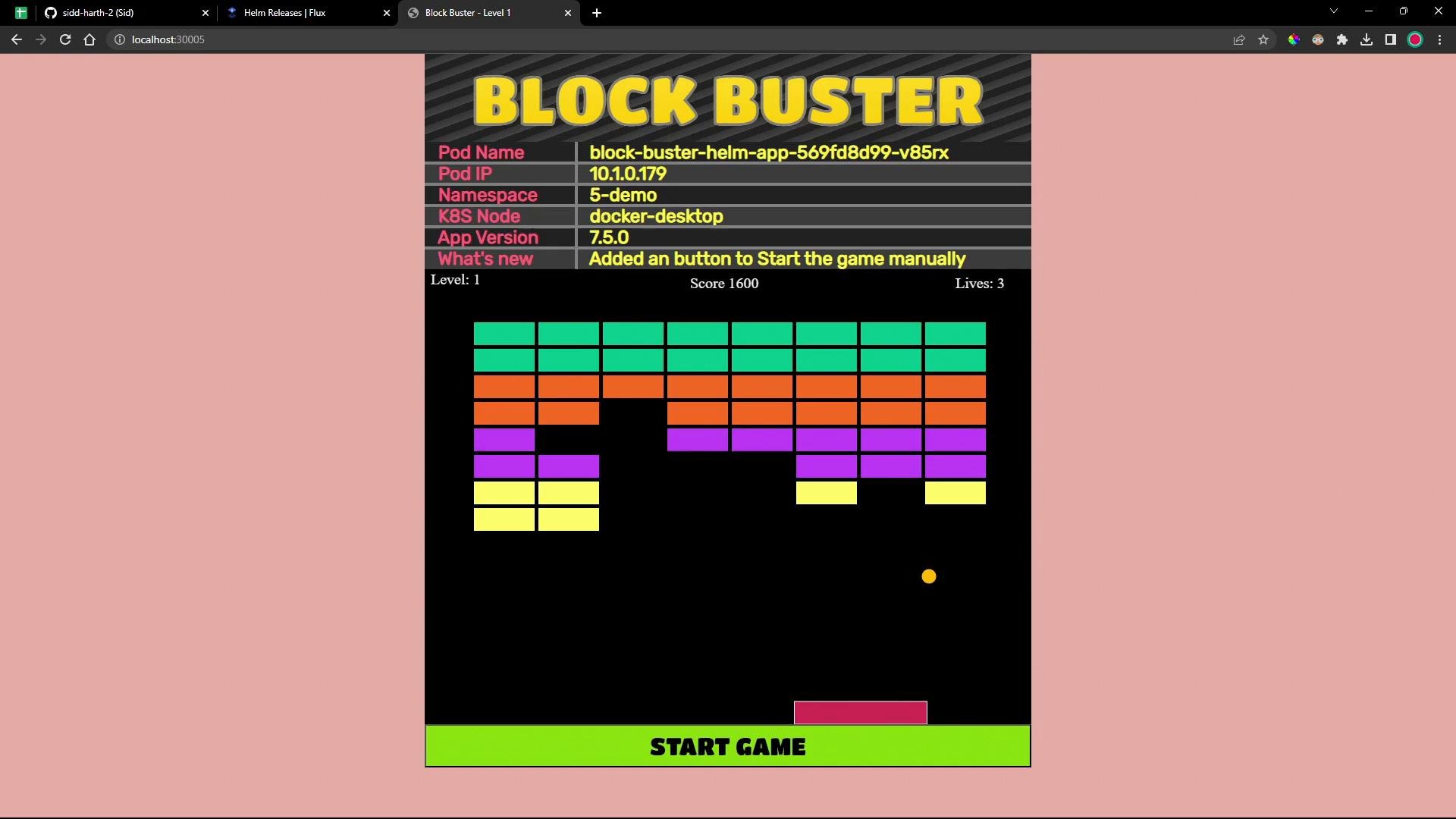
flux create ... --export, the CLI reads local files (like --values) on your machine — missing files will result in incomplete exports. Also commit the generated HelmRelease to the repo Flux watches so the controllers can reconcile it.- In this demo the service is exposed on NodePort
30005. Openhttp://localhost:30005from any node where the NodePort is reachable. - From version 7.5.0 the app shows a “START GAME” button to start the game manually (instead of auto-starting).
- Flux Source Controller: https://fluxcd.io/docs/components/source/
- Flux Helm Controller: https://fluxcd.io/docs/components/helm/helm-controller/
- Flux HelmRelease docs: https://fluxcd.io/docs/components/helm/helmreleases/