

Repository layout
The Flux v2 repository contains a ready-made monitoring configuration that includes a PodMonitor CRD and prebuilt Grafana dashboards. The PodMonitor tells Prometheus (via the Prometheus Operator) which Flux controller pods to scrape, while the JSON dashboard files can be auto-provisioned into Grafana.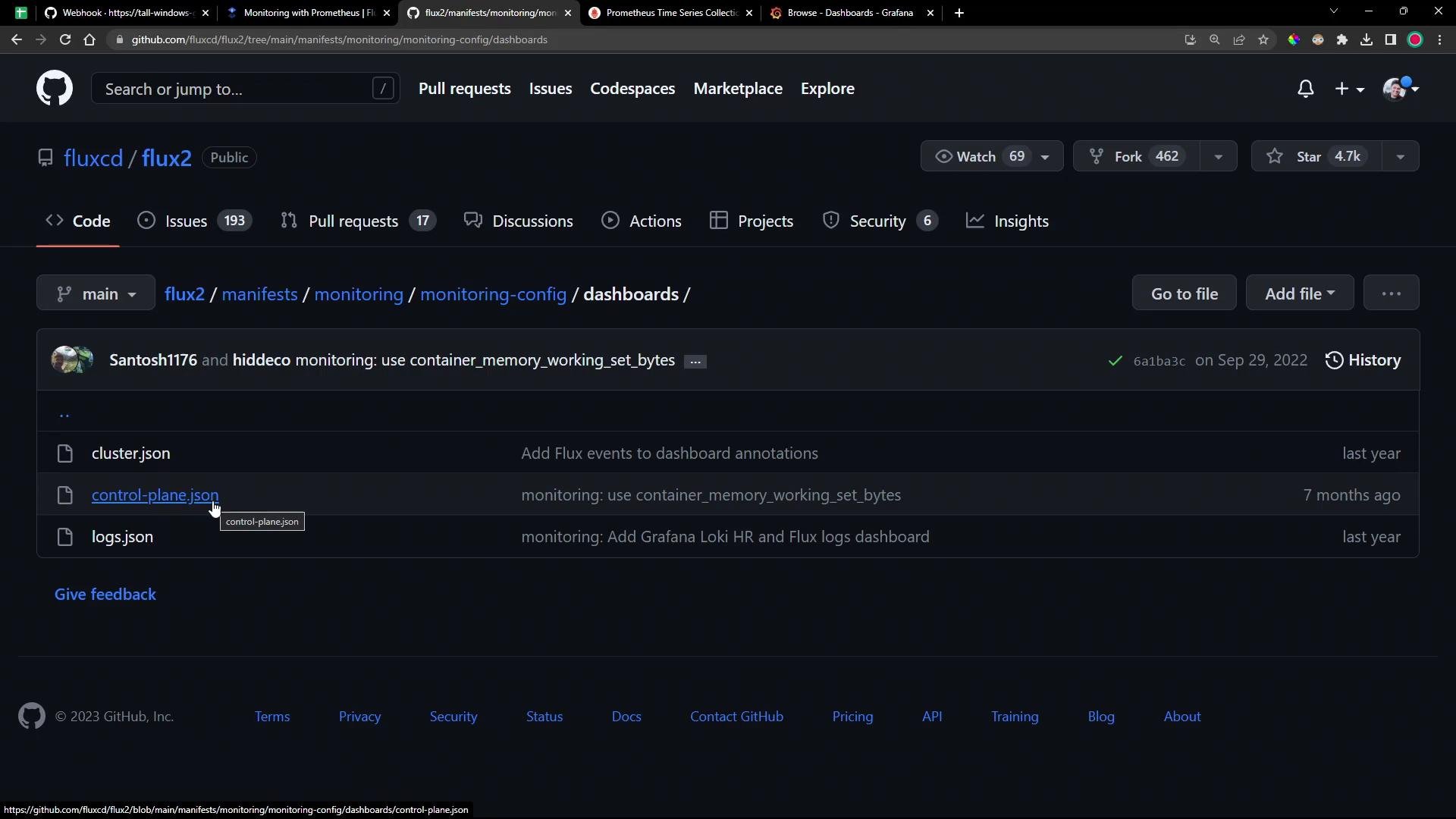
- Flux v2 repository: https://github.com/fluxcd/flux2
- Flux metrics and documentation: https://fluxcd.io/docs/
PodMonitor — add Flux controllers as scrape targets
A PodMonitor resource (managed by the Prometheus Operator) selects pods and exposes metrics endpoints for Prometheus to scrape. The example below selects pods in theflux-system namespace and matches the app label values for the Flux controllers. It configures Prometheus to scrape the http-prom metrics port.
Ensure Prometheus is installed with the Prometheus Operator (for example via the
kube-prometheus-stack Helm chart). PodMonitor is a CRD provided by that operator, and Prometheus will only discover targets if the operator is present.- Prometheus Operator: https://github.com/prometheus-operator/prometheus-operator
- kube-prometheus-stack chart: https://github.com/prometheus-community/helm-charts/tree/main/charts/kube-prometheus-stack
Apply the monitoring config with Flux Kustomization
Use a Flux Kustomization to point to the monitoring manifests stored in Git. The Kustomization below references the repository path containing the PodMonitor and dashboard files and declares a dependency on your Prometheus stack kustomization.- Add the PodMonitor and dashboard JSON files to your monitoring path in Git.
- Commit and push the changes.
- Reconcile the Kustomization manually or wait for the next sync interval:
- Example:
flux reconcile kustomization monitoring-config --namespace flux-system
- Example:
Prometheus targets
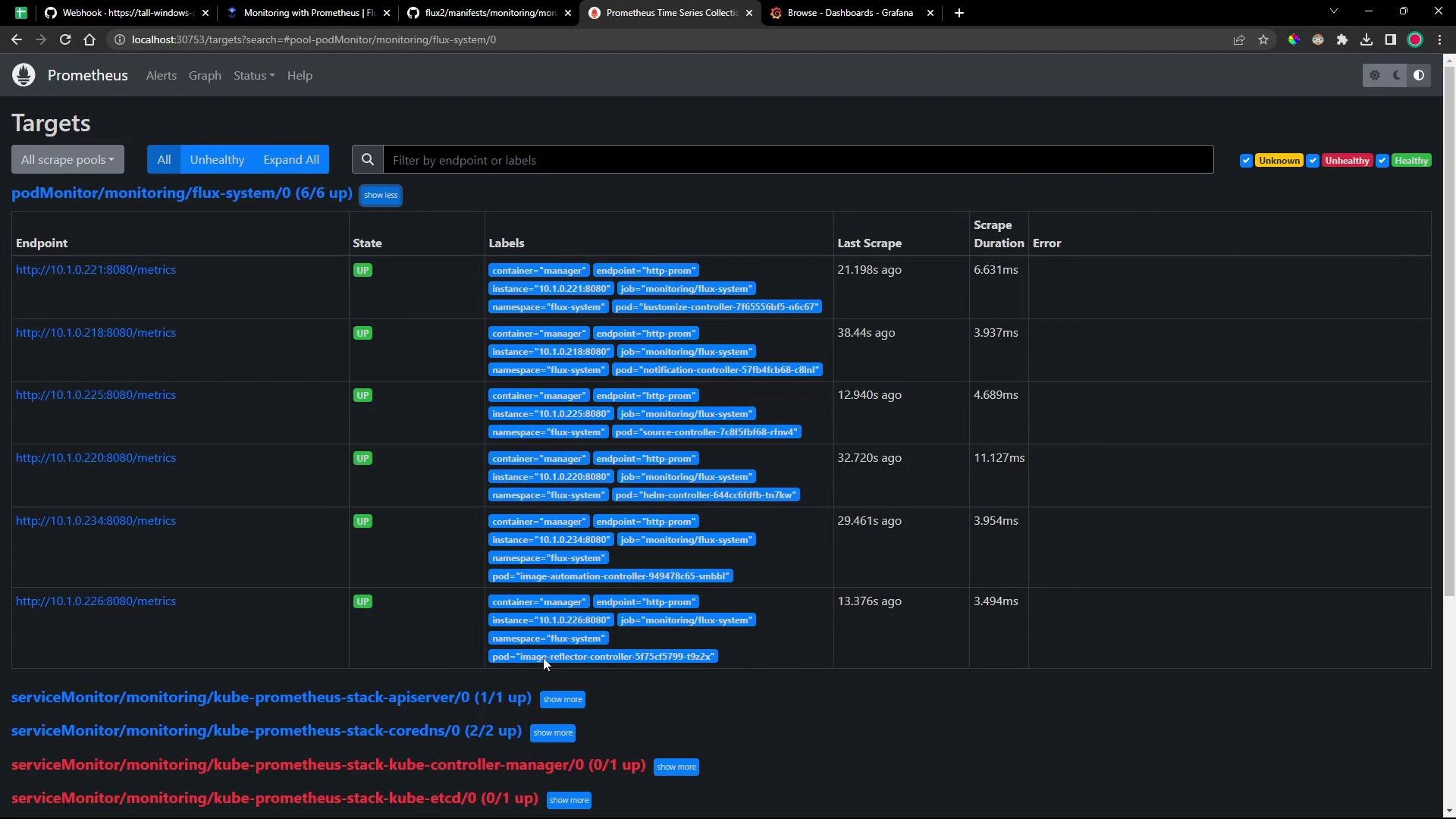
Once Flux creates the PodMonitor, the Prometheus Operator will convert it into scrape configurations and create targets for each controller. In the Prometheus UI, visit Status → Targets to verify apodMonitor/monitoring/flux-system entry with an endpoint per controller.
Prometheus metrics and PromQL examples
Flux exports metrics prefixed withgotk_ that cover reconciliation conditions, durations, and suspend status. Use PromQL in the Prometheus expression browser to explore these timeseries.
Common Flux metrics
gotk_reconcile_condition{type="Ready", status="<status>"}— reconciliation Ready condition (statuses: True, False, Unknown, Deleted)gotk_suspend_status— whether resources are suspendedgotk_reconcile_duration_seconds_*— histogram metrics for reconcile durations
- Building Grafana visualizations of controller health and performance
- Defining alerting rules for reconciliation failures or long reconcile durations
Grafana dashboards and provisioning
The Flux repository provides dashboard JSON files such ascontrol-plane.json and cluster.json. If your Grafana is configured to provision dashboards from a directory (or if you import them manually), these files will give you immediate visualizations for Flux metrics.
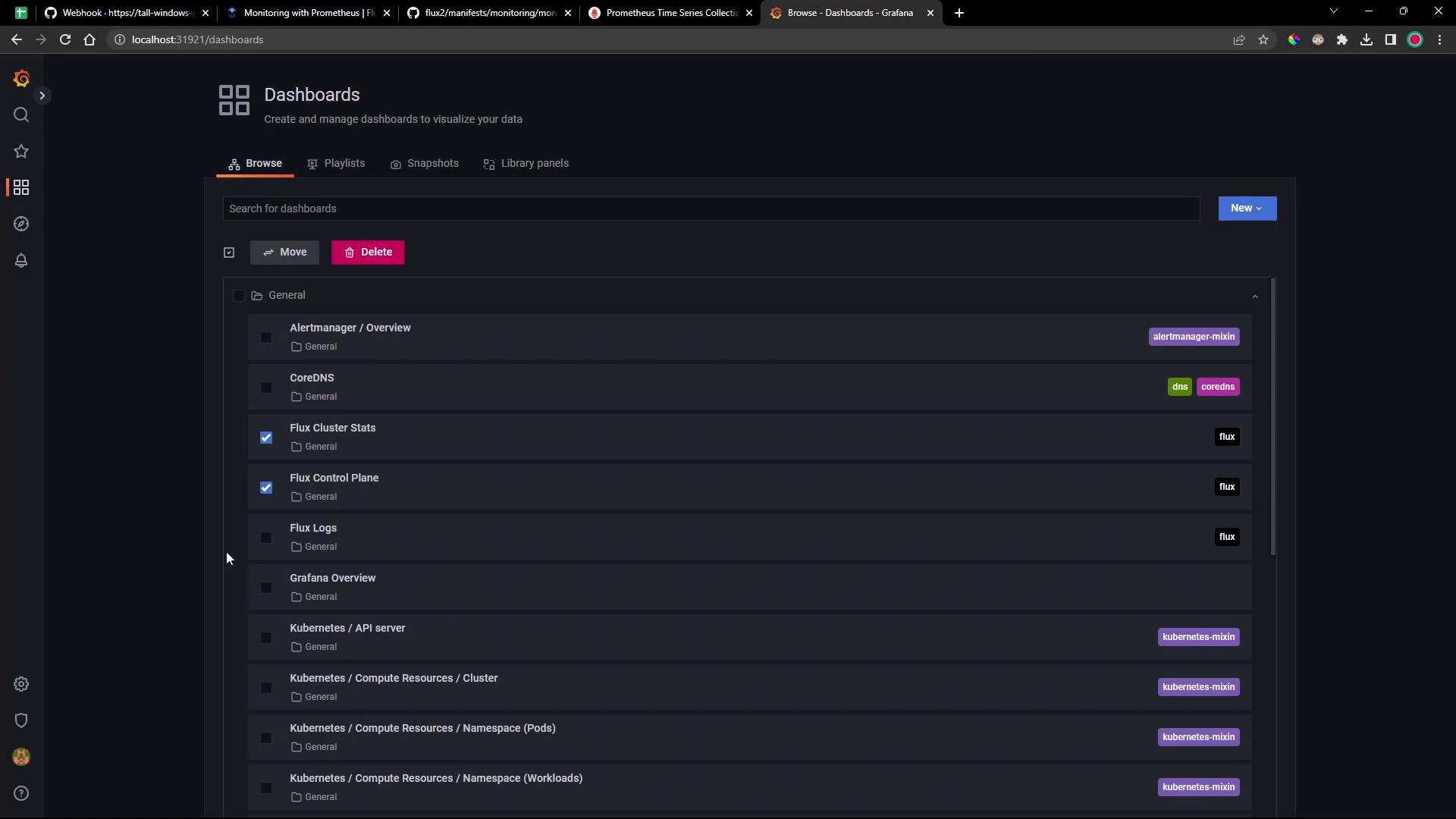
Grafana must be configured to provision dashboards from the location where Flux places the dashboard JSON files, or you must import the dashboards manually. Check your Grafana provisioning settings or the Grafana UI to ensure the dashboards appear after you apply the monitoring manifests.
Control plane dashboard
This dashboard focuses on controller-level metrics: controller counts, work queue sizes, CPU/memory usage, and Kubernetes API request rates. Use it to spot overloaded controllers or API hotspots.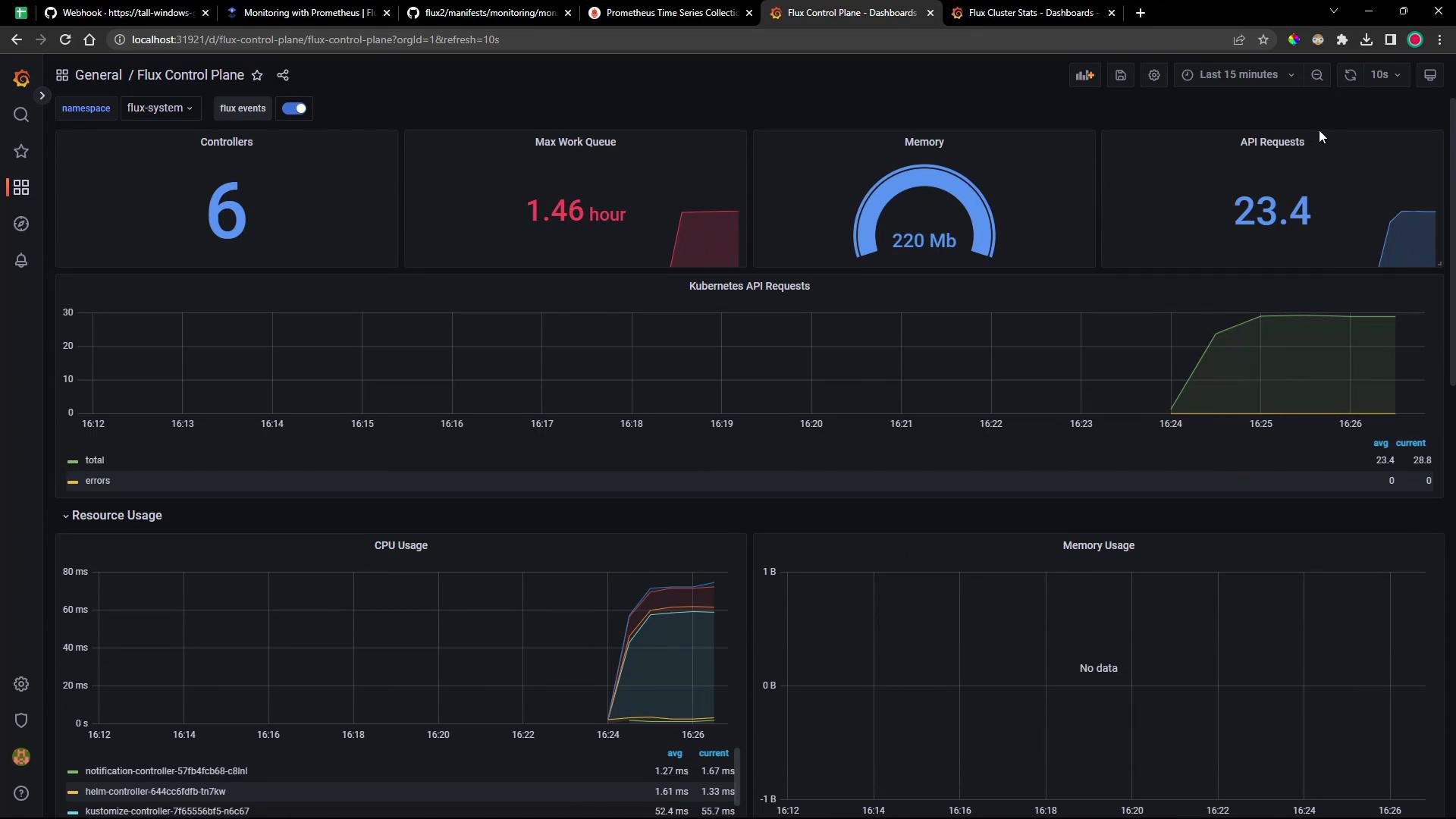
Cluster stats / readiness dashboard
This dashboard summarizes reconcilers, manifest sources, failing sources, reconciliation durations, artifact readiness, and includes tables showing resource readiness across namespaces. It’s useful for assessing cluster-wide health of Flux-managed resources.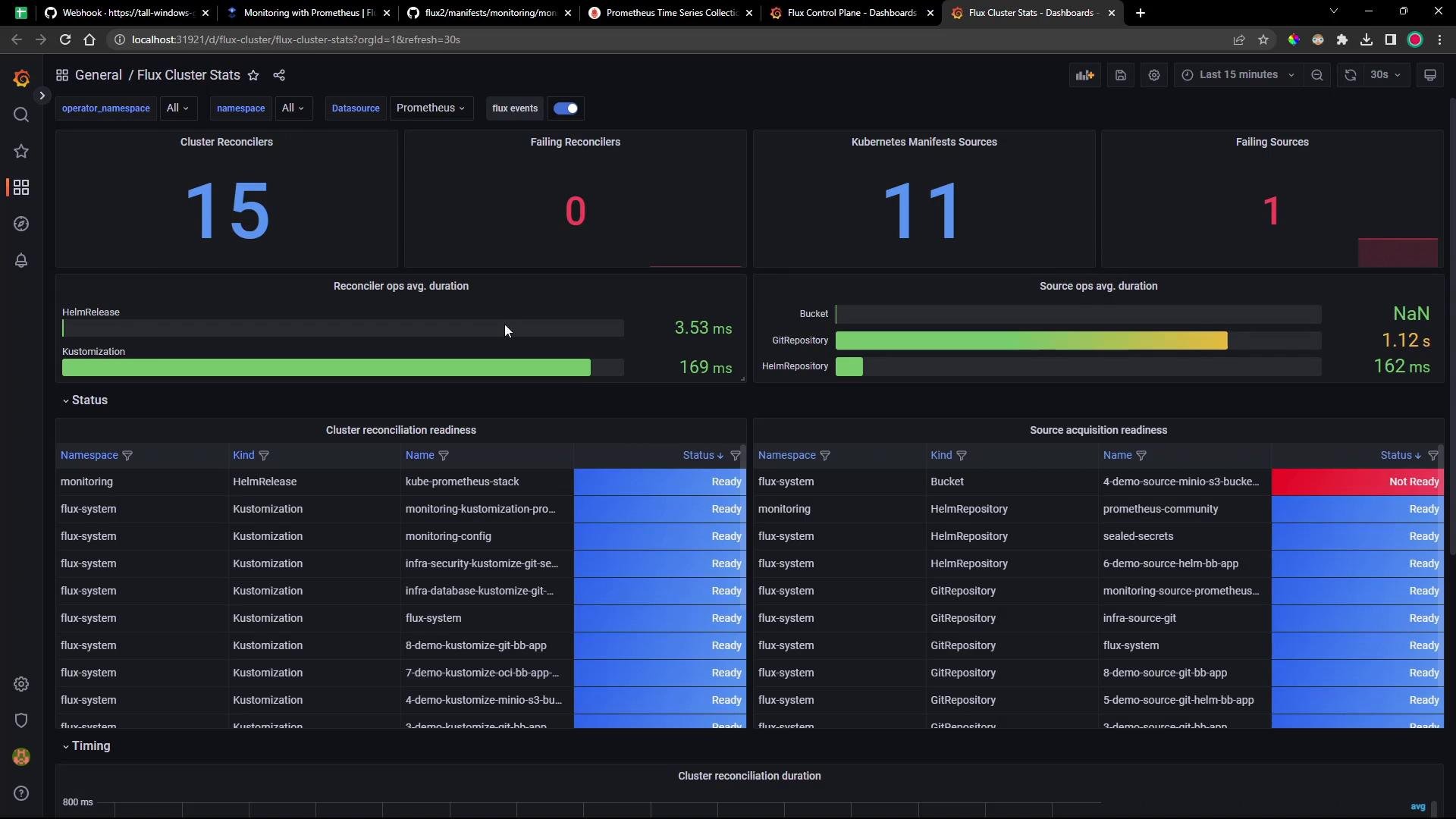
Summary & next steps
- Add the provided PodMonitor so Prometheus (via the Prometheus Operator) can scrape Flux controller metrics.
- Use a Flux Kustomization or your preferred deployment method to apply the monitoring manifests from Git.
- Verify the PodMonitor and Prometheus targets, then explore Flux metrics with PromQL in Prometheus.
- Provision or import the Grafana dashboards to visualize the Flux control plane and cluster metrics, and consider creating alerts based on
gotk_metrics.
- Flux documentation (metrics, controllers): https://fluxcd.io/docs/
- Prometheus Operator: https://github.com/prometheus-operator/prometheus-operator
- Grafana provisioning: https://grafana.com/docs/grafana/latest/administration/provisioning/