

- An ImageRepository scans a container registry for tags.
- An ImagePolicy resolves the desired tag (for example, latest patch).
- ImageUpdateAutomation checks out the Git repo, updates the marked image string in the manifests, commits the change, and pushes it back to the repository.
- Flux (GitRepository + Kustomize/Helm/manifest controllers) picks up the update and rolls out the new image in-cluster.
- Automated image promotions from registry to manifests to cluster.
- Auditable Git commits for image updates.
- Fine-grained control via ImagePolicy and inline markers in manifests.
1) View the CLI help for ImageUpdateAutomation
Use the flux CLI to inspect usage, flags, and examples:2) ImageUpdateAutomation resource
Create an ImageUpdateAutomation resource that points at a Flux GitRepository (Source) and the path inside that repository where manifests should be updated. Example YAML:
Apply this YAML (for example
kubectl apply -f image-update.yaml) or use flux create image update to generate and install the resource.
3) GitRepository (Flux Source) that holds manifests
The ImageUpdateAutomation points to a FluxGitRepository source that references the repo and branch being updated.
Example GitRepository YAML:
8-demo and update files under ./manifests in that repository.
4) Mark the exact image line in your manifest
ImageUpdateAutomation needs an inline marker to identify which image string to replace. Add a JSON-style comment on the same line as theimage: field to reference an ImagePolicy.
Example Deployment manifest (marker on the image line):
- The marker must be on the same line as the image string.
- The marker format is a JSON comment such as
# {"$imagepolicy": "namespace:policy-name"}. Use inline code formatting when documenting this pattern:# {"$imagepolicy": "namespace:policy-name"}. - The referenced ImagePolicy will control how tags are selected (for example, latest minor/patch).
Keep the JSON marker and the image string on the same line. The marker tells ImageUpdateAutomation which ImagePolicy to consult when resolving the new tag.
5) Check current image scanning and update status
Useflux get images all to inspect image repository scans, policy resolutions, and ImageUpdateAutomation status:
ImageUpdateAutomation reports “no updates made”:
- The manifest already matches the resolved tag (no change required).
- The controller could not locate the marker in the file.
- An update was required but the controller could not commit/push due to missing authentication.
6) Authentication required: deploy key (SSH) for repository push
If ImageUpdateAutomation finds an update but shows authentication errors, Flux does not have push permissions. Provide Flux a Git deploy key and store the private key in a Kubernetes secret. Example: generate a deploy key secret with the flux CLI (sample uses ECDSA P-521):- The command prints a public deploy key (the long string starting with
ecdsa-sha2-nistp521 ...). Add this public key to the repository’s Deploy Keys in GitHub and grant write access so Flux can push commits. - The private key is stored in the Kubernetes secret
8-demo-git-bb-app-authin theflux-systemnamespace.
When registering the deploy key in GitHub, grant write access (allowing pushes) if you want ImageUpdateAutomation to push commits. Otherwise Flux will be able to read but not write.
When using a deploy key for push access you must use the SSH URL for the repository (
ssh://git@github.com/...) and configure the GitRepository to reference the secret that stores the private key.7) Update the GitRepository resource to use the SSH URL and secretRef
Update (or recreate/export) the GitRepository so Flux clones using SSH and the secret you created: Example command that exports the updated resource:secretRef and the SSH URL:
8) Reconcile and confirm updates
After you:- Add the image marker to the Deployment manifest,
- Create the deploy key secret and add the public key to GitHub with write access, and
- Update the GitRepository to reference the SSH URL and secret,
- Resolve the latest tag via the ImagePolicy,
- Update the marked image line in the manifest,
- Commit the change using the configured author identity,
- Push the commit to the specified branch.
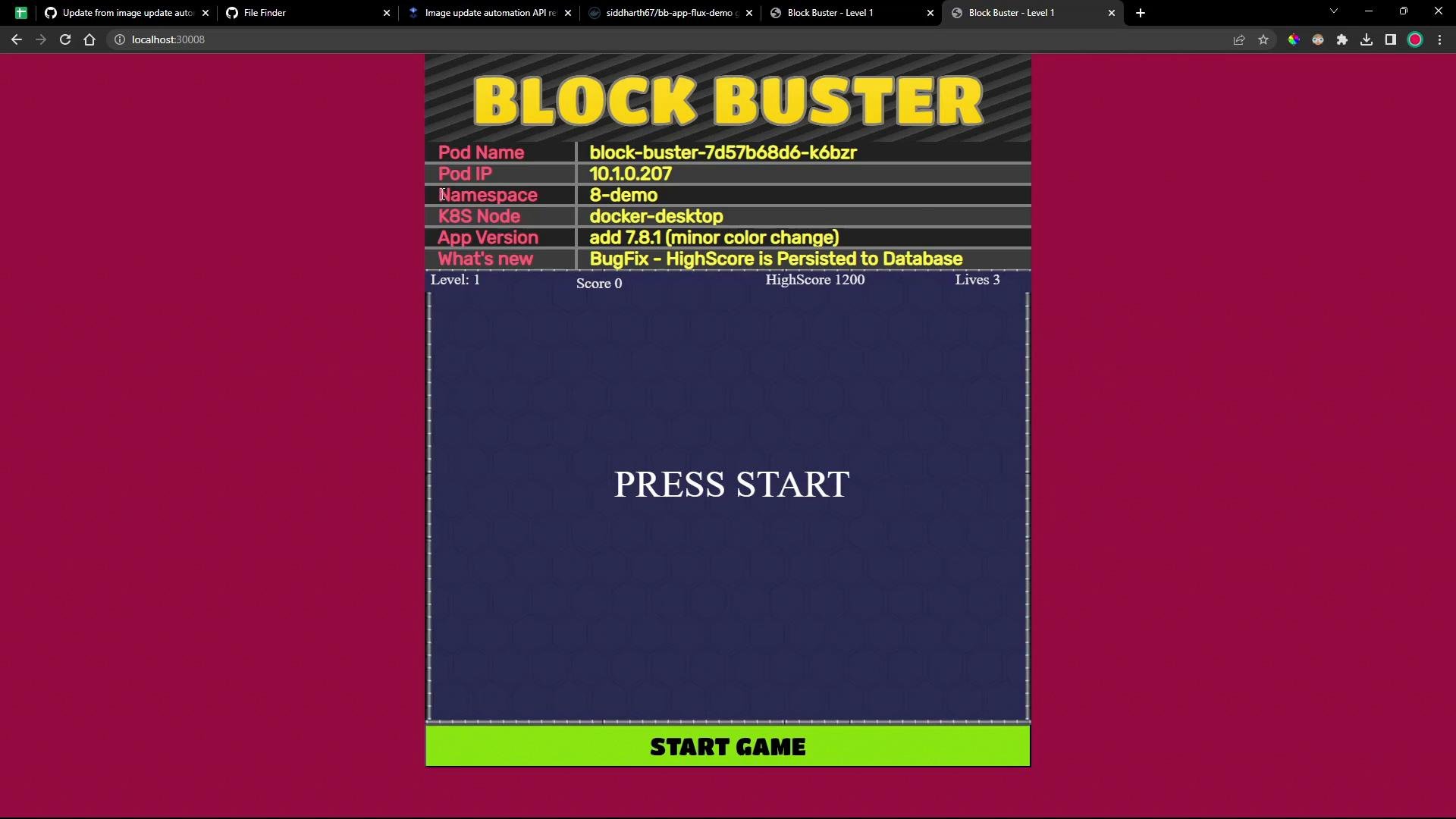
Summary
- Use ImageRepository to scan registry tags and ImagePolicy to resolve which tag to use.
- Create an ImageUpdateAutomation that references your GitRepository source and the path to the manifests.
- Mark the manifest image line with an inline JSON comment that references the ImagePolicy:
# {"$imagepolicy": "namespace:policy-name"}. - If ImageUpdateAutomation must push commits, provide Flux push credentials (deploy key) and configure the GitRepository to use the SSH URL and
secretRef. - Monitor with
flux get images allandflux get images update, and verify the Deployment image withkubectl.
- Flux Image Update Automation documentation: https://fluxcd.io/docs/components/image/automation/
- Flux Image Toolkit docs: https://fluxcd.io/docs/components/image/
- GitHub deploy keys: https://docs.github.com/en/developers/overview/managing-deploy-keys
- Kubernetes Deployments: https://kubernetes.io/docs/concepts/workloads/controllers/deployment/