

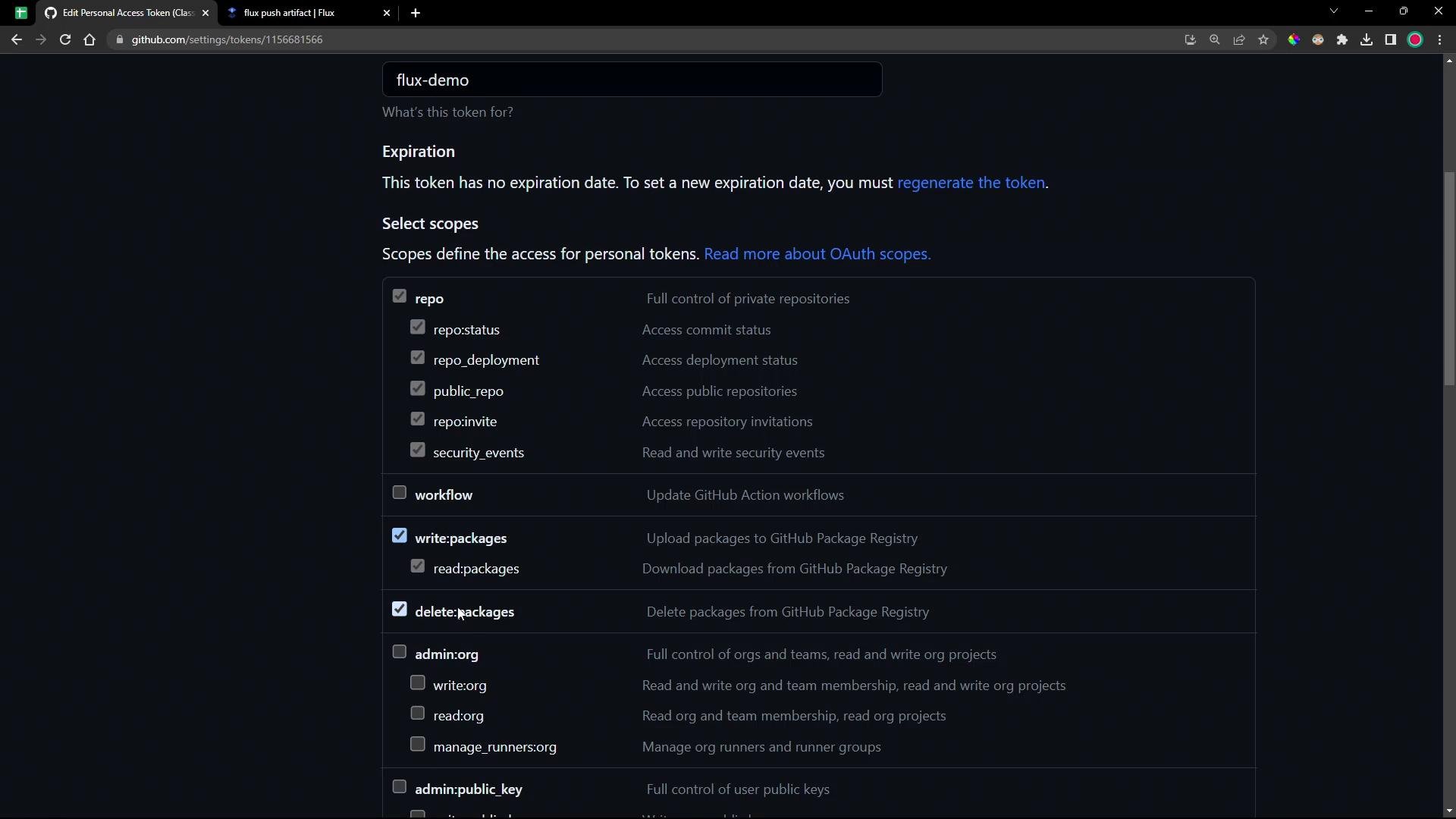
Ensure you save the PAT when you create it. GitHub will not show it again after you leave the creation page.
For private GHCR packages, the PAT must include package read and write permissions. Grant the least privileges required and rotate tokens regularly.
Repo layout and local setup
- Manifests used in this demo live in the Git branch
7-demounder7.7.0/manifests. - If you encounter a Git “dubious ownership” error while switching branches on a VM (common when running as root), add the repository to Git’s safe list:
- To inspect the directory tree (install
treeif missing):
Authenticate to GHCR
Flux’spush artifact command relies on Docker credentials stored in ~/.docker/config.json (created by docker login). Authenticate using your GitHub username and the PAT as the password.
Interactive login:
~/.docker/config.json contains the credentials that Flux will use to push artifacts.
Push manifests as an OCI artifact with Flux
Useflux push artifact to package a directory (or a single file) into a tarball and publish it to an OCI repository. In this example we push the 7.7.0/manifests directory to GHCR, tag the artifact with 7.7.0-<short-git-sha>, and record the Git source and revision metadata.
Example command:
Flags and metadata explained
Optional: sign the artifact with cosign for provenance and verification. See Cosign docs for signing and verification workflows.
Verify the package on GitHub
Refresh your repository’s Packages page on GitHub after the push. The package should appear (often marked private). The pulling client (Flux or Docker) must authenticate to GHCR with a token that has package read access.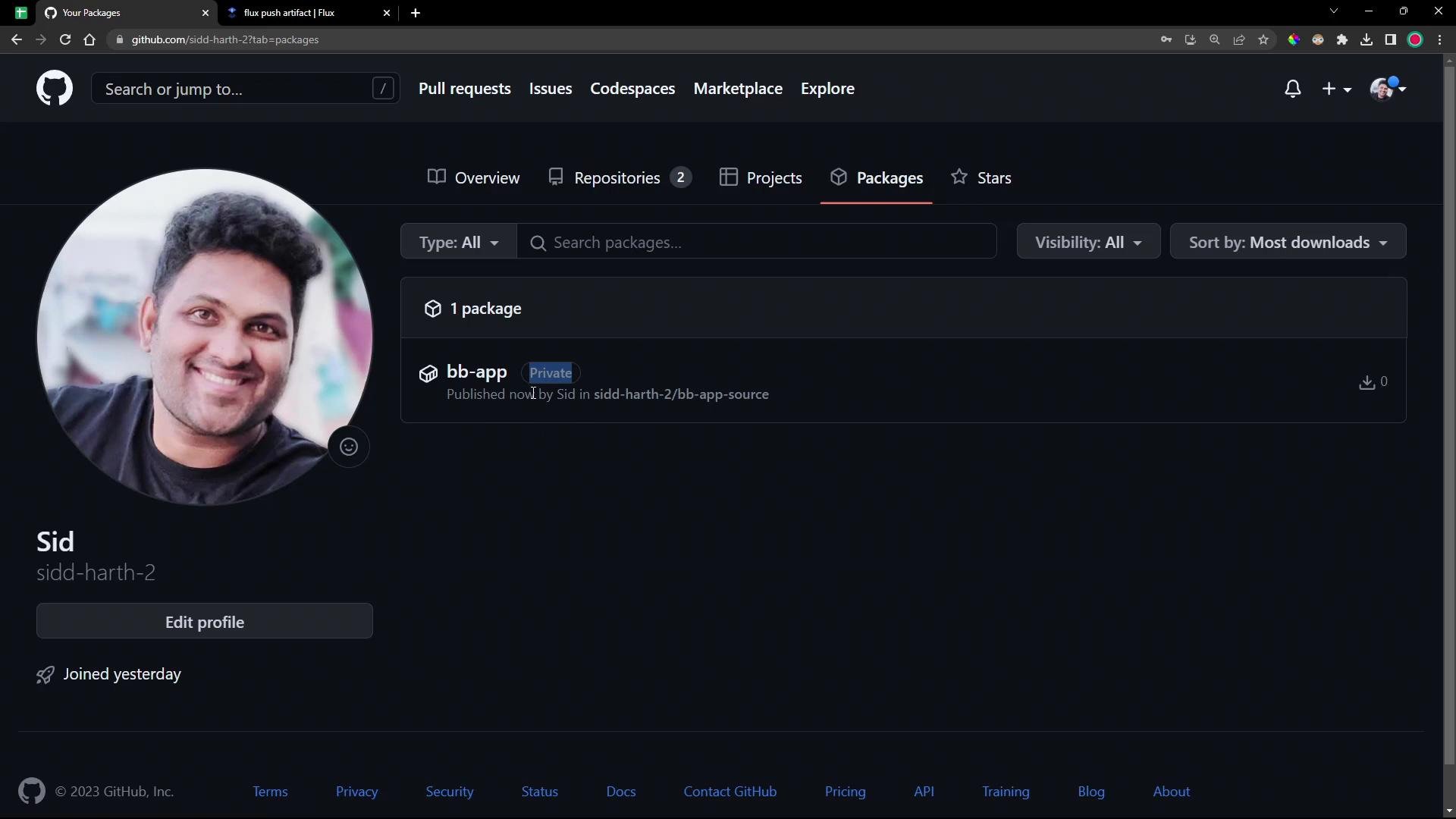
Next steps
- Create a Kubernetes secret containing credentials for GHCR and configure Flux to use it when fetching private OCI artifacts and Helm charts.
- Consider signing artifacts with cosign and configuring Flux to verify signatures during reconciliation.
- Read more:
- Flux push artifact docs: https://fluxcd.io/docs/cmd/flux/push_artifact/
- GitHub Packages / GHCR: https://docs.github.com/en/packages
- Cosign (sigstore): https://docs.sigstore.dev/cosign/