

Why Bash-AWK Hybrids?
- Pure awk scripts are concise for text processing.
- Embedding awk inside Bash adds flexibility (variables, flags, CLI args).
- Shebangs (
#!/usr/bin/env …) let you run scripts directly.
Pure awk Script (salary.awk)
Bash Script Embedding awk (print_names.sh)
Preparing the Data Source
Ouremployees.txt file uses | as the field separator and contains:
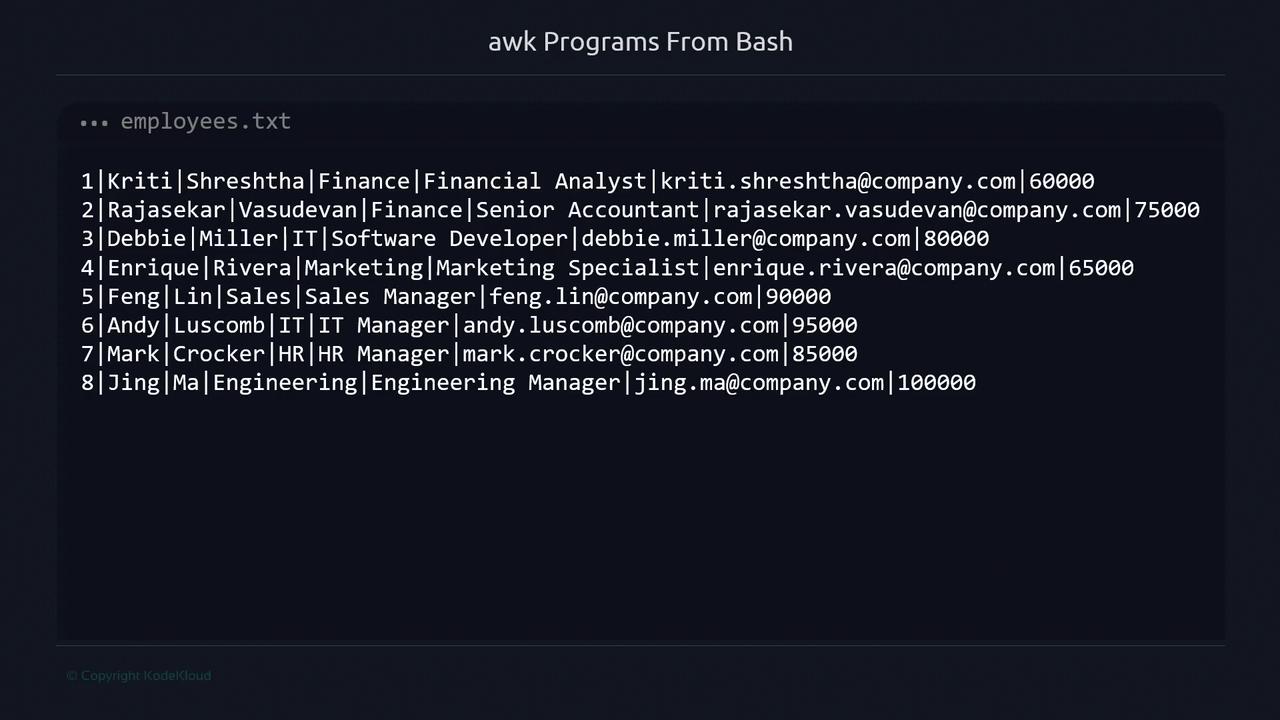
Set the field separator with
-F or FS to split on |.Salary Thresholds
1. Basic One-Liner
Print first name, last name, and salary for every employee:2. Filter by Salary Range
Use-v to pass thresholds into awk:
3. Add a Header with BEGIN
Introduce a one-time header via BEGIN:
4. Wrap into a Bash Script (salary.sh)
For readability and reuse, move the awk call into a Bash script:
5. Separate “Up” and “Down” Sections (salary-v2.sh)
Print distinct headers for high and low salaries:
6. One Header per Group (salary-v3.sh)
Use flags inside awk to avoid repeating headers:
7. Parameterize with CLI Arguments (salary-v4.sh)
Allow users to override thresholds when running the script:
Next Steps
You’ve now explored:- Pure awk vs Bash/awk hybrids
- Using
-vto pass variables into awk - Conditional headers with
BEGINand internal flags - Parameterizing scripts via CLI