

main.py, another db.py, someone else cache.py, and so on.
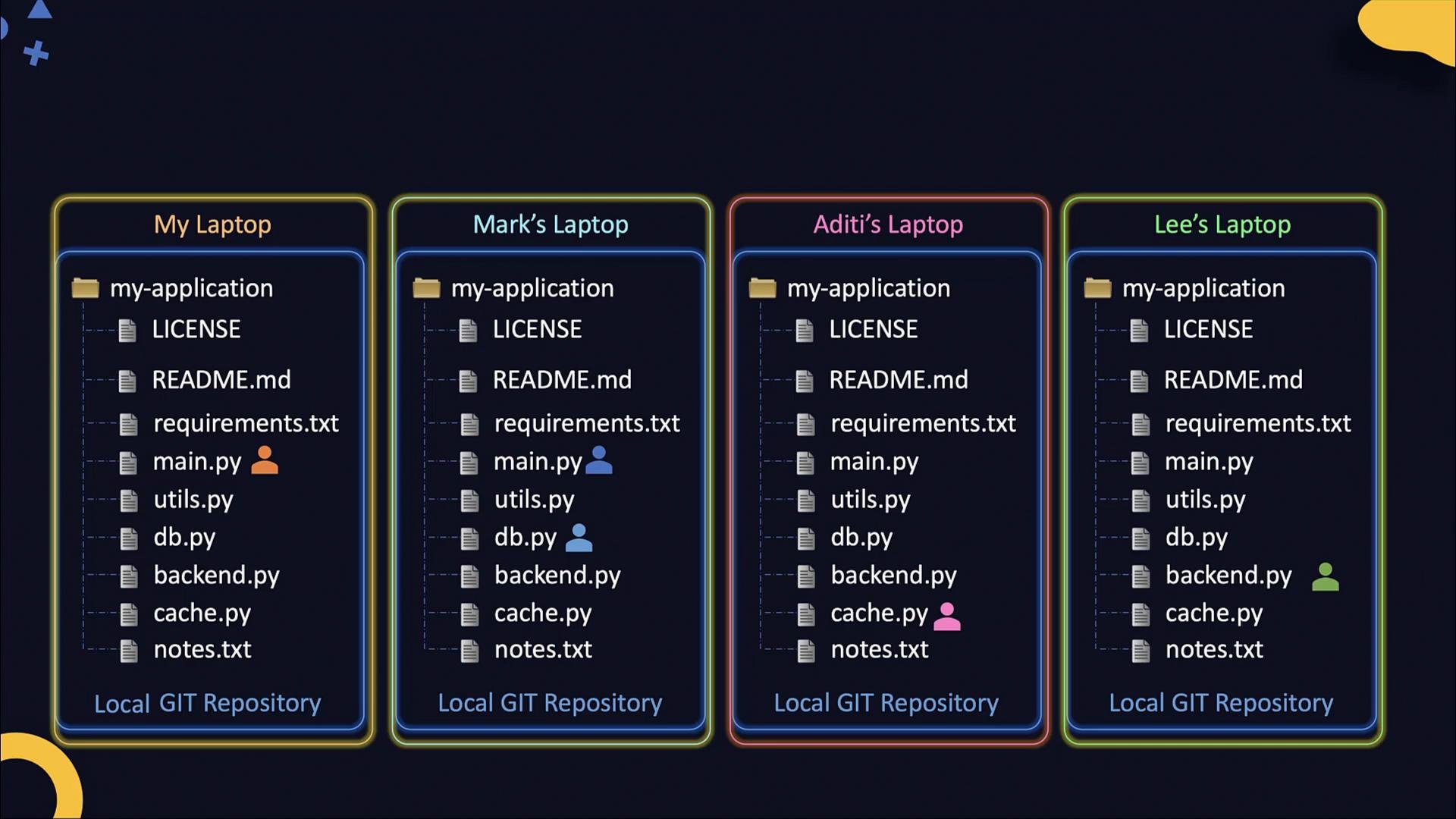
- When team members push commits, the remote stores that history.
- Git can automatically merge changes when edits touch different parts of the same file.
- If two commits change the same line in the same file, a merge conflict occurs and must be resolved manually.
- After conflicts are resolved and pushed, everyone can pull the merged history and obtain the latest combined copy.
- Self-hosted: Install Git on a server and expose it via
git daemon, SSH, or smart HTTP(s). - Hosted services: Use GitHub, GitLab, Bitbucket, etc., which provide web UIs, access control, pull requests, CI/CD integrations, and more.
- Private instances: Run a private GitLab or other Git hosting inside your network for greater control.
Git is the distributed version control system (the tool). GitHub and GitLab are hosted services that provide remote repositories, web interfaces, access controls, pull requests, and many extras that simplify team collaboration.
- Initialize the local repo, add files, and commit:
-
Create a remote repository on your hosting service (for example, via the GitHub UI at
https://github.com/new). Save the repository URL shown by the hosting service. - Add the remote locally and push:
- When writing commands in documentation, use backticks around placeholders like
git remote add <name> <url>so MDX doesn’t interpret angle brackets. - Remote names are aliases for convenience.
originis the conventional default name for the primary remote, but you can name remotes anything (e.g.,github,gitlab,upstream). You can also configure multiple remotes for the same repository.
Many hosting services now use
main as the default branch name instead of master. Check your service’s default branch and adjust commands (for example, git push -u origin main) accordingly.- When a new developer needs a local copy, they use
git clonewith the remote URL. Cloning copies the repository and automatically configures a remote namedorigin.
- After cloning,
git remote -vshows configured remotes:
- Since
originis set up automatically on clone, you generally do not need to rungit remote addafter cloning.
- Make changes, stage, and commit locally:
- Push commits to the remote:
- Get other people’s changes by pulling from the remote:
git pull is shorthand for git fetch followed by git merge (or git fetch + git rebase when configured). It updates your local branch with commits from the remote.
Quick reference table: common commands
Resolving merge conflicts
- If two people edit different lines, Git usually merges automatically.
- If the same line is changed by two people, Git marks a conflict in the file and you must edit the file, resolve the conflict markers, stage the resolved file, and commit.
- After resolving conflicts and pushing, other team members can pull the updated, conflict-free history.
- Practice the full lifecycle: initialize a repo, create a remote, push, clone, pull, and intentionally create & resolve a simple merge conflict.
- Apply these concepts to a real project and collaborate with teammates or loop through a small CI workflow.