

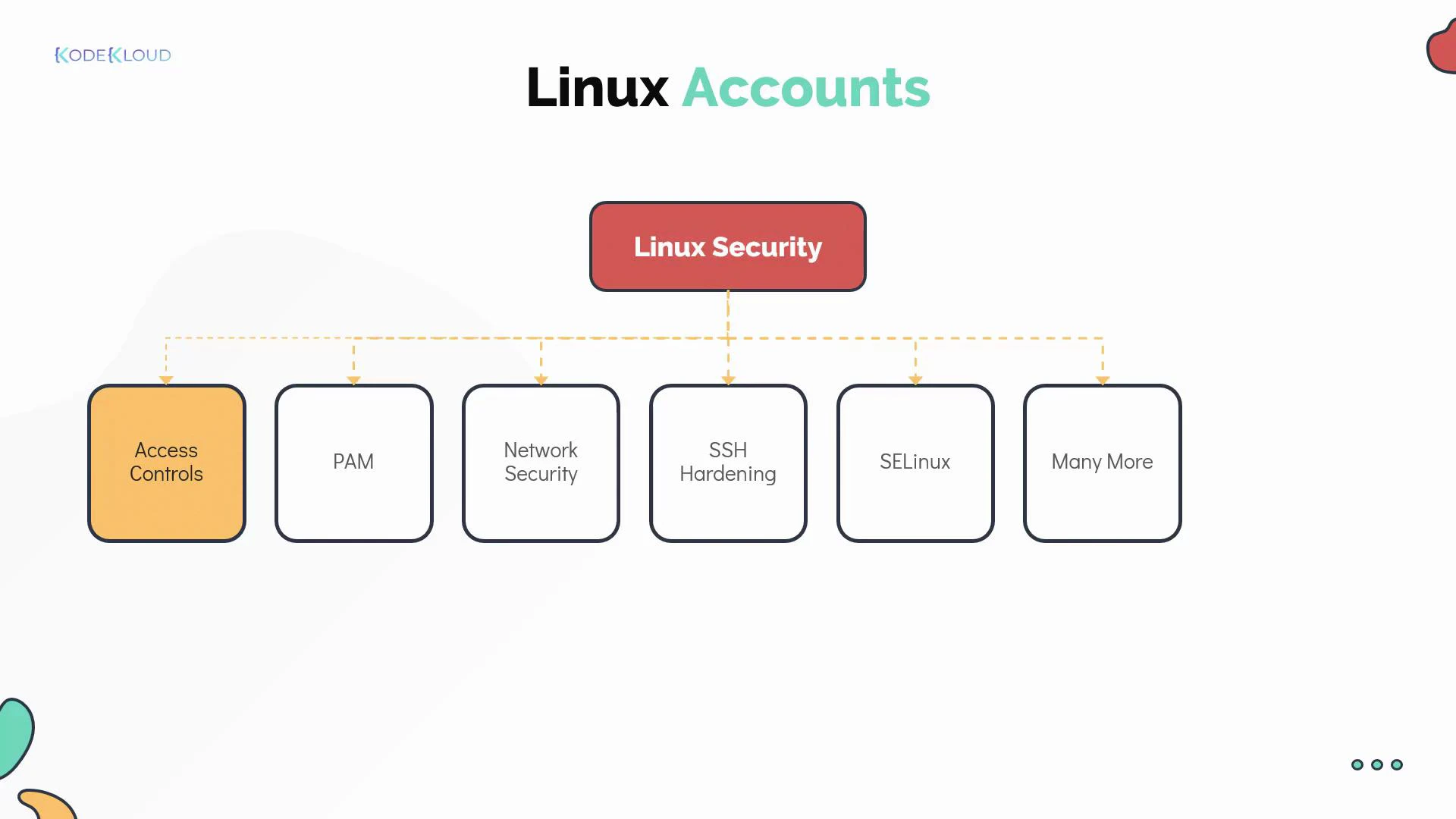
- Authentication (who you are) — often handled via passwords, keys, and frameworks such as PAM (Pluggable Authentication Modules).
- Access control (what you can do) — user and group permissions, file modes, ACLs, and mandatory access controls such as SELinux.
- Network and service protection — firewalling (iptables, nftables, firewalld), SSH hardening, and service isolation.
- Audit and accountability — centralized logs, sudo logs, and system accounting.
- PAM: https://www.linux-pam.org/
- SSH hardening: https://www.openssh.com/
- SELinux: https://selinuxproject.org/page/Main_Page
What is a user account?
A Linux user account represents an identity that can authenticate and perform actions on the system. Each account stores metadata used by the kernel and system services to control access. Typical account fields:- username
- password placeholder (usually an
xin /etc/passwd, with the hashed password in /etc/shadow) - UID (user ID) — unique integer
- primary GID (group ID)
- optional comment / GECOS (human-readable info)
- home directory
- default login shell
- /etc/passwd — account metadata and login shell/home
- /etc/shadow — encrypted password hashes (restricted)
- /etc/group — groups and group members
Account field breakdown (quick reference)
Inspect a user’s IDs and groups:
Account types
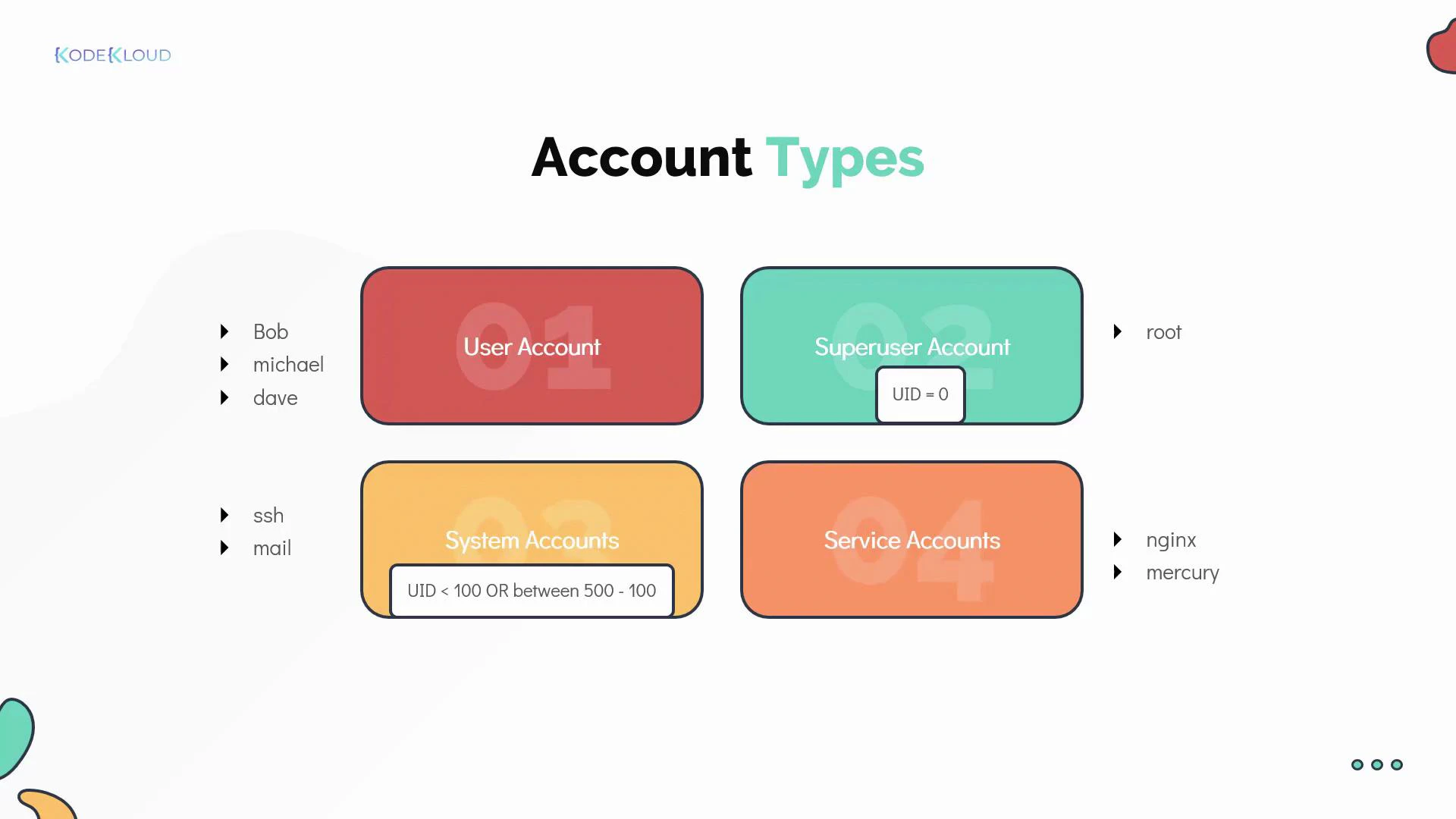
- User account — for a person who needs access.
- Superuser (root) — UID 0; unrestricted privileges.
- System accounts — created for OS services; often have low UIDs and no interactive shell.
- Service accounts — created for specific applications (e.g., nginx, mysql).
Useful user-related commands
Examples:
Switching users: su vs sudo
There are multiple ways to run commands as another user. Choose the method that fits your operational and auditing requirements.su (substitute user)
- su starts a shell as another user and typically requires the target user’s password.
su -opens a login shell, loading the target user’s environment.- Useful for interactive sessions, but less auditable because commands aren’t centrally logged by sudo.
sudo (delegate privileges)
- sudo lets authorized users run commands as another user (commonly root) by authenticating with their own password.
- Sudo policies are configured in /etc/sudoers and in files under /etc/sudoers.d/.
- sudo provides better auditing and fine-grained privilege delegation.
Always use visudo to edit /etc/sudoers. visudo locks the file and checks for syntax errors before saving, preventing misconfiguration that could lock out administrative access.
- Grant full root access to a user:
username ALL=(ALL:ALL) ALL - Grant a group limited privileges:
%developers ALL=(ALL) /usr/bin/systemctl restart myservice
Best practice: avoid direct root logins
- Disable direct root SSH access (set
PermitRootLogin noin /etc/ssh/sshd_config). - Encourage administrators to use sudo for privilege escalation. This enables accountability, because sudo logs which user ran which command.
Summary and next steps
- User and group accounts are the foundation of Linux access control. Their metadata lives in /etc/passwd and /etc/group.
- Use
id,who, andlastto inspect accounts and sessions. - Prefer sudo over su for privilege escalation because sudo is auditable and configurable.
- Edit sudoers only with visudo to avoid syntax errors.
- Practice creating users, placing them in groups, and configuring sudo policies in a lab environment.
- Kubernetes Basics (for context on multiuser environments)
- PAM (Pluggable Authentication Modules)
- Sudoers manual (man 5 sudoers)
- SELinux Project
- Create two users, add them to a shared group, and verify file permissions for group members.
- Configure a sudo rule that allows a non-root user to run a single administrative command.
- Disable direct root SSH access and confirm you can still perform administrative tasks using sudo.