

docker run against the official NGINX image. This is a practical, interview-ready explanation that ties Docker components to the underlying Linux kernel features—namespaces, cgroups, union filesystems, and the container runtimes. Read the steps below to understand how a simple docker run nginx becomes an isolated, networked process on your host.
- Docker client → Docker daemon
- The
dockerCLI sends your request to the Docker daemon (dockerd). The daemon manages images, containers, storage, and networking. - Dockerd delegates low-level operations to components such as
containerdand an OCI runtime (for example,runc) to create, prepare, and start the container environment. - Relevant links:
- Docker daemon: https://docs.docker.com/engine/reference/commandline/dockerd/
- containerd: https://containerd.io/
- runc: https://github.com/opencontainers/runc
- Check for the image locally (pull if needed)
- Dockerd looks in the local image store for the requested image tag (for example,
nginx:latest). - If the image is missing, dockerd pulls it from a registry such as Docker Hub and stores the image layers on the host so future runs can reuse them.
- Registry: https://hub.docker.com/
- Image layers and the writable container layer
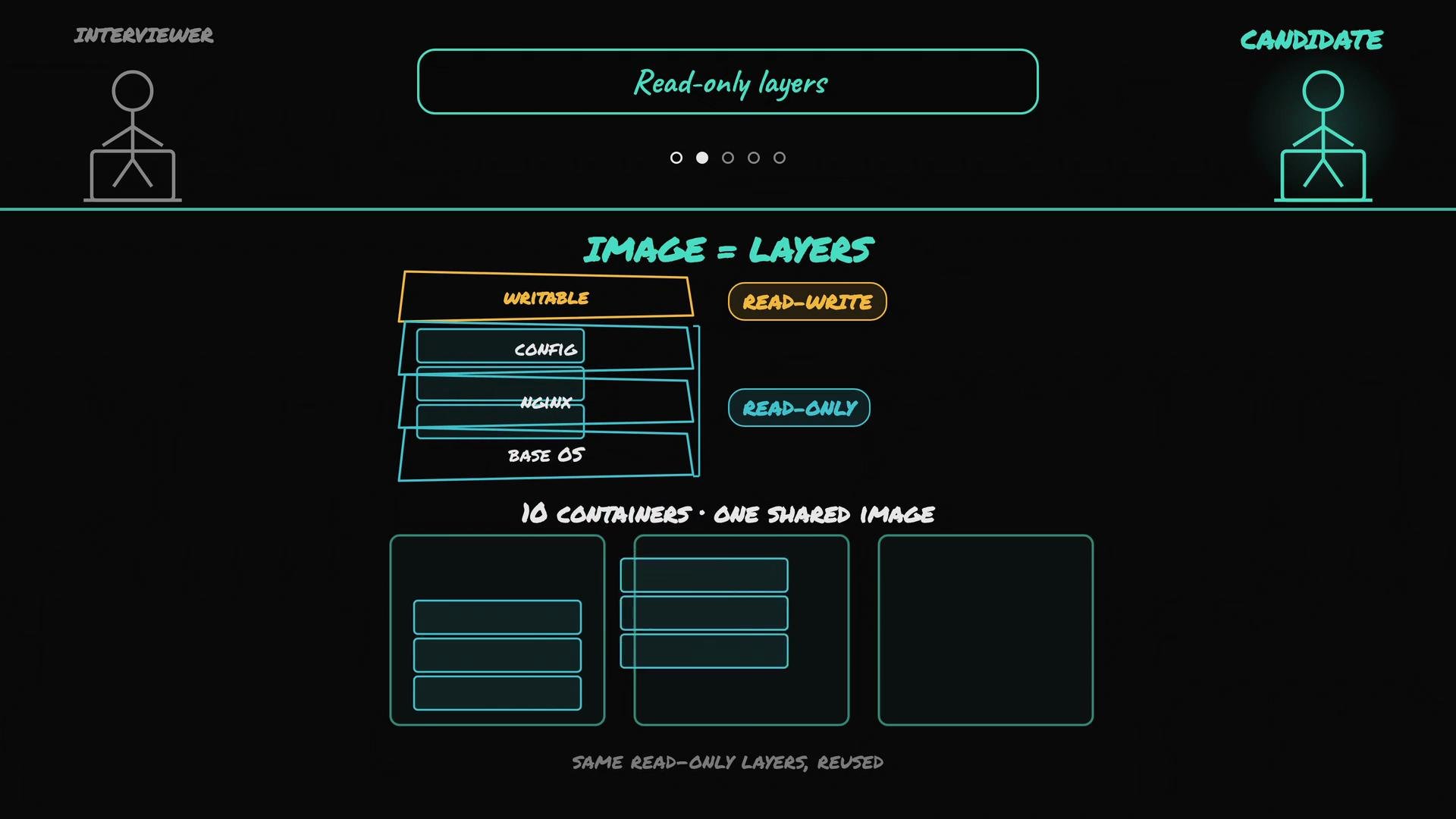
- A Docker image is built from multiple read-only layers stacked together (base OS, runtime binaries, app files, etc.).
- When creating a container, Docker mounts a thin writable layer on top of those read-only layers (typically using a union filesystem like
overlay2). - Runtime changes—logs, temporary files, and other state—are written into that writable layer unique to the container, enabling multiple containers to share the same underlying image layers efficiently.
- Storage driver docs: https://docs.docker.com/storage/storagedriver/overlayfs-driver/
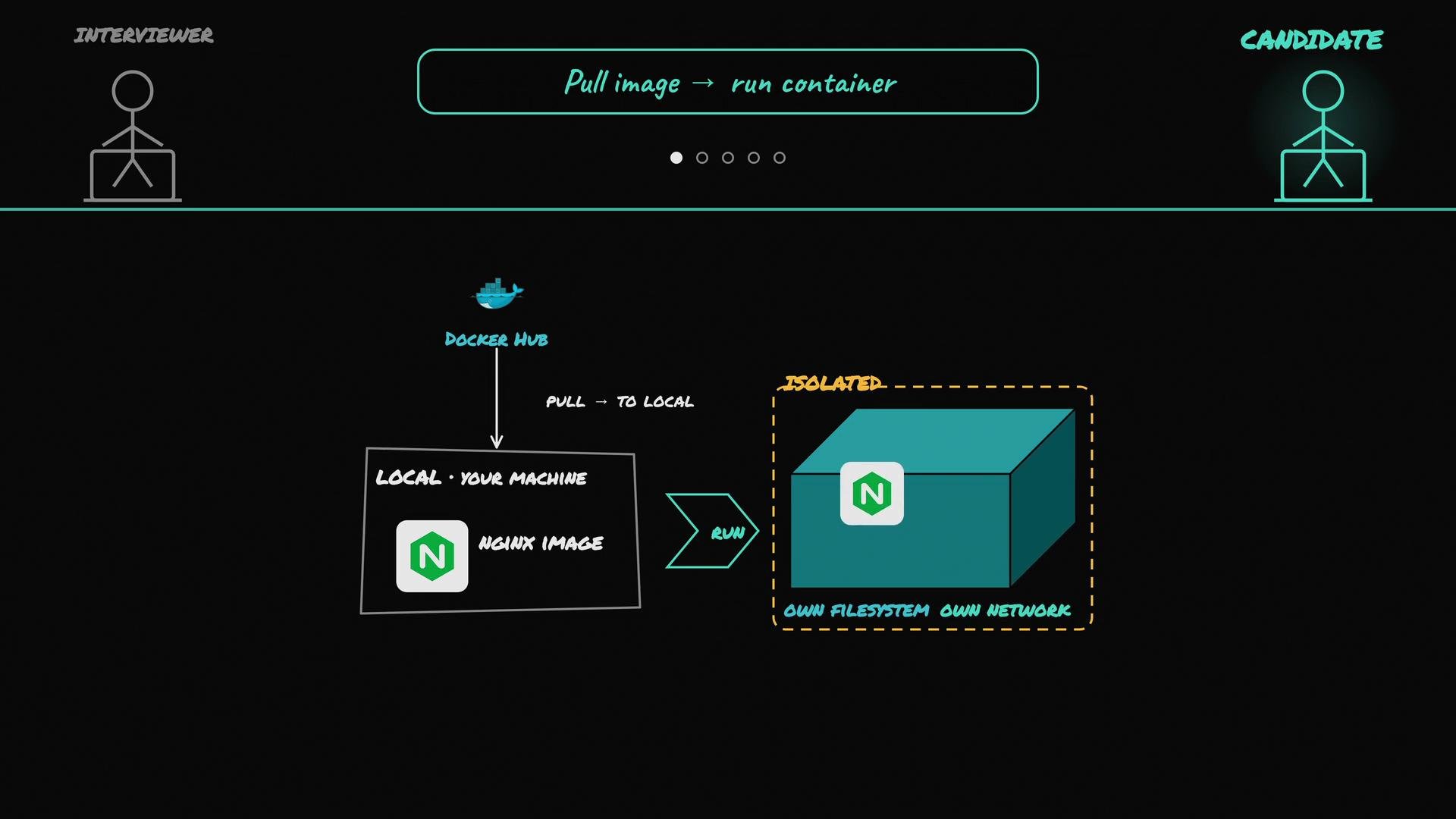
- Container = a normal Linux process in an isolated environment
- Under the hood, a container is one or more standard Linux processes started by the runtime. Inside the container, the main process runs as PID 1 within a separate PID namespace.
- The OCI runtime (
runcor equivalent) sets up namespaces, mounts, and cgroups, and then execs the container process (NGINX in this case). - The container process is still a host process, but kernel primitives make it appear isolated.
A container is simply regular Linux processes with kernel-enforced isolation. From the process’s perspective it has its own filesystem, network interfaces, and process table—even though the kernel is shared with the host.
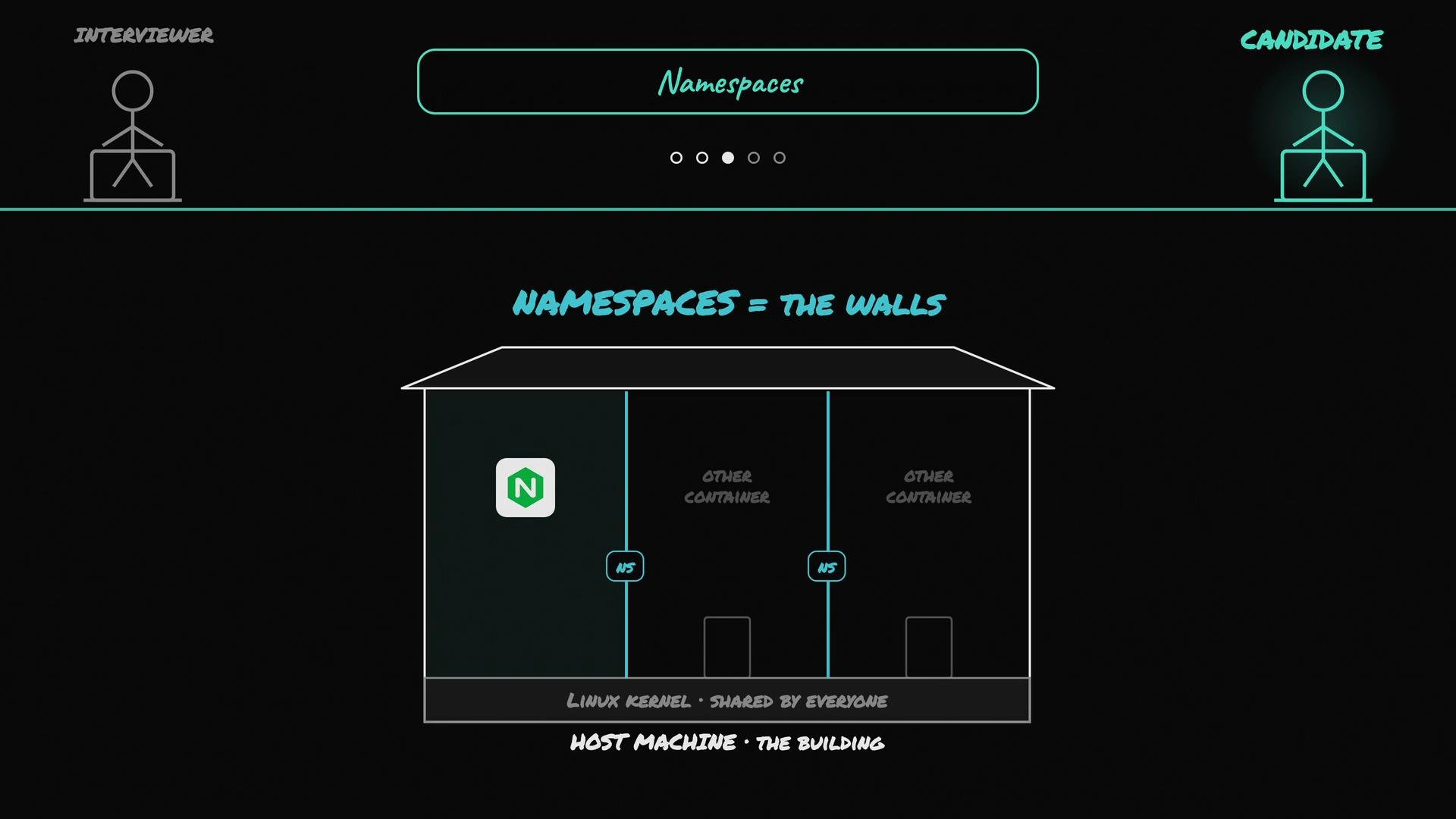
- Isolation via namespaces (what a container can see)
- Linux namespaces isolate what a process can observe and interact with:
- PID namespace — container processes see only the container’s PID tree.
- Mount namespace — gives the container a private view of the filesystem (image layers + writable layer).
- Network namespace — provides a separate networking stack (interfaces, routing, IPs).
- UTS, IPC, and user namespaces — isolate hostname, interprocess communication, and user/group IDs.
- Namespaces act like separate rooms inside the same building: each room (namespace) has its own view while sharing the same kernel.
- Resource control via cgroups (what a container can use)
- Control groups (cgroups v2) limit and account for resource usage: CPU shares, memory limits, block I/O, and more.
- When you pass runtime limits like
--memoryor--cpustodocker run, Docker creates a cgroup for that container and writes the limits; the kernel enforces them. Exceeding memory limits can trigger the OOM killer. - Example:
- In short: namespaces control visibility (what a container can see), and cgroups control resource budgets (what a container can consume).
- cgroups docs: https://www.kernel.org/doc/html/latest/admin-guide/cgroup-v2.html
- Networking: how a container talks to the outside world
- By default, Docker connects containers to a host-level bridge network. Each container receives its own network namespace, an interface (e.g.,
eth0), and an internal IP on the bridge. - Containers can initiate outbound connections directly. To expose container services to external clients, you publish a host port and map it to the container port. Docker sets up DNAT rules (via iptables/netfilter) or uses its networking proxy to forward traffic.
- Example (publish port 80 in the container on host port 8080):
- After this command, requests to
http://localhost:8080on the host are forwarded to port80in the container where NGINX listens. - Networking docs: https://docs.docker.com/network/bridge/
- iptables: https://netfilter.org/projects/iptables/index.html
- Final startup steps
- Dockerd ensures mounts, namespaces, and cgroups are configured, then the runtime execs NGINX as the container’s PID 1.
- Container logs and runtime state go to the container’s writable layer unless you bind-mount directories or use Docker volumes for persistence or sharing.
- Use bind mounts or volumes to persist configuration, logs, or state across container restarts, for example:
- docker CLI → dockerd → check/pull image → assemble filesystem (read-only image layers + writable layer) → set up namespaces (PID, network, mount, etc.) → configure cgroups → configure networking and port mappings → start the container process (NGINX) as PID 1.
- This mix of image layering, namespaces, and cgroups is what makes containers lightweight, isolated, and resource-controlled.
Further reading and references
- Docker documentation: https://docs.docker.com/
- Docker Hub (NGINX): https://hub.docker.com/_/nginx
- containerd: https://containerd.io/
- runc: https://github.com/opencontainers/runc
- cgroups v2: https://www.kernel.org/doc/html/latest/admin-guide/cgroup-v2.html
- overlay2 storage driver: https://docs.docker.com/storage/storagedriver/overlayfs-driver/