

1) Immediate containment — stop the bleeding
Run this immediately to prevent additional downloads.2) Properly lock down the bucket and enable encryption
Enable S3 Block Public Access at the bucket level and at the account level. Do not rely solely on bucket policies or ACLs.Quick comparison — Immediate vs Recommended actions
3) Audit activity — collect evidence and assess scope
Collect and analyze logs before altering them. Focus on CloudTrail (S3 data events) and S3 server access logs. You’re looking for:- IP addresses that are external or unknown to your org
- Repeated or large downloads from the same IP/credential
- Requests that list the bucket or enumerate many objects in a short timeframe
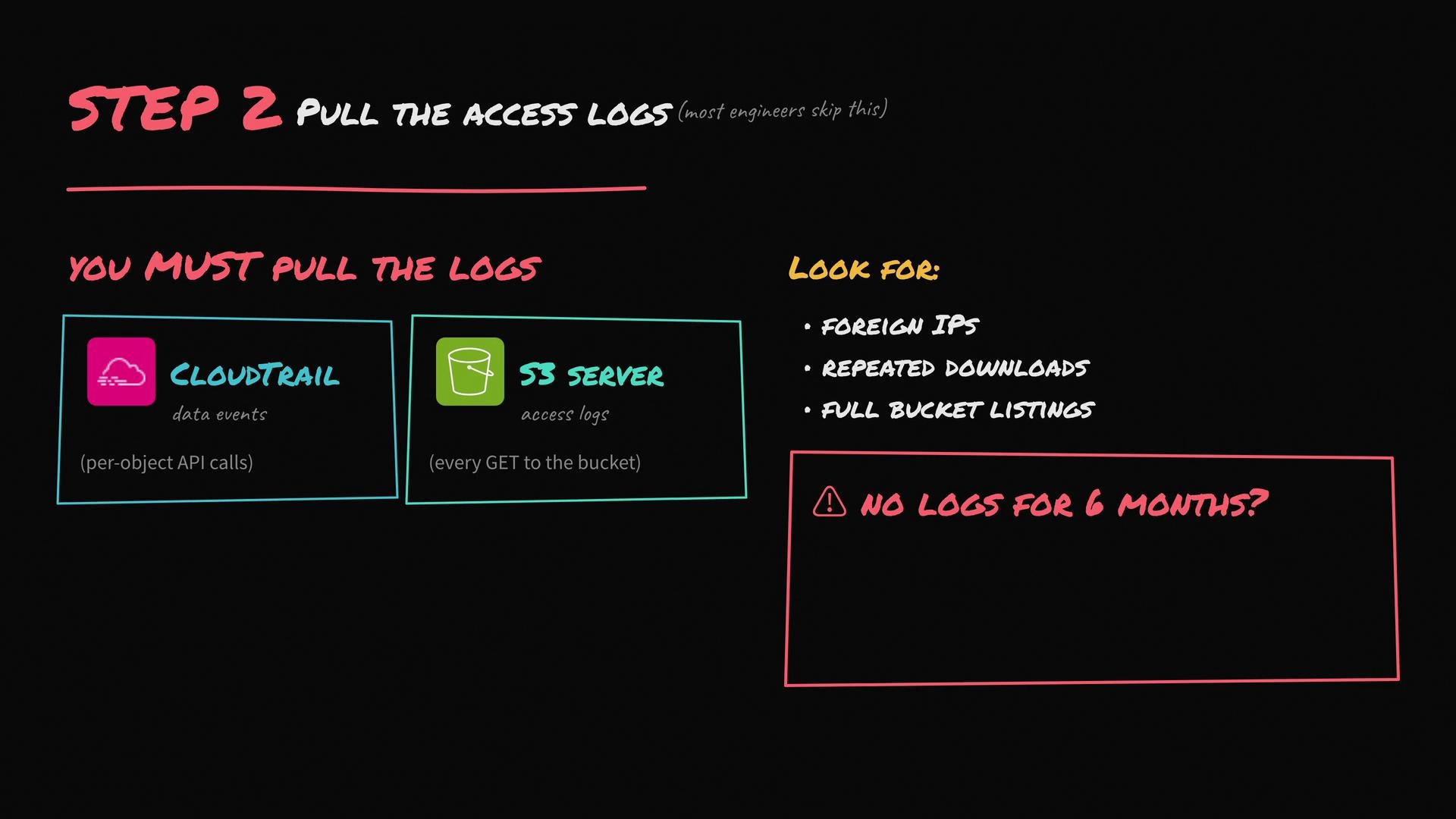
If logs for the exposure window are incomplete or missing, accelerate your incident response and treat the situation as a confirmed data breach while you continue to gather any available evidence.
- CloudTrail (must have S3 data events enabled to capture GetObject/PutObject)
- S3 server access logs (bucket-level access)
- VPC Flow Logs if requests originated from within your VPC
- Any WAF logs, CDN logs, or application logs that could show downloads or enumerations
4) Engage stakeholders and remediate root causes
Immediately loop in legal/compliance, your security/incident response team, and leadership. Regulatory timelines (for example, GDPR’s 72-hour rule) may apply and should be coordinated with legal. Remediation and longer-term guardrails:- Apply S3 Block Public Access at organization/account level and use Service Control Policies to prevent new public buckets.
- Enforce automated guardrails (AWS Config rules, Security Hub) to flag or auto-remediate public or unencrypted buckets.
- Adopt least-privilege IAM roles for services and users that access S3.
- Enable and centralize S3 server access logs and CloudTrail data events going forward.
- Consider using S3 Access Points with restricted network controls or VPC-only access for sensitive buckets.
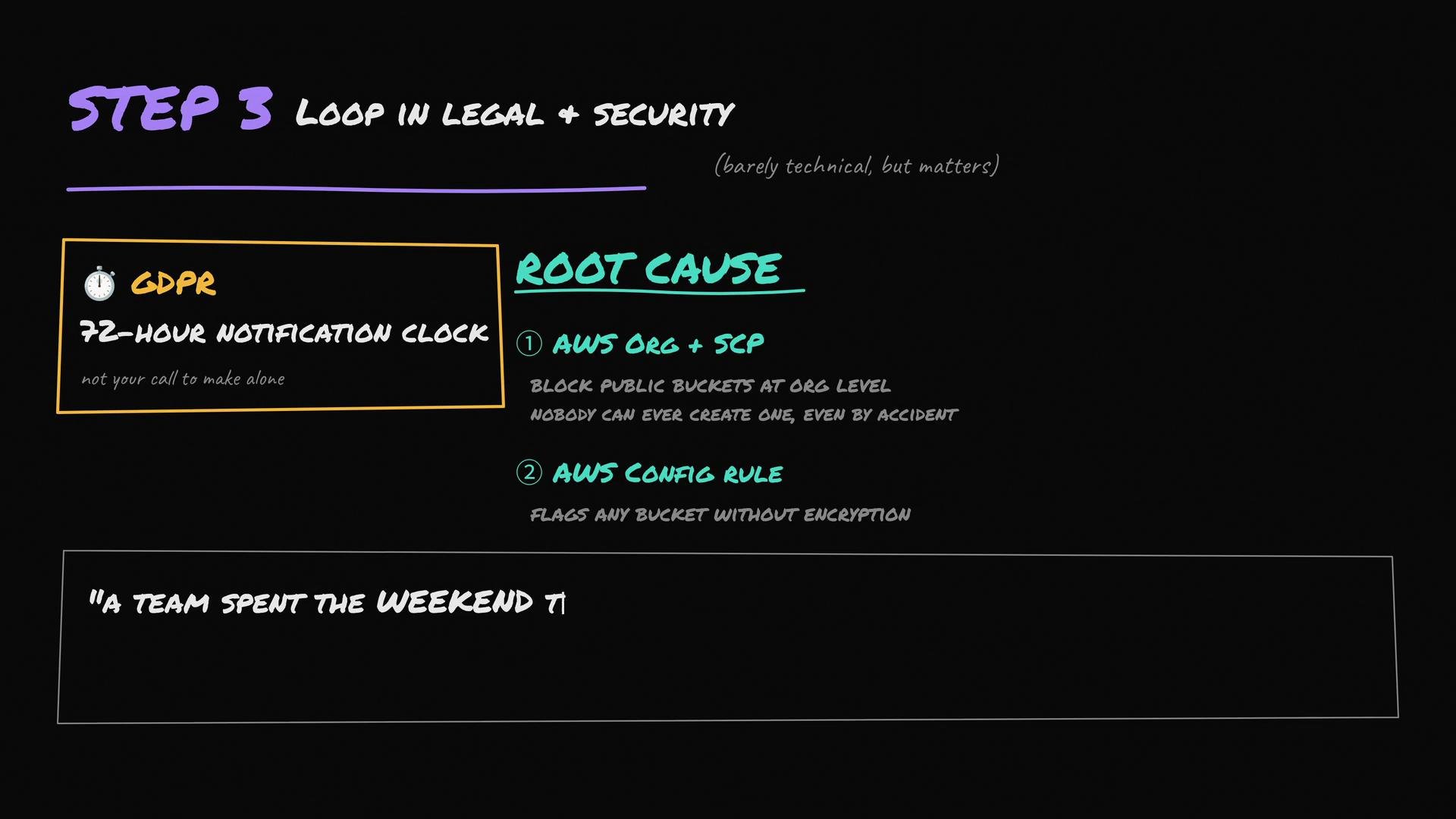
Regulatory timelines (for example GDPR) can require very fast notification once a breach is confirmed. Engage legal and security early to coordinate customer notifications, record retention, and compliance obligations.
5) Build an incident response plan (what interviewers want to hear)
A complete incident plan covers containment, evidence collection, communication, remediation, and lessons learned. At minimum, describe the following steps:- Containment: Lock down buckets, rotate exposed credentials, revoke temporary tokens.
- Preservation: Collect and preserve logs and relevant metadata for forensics.
- Triage & scope: Identify affected objects, customers, and systems.
- Notification: Coordinate with legal to determine regulatory and customer notification paths and timelines.
- Remediation: Apply long-term guardrails, policy changes, and automation to prevent recurrence.
- Post-incident review: Run a blameless postmortem and update runbooks, IAM policies, and monitoring.
Example checklist to present in an interview or incident report
- Bucket made private (
put-bucket-acl) — immediate - Bucket & account-level Block Public Access enabled — enforced fix
- Default encryption enabled and existing objects planned for re-encryption
- CloudTrail data events and S3 server logs collected and archived
- Legal & security engaged; notification timelines confirmed
- Guardrails (AWS Config rules / SCPs) implemented
- Post-incident review scheduled and action items tracked
References and links
- AWS S3 Block Public Access: https://docs.aws.amazon.com/AmazonS3/latest/userguide/access-control-block-public-access.html
- AWS CloudTrail data events: https://docs.aws.amazon.com/awscloudtrail/latest/userguide/logging-data-events-with-cloudtrail.html
- GDPR overview: https://gdpr.eu/