

kubectl apply and the terminal output looks fine. But when you run kubectl rollout status, it hangs:
Available. The rollout is stuck.
The instinct for some engineers is to delete the Deployment, redeploy, or wipe the namespace. Please don’t — that will likely cause a real outage by removing currently serving pods.
Do not delete the Deployment or namespace to “unstick” a rollout. Deleting running resources is likely to create downtime. Instead, gather diagnostic data and fix the root cause.
Quick checklist (what to inspect)
- Deployment Conditions (
kubectl describe deployment) - Pod statuses (
kubectl get pods) - Recent events (
kubectl get events --sort-by='.lastTimestamp') - Container logs (
kubectl logs <pod> [-c <container>]) - ReplicaSet details (
kubectl describe rs <replicaset>) - Probes, image names/credentials, resource requests/limits, node selectors/taints, and ConfigMap/Secret references
Step 1 — Describe the Deployment
Start withkubectl describe deployment <name> and review the Conditions section. A common symptom is Progressing: False with Reason: ProgressDeadlineExceeded. That tells you the rollout timed out, but it doesn’t say why.
Example:
Step 2 — Check the Pods
List pods withkubectl get pods and find the new ReplicaSet pods. The STATUS is your first clue:
Pending: Pod cannot be scheduled (insufficient resources, node selectors, or taints).ImagePullBackOff: Image not found or registry/auth issues.CrashLoopBackOff: Container starts and exits — check logs and probes.Runningbut notReady: often a readiness probe problem.
Pending, use kubectl describe pod <pod> to see scheduling failures; if ImagePullBackOff, describe the pod to see the pull error details.
Step 3 — Read the Events (do not skip this)
Events tell the story of what happened and in what order. Use:Step 4 — Check your Probes
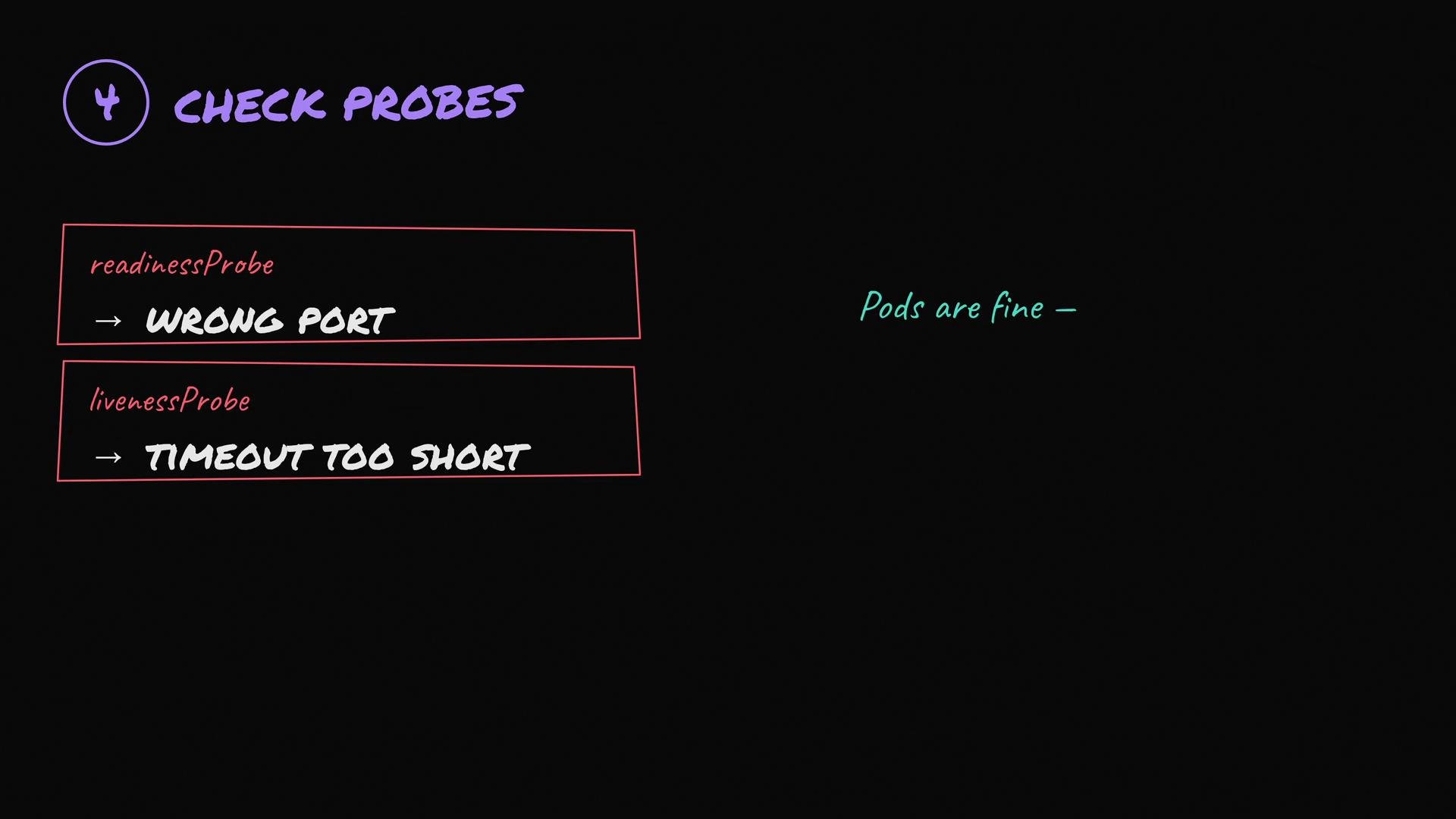
Misconfigured readiness or liveness probes are a surprisingly common cause of stuck rollouts:- Readiness probe points to the wrong path or port — pod is not marked
Readyand receives no traffic. - Liveness probe is too aggressive — container gets killed before it finishes starting.
- HTTP probe returns the wrong status code or uses the wrong scheme (http vs https).
Ready, the Deployment controller will not move Traffic to them and the rollout stalls.
- Verify probe
path,port,scheme,initialDelaySeconds, andtimeoutSeconds. - Temporarily remove or relax the probe to verify whether it’s the cause.
kubectl logs <pod>andkubectl exec -it <pod> -- curl -sv http://localhost:<port>/<path>to test locally inside the container.
Common pod statuses and suggested actions
Example debugging commands
- Describe deployment:
kubectl describe deployment myapp - List pods:
kubectl get pods -o wide - Describe pod:
kubectl describe pod myapp-v2-abc123 - Show events:
kubectl get events --sort-by='.lastTimestamp' - View logs:
kubectl logs myapp-v2-abc123 [-c container] - Exec into pod:
kubectl exec -it myapp-v2-abc123 -- /bin/sh
- Inspect Deployment conditions.
- Check pod status and ReplicaSet details.
- Read recent events for failure sequence.
- Verify probes, image names/credentials, resource requests/limits, node selectors/taints, and ConfigMap/Secret references.
Read the events — they usually tell the full story. Debug step-by-step rather than deleting resources. For persistent issues, collect logs, events, and resource descriptions before making changes so you can roll back or apply fixes with minimal risk.