Designing a webhook delivery system that reliably sends millions of events per day requires durability, isolation, retries, and observability. This guide walks through an incremental design—showing why naive approaches fail and how to evolve to a production-ready architecture that supports durability, per-customer isolation, controlled retries, and replayability. Why this matters
  • Webhooks are asynchronous notifications your customers rely on to react to events.
  • A resilient webhook system must avoid data loss, prevent one customer from degrading global throughput, and provide operational tools for failed deliveries.
Version one — the naive approach The simplest design: when an event happens, immediately POST to the customer’s URL and wait for 200 OK. This couples the request lifecycle to external availability and can lose events when timeouts occur or downstream systems are down.
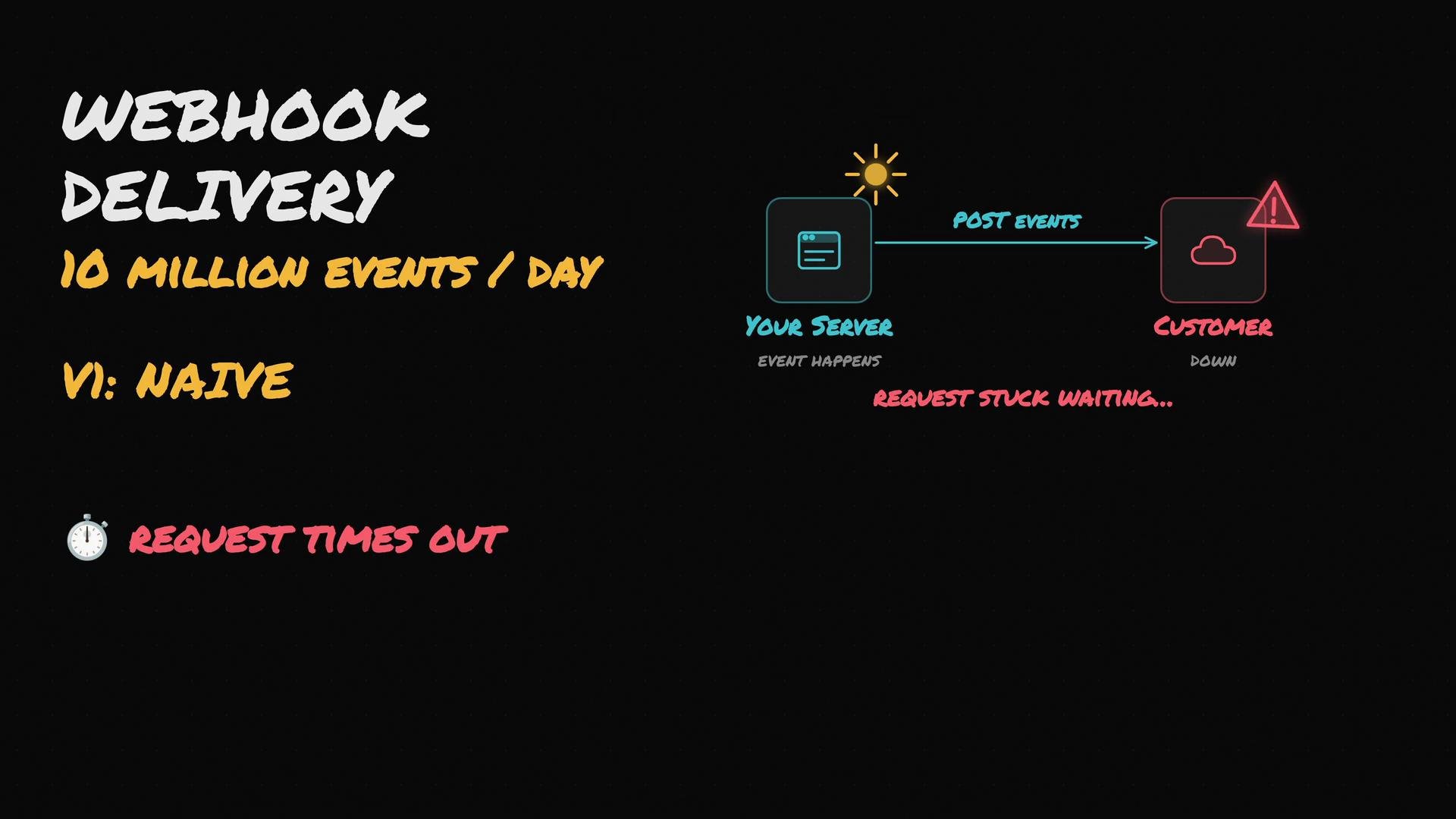
The image is a diagram illustrating a "naive" webhook delivery system that handles 10 million events per day, where requests from a server to a customer are stuck waiting due to the customer being down, causing the request to time out.
Problems with the naive approach
  • Blocked request handlers and degraded request throughput.
  • No durability: timeouts can cause permanent event loss.
  • No retries, observability, or isolation.
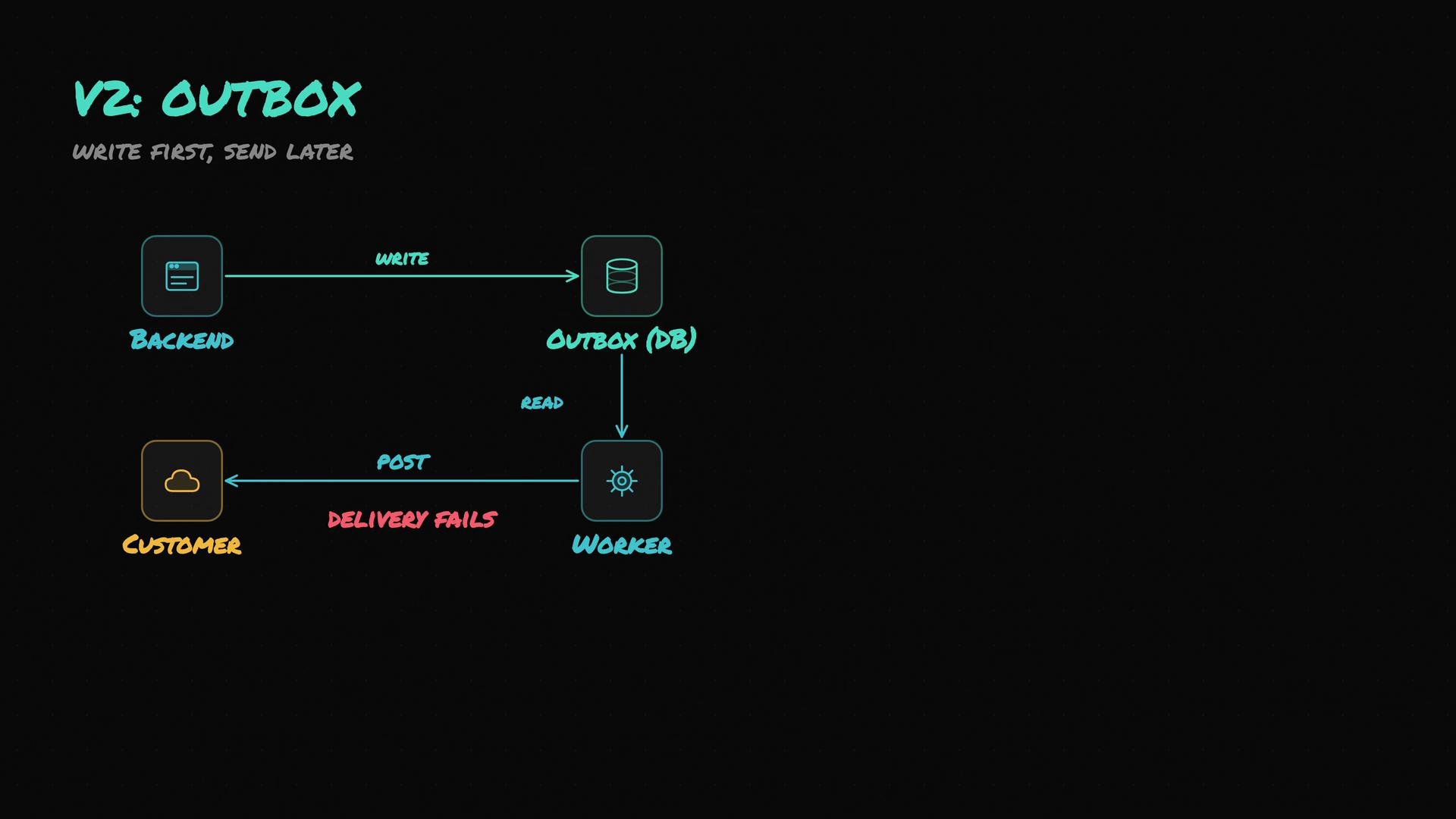
Version two — write first, send later (Transactional outbox) Persist the event before attempting delivery. Use a transactional outbox: write the event to an outbox table or queue within the same transaction that produced the event. A separate worker/process reads the outbox and delivers webhooks asynchronously. Benefits:
  • Immediate durability: the originating request returns quickly.
  • Decouples delivery from event production for better latency and reliability.
Basic outbox schema (example)
Worker pseudo-loop
The image depicts a flowchart for an "Outbox" version 2 system, showing the interaction between Backend, Outbox (DB), Worker, and Customer components, with a focus on writing first and sending later.
Version three — per-customer lanes (concurrency isolation) A shared worker pool can be blocked when a single customer’s endpoint is slow. Introduce a dispatcher that enforces per-customer concurrency limits (a “lane” per customer). The dispatcher monitors in-flight counts per customer and only schedules further deliveries for customers that haven’t reached their limit. Design goals:
  • Prevent one slow or failing customer from consuming global worker capacity.
  • Apply per-customer rate limits and concurrency caps.
  • Fair scheduling across customers.
Implementation patterns:
  • Dispatcher reads pending outbox entries and uses a token-bucket or semaphore per customer_id.
  • Use lightweight in-memory counters (with persistence for recovery) or a distributed store (Redis) for cross-instance coordination.
The image is a flow diagram illustrating a system process involving components like a backend, outbox, dispatcher, and worker pool, with a focus on customer processing limits. It shows customer-specific caps and indicates a slow or skipped status for one customer.
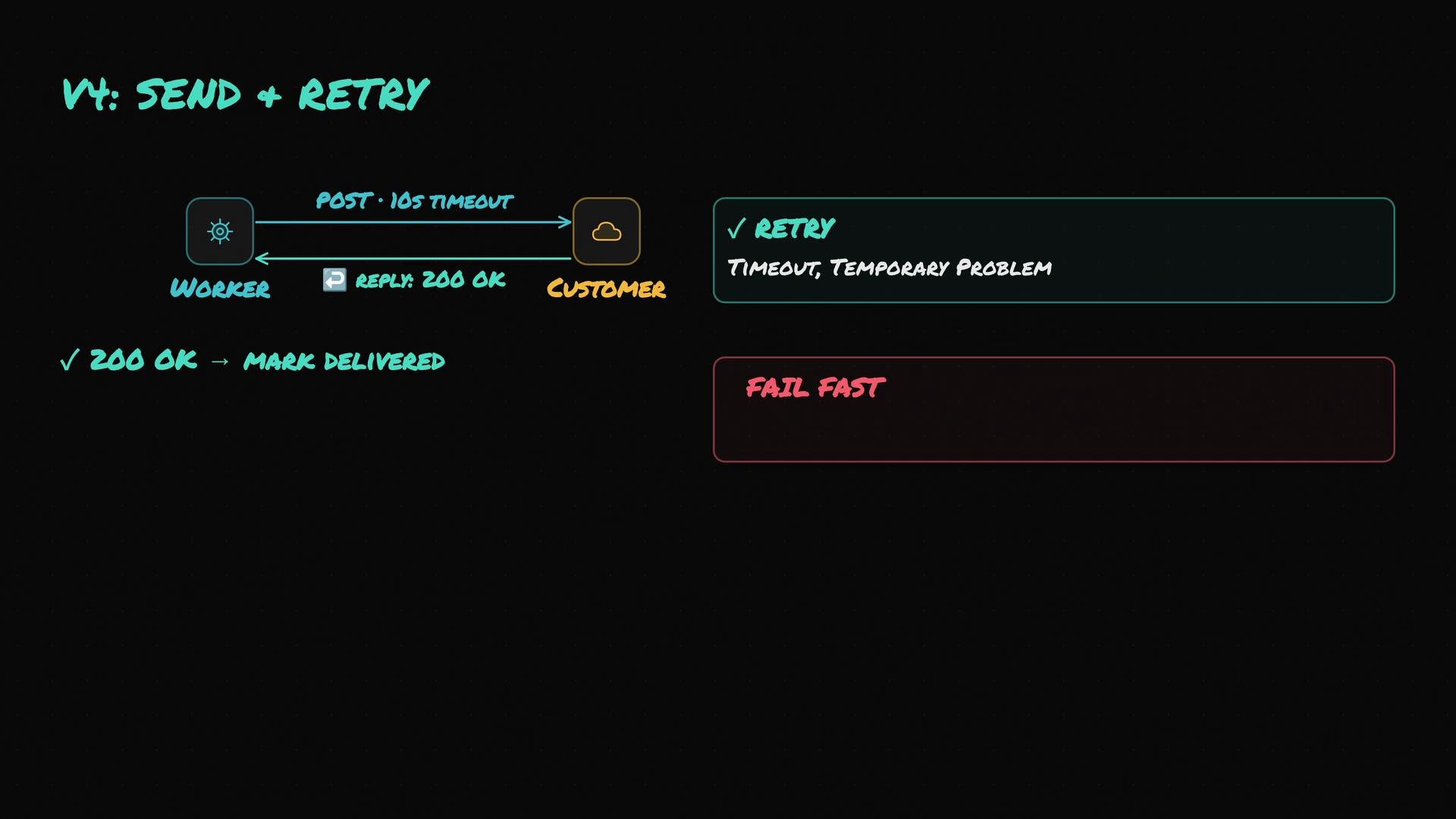
Version four — send with short timeouts and exponential retries Workers should POST with a conservative client timeout (for example, 5–15 seconds). Use retry logic with exponential backoff for transient errors and timeouts. Treat clear client errors (4xx) as permanent in most cases and fail fast. Recommended retry policy (example)
  • Timeout per request: 10s
  • Retry on: network timeouts, DNS errors, HTTP 5xx
  • Backoff strategy: exponential backoff with jitter (e.g., 1s, 2s, 4s, 8s)
  • Max attempts: 3–6 depending on SLA and system load
  • On 4xx (e.g., 404, 410): do not retry; move to DLQ
After retry exhaustion, move the event to a dead letter queue (DLQ) to avoid consuming retry capacity indefinitely.
The image is a flowchart describing a "Send + Retry" process involving a worker, posting with a timeout, and customer, with options to retry or fail fast based on timeout or temporary problems.
Version five — dead letter queue and replay UI When automated retries are exhausted, store failures in a DLQ and expose them in a Replay UI. This gives operators and customers the ability to inspect payloads, error responses, timestamps, and to trigger manual replays—often with richer logging enabled. Replay UI features
  • Search and filter by customer_id, event type, date, and error code.
  • Show failure reason, response body, and headers received from customer.
  • Allow single or bulk replay with optional metadata (e.g., “force send with debug”).
  • Audit trail for replay attempts.
Operational workflow
  • Move failed events to DLQ with metadata (error code, attempts, last_response).
  • Support engineers or customers investigate and manually re-queue or replay events.
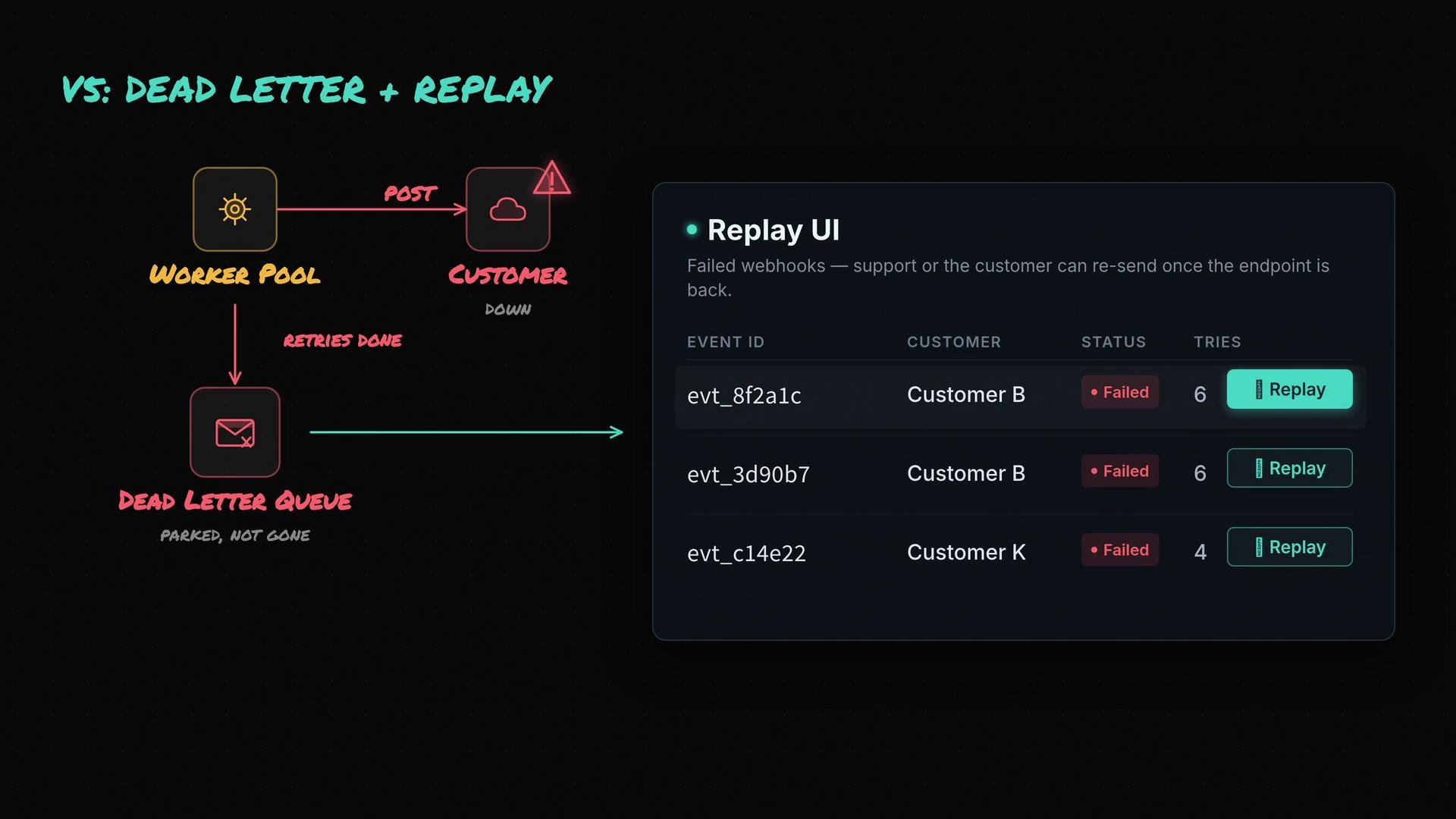
The image illustrates a process involving a worker pool, dead letter queue, and a replay UI for handling failed webhooks. It shows the status of events with options to retry sending.
Security — sign every event Always sign webhook payloads so recipients can verify authenticity and integrity. Common pattern: compute an HMAC over the payload using a shared secret and include the signature in a header (for example, X-Signature).
Signing webhooks (for example, using an HMAC with a shared secret and including the signature in a header) helps customers verify authenticity and detect tampering.
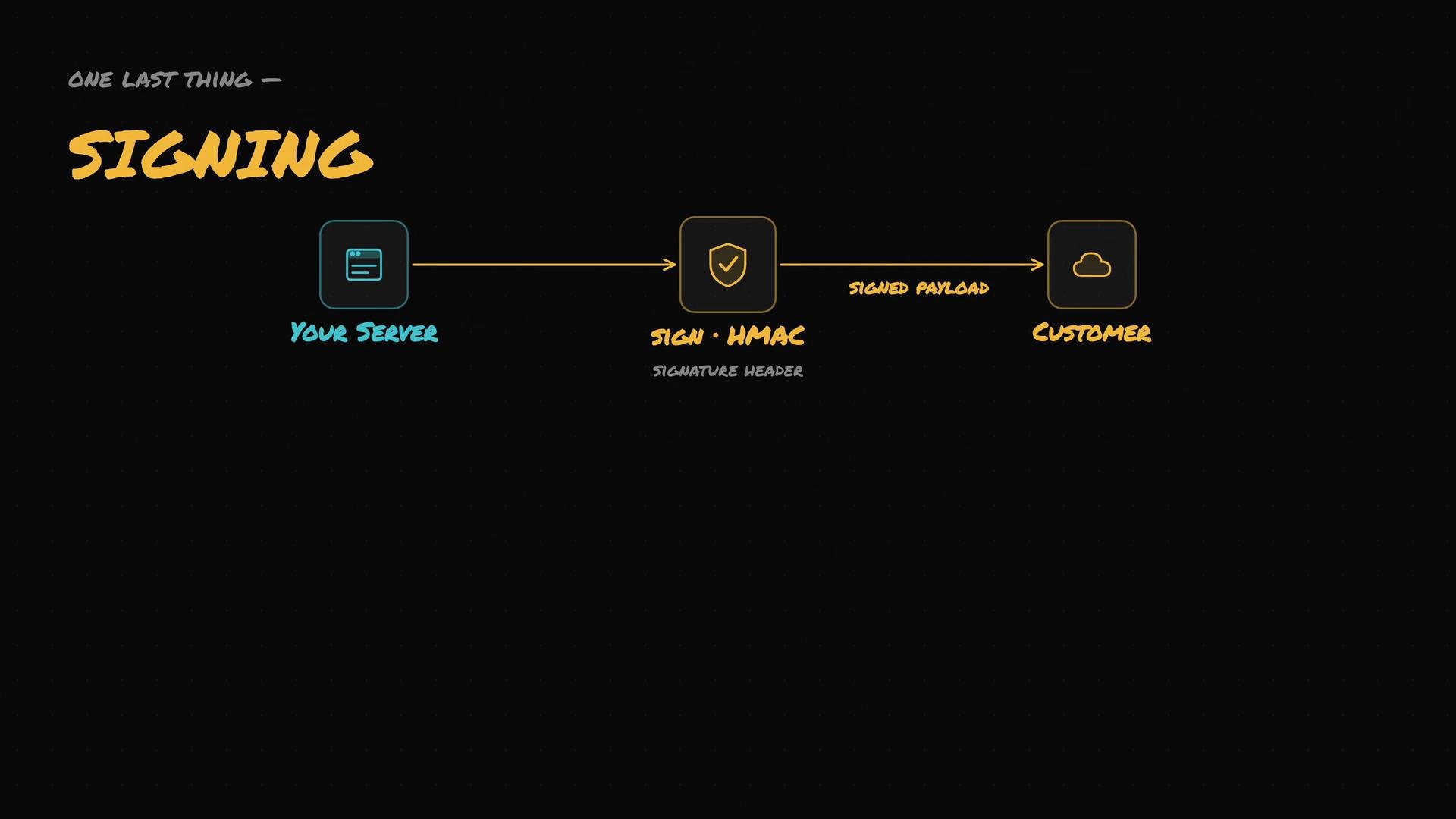
Signing example (concept)
The image is a diagram showing a data flow from "Your Server" to "Customer" through a "Sign - HMAC" process, illustrating the signing step with a signature header and signed payload.
Full architecture summary
  • Backend: write each event to a transactional outbox as part of the originating transaction so events are durable immediately.
  • Dispatcher: poll or stream pending outbox entries and enforce per-customer concurrency and rate limits, ensuring fair scheduling across customers.
  • Worker pool: workers pick up dispatched jobs, sign payloads, POST to customer endpoints with a short timeout, and implement retry logic with exponential backoff for transient failures.
  • Dead letter queue + Replay UI: after retry exhaustion, move failed events into a DLQ and surface them in a replay dashboard for manual investigation and retransmission.
  • Security: sign every webhook payload (e.g., HMAC) so customers can verify authenticity.
Component reference table Common operational considerations
  • Idempotency: include a unique id in the webhook to allow safe retries and avoid duplicate processing by the customer.
  • Observability: emit metrics for delivery latency, success rate, retries, DLQ rate, and per-customer throughput.
  • Rate limits: optionally respect customer-specified rate limits (requests/sec) in addition to concurrency caps.
  • Back-pressure: when DLQ/backlog grows, reduce generator rate or apply customer throttling to preserve system stability.
  • Secrets management: rotate signing keys, and provide customers metadata (key id) so they can validate signatures after rotation.
Example delivery outcome matrix Links and references
  • Kubernetes Documentation — run scalable worker pools.
  • HMAC signing guidance — search for “HMAC SHA256 webhook signing” for implementation details.
  • Exponential backoff best practices — aim for randomized jitter to avoid thundering herds.
This incremental design—transactional outbox, dispatcher with per-customer lanes, short timeouts with exponential retries, DLQ plus replay UI, and strong signing—ensures durability, availability, observability, and operational control for a high-volume webhook delivery system.

Watch Video