This is a common Kubernetes interview / operational scenario: You manage a 40-node Kubernetes production cluster that must stay online 24/7. The cluster is running an older Kubernetes version that is nearing end-of-life. You need to upgrade the entire cluster without causing downtime. The safest approach is a staged upgrade. A Kubernetes cluster has two logical parts:
  • Control plane — the cluster “brain” (API server, scheduler, controller-manager, etcd). It makes scheduling and cluster-control decisions.
  • Worker nodes — the cluster “muscle” (kubelet, kube-proxy, and the pods that serve traffic).
Key compatibility rule: worker node kubelets must never be newer than the control plane. However, the control plane can run a newer minor version than kubelets. That allows you to upgrade the control plane first while worker nodes continue serving traffic. Table — Quick comparison Recommended staged plan
  1. Upgrade the control plane.
  2. Upgrade worker nodes one at a time (or in small safe batches).
  3. Use PodDisruptionBudgets (PDBs) and cordon/drain to protect availability.
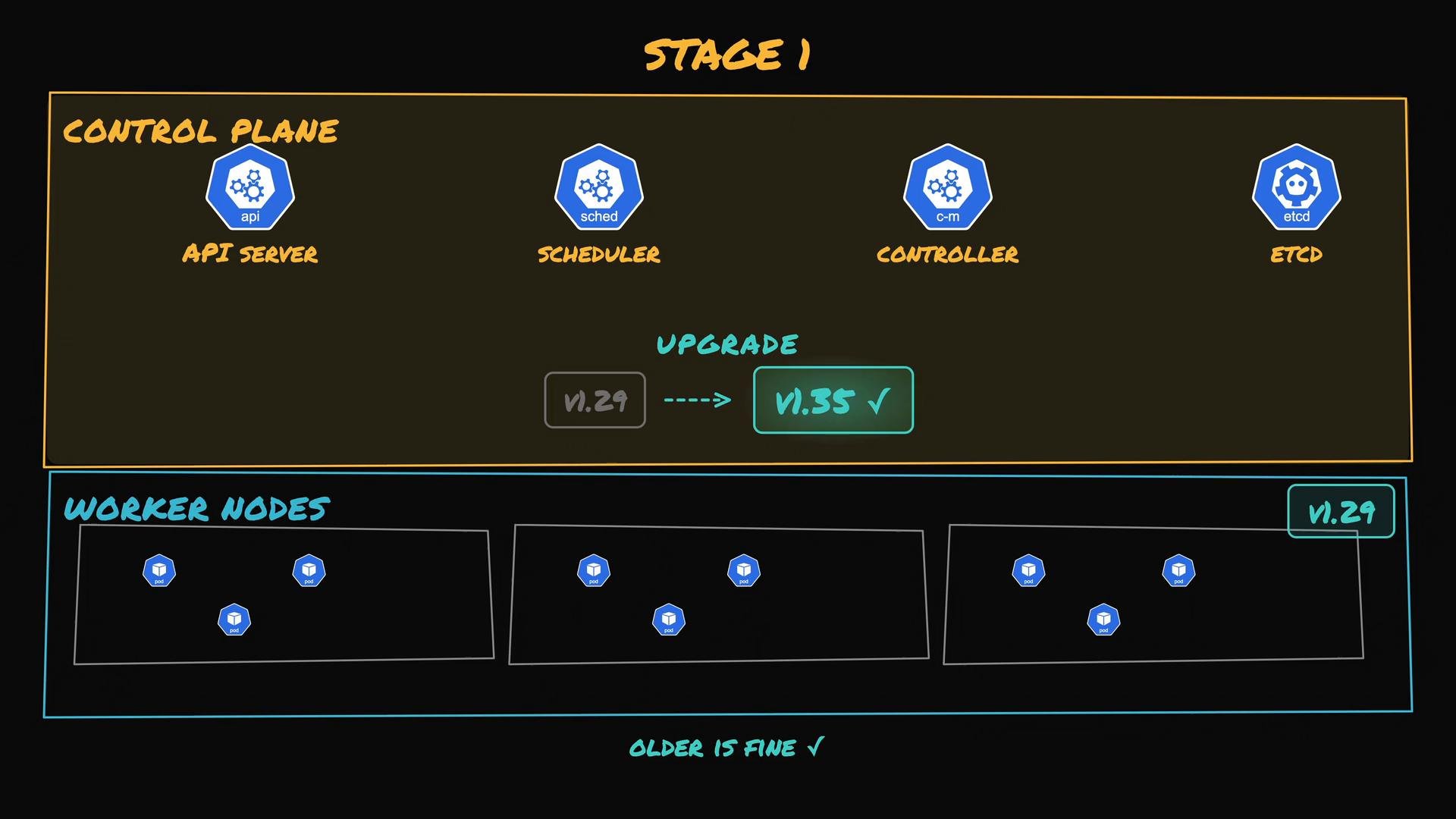
Stage 1 — Upgrade the control plane Upgrade control plane nodes first. Pods on worker nodes keep serving traffic even if control plane components are temporarily being upgraded. This minimizes risk to running workloads.
A diagram of a Kubernetes upgrade plan labeled "Stage 1" showing the control plane components (API server, scheduler, controller-manager, etcd) upgraded to v1.35. The worker nodes below remain at v1.29 with pods running, annotated "older is fine."
Stage 2 — Upgrade worker nodes, one node at a time After the control plane upgrade completes, upgrade worker nodes with the following sequence for each node:
  1. Cordon the node so the scheduler stops placing new pods on it.
  2. Drain the node so existing pods are gracefully evicted and rescheduled elsewhere.
  3. Perform the node upgrade (OS/kernel, kubelet/kube-proxy; or replace the VM/instance).
  4. Uncordon the node so it can accept new pods again.
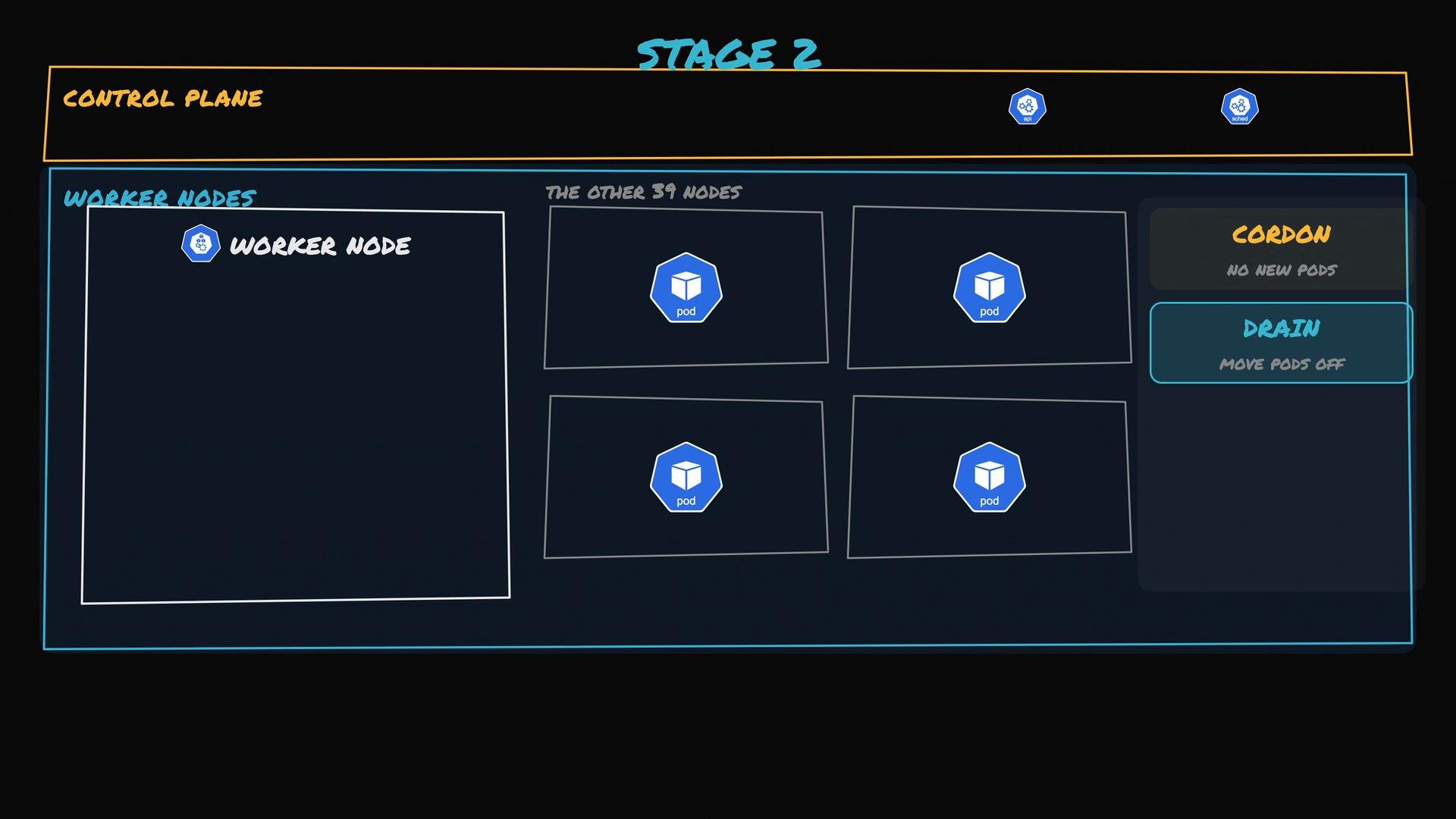
Common commands:
Summary table — Node maintenance commands
A stylized diagram of a Kubernetes cluster labeled "Stage 2" showing a Control Plane at the top and multiple Worker Nodes below with pod icons. The right side highlights node management actions ("Cordon" — no new pods, and "Drain" — move pods off).
Protecting application availability with PodDisruptionBudget (PDB) Before draining a node, ensure applications remain available. Example: a checkout service has three replica pods and two of them are on the node you plan to drain. If Kubernetes evicts both replicas simultaneously, capacity could drop to a single pod and impact users. Create a PodDisruptionBudget to guarantee a minimum number of available replicas during voluntary disruptions:
With this PDB, Kubernetes will block evicting more than one checkout pod at a time, forcing the drain process to wait until replacements are ready on other nodes. That preserves availability at the cost of a longer upgrade window.
When running kubectl drain, include --ignore-daemonsets (daemonset pods are not evicted) and --delete-local-data only if you are certain local data can be discarded. If pods are not managed by a controller (Deployment, ReplicaSet, StatefulSet, etc.), drains may be blocked — consider adding or converting pods to be controller-managed.
Best practices and operational tips
  • Always upgrade the control plane first, then worker nodes.
  • Upgrade nodes one-by-one, or in small batches if you’ve validated capacity and PDBs.
  • Use PDBs to prevent simultaneous eviction of critical replicas.
  • Prefer replacing nodes (create new, join to cluster, drain and remove old) when using cloud/managed environments — this reduces risk and is commonly used by managed Kubernetes providers.
  • Test the upgrade process in a staging environment that mirrors production.
Compatibility warning: kubelets (node agents) must never be newer than the control plane. Upgrading worker nodes before the control plane can cause version skew issues. Always verify Kubernetes version skew policy for your target versions.
Further reading Following this staged approach — control plane first, then worker nodes using cordon/drain with appropriate PDBs — is a common, safe method to upgrade a busy production Kubernetes cluster without causing downtime.

Watch Video