

hostPath mount of the node’s root filesystem (/). That pod can read and write anything on the host. Your manager asks:
- How bad is this?
- How do we fix it without breaking production?
hostPath can lead to full node compromise and often cluster-wide escalation. Below we explain why, show the attack surfaces, and give a pragmatic, low-friction mitigation plan you can roll out safely.
Why this is so dangerous (attack vectors)
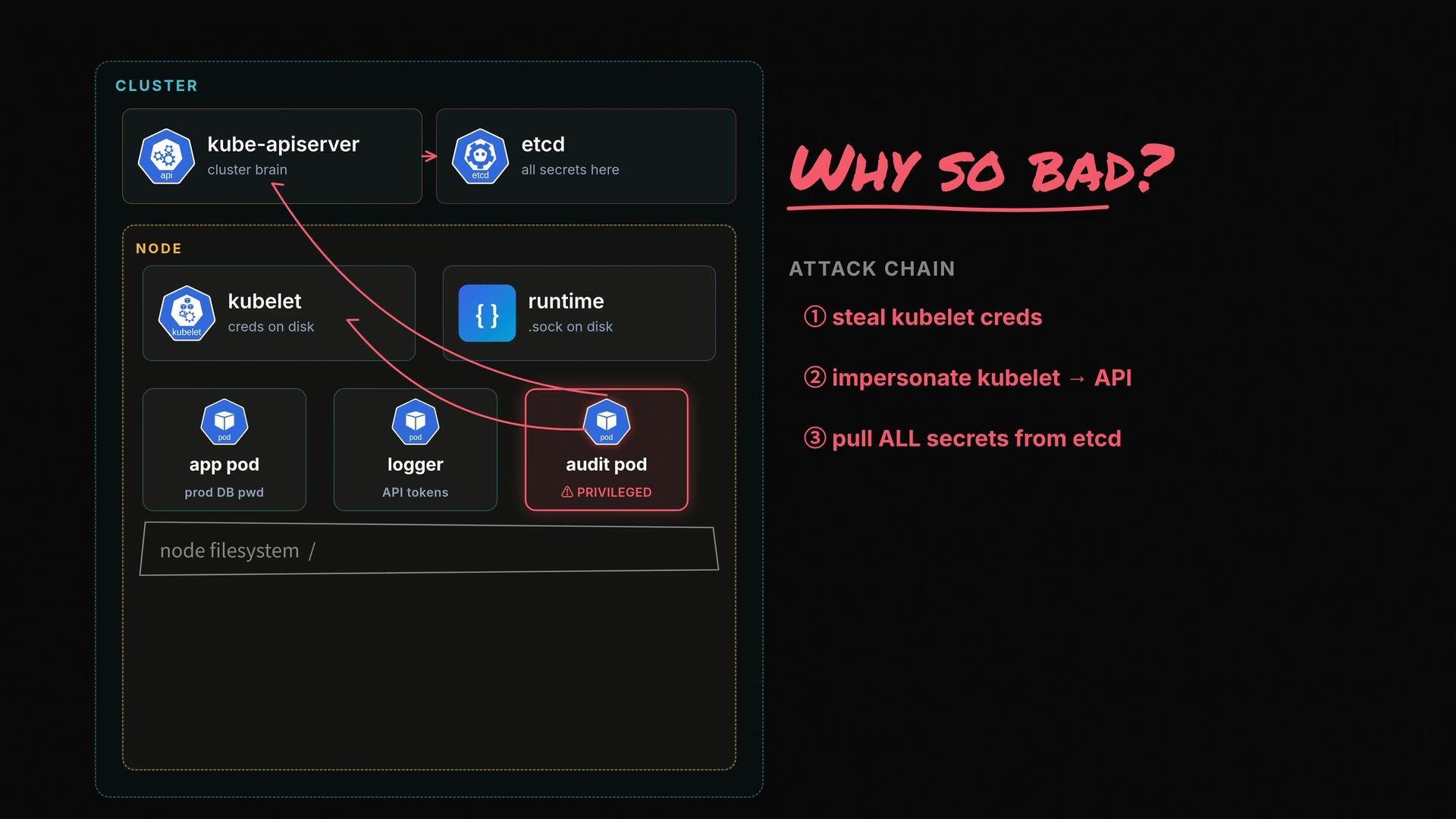
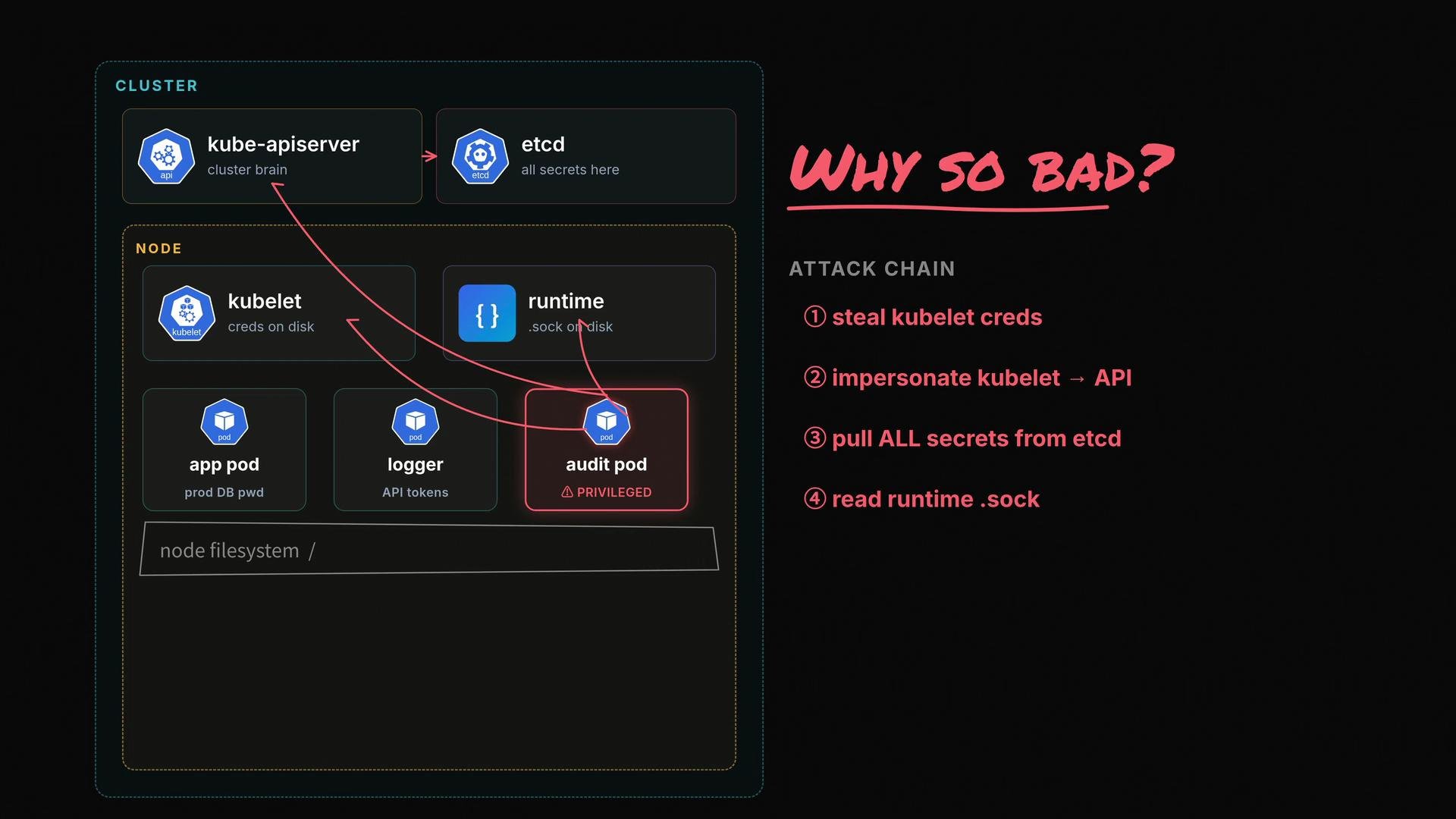
A pod with access to the node’s root filesystem can extract secrets and operational credentials from the node, then impersonate node-level components to escalate access.- Kubelet credentials: The pod can read kubelet credentials on the node and use them to talk to the API server. Depending on RBAC rules and kubelet privileges, an attacker could read secrets, create resources, or escalate further.
- Container runtime socket: The pod can access the container runtime socket (for example,
/var/run/docker.sockor/run/containerd/containerd.sock) and control the runtime directly to spawn privileged containers on the node — bypassing the API server entirely.
Immediate containment (short-term actions)
If you suspect a pod is compromised: cordon the node, isolate the workload, and avoid restarting containers on the same node until you investigate. Collect forensic artifacts (logs, filesystem snapshots) before making further changes.
How to fix this without causing an outage
Follow a cautious, staged approach: discover what the workload truly needs, reduce scope, harden the pod, and then roll out cluster-wide guardrails in audit mode first.- Figure out what the workload actually needs
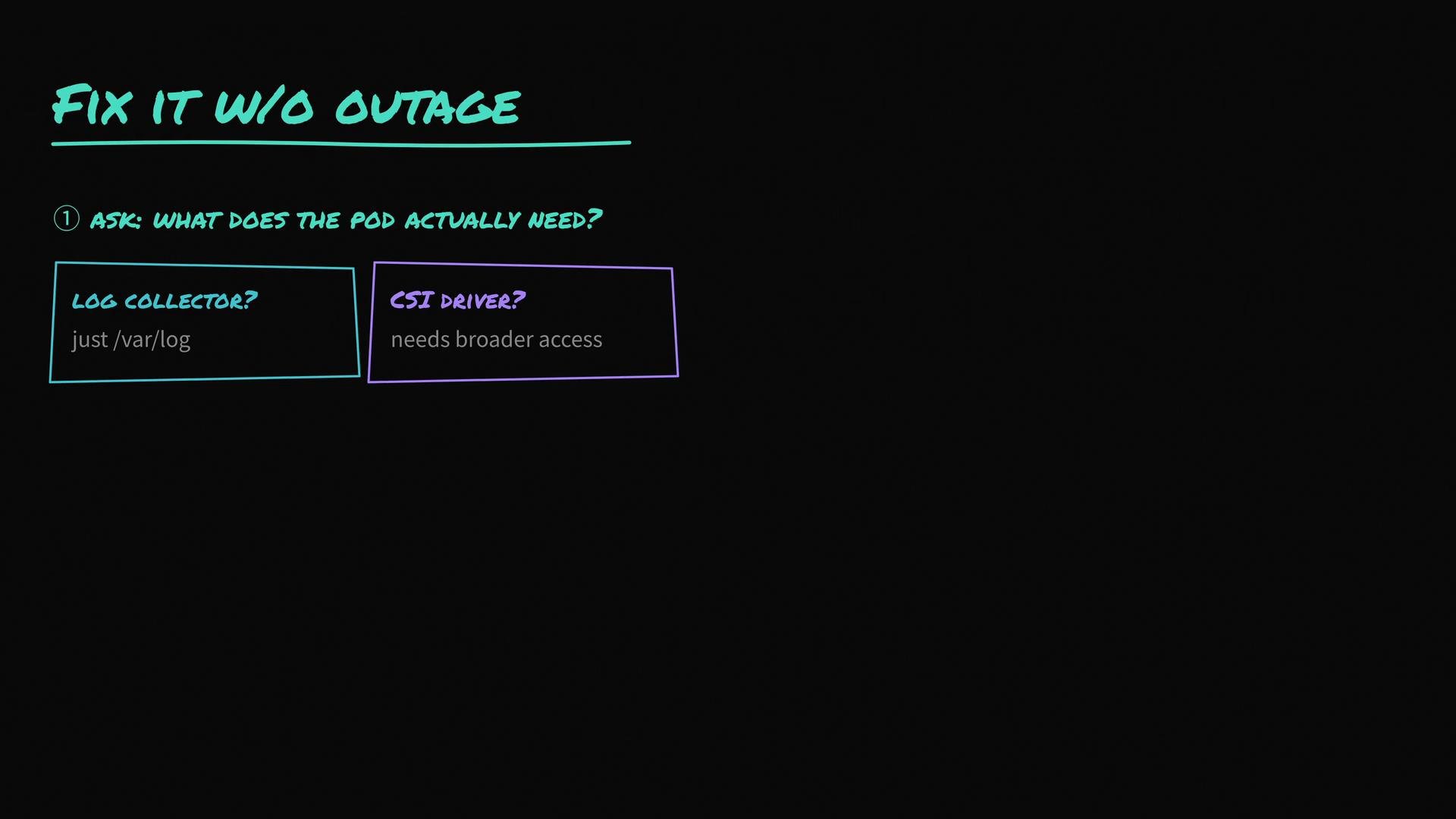
- Many workloads do not need the entire host filesystem; they may only require a specific directory such as
/var/log. Confirm requirements with the workload owner. - Some components legitimately need broader access (e.g., CSI drivers or certain system agents). Coordinate with owners before making changes.
- Reduce scope and apply a restrictive securityContext
- Replace
hostPath: /with a single specific path the app needs. - Mark mounts
readOnly: truewhen possible. - Disable
privilegedand setallowPrivilegeEscalation: false. - Run the container as a non-root user (
runAsNonRoot: true). - Use
seccompProfile: RuntimeDefault. - Drop all capabilities and only add the minimal set required (for example,
NET_BIND_SERVICEif binding to ports < 1024). - Set
readOnlyRootFilesystem: trueif supported.
- Enforce cluster-wide controls (carefully)
- Start with Pod Security Admission (PSA) and apply the
restrictedprofile for namespaces that don’t need exceptions. - For fine-grained policies use OPA Gatekeeper or Kyverno to:
- Block
hostPathmounts targeting root (/). - Block privileged containers.
- Block pods running as UID 0 (root).
- Deny access to container runtime sockets from user workloads.
- Block
- Run policies in audit (log-only) mode for at least a week to detect false positives and understand legitimate exceptions. Remediate those exceptions with workload owners before switching to enforce mode.
Run new policies in audit mode first. Monitor violations, remediate legitimate cases, and only then move to enforce to avoid unexpected outages.
Quick remediation checklist
SecurityContext recommended fields
References and further reading
Final takeaway: a privileged pod mounting the host filesystem is a node- (and often cluster-) level risk. The practical mitigation path is: discover real workload needs, narrow thehostPath, harden the pod securityContext, and deploy cluster policy guardrails in audit mode before enforcing.