

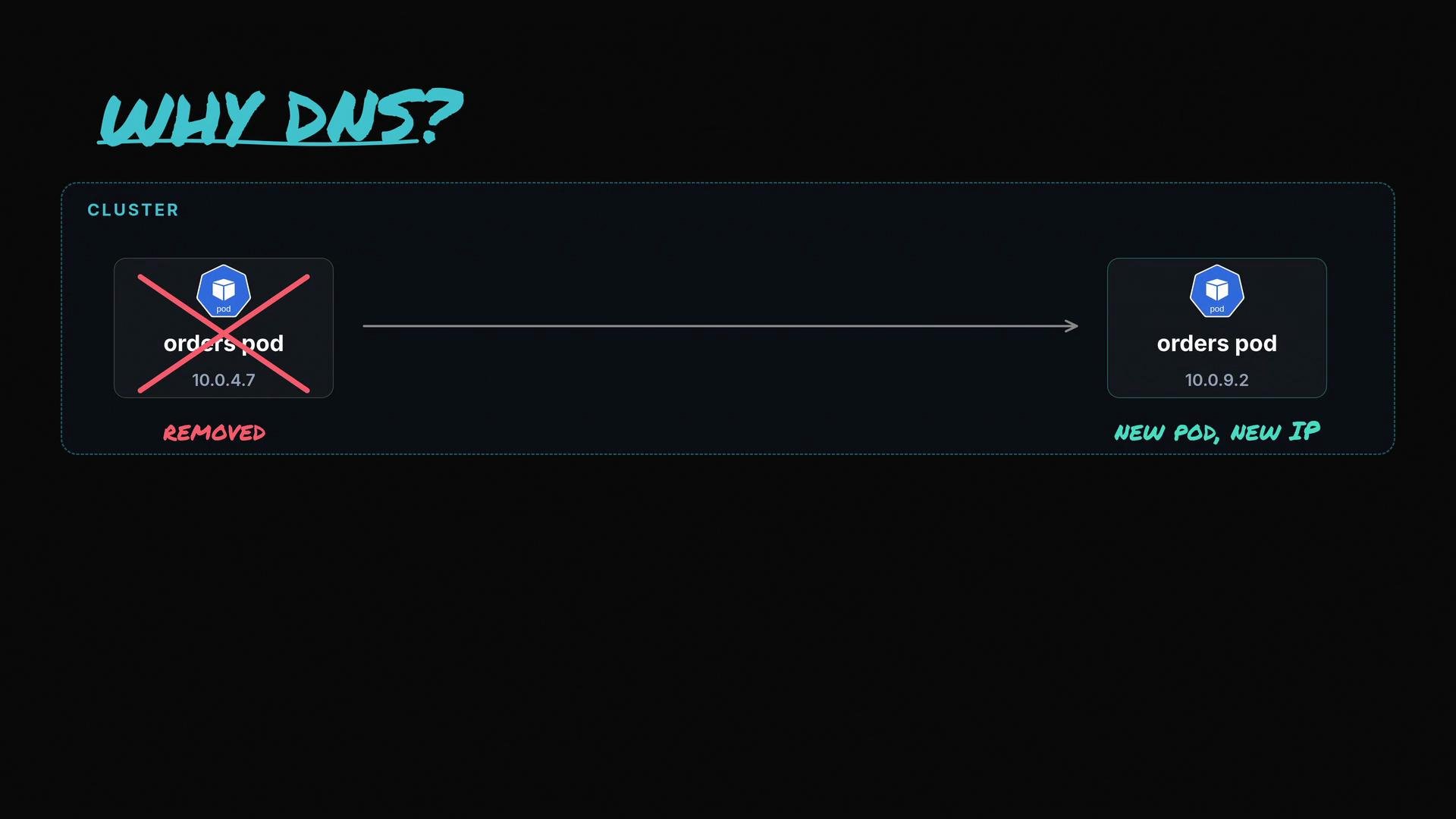
- Pods and Services in Kubernetes rarely rely on fixed IPs; they use DNS names because the cluster is dynamic—pods are recreated and IPs change.
- When a pod needs to contact another service or external host, it asks the cluster DNS (CoreDNS) to translate a human-readable name into an IP address. If DNS fails, service discovery and inter-pod communication break.
- A pod reads
/etc/resolv.confto determine which nameserver to query. - Typically the configured nameserver is the
kube-dnsService ClusterIP (for example,10.96.0.10), which forwards the query to a CoreDNS pod. - CoreDNS resolves Kubernetes-internal names (for example,
kubernetes.default.svc.cluster.local) and forwards external queries to upstream resolvers for internet names.
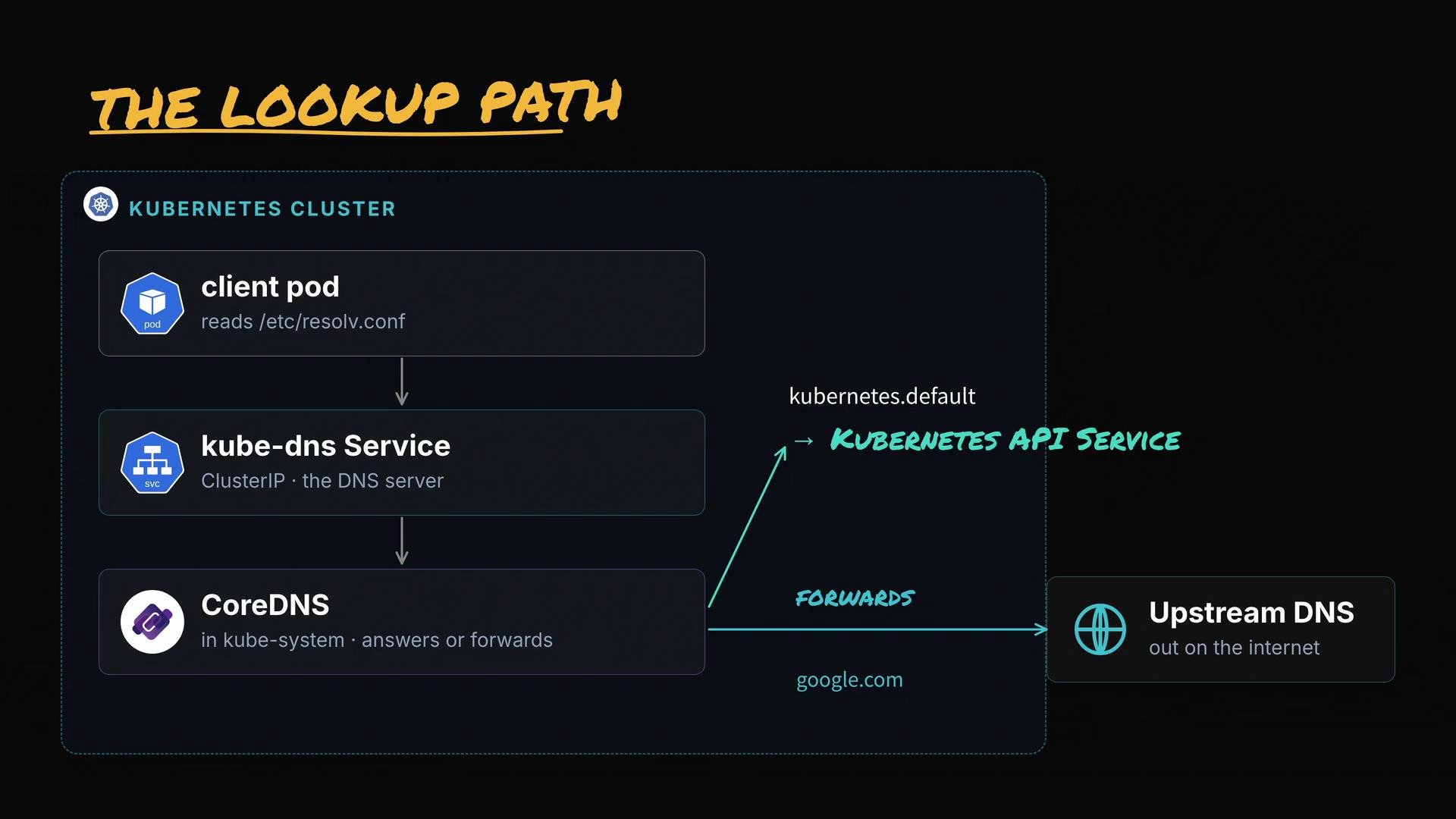
kubernetes.default— verifies cluster-internal DNS (the Kubernetes API Service always exists and should resolve through cluster DNS).google.com— verifies external resolution / DNS forwarding to upstream servers.
Run these lookups from inside the failing pod. For example, open a shell into the pod and run nslookup:
kubectl exec -it <pod> -- sh(then run nslookup inside the shell), orkubectl exec -it <pod> -- nslookup <name>(if nslookup is available in the image).
kubectl run -i --tty --rm debug --image=nicolaka/netshoot -- /bin/bashor use a lightweight image such as busybox that includes basic DNS tools.
-
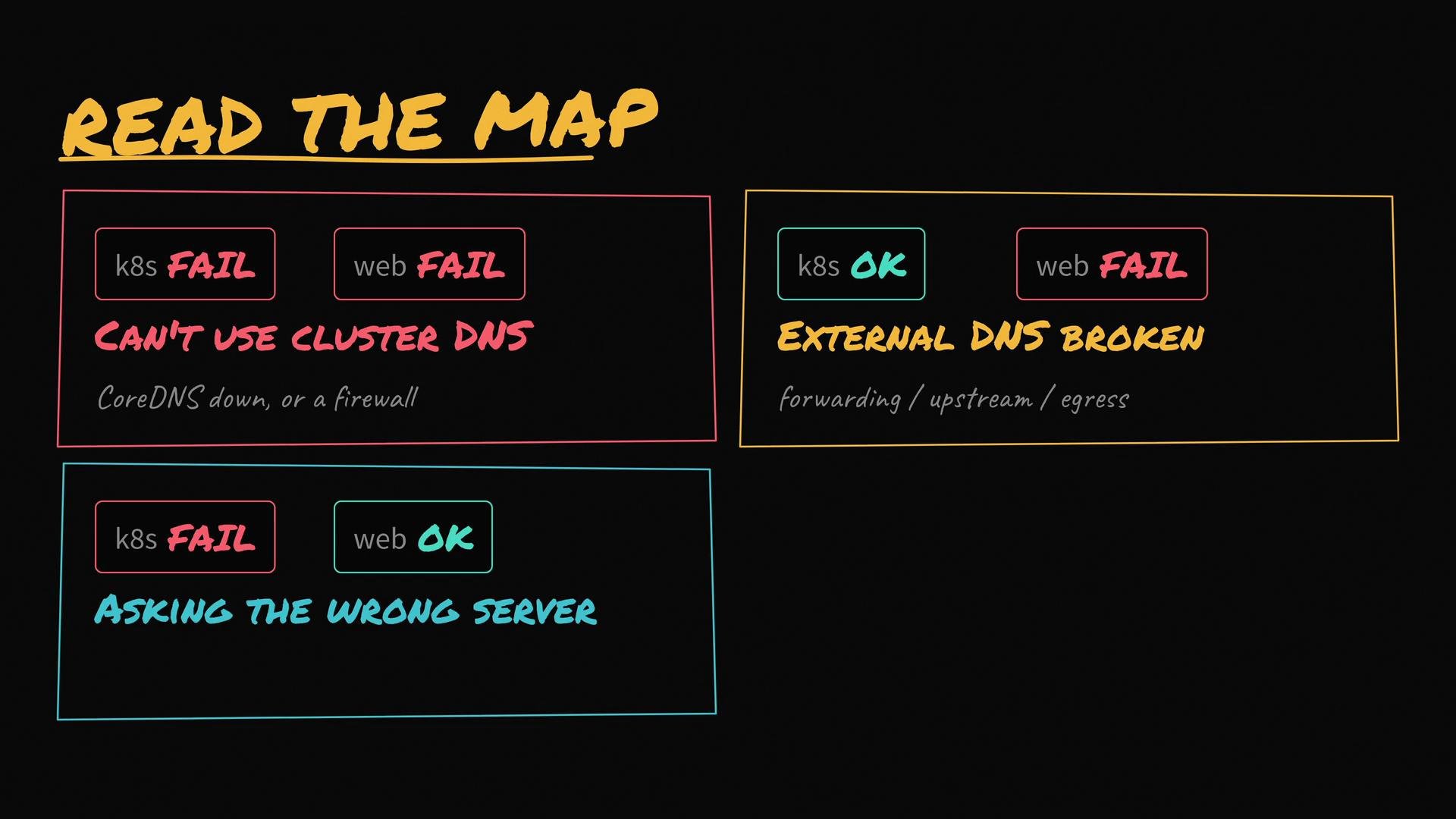
Both lookups fail
- Symptom: Pod cannot reach cluster DNS at all.
- Likely causes: CoreDNS pods down,
kube-dnsService missing, network policy/firewall blocking DNS, or incorrect/etc/resolv.conf. - Next checks: CoreDNS pod health/logs,
kube-dnsService & endpoints, podresolv.conf, cluster network rules.
-
kubernetes.defaultsucceeds,google.comfails- Symptom: Cluster DNS resolves internal names but cannot forward external queries.
- Likely causes: CoreDNS forwarding misconfigured, upstream resolvers unreachable, firewall blocking outbound DNS.
- Next checks: CoreDNS
Corefile, upstream resolvers, node egress access.
-
kubernetes.defaultfails,google.comsucceeds- Symptom: The pod reaches some DNS server but not the cluster DNS.
- Likely causes: Pod uses node or external resolver instead of
kube-dns,dnsPolicyoverridden in pod spec, orresolv.confhas wrong nameserver. - Next checks: Inspect
/etc/resolv.confinside pod, check pod specdnsPolicyanddnsConfig, validate node-level DNS settings.
-
Both succeed but DNS is slow
- Symptom: Resolution works but with high latency.
- Likely causes: CoreDNS overloaded, too many queries, or slow upstream resolvers.
- Next checks: CoreDNS metrics/CPU/memory, rate-limiting, caching, or upstream performance.
- Check pod resolv.conf:
kubectl exec -it <pod> -- cat /etc/resolv.conf
- Check CoreDNS pods and logs:
kubectl -n kube-system get pods -l k8s-app=kube-dns- (Some clusters use
k8s-app=coredns)kubectl -n kube-system logs <coredns-pod>
- Verify
kube-dnsService and endpoints:kubectl -n kube-system get svc kube-dns -o yamlkubectl -n kube-system get endpoints kube-dns -o yaml
- Run DNS lookups from a debug pod:
kubectl run -i --tty --rm debug --image=nicolaka/netshoot -- /bin/bash- From inside:
nslookup kubernetes.defaultandnslookup google.com
- Inspect network policies / iptables / kube-proxy if DNS requests are being dropped or redirected:
iptables -t nat -L -n -v(run on affected node) — trace kube-proxy rules if necessary.
Watch for specific error responses
- “no such host” — CoreDNS returned NXDOMAIN; the name truly doesn’t exist in the queried domain.
- Timeout — the pod never reached the DNS server (network or nameserver misconfiguration).
- Trace requests through iptables/kube-proxy if DNS packets are being redirected or dropped.
- Use CoreDNS logs to inspect failed queries and forwarding errors:
kubectl -n kube-system logs <coredns-pod>
- If DNS appears to work but service discovery fails, trace connection paths from the client pod to the target service IP and check kube-proxy rules, service endpoints, and target pod readiness.
Be cautious when editing cluster DNS settings. Incorrect changes to CoreDNS
ConfigMap or Service cluster IPs can disrupt all name resolution in the cluster. Always test changes in a staging environment and keep backups of configuration before editing.kubernetes.default) and one for an internet name (google.com)—rapidly pinpoint whether the problem is cluster DNS, forwarding, or pod-level configuration. From there, inspect /etc/resolv.conf, CoreDNS pods and ConfigMap, kube-dns Service and endpoints, and any network rules that could interfere with DNS traffic.