

MessagesPlaceholder. The example below shows an in-memory conversation history that is injected into the prompt on each invocation:
history (short-term, in-memory). Short-term memory is fast but volatile — it lives in process and disappears when the process stops.
Persisting conversation history across processes and over time (long-term memory) requires externalizing the message history to a datastore such as Redis, SQLite, or MySQL. LangChain provides a Redis-backed chat message history implementation plus a runnable wrapper that automatically reads and writes history when executing the chain. Below is an example integrating RedisChatMessageHistory with RunnableWithMessageHistory:
Make sure your Redis instance is reachable at
REDIS_URL. In lab environments the URL may differ. The session_id is used as the key for the message history (for example: math-thread1).redis_chain and pass a configurable session_id so each session/thread maps to its own persisted history. The config parameter is passed as the second argument to invoke:
session_id corresponds to an independent history that the runnable wrapper reads and writes to populate the prompt for subsequent invocations.
You can inspect the persisted data directly in Redis. For example, if you run Redis in Docker, use the Redis CLI to list keys and view stored lists:
LRANGE:
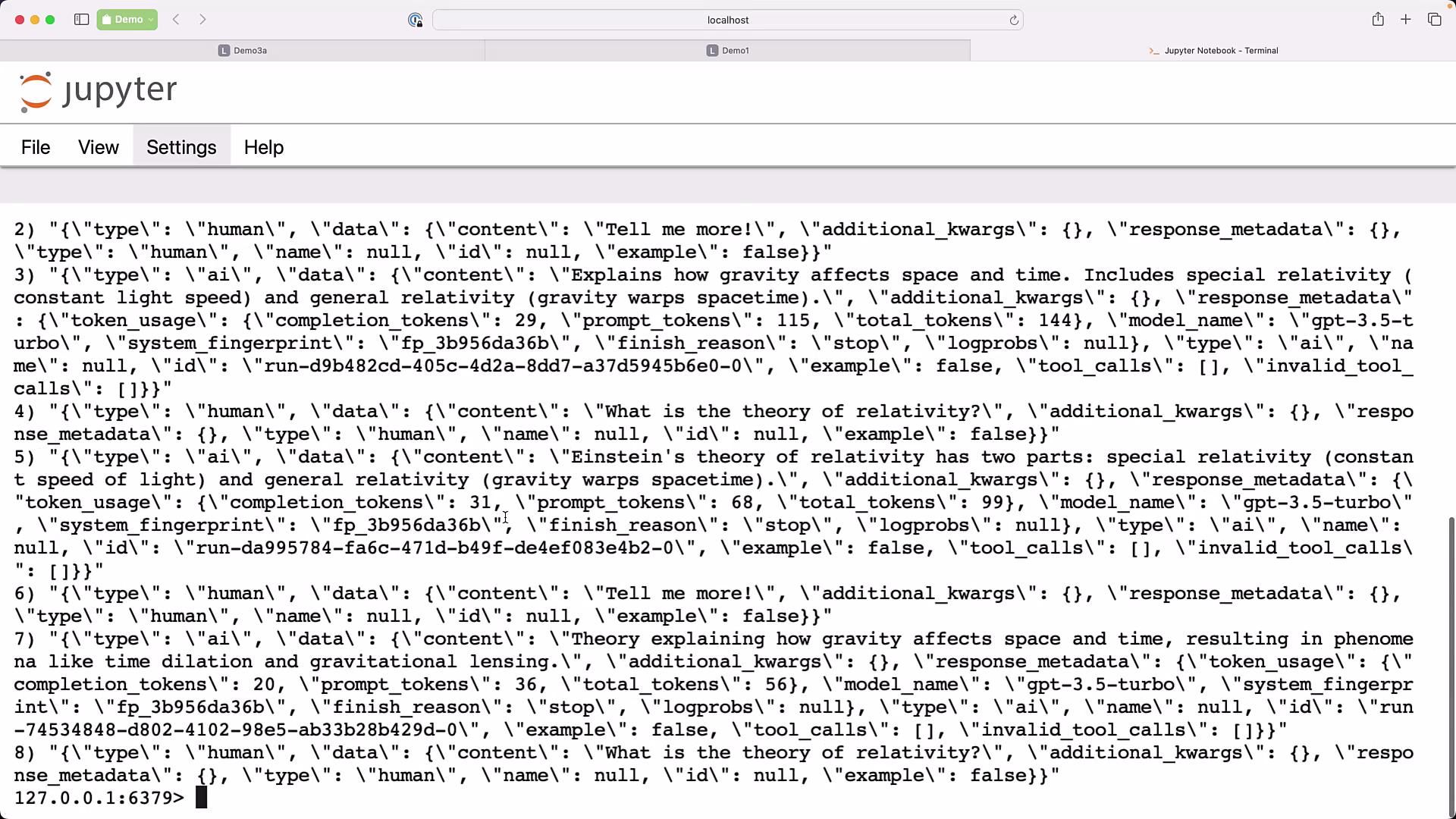
RedisChatMessageHistory with the appropriate history class for your chosen store, and provide a function that returns the message history for a given session_id.
Quick recap:
Be careful about storing sensitive or personally identifiable information (PII) in persistent conversation history. Persisted messages may be retained long-term and could be accessible by other systems or team members. Consider encryption, redaction, and retention policies.
- Use descriptive and unique
session_idvalues (for example:user-1234-chat,tenantA-session-01) so each conversation maps to the correct history. - If you switch datastores, implement or use the corresponding
*ChatMessageHistoryclass for your storage backend. - Monitor token usage and costs in persisted responses (
response_metadata) to manage budget and optimization. - For large knowledge or documents, combine persistent chat history with retrieval-augmented generation (RAG) to provide the model with external knowledge at runtime.
- Redis
- Docker
- Redis CLI
- SQLite
- MySQL
- LangChain docs and examples (search for
RunnableWithMessageHistory,*ChatMessageHistory)