For this lesson we’ll build a retrieval chain that uses two TechCrunch articles as the document source and demonstrates a Retrieval-Augmented Generation (RAG)-style workflow. The example shows how to:
  • load web documents,
  • split them into chunks,
  • create embeddings,
  • populate an in-memory FAISS vector store,
  • build a retriever,
  • create a prompt and a document-combining chain, and
  • wire everything into a retrieval chain.
The screenshots below show the two TechCrunch articles used as inputs.
A screenshot of a TechCrunch article with the headline "Anthropic claims its new AI chatbot models beat OpenAI's GPT-4," showing site navigation on the left and ads/sidebars on the right. The byline shows Kyle Wiggers and a March 5, 2024 timestamp.
The second article describes an AI21 Labs model that can handle more context than most current models.
A TechCrunch article page with the headline "AI21 Labs' new AI model can handle more context than most." The layout shows site navigation on the left, ads on the right, and a colorful AI/data visualization image beneath the headline.
All code is presented as a single script so you can run it sequentially (adjust environment variables / API keys as needed). Imports and setup (place at the top of your script):
# imports
from langchain_core.prompts import PromptTemplate
from langchain_openai import ChatOpenAI, OpenAIEmbeddings

from langchain_community.document_loaders import WebBaseLoader
from langchain.text_splitter import RecursiveCharacterTextSplitter

from langchain.chains.combine_documents import create_stuff_documents_chain
from langchain.chains import create_retrieval_chain
from langchain_community.vectorstores import FAISS
Step-by-step example
  1. Initialize URLs and load the pages
URL1 = "https://techcrunch.com/2024/03/04/anthropic-claims-its-new-models-beat-gpt-4/"
URL2 = "https://techcrunch.com/2024/03/28/ai21-labs-new-text-generating-ai-model-is-more-efficient-than-most/"

loader = WebBaseLoader([URL1, URL2])
documents = loader.load()
# `documents` will be a list of Document objects (page content + metadata)
  1. Split the loaded documents into chunks
text_splitter = RecursiveCharacterTextSplitter(chunk_size=200, chunk_overlap=50)
chunks = text_splitter.split_documents(documents)
  1. Create embeddings and populate FAISS (in-memory vector store)
embeddings = OpenAIEmbeddings(model="text-embedding-3-large")

# Create an in-memory FAISS index from the document chunks
vectorstore = FAISS.from_documents(chunks, embeddings)

# Obtain a retriever we can use with retrieval chains
retriever = vectorstore.as_retriever()
FAISS (Facebook AI Similarity Search) is an in-memory vector index. It supports fast nearest-neighbor search but does not persist to disk by default. If you need persistence across runs, consider a persistent vector store (e.g., Chroma with persistence enabled) or serialize the FAISS index explicitly.
  1. Create a prompt template that forces the LLM to answer only from the provided context
prompt_template = """
Answer the question {input} based solely on the context below:

'<context>
{context}
</context>'

If you can't find an answer, say "I don't know."
"""
prompt = PromptTemplate.from_template(prompt_template)
  1. Initialize the LLM, build the combine-documents chain, and compose the retrieval chain
llm = ChatOpenAI(model_name="gpt-3.5-turbo", temperature=0.0)

# This chain takes the retrieved documents and combines them using the provided prompt.
combine_docs_chain = create_stuff_documents_chain(llm, prompt)

# create_retrieval_chain wires the retriever and the combine-documents chain together.
chain = create_retrieval_chain(retriever, combine_docs_chain)
  1. Invoke the chain with a query and inspect results
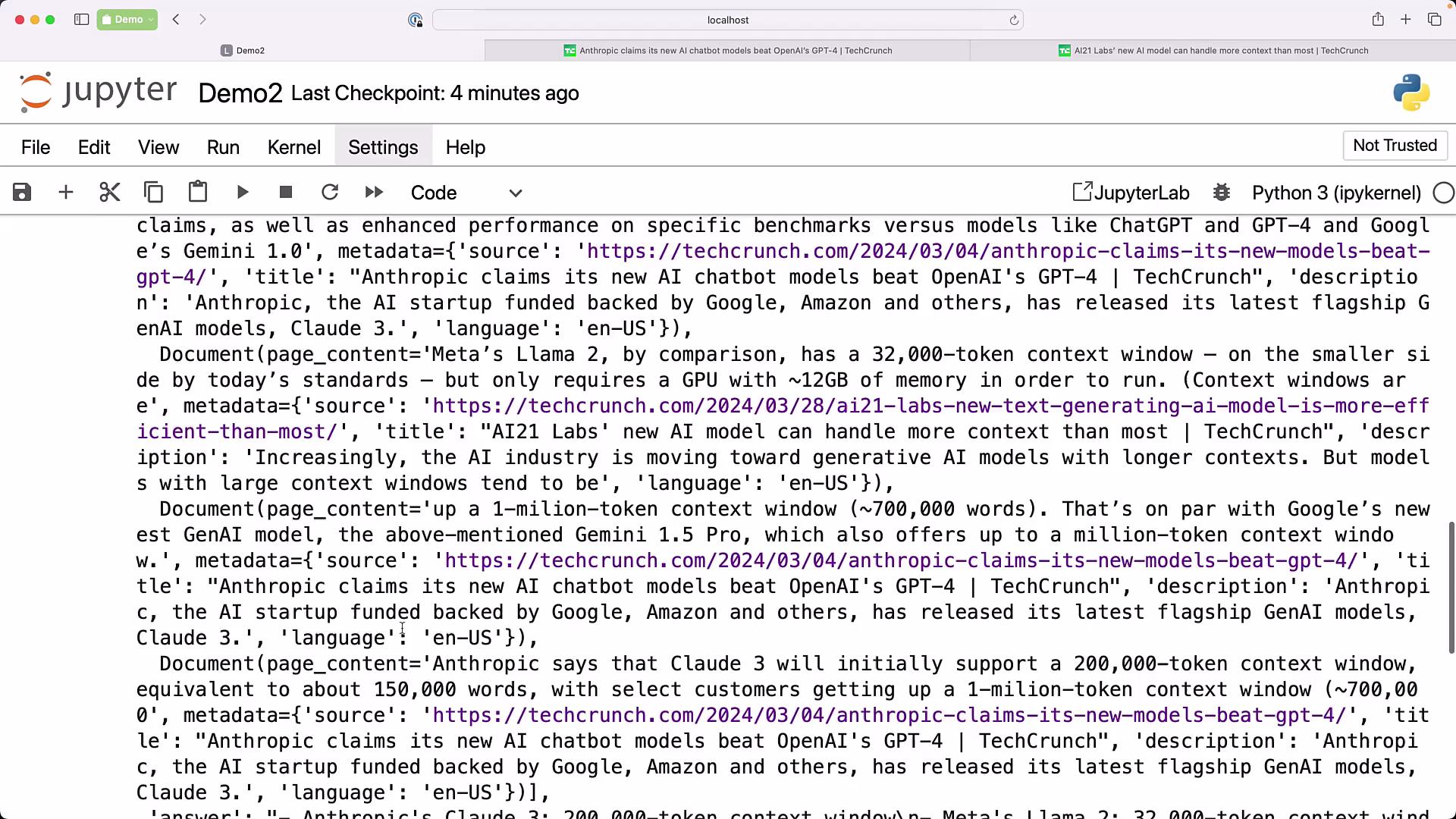
query = "List the models and their token size of models only from Anthropic and Meta"
result = chain.invoke({"input": query})

# Print the raw result dict
print(result)

# Common keys returned by retrieval chains can vary; check these possibilities:
print("output:", result.get("output") or result.get("answer") or result.get("text"))
print("source_documents:", result.get("source_documents"))
Example expected output (based on the TechCrunch contexts used as input):
output: Anthropic: Claude 3 — 200,000-token context window
        Meta: Llama 2 — 32,000-token context window

source_documents: [Document(...), Document(...), ...]
Why this pattern works (RAG-style overview)
  • Loader: converts web pages into Document objects with metadata (source URL, title).
  • Splitter: creates manageable chunks so embeddings and retrieval operate on smaller units (200-character chunks with a 50-character overlap in this example).
  • Embeddings + Vector Store: indexes document chunks for fast semantic retrieval.
  • Retrieval Chain: retrieves relevant chunks, the combine-documents chain assembles context, and the LLM answers constrained to that context — reducing hallucinations and enabling source-backed answers.
When to use this pattern
  • Question-answering constrained to a fixed set of documents.
  • Summarization across a document collection.
  • Any use case requiring explicit source attribution or limiting the LLM to a defined corpus.
Quick reference table — components and purpose
ComponentPurposeExample / Notes
WebBaseLoaderFetch web pages and produce Document objectsWebBaseLoader([URL1, URL2]).load()
RecursiveCharacterTextSplitterBreak long text into overlapping chunks for embeddingchunk_size=200, chunk_overlap=50
OpenAIEmbeddingsCreate vector embeddings for textOpenAIEmbeddings(model="text-embedding-3-large")
FAISSIn-memory vector index for nearest-neighbor searchUse persistent store if you need state across runs
create_stuff_documents_chainCombine retrieved documents using a PromptTemplateEnsures LLM receives composed context
create_retrieval_chainWires retriever + combiner to provide an end-to-end RAG pipelinechain.invoke({"input": query})
Tips and best practices
  • Use temperature=0.0 (or low) for deterministic answers and to reduce hallucinations.
  • Tune chunk size and overlap to balance retrieval granularity and context coherence.
  • Persist your vector store (or use a persistent vectore store) if you need retrieval across runs.
  • Include source metadata in returned results to enable traceability and validation.
Links and references If you want a dynamic prompt, you can create PromptTemplate objects programmatically and pass them into the combine-documents chain before invoking the retrieval chain. This preserves retrieval control while allowing flexible prompts for different tasks.

Watch Video

Practice Lab