Welcome back! In this lesson, we’ll dive into retrieval techniques and explore how retrieval-augmented generation (RAG) enhances your LLM applications with external context.Documentation Index
Fetch the complete documentation index at: https://notes.kodekloud.com/llms.txt
Use this file to discover all available pages before exploring further.
Why Retrieval Matters
Large language models rely on context—external data and background—to generate accurate, factual responses. Without relevant context, models often “hallucinate,” producing plausible but incorrect information.| Data Source | Example Systems | Use Case |
|---|---|---|
| Relational Databases | MySQL, PostgreSQL, SQLite | Structured queries via SQL |
| NoSQL Databases | MongoDB | Flexible document storage |
| Full-Text Search | Elasticsearch | Keyword-based document retrieval |
| Vector Databases | Pinecone, Chroma, Milvus, Weaviate | Semantic search with embeddings |
| Document Stores | PDF, Word, HTML, CSV (e.g., Amazon S3) | Unstructured file retrieval |
| APIs & Web Search | REST endpoints, real-time web scraping | Live data fetching |

Retrieving only the most relevant passages keeps your prompt within the LLM’s context window (e.g., 4,096 tokens) and reduces hallucinations.
What Is Retrieval-Augmented Generation (RAG)?
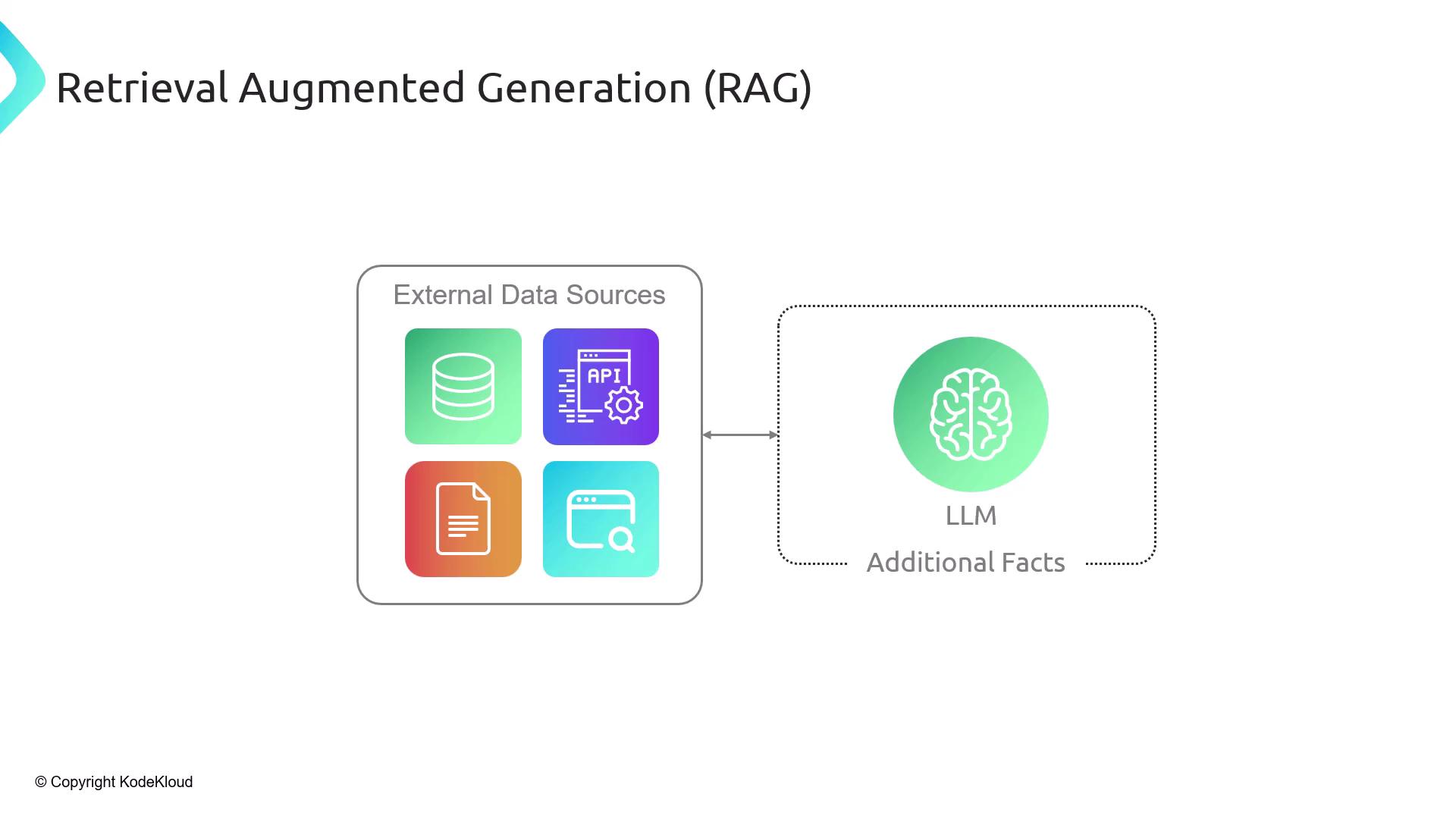
Retrieval-Augmented Generation (RAG) is a two-step framework:- Retrieve relevant context from external data sources.
- Augment the LLM prompt with those facts before generation.
Why Not Send the Entire Document?
- Context window limits: LLMs can’t process an entire 100-page PDF in one go.
- Efficiency: Fetching only necessary chunks saves on compute and token usage.
- Explainability: You can cite the exact source of each fact.
- Privacy & Control: Only selected passages are exposed to the model.
RAG Workflow Overview
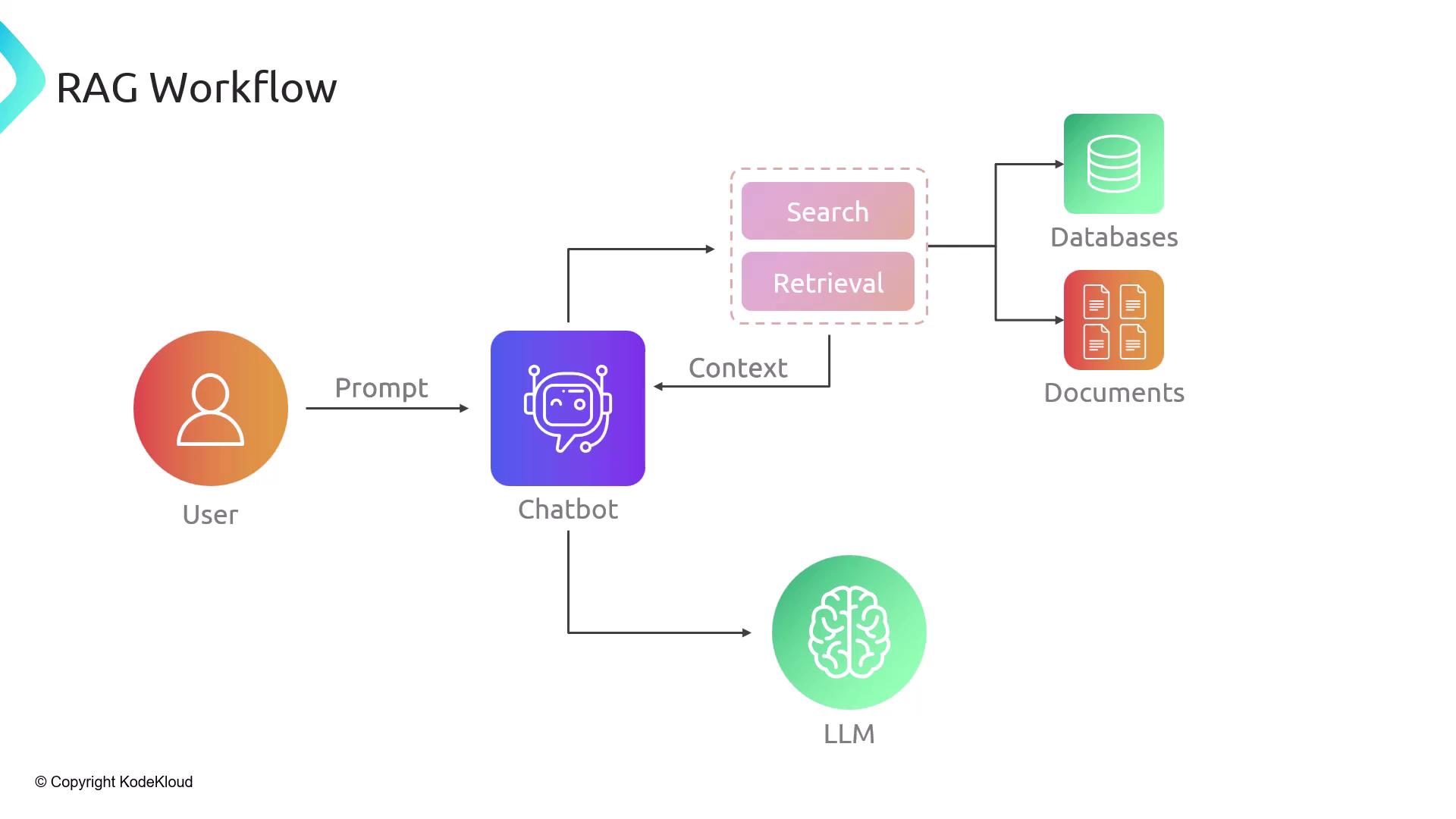
A typical RAG pipeline consists of five steps:- User Query: The user asks a question.
- Search: The system queries databases or document stores.
- Context Injection: Retrieved passages are inserted into the prompt.
- LLM Call: The augmented prompt is sent to the LLM.
- Response: The model generates an answer, which is returned to the user.
Two Phases of RAG
Phase 1: Indexing
- Load unstructured documents (PDFs, HTML, JSON, images).
- Split each document into manageable chunks (sentences, paragraphs, or token windows).
- Embed each chunk via an embeddings model, producing numerical vectors.
- Store these vectors in a vector database (e.g., Chroma, Milvus, Weaviate).
Choosing the right chunk size (e.g., 500 tokens) balances retrieval precision and recall.

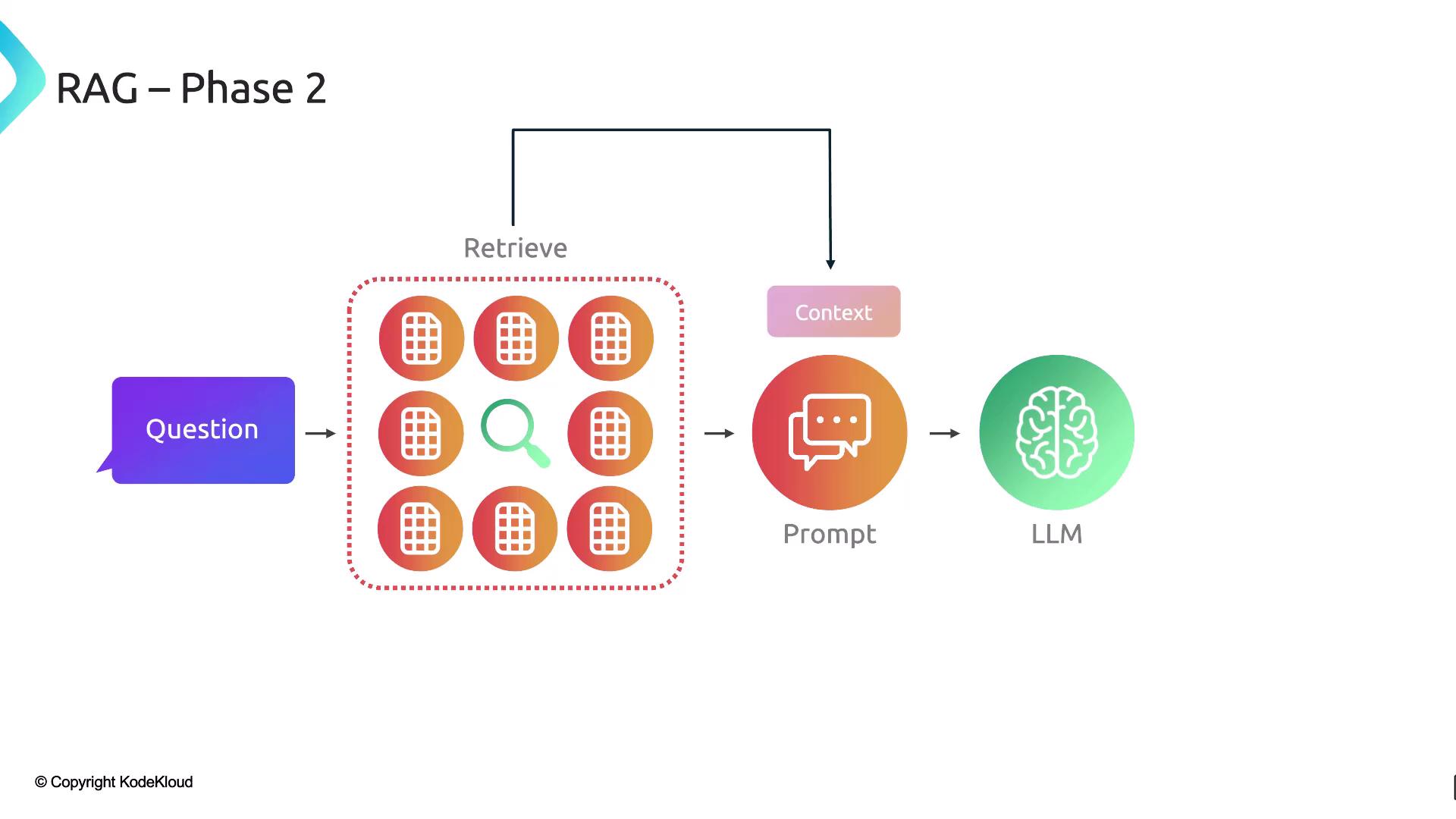
Phase 2: Retrieval
- Embed the user’s query using the same embeddings model.
- Perform a semantic search against stored vectors in the vector database.
- Retrieve the top‐k matching chunks.
- Augment the original prompt with those chunks.
- Generate the final answer via the LLM.
Building a RAG Pipeline with LangChain
LangChain offers modular components to assemble a complete RAG workflow:| Component | Description |
|---|---|
| Document Loaders | Fetch external data (PDFs, web pages, APIs) |
| Text Splitters | Break documents into searchable chunks |
| Embeddings Models | Convert text chunks into semantic vectors |
| Vector Stores | Store and index vectors for efficient similarity search |
| Retrievers | Query vector stores to retrieve the most relevant document chunks |