

Key libraries and imports
Use the following imports in your notebook:High-level workflow
- Load the PDF and split it into pages.
- Chunk pages into smaller passages to control context length.
- Embed chunks with an embeddings model.
- Index embeddings into a vector store (Chroma).
- Create a retriever from the vector store to fetch relevant passages at query time.
- Format retrieved passages into a single context string.
- Compose an LCEL chain: retriever -> formatter -> prompt -> LLM -> output parser.
- Ask questions; the chain returns answers grounded in the document.
Step-by-step implementation
1) Load the PDF and split into page documents
2) Create chunks from the pages
chunk_size and chunk_overlap based on your LLM’s context window and the granularity you need.
3) Initialize embeddings and index chunks into Chroma
4) Create a retriever from the vector store
5) Helper to format retrieved docs into a single context string
6) Set up the LLM and prompt template
context, reducing hallucinations.
Tip: You can expand the prompt to include explicit formatting requirements, a maximum answer length, or citation formatting (e.g., “Answer with the source page number in brackets after each sentence”).
7) Build the LCEL chain that connects retriever -> formatter -> prompt -> LLM -> output parser
The LCEL pipeline retrieves relevant chunks at runtime, formats them, fills the prompt template, calls the LLM, and parses the output into a string.Warning: Retrieval quality depends on chunking strategy, embedding model, and vector store configuration. Also monitor API usage and costs when calling embedding and LLM endpoints.
8) Invoke the chain with user questions
Example 1 — ask about sick leaves: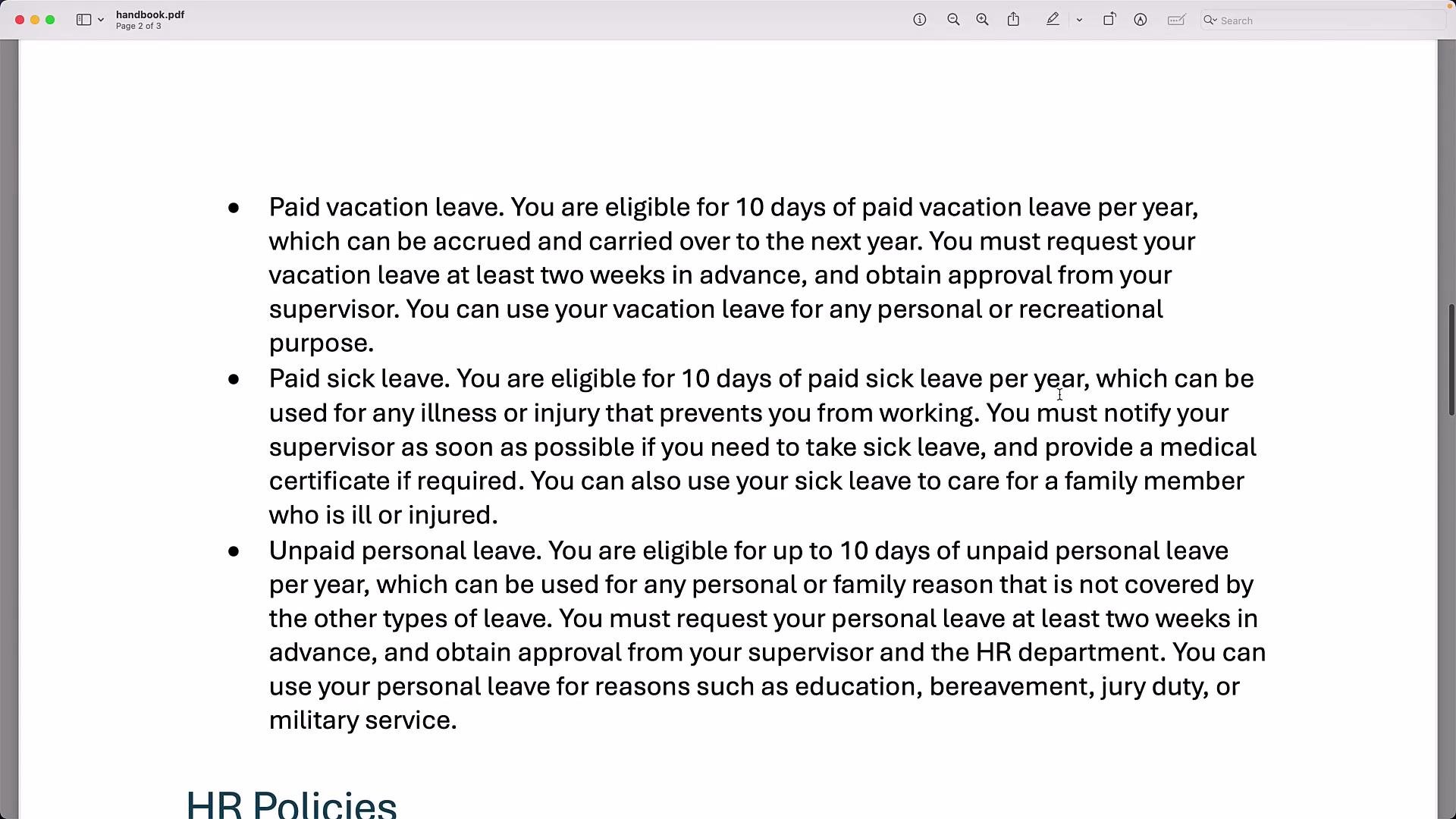
Quick reference: Steps & commands
Summary
- Load PDFs with a document loader (PyPDFLoader) and split them into pages.
- Chunk pages with a TextSplitter (RecursiveCharacterTextSplitter) for reliable retrieval.
- Embed chunks using OpenAIEmbeddings and index them in Chroma.
- Use the vector store’s retriever to fetch relevant passages at query time.
- Format retrieved passages into a context string and pass it to the LLM via an LCEL chain so the LLM answers strictly from the document.
- This RAG pattern reduces hallucinations and enables document-grounded chatbots. Extend it by adding a UI, supporting arbitrary PDF uploads, or integrating advanced retrieval (reranking, hybrid search) and QA techniques.
Links and References
- LangChain — Learn LangChain
- Chroma documentation: https://www.trychroma.com/
- OpenAI embeddings & models: https://platform.openai.com/docs/models