

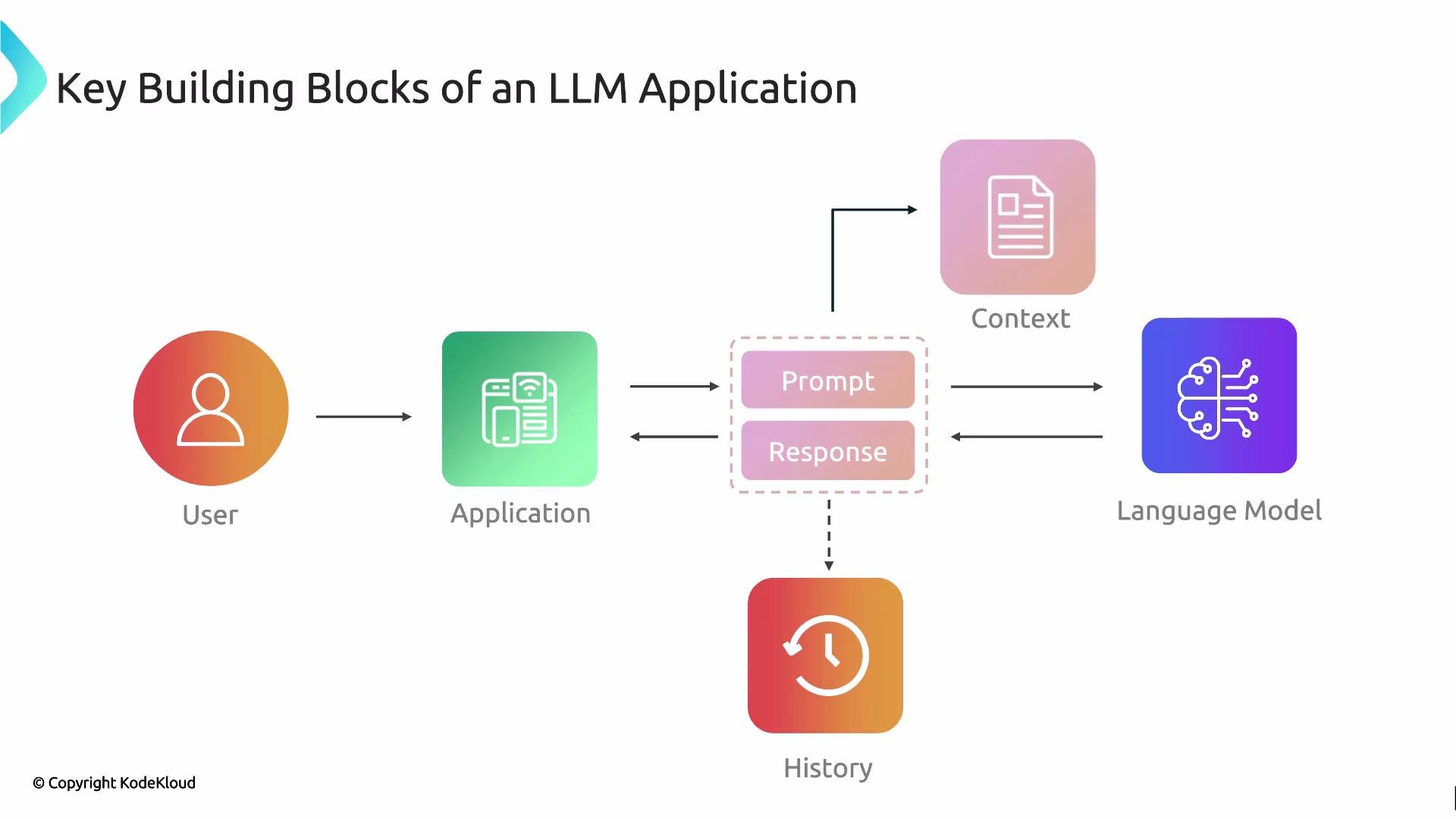
- User interface (UI): The front-end where users enter queries, upload files, or interact via forms and buttons.
- Prompt: The text or structured input composed by the application and/or the user and sent to the LLM.
- Language model (LLM): The model (e.g., GPT family) that consumes the prompt and generates a response.
- Context (external data): Documents, knowledge bases, or files used to ground the model’s output and reduce hallucinations.
- Response: The LLM’s generated text, or structured data, returned to the application.
- History (conversation state): Stored interactions and metadata that enable multi-turn conversations and continuity.
- User interacts with the UI.
- The application constructs a prompt—optionally enriching it with context and conversation history.
- The prompt is sent to the LLM.
- The LLM returns a response.
- The application persists relevant parts of the exchange to history (for retrieval, analytics, or future turns).
Design tip: Always plan how context and history will be retrieved and injected into prompts. Proper retrieval and prompt management are key to reducing hallucinations and maintaining conversational continuity.
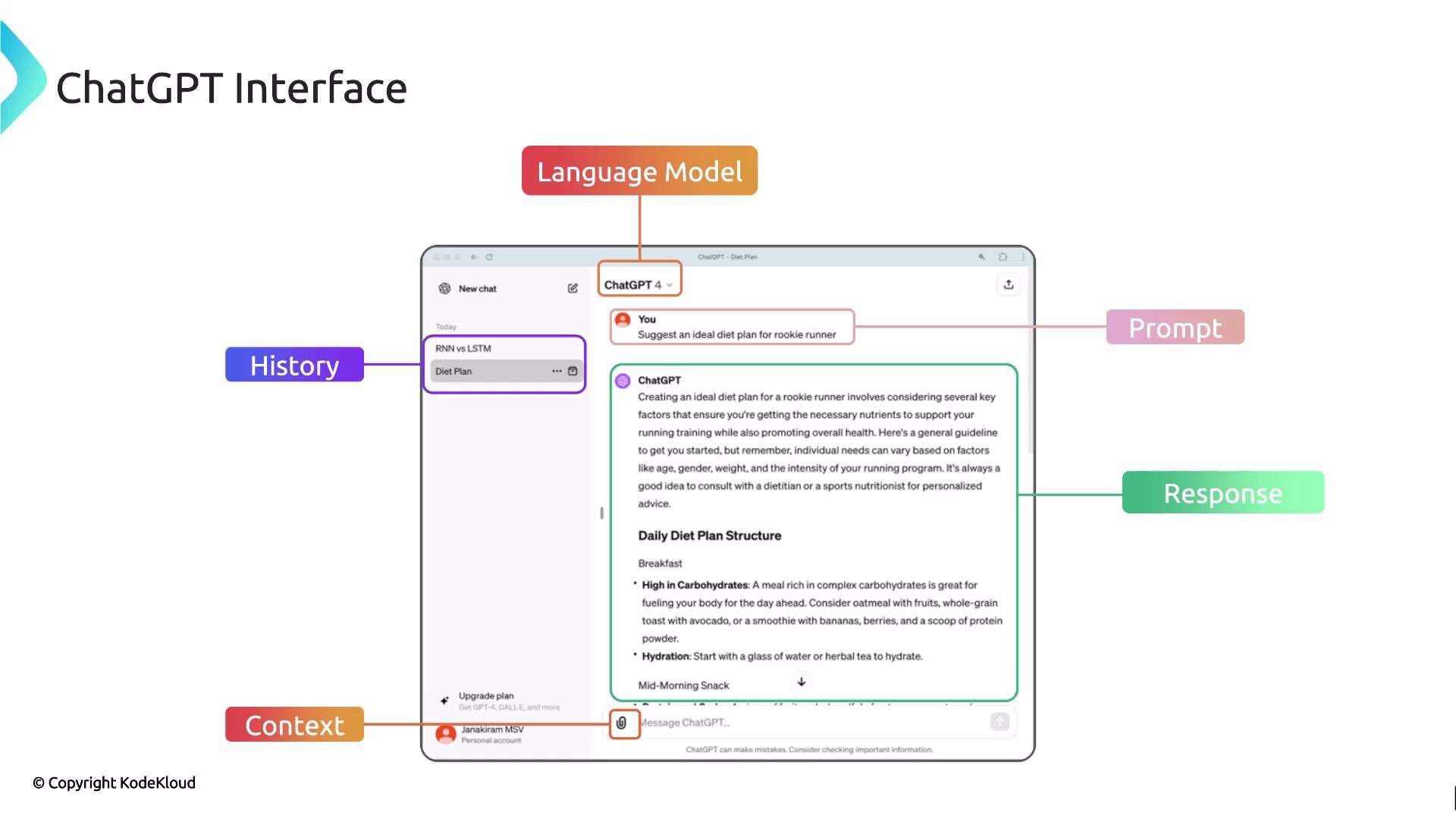
- Language model: Selectable models (e.g., GPT-3.5, GPT-4) — this is the LLM producing responses.
- Prompt: The user-entered query (for example, “ideal diet plan for a rookie runner”).
- Context: Uploaded files (PDFs, docs) or connected data sources that provide domain facts and constraints.
- Response: The model-generated recommendations, instructions, or answers.
- History: Saved conversations you can re-open to continue a multi-turn dialog.
By combining prompt design, appropriate model selection, contextual retrieval, and persistent history, applications achieve both conversational continuity and higher factual relevance. Mastering how each component interacts is an essential step before you start building production-grade GenAI applications.
Next: we’ll examine each building block in depth and explore design patterns for integrating them in scalable, production systems.
Links and references