

Core message types
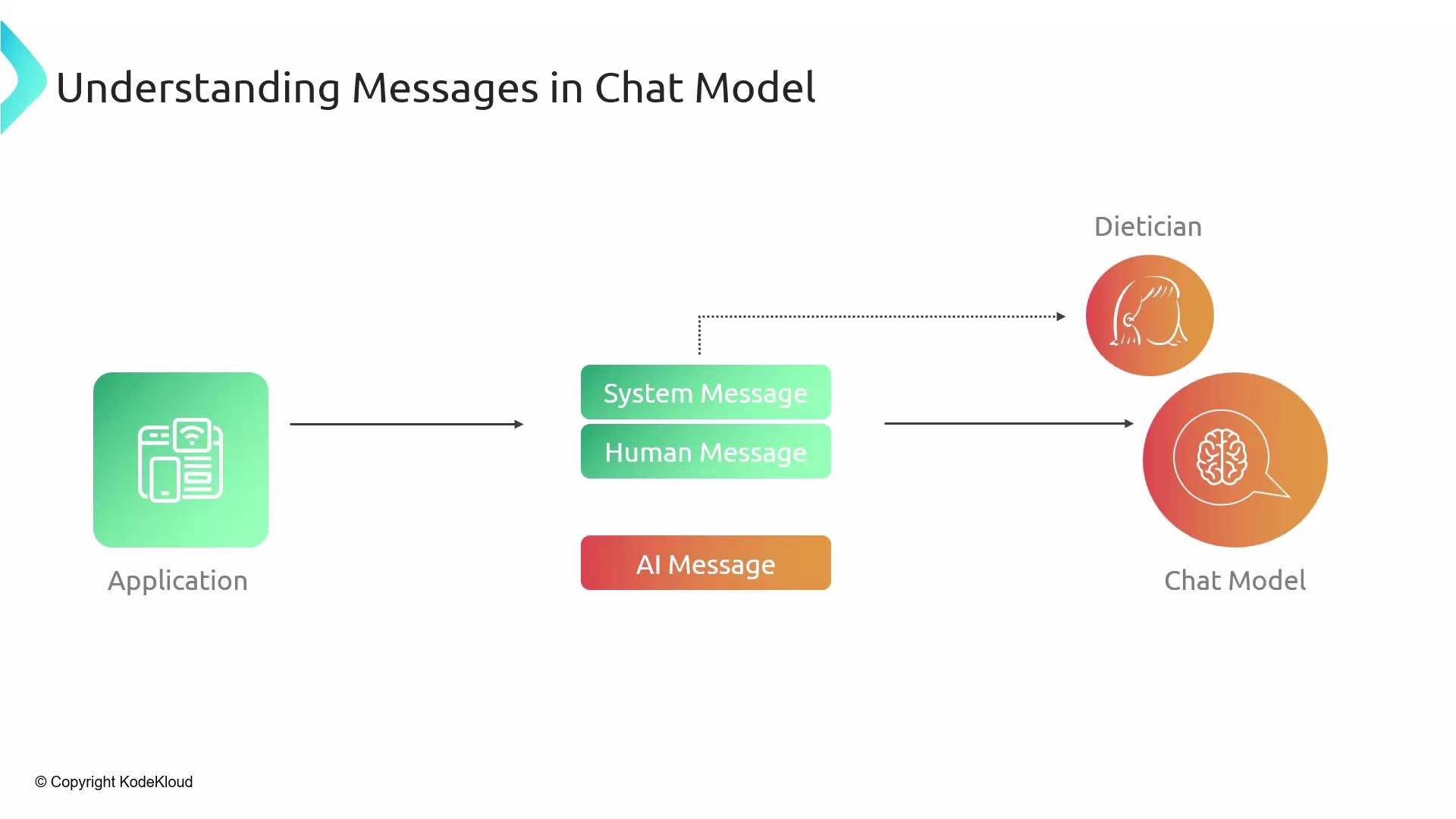
A chat conversation is typically composed from three message types:- System message — a global instruction that defines the assistant’s persona, behavior, or tone for the session (for example, “You are a dietician” or “You are a physics teacher”).
- Human message — the user’s input or prompt. Human messages are sent repeatedly as the conversation continues.
- AI message — the model’s responses generated in reply to the human messages and shaped by the system message.
Quick reference table
Example: building a chat prompt in LangChain (Python)
In LangChain, chat prompts for chat models are represented as ordered lists of message objects. Below is a simple Python example showing how to build that list and call the chat model.Best practices and common usage patterns
- Always place the system message at the start of the message list so it influences later replies.
- Send human messages repeatedly as the user interacts; the model will reply with AI messages for each turn.
- If you need to change the assistant’s persona mid-session, prefer replacing the system message rather than appending multiple system messages (multiple system messages can be confusing).
- To preserve a persona across separate sessions, include the system message at the start of each new session—models do not retain state between sessions.
Use the system message to reliably set tone and role (for example, professional, friendly, or terse). Treat the sequence of messages as the full conversation context sent to the model.