Why Retrieval Matters
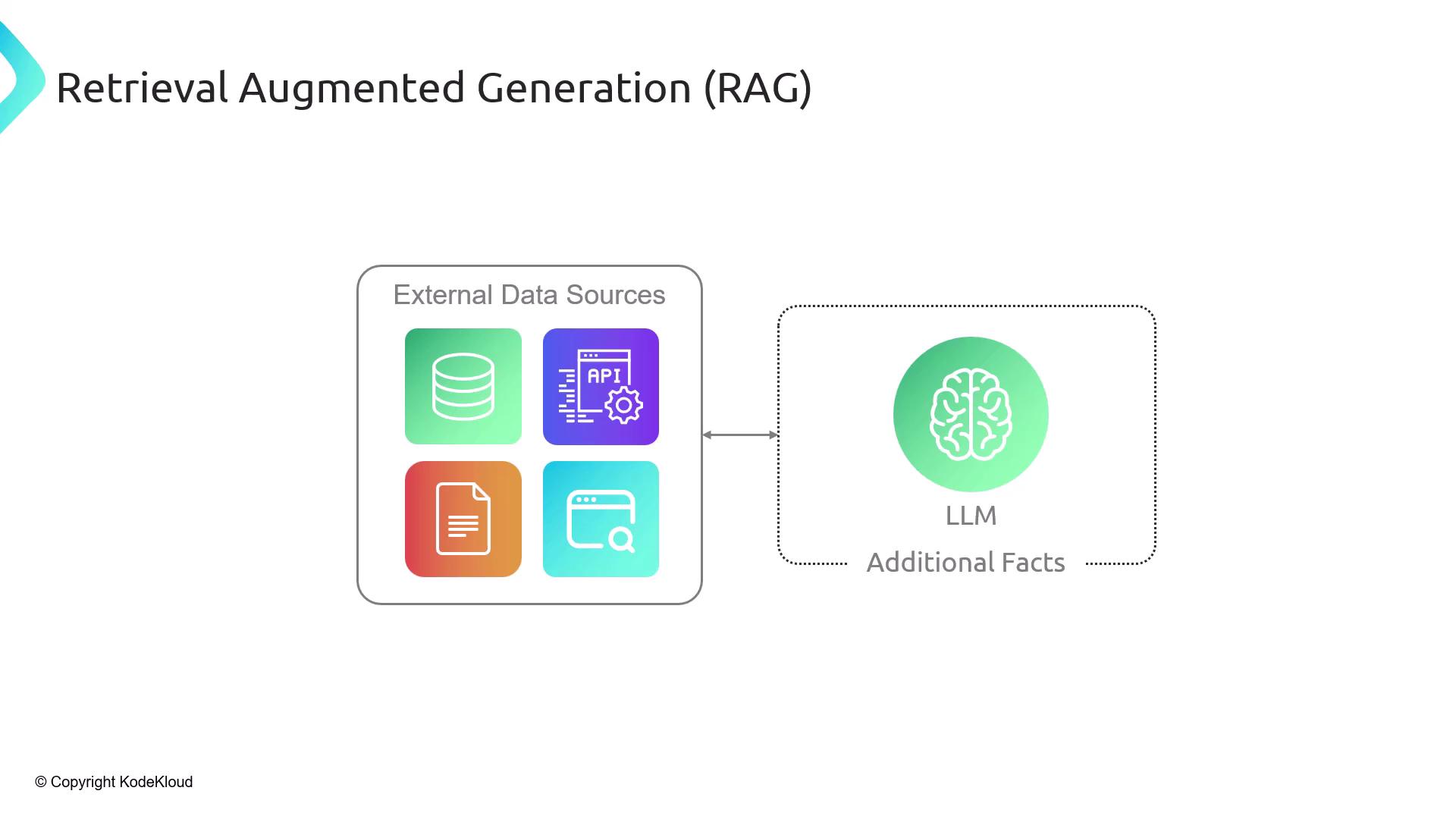
Large language models rely on context—external data and background—to generate accurate, factual responses. Without relevant context, models often “hallucinate,” producing plausible but incorrect information.| Data Source | Example Systems | Use Case |
|---|---|---|
| Relational Databases | MySQL, PostgreSQL, SQLite | Structured queries via SQL |
| NoSQL Databases | MongoDB | Flexible document storage |
| Full-Text Search | Elasticsearch | Keyword-based document retrieval |
| Vector Databases | Pinecone, Chroma, Milvus, Weaviate | Semantic search with embeddings |
| Document Stores | PDF, Word, HTML, CSV (e.g., Amazon S3) | Unstructured file retrieval |
| APIs & Web Search | REST endpoints, real-time web scraping | Live data fetching |

Retrieving only the most relevant passages keeps your prompt within the LLM’s context window (e.g., 4,096 tokens) and reduces hallucinations.
What Is Retrieval-Augmented Generation (RAG)?
Retrieval-Augmented Generation (RAG) is a two-step framework:- Retrieve relevant context from external data sources.
- Augment the LLM prompt with those facts before generation.
Why Not Send the Entire Document?
- Context window limits: LLMs can’t process an entire 100-page PDF in one go.
- Efficiency: Fetching only necessary chunks saves on compute and token usage.
- Explainability: You can cite the exact source of each fact.
- Privacy & Control: Only selected passages are exposed to the model.
RAG Workflow Overview
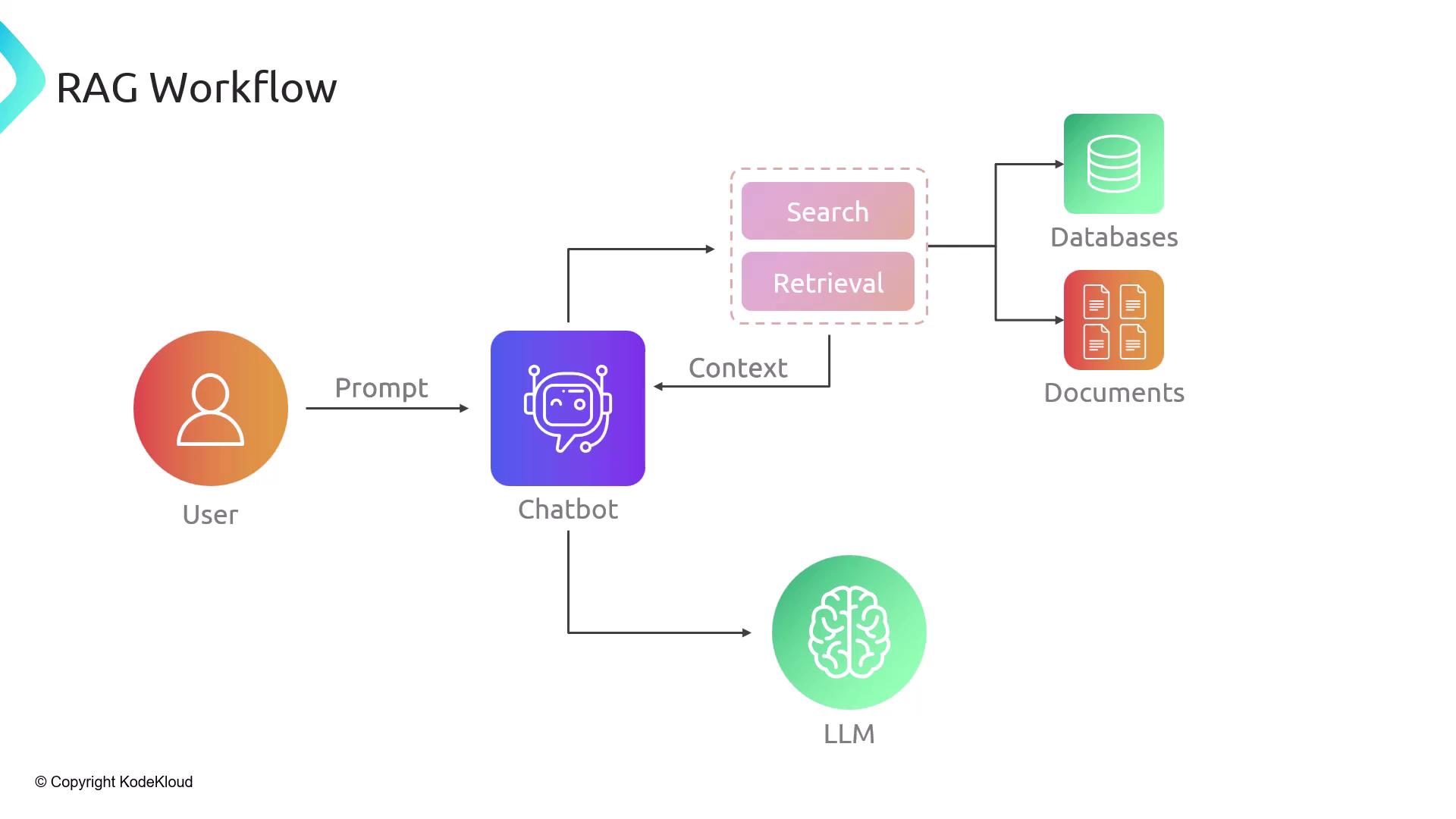
A typical RAG pipeline consists of five steps:- User Query: The user asks a question.
- Search: The system queries databases or document stores.
- Context Injection: Retrieved passages are inserted into the prompt.
- LLM Call: The augmented prompt is sent to the LLM.
- Response: The model generates an answer, which is returned to the user.
Two Phases of RAG
Phase 1: Indexing
- Load unstructured documents (PDFs, HTML, JSON, images).
- Split each document into manageable chunks (sentences, paragraphs, or token windows).
- Embed each chunk via an embeddings model, producing numerical vectors.
- Store these vectors in a vector database (e.g., Chroma, Milvus, Weaviate).
Choosing the right chunk size (e.g., 500 tokens) balances retrieval precision and recall.

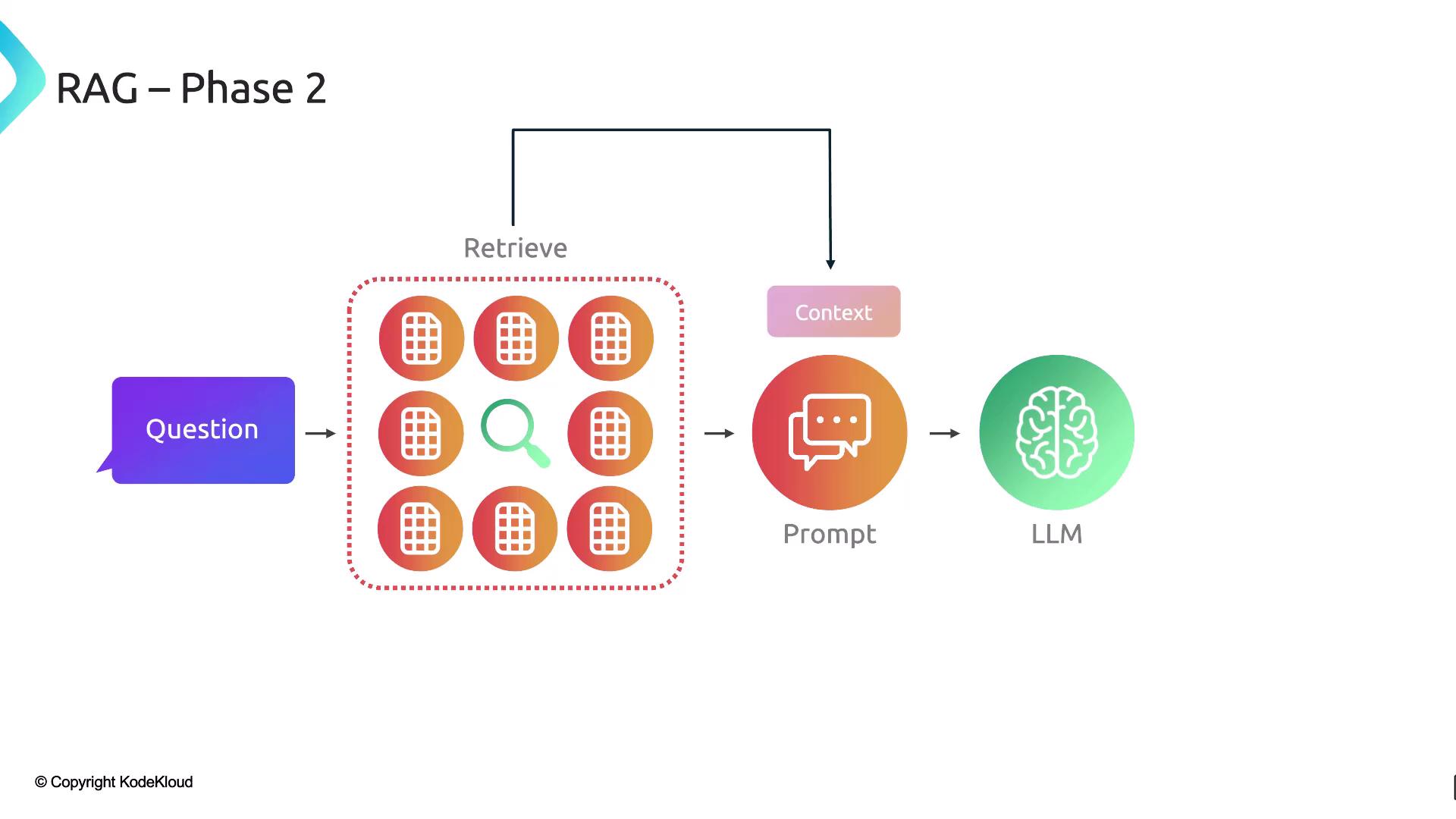
Phase 2: Retrieval
- Embed the user’s query using the same embeddings model.
- Perform a semantic search against stored vectors in the vector database.
- Retrieve the top‐k matching chunks.
- Augment the original prompt with those chunks.
- Generate the final answer via the LLM.
Building a RAG Pipeline with LangChain
LangChain offers modular components to assemble a complete RAG workflow:| Component | Description |
|---|---|
| Document Loaders | Fetch external data (PDFs, web pages, APIs) |
| Text Splitters | Break documents into searchable chunks |
| Embeddings Models | Convert text chunks into semantic vectors |
| Vector Stores | Store and index vectors for efficient similarity search |
| Retrievers | Query vector stores to retrieve the most relevant document chunks |