Welcome back. In this lesson we’ll cover Kubernetes MCP (Multi-Cluster Proxy) and how it helps connect distributed AI agent infrastructure across clusters, regions, and air-gapped environments. Topics covered:
  • What Kubernetes MCP is and why it matters for AI agent infrastructure
  • Core architecture: servers, clients, proxies, and tunnels
  • MCP server and client interaction
  • How MCP enables distributed AI agents and secures AI workflows across clusters
  • Use cases and an MCP vs. traditional load balancer comparison
  • Deploying MCP with Helm and Kubernetes
  • Best practices for AI agent scaling with MCP
  • Limitations and monitoring considerations
As agent-based systems grow in scale and complexity, they often need to operate across multiple clusters, regions, or isolated networks. Kubernetes MCP — Multi-Cluster Proxy — provides secure, tunneled connectivity between clusters, enabling cross-cluster routing and real-time interactions without exposing internal services to the public internet. For teams building large-scale or enterprise AI systems, understanding MCP is essential for secure, scalable, and cost-effective deployments.
The image is an introductory slide about "Kubernetes MCP" (Multi-Cluster Proxy), an open-source tool for connecting isolated Kubernetes environments.
Problem statement: in traditional Kubernetes architectures, clusters are isolated by default. Exposing services across regions or to other clusters typically requires complicated network changes, VPNs, or public endpoints. MCP addresses these challenges by creating persistent, secure tunnels from MCP clients (deployed alongside your services) back to a central MCP server. This avoids redesigning cluster networking and reduces the need to expose internal services publicly — a pattern that fits hybrid cloud, multi-region, and air-gapped use cases.
The image is a slide titled "Kubernetes MCP – Introduction," noting its relevance for enterprises managing certain tasks. It includes a Copyright notice for KodeKloud.
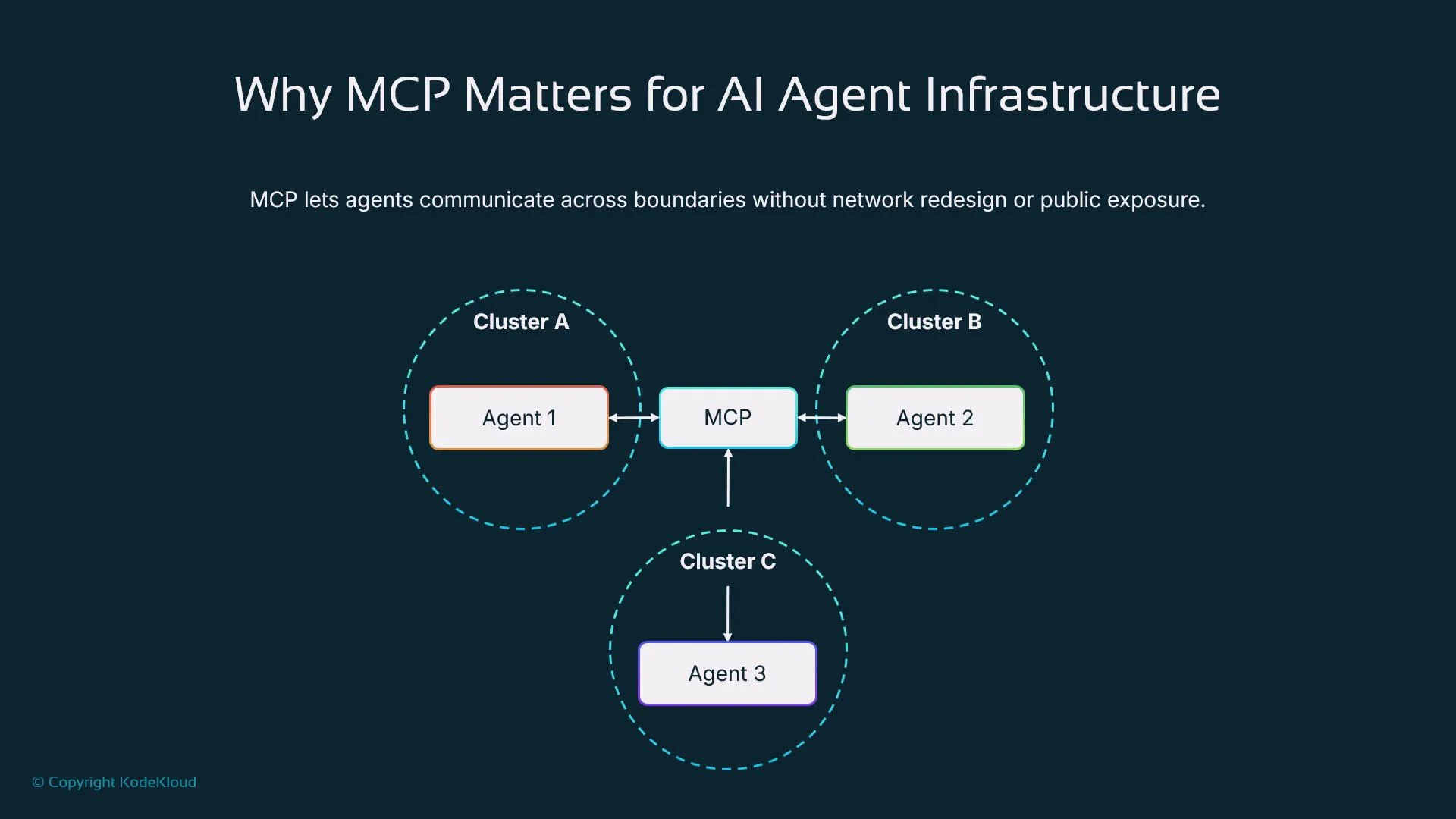
By acting as a central routing layer, MCP enables services in one cluster to securely access services in another — databases, internal APIs, or LLM inference endpoints — without changing cluster networking. In AI agent ecosystems, components (memory stores, inference services, orchestrators) are often distributed for cost, latency, or compliance reasons. MCP lets these components interoperate across cluster boundaries while preserving security and minimizing operational changes.
The image explains the importance of MCP for AI agent infrastructure, showing how agents from different clusters communicate via MCP without network redesign or public exposure. It includes clusters A, B, and C, each containing an agent connected through MCP.
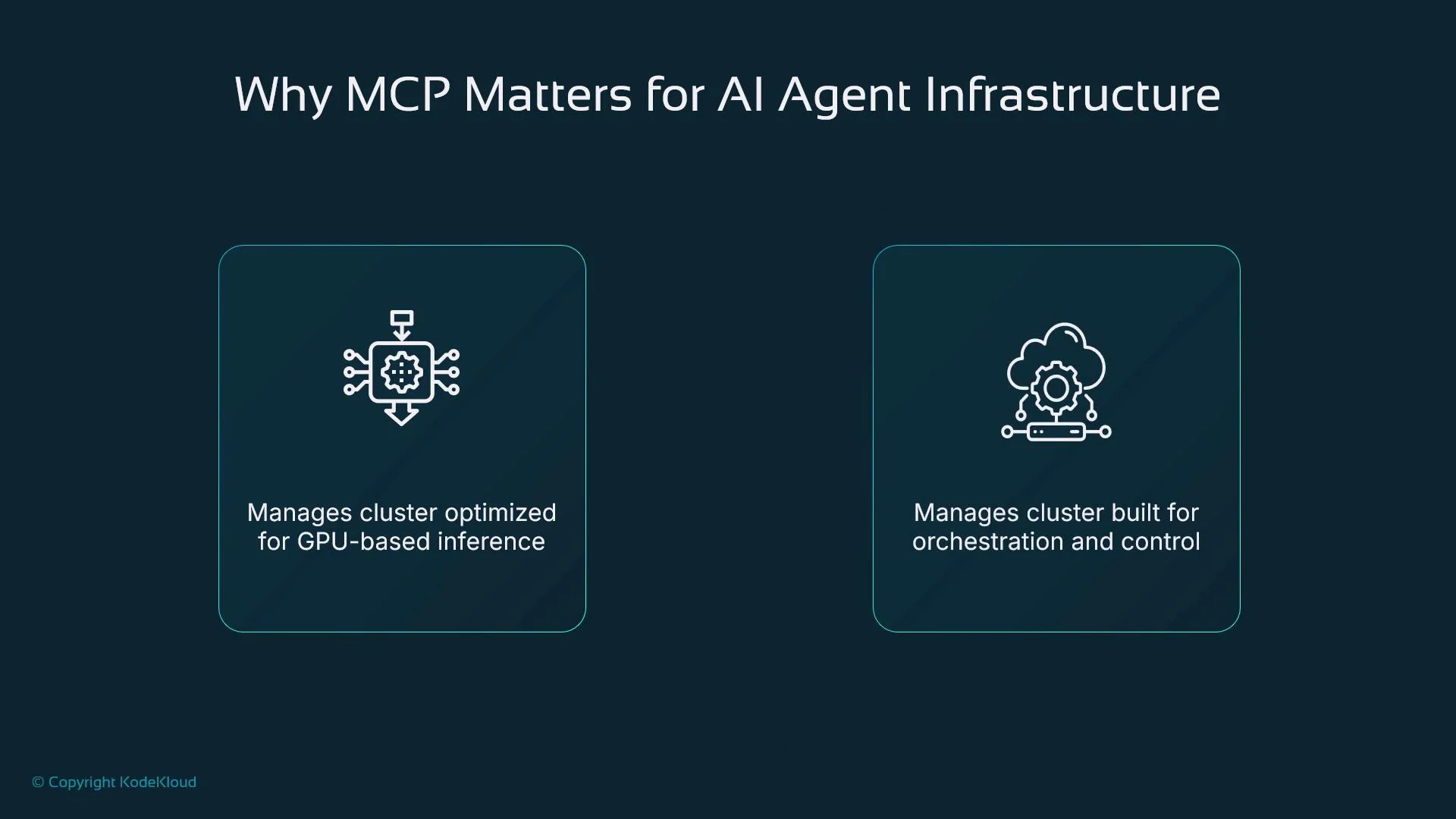
This architecture makes it easy to colocate GPU-accelerated inference in one cluster, run orchestration or planning agents in another, and host sensitive data in a locked-down region — all while maintaining low-latency, secure access between them.
The image highlights the importance of MCP for AI agent infrastructure, detailing its roles in managing GPU-based inference and orchestration and control clusters.
Core architecture overview
ComponentRole
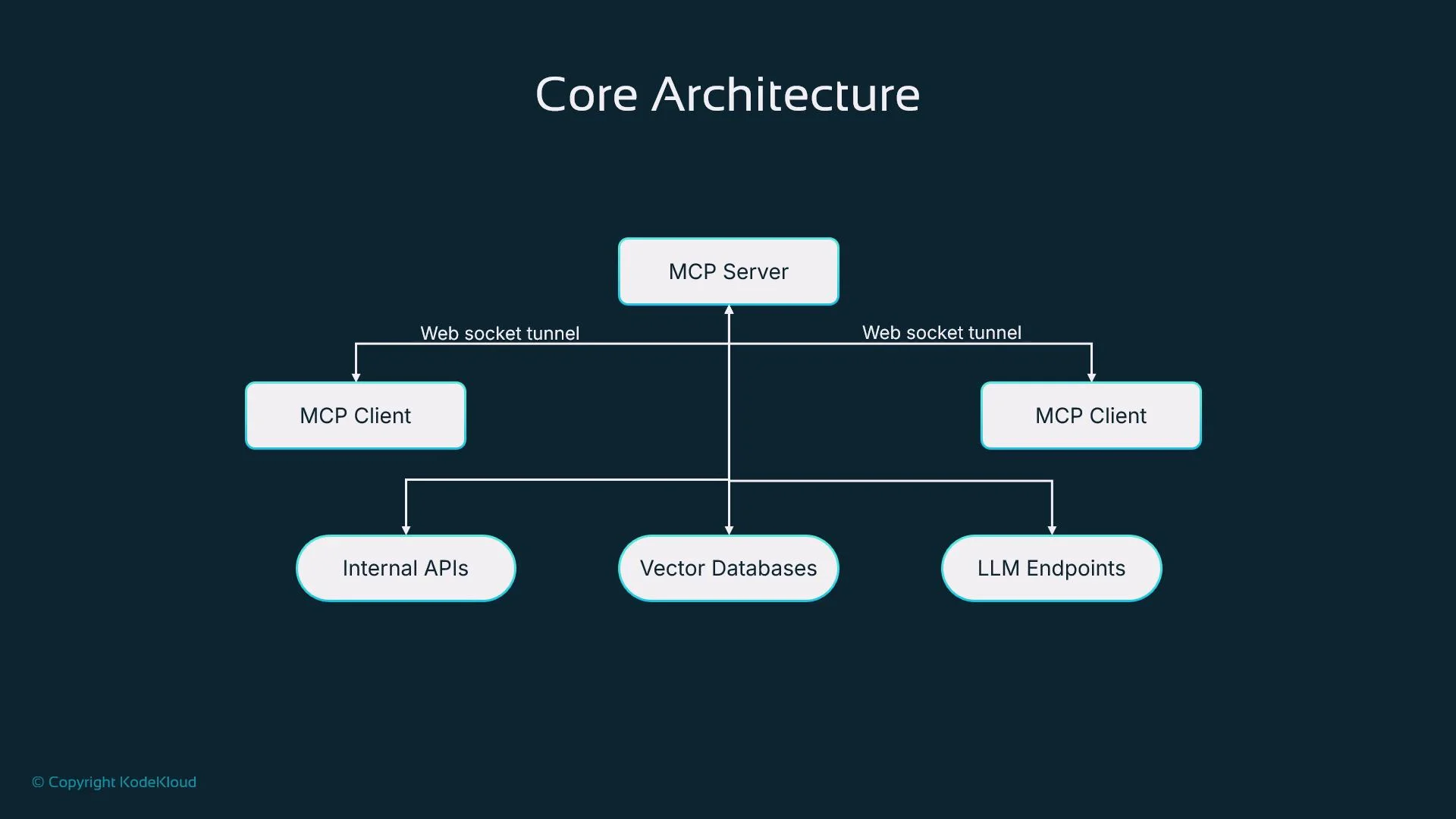
MCP serverCentral routing hub (typically in a hub/central cluster). Maintains registry of available services and active client tunnels.
MCP client (agent)Runs in satellite/remote clusters. Opens and maintains a persistent secure tunnel to the MCP server and registers local services to proxy.
Service registrationMechanism for clients to announce which local services (internal APIs, vector DBs, LLM endpoints) are reachable via the tunnel.
Tunnel transportPersistent WebSocket connections (wss://) or similar secure channels used to route traffic bidirectionally.
When a client or external host needs access to a registered service, the MCP server routes the request down the correct tunnel to the target client; responses are returned the same way. This enables cross-cluster communication without exposing internal IPs or creating a full mesh.
The image is a diagram titled "Core Architecture," showing an MCP Server connected via web socket tunnels to MCP Clients, which in turn connect to Internal APIs, Vector Databases, and LLM Endpoints.
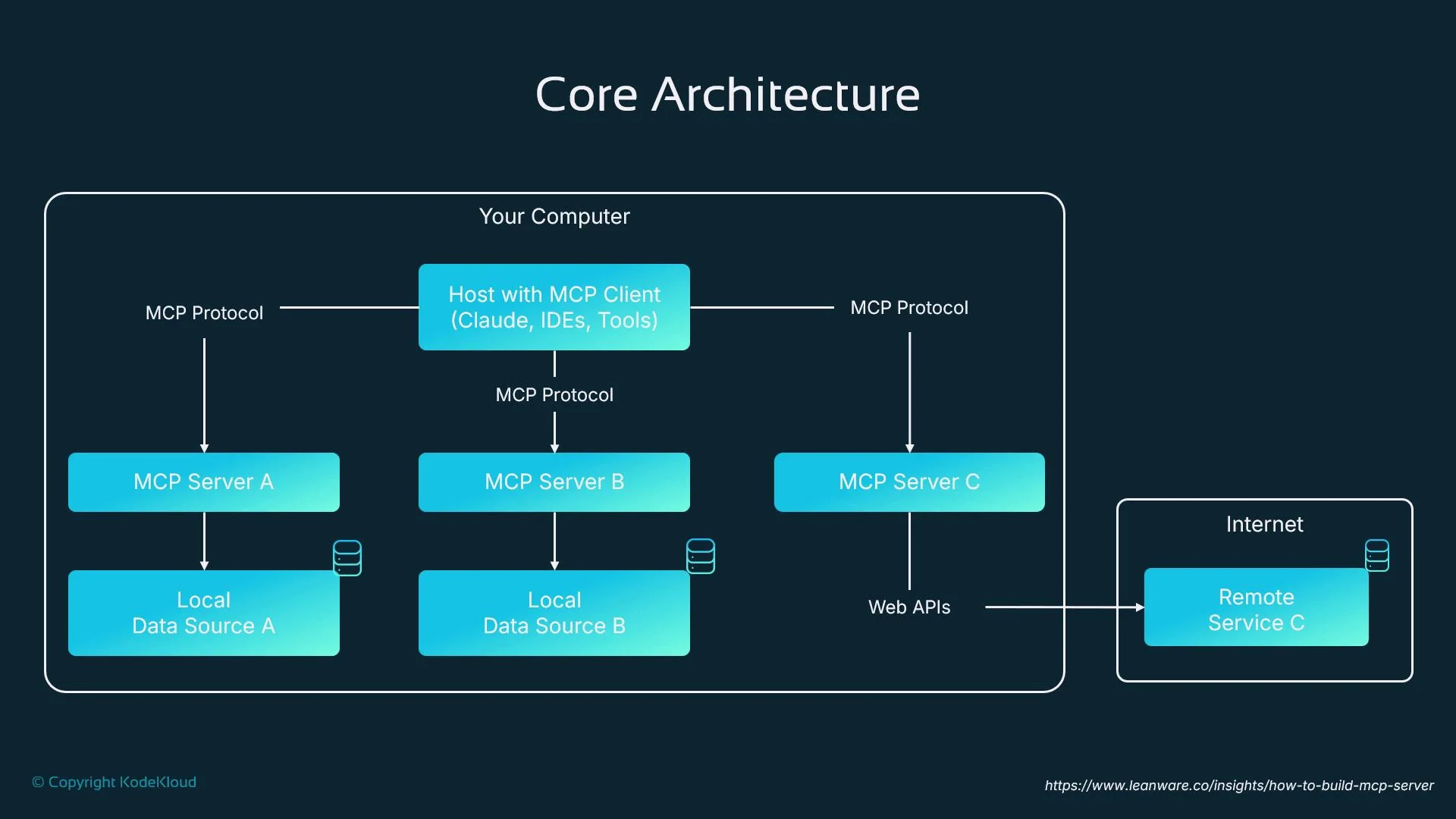
Common deployment pattern A typical pattern is a client–server model:
  • Host application (IDE, agent runtime, or developer tool) runs an MCP client and talks to one or more MCP servers.
  • Each MCP server connects to local data sources and may also proxy requests to remote web APIs.
  • Hosts pull context or data from multiple clusters in real time, supporting decentralized data integration and task coordination.
The image shows a diagram of a core architecture featuring MCP (Message Control Protocol) servers connecting to local data sources and a remote service via web APIs. It represents the interactions between components on a computer and the internet.
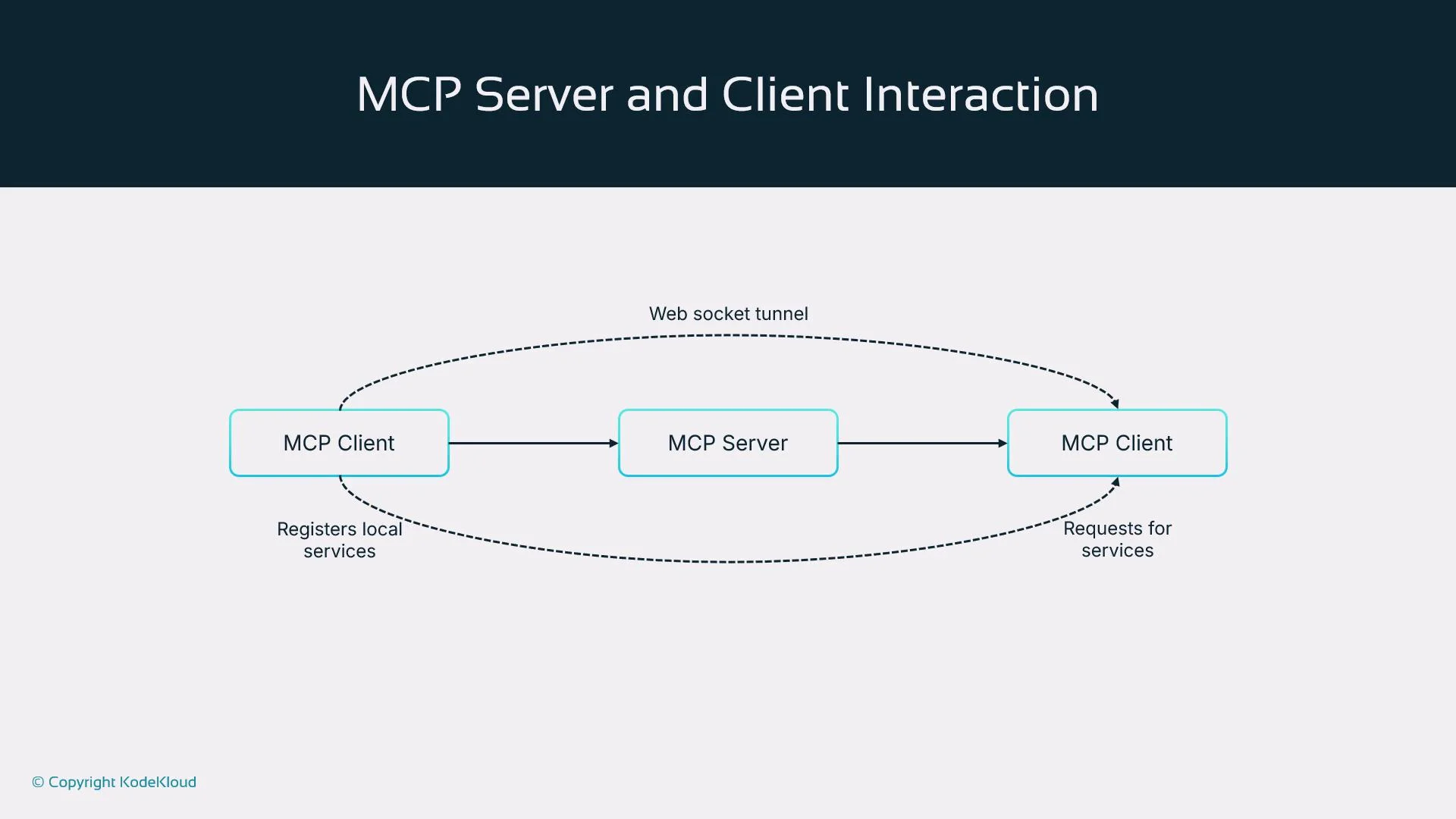
MCP interactions (high-level flow) When a client starts:
  1. Opens a secure WebSocket tunnel to the MCP server (commonly wss://).
  2. Authenticates (mTLS, tokens, or platform-specific mechanisms).
  3. Registers the services it can proxy.
  4. Listens for proxied requests forwarded by the server and routes them to local services.
Requests from other clients or from the server travel via the MCP server and the selected client tunnel to the destination service; responses flow back through the same path. This design provides secure, bidirectional routing across clusters.
The image illustrates the interaction between MCP Clients and an MCP Server via a web socket tunnel, showing how clients register local services and request services.
Why MCP matters for AI agent systems Modern AI agent ecosystems are distributed by design:
  • Inference often runs on GPU-optimized clusters.
  • Memory/knowledge stores may be placed in specific regions for compliance.
  • Planners or orchestrators can run in secure zones.
MCP maintains separation of concerns while providing low-latency, secure access between these components. Instead of implementing complex network policies across clusters, MCP handles discovery and routing at the application layer. Security considerations
  • Encrypt all tunnels (wss/TLS).
  • Use authentication: mutual TLS (mTLS) or token-based authentication to authorize clients.
  • Apply IP allow-listing and RBAC at the MCP server to restrict reachability of registered services.
  • Never expose sensitive services directly to the public internet; prefer tunneled access through MCP.
For regulated environments (healthcare, finance, defense), pair MCP with strict certificate lifecycle management, centralized audit logging, and least-privilege service definitions to meet compliance and audit requirements.
Real-world use cases
  • Research agents in one region accessing production-only services in a separate region without making those services public.
  • Dedicated GPU clusters exposing LLM inference endpoints locally while orchestration agents run in other clusters.
  • Edge devices (robots, appliances) creating secure tunnels back to a centralized planner in a hub cluster.
MCP vs. traditional load balancers
AspectLoad BalancerKubernetes MCP
ScopeDistributes traffic within a region/VPC/clusterCross-cluster service discovery and secure routing
Use caseHorizontal scaling, HA within same networkTunneling and connecting isolated clusters/air-gapped environments
ExposureOften requires public endpoints or VPNsPreserves internal-only services via secure tunnels
ComplexityWell-supported for HTTP/TCP balancingAdds tunneling layer and service registry; better for autonomy across clusters
Use a load balancer for intra-cluster or single-cloud scaling. Use MCP when you need cross-cluster autonomy, secure multi-cluster orchestration, or to connect air-gapped/satellite clusters. Deploying MCP with Helm (high-level steps)
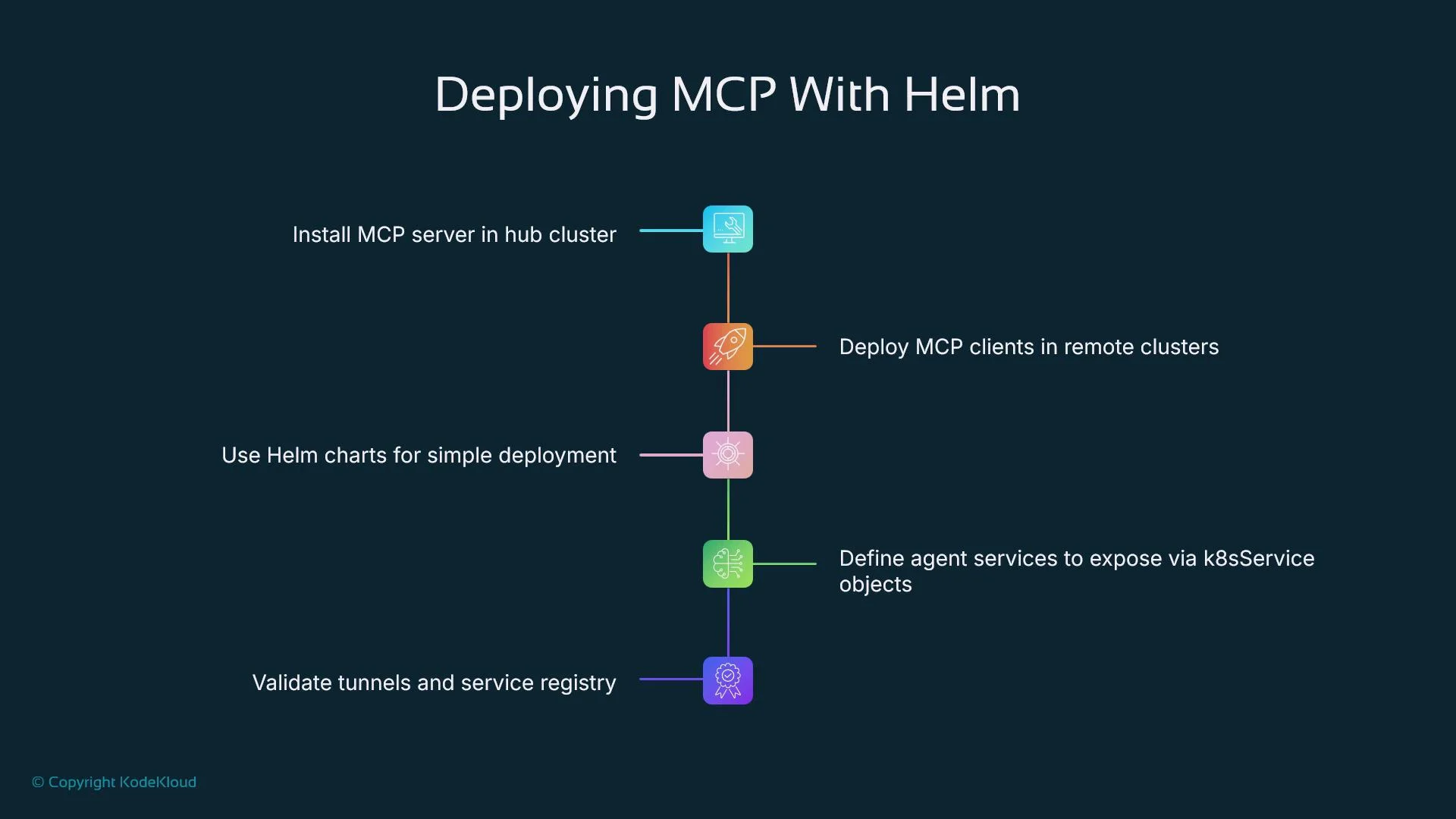
  1. Deploy MCP server into a central/hub cluster.
  2. Deploy MCP clients into satellite clusters and configure them to connect to the server.
  3. Define which services to expose using Kubernetes-native objects (Service, ConfigMap, or CRDs if provided by the MCP implementation).
  4. Verify tunnels and the service registry, then test end-to-end routing.
Example Helm commands (replace placeholders with your values):
# Add chart repo and update
helm repo add mcp https://charts.example.com/mcp
helm repo update

# Install MCP server in a hub cluster
helm install mcp-server mcp/mcp-server --namespace mcp-system --create-namespace

# Install an MCP client in a satellite cluster and point it at the server
helm install mcp-client mcp/mcp-client --namespace mcp-client --create-namespace \
  --set server.url="wss://mcp-server.example.com" \
  --set server.auth.token="YOUR_TOKEN_HERE"
After installation, confirm client tunnels and service registrations using kubectl and your MCP server status endpoints:
kubectl get pods -n mcp-system
kubectl get pods -n mcp-client
# Check registered services (implementation-specific)
kubectl get services -A
The image outlines steps for deploying MCP with Helm, including installing MCP server, deploying clients, using Helm charts, defining services, and validating tunnels and service registry.
Best practices for operating MCP at scale
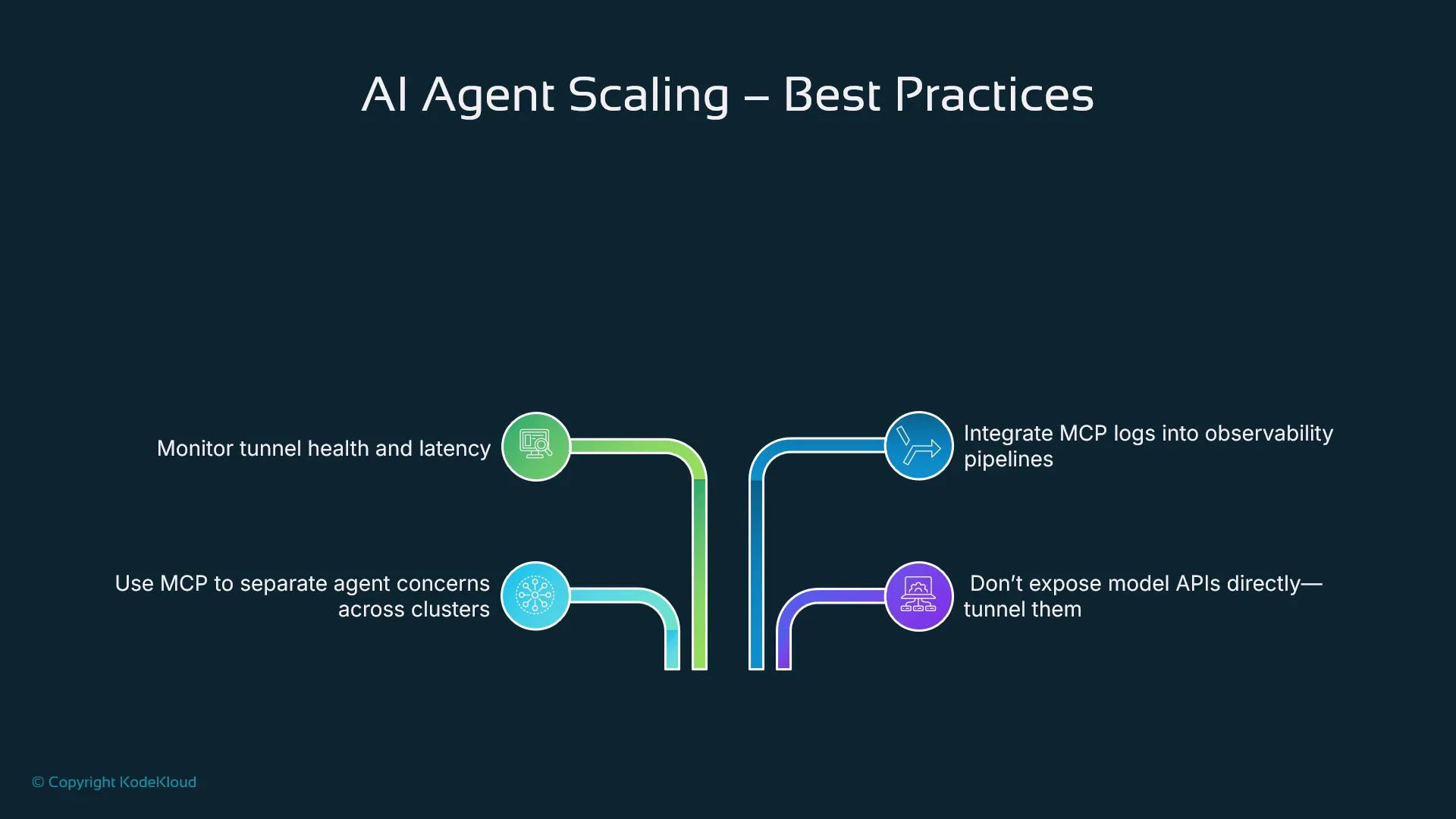
  • Separate agents by role and region. Keep memory, inference, and control agents in different clusters based on operational needs.
  • Avoid exposing sensitive services directly; always prefer tunneled access via MCP.
  • Monitor tunnel health and connection metrics. Latency spikes or dropped tunnels directly affect agent performance.
  • Integrate MCP logs and metrics into your observability stack (Prometheus, Grafana, EFK/ELK) to trace cross-cluster requests and speed up debugging. See Learn By Doing: AIOps Foundations - Intelligent Monitoring With Prometheus & Grafana and EFK Stack: Enterprise-Grade Logging and Monitoring.
  • Document service ownership per cluster to prevent overlap and ensure predictable routing.
The image provides best practices for scaling AI agents, including monitoring tunnel health, using MCP to manage clusters, integrating logs into pipelines, and tunneling APIs.
Limitations and monitoring considerations
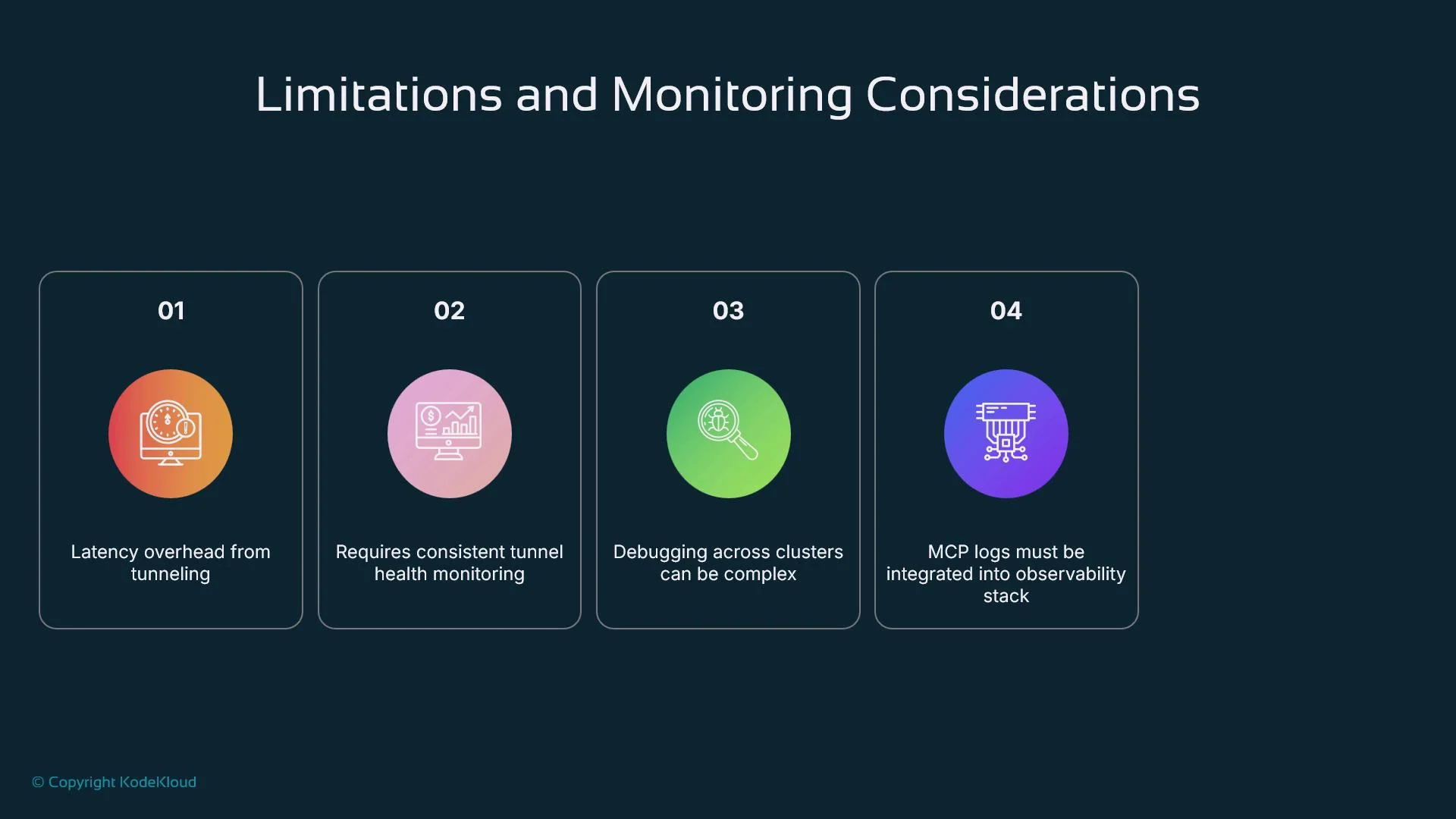
  • Latency: Tunneling adds overhead. For high-frequency, low-latency workloads, measure end-to-end latency and consider colocating tightly-coupled components.
  • Tunnel health: If a WebSocket tunnel drops, agent communication fails. Implement robust reconnection logic and active health checks.
  • Debugging complexity: Cross-cluster flows are multi-hop. Centralize logs and traces to reconstruct interactions across clusters.
  • Autoscaling: Many MCP implementations don’t auto-scale proxies out-of-the-box. Integrate with existing orchestration/autoscaling tools to handle load surges.
Monitor tunnel availability and end-to-end latency closely. For latency-sensitive inference, evaluate colocating inference components or using dedicated low-latency links rather than relying solely on cross-cluster tunnels.
The image outlines four limitations and monitoring considerations for a system, including latency overhead, tunnel health monitoring, debugging complexity, and integration of logs into the observability stack.
Wrap-up Kubernetes MCP is a practical solution for connecting distributed AI agents across clusters and network boundaries while preserving security, modularity, and deployment autonomy. With proper observability, authentication, and deployment hygiene, MCP simplifies multi-cluster AI architectures and enables teams to place services where they are most effective. For production-grade setups, combine MCP with strong certificate management, centralized logging/tracing, and an automation strategy for scaling and failover.

Watch Video