- Task automation fundamentals for AI agents
- Benefits and challenges
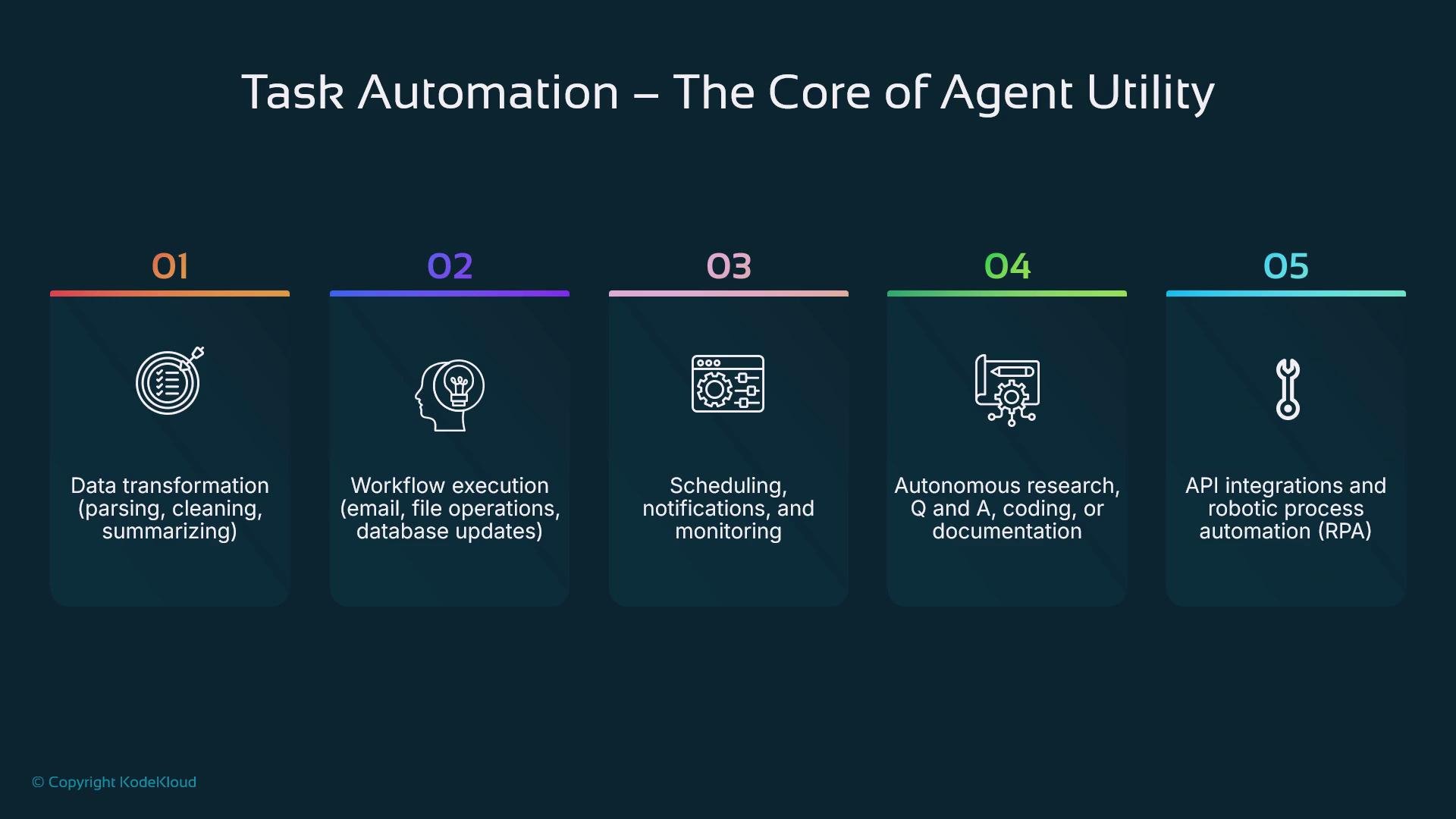
- Types of tasks and integrations
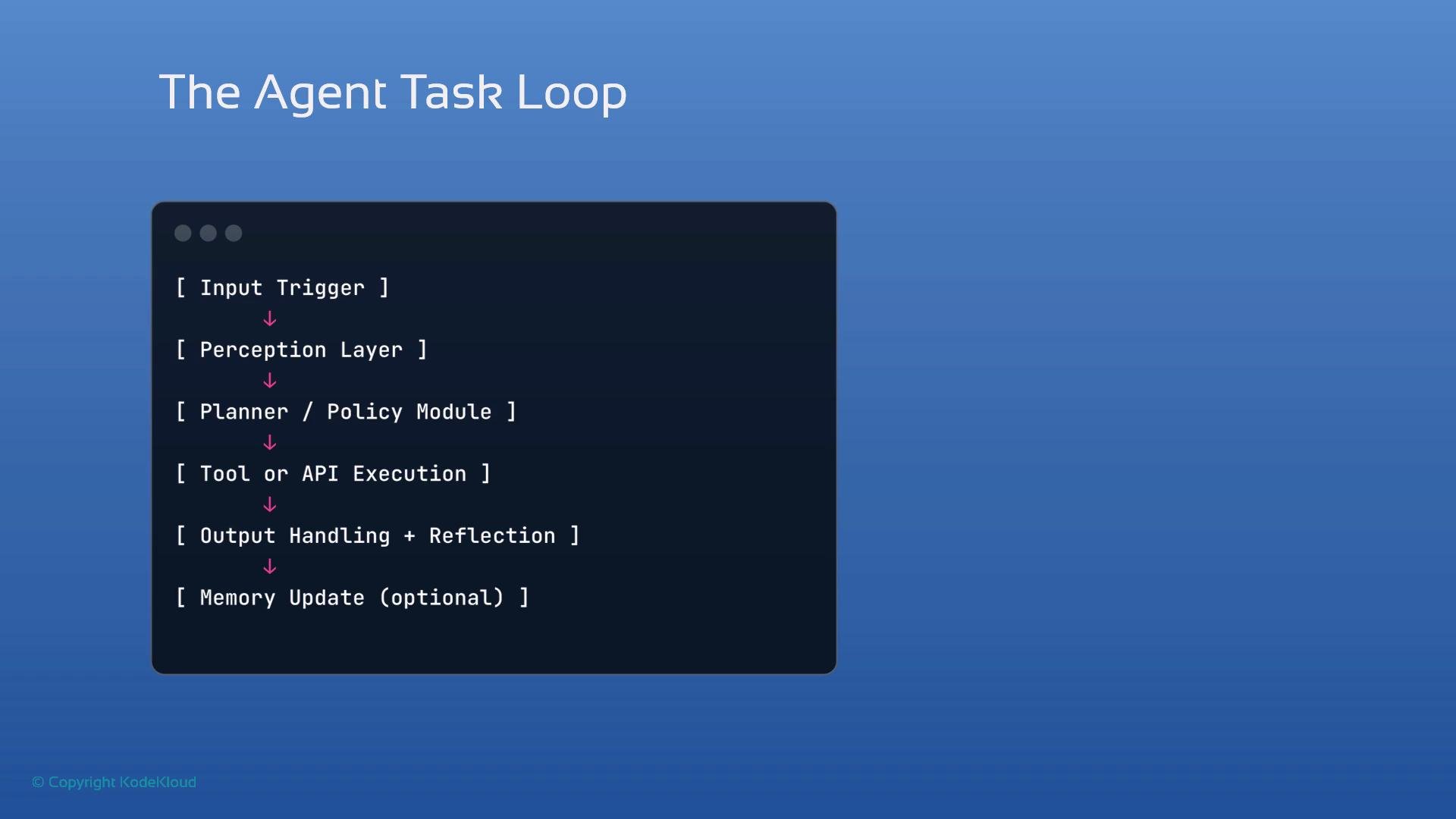
- The agent–task loop (Observe → Design/Plan → Act)
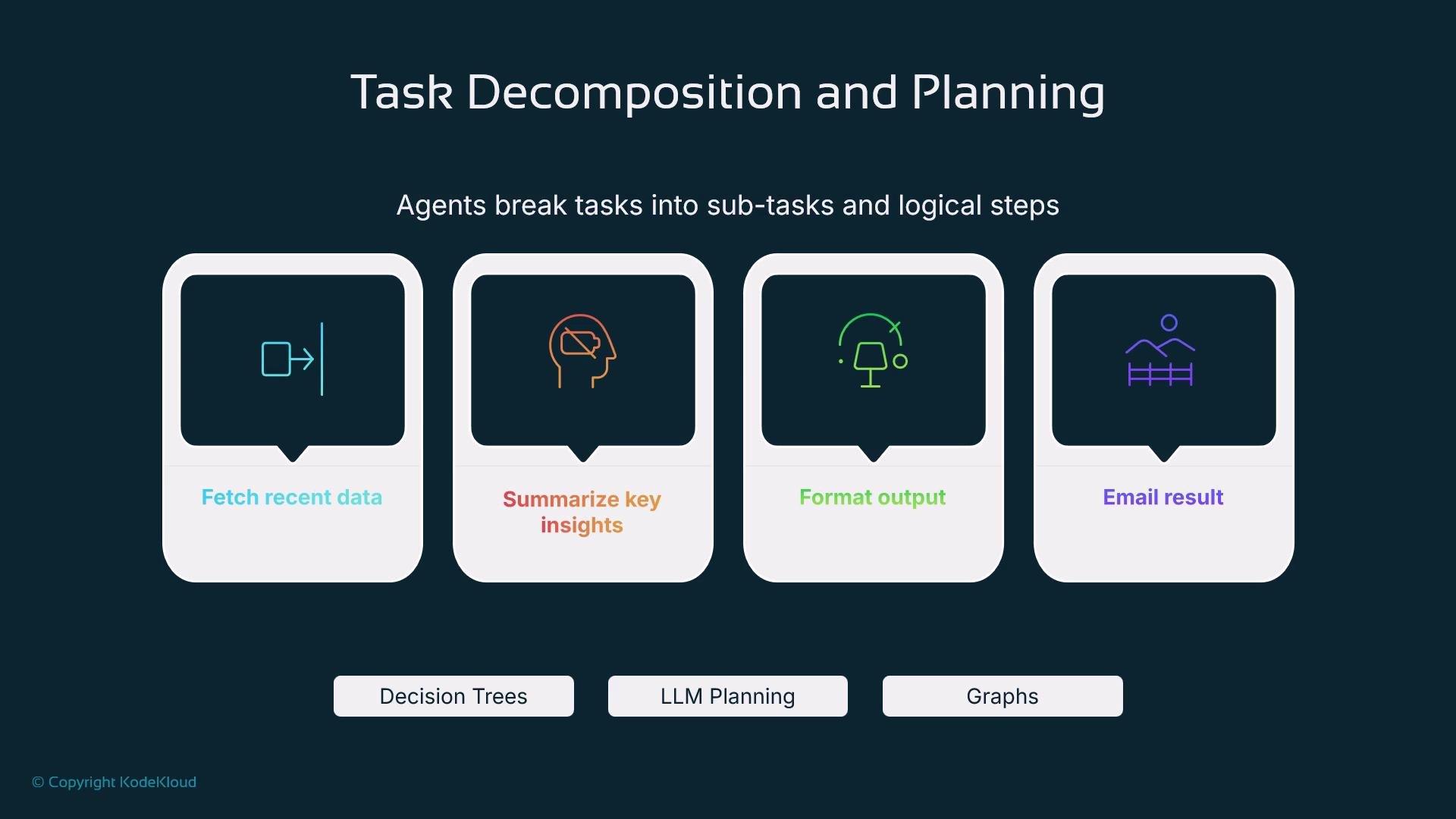
- Task decomposition and planning
- Tools, APIs, and environment integration
- Memory and context management
- Automation patterns, triggers, and schedulers
- Real-world use cases
- Best practices for safe, observable automation
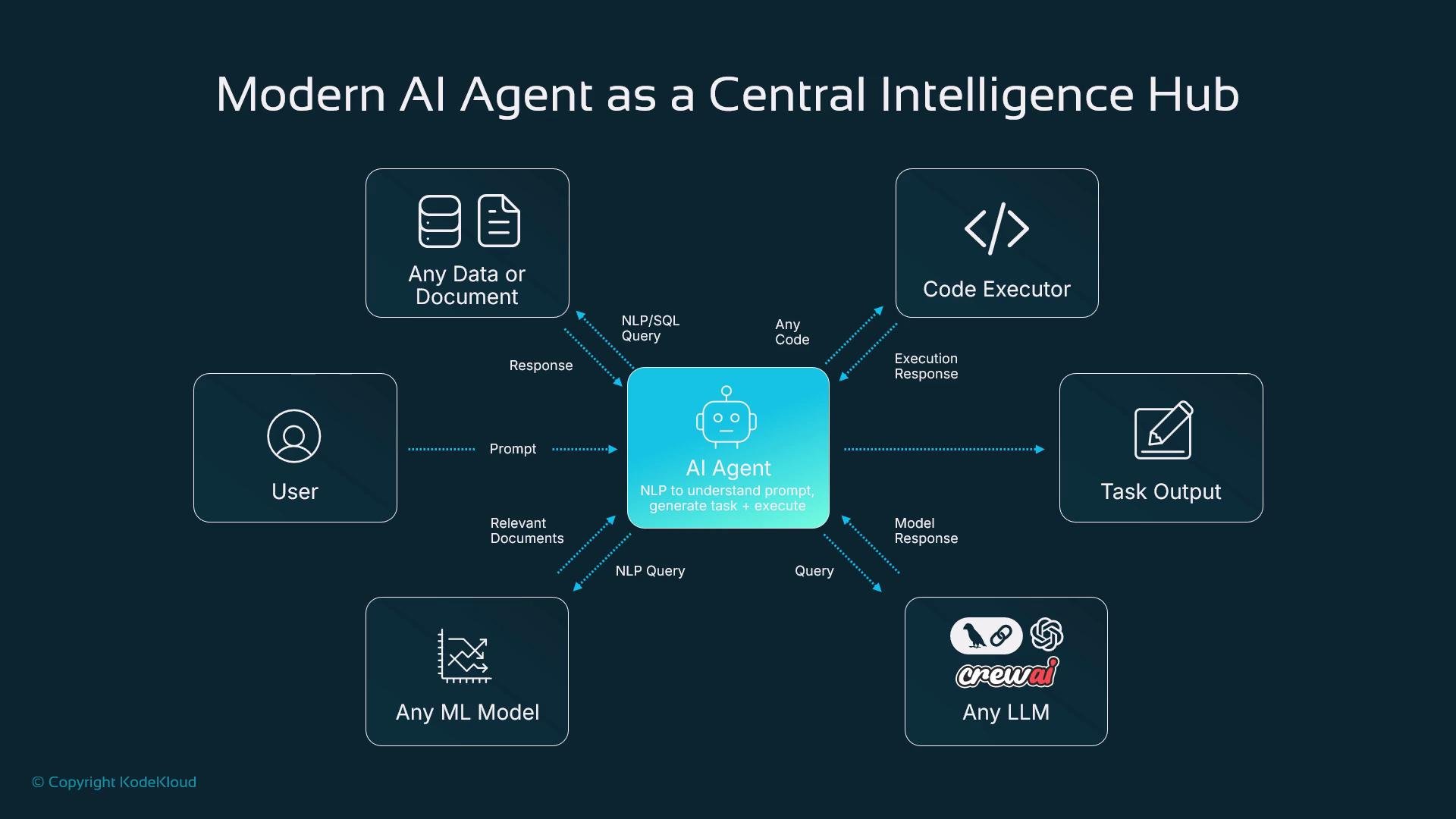
- Data: Query SQL, search indexes, or structured/unstructured sources.
- Code executor: Run generated code in sandboxed environments and return execution results.
- Specialized ML models: Forecasting, optimization, or domain-specific inference.
- LLMs: Planning, summarization, and complex natural language understanding (e.g., GPT-style or LLaMA-family models).
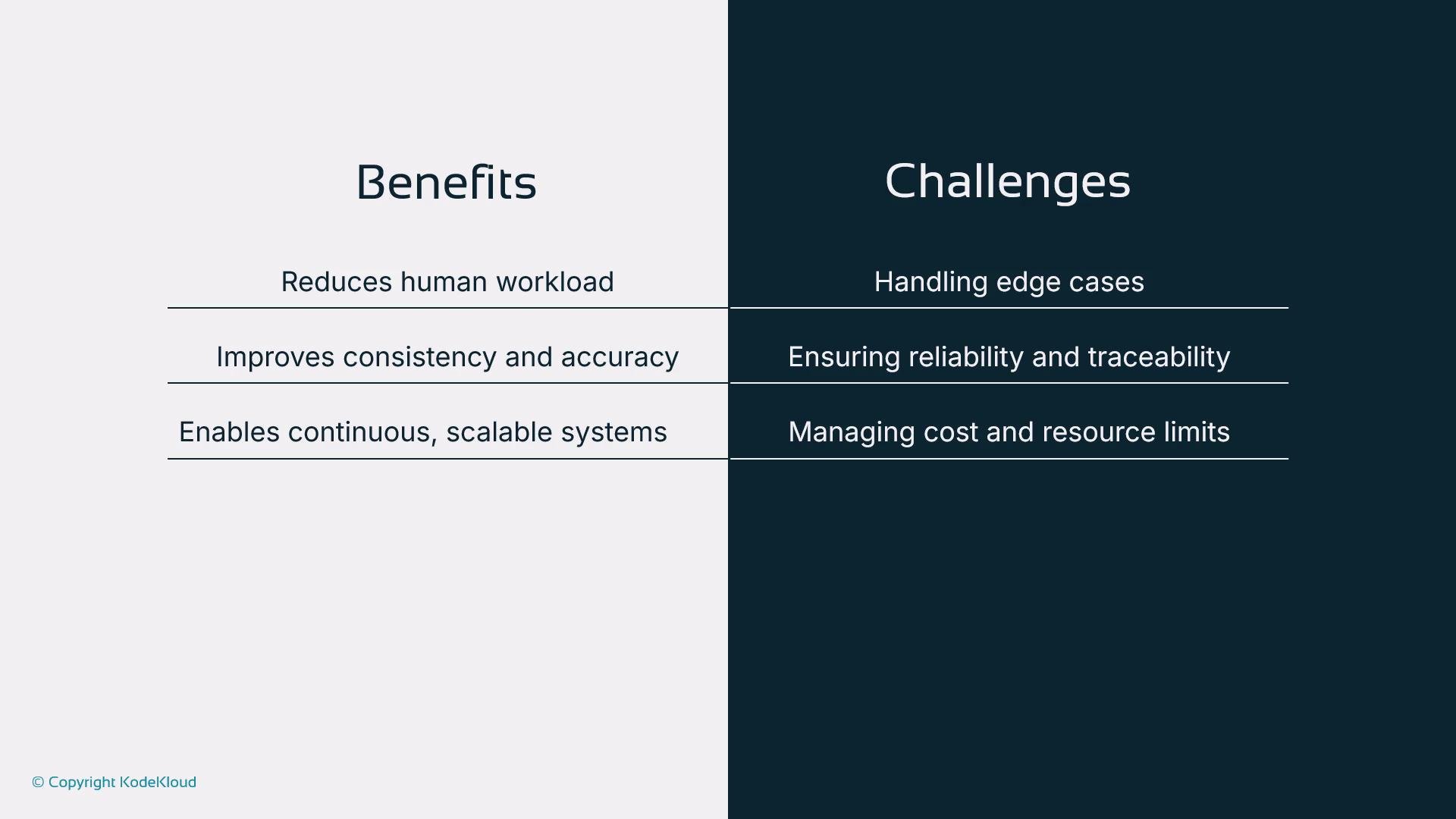
- Reduced human workload for repetitive tasks
- Consistent, accurate execution of instructions
- Continuous operation and scaling across time zones
- Handling edge cases and ambiguous inputs
- Maintaining traceability, auditability, and reliability
- Managing compute costs and resource usage as systems scale
You can automate across tools like Notion, Slack, Google Drive, and Jira.
- Observe — receive input or perceive environment events (webhooks, file changes, user prompts).
- Design / Plan — determine a sequence of steps or a task tree (static or LLM-driven).
- Act — invoke tools, call APIs, run code, or produce artifacts.
- (Optional) Reflect / Store — update memory, emit logs, and persist results for future decisions.
- Fetch the latest data
- Summarize key insights
- Format the message
- Send email or post to a channel
- Static plans — predefined step lists for deterministic flows
- Dynamic plans — LLM or planner-generated task trees that adapt to context
- REST APIs, RPCs, and SDKs
- Python functions and serverless sandboxes
- Shell commands and containerized runtimes
- Cloud services (storage, pub/sub, schedulers)
- Use the
Google Drive APIto fetch a spreadsheet - Run a summarization model to condense content
- Call an email API to send results
- Short-term memory: session state, which step the agent is on
- Long-term memory: persisted preferences, processed documents, or user history
Triggers and schedulers
Triggers (event-driven) and schedulers (time-driven) start automated flows:
- Triggers: incoming HTTP requests, webhook events, file-system watchers, messages
- Schedulers: cron jobs, cloud schedulers, or libraries like
Celeryfor periodic tasks
- Downloads Folder Organizer: monitor a folder to categorize, rename, and move files.
- Email Responder: classify incoming mail, draft replies, and escalate to humans when needed.
- GitHub PR Triage: review new PRs, assign reviewers, and add labels.
- Slack Daily Summarizer: aggregate unread messages into an end-of-day brief.
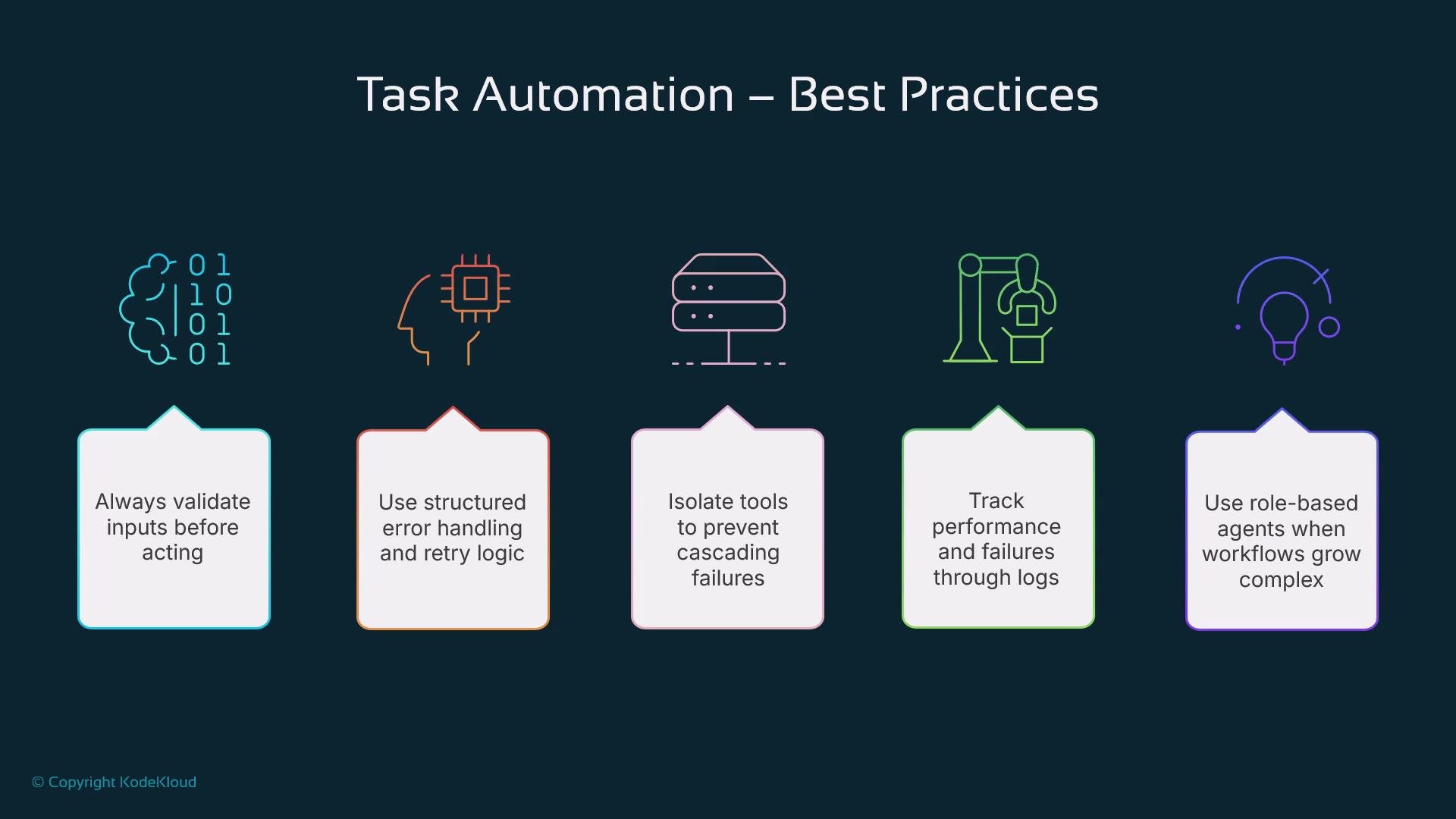
- Validate inputs before acting; ambiguous or malformed inputs should trigger clarification.
- Apply structured error handling, backoff, and retry logic to tolerate transient failures.
- Modularize components (parsing, summarizing, emailing) to limit blast radius on failures.
- Log actions, errors, and metrics for observability and troubleshooting.
- Use role separation: give each agent a clear, singular responsibility and defined interfaces.
- Enforce access controls and least privilege when calling external services.
Validate inputs, isolate tools, and log actions. These steps greatly reduce the risk of unexpected behavior and make debugging simpler.