

current_te can autocomplete to current_test_id based on other usages in the file, speeding up repetitive tasks and reducing context switching.
Below is a compact, corrected Flask example used throughout this lesson. It uses an in-memory list as a simple database and provides a POST route to create items.
- Identifiers: As you type a variable or function name, suggestions can complete them based on nearby usage.
- Routes & handlers: Typing a decorator such as
@app.routeor beginning a handler name can produce a full route + handler implementation suggestion.
Prefer
items_db.clear() to reassigning the global name (e.g., items_db = []). Clearing in-place preserves references and avoids rebinding the global variable, which is safer when other parts of the code hold references to the list.pass with a full implementation. Here is a sample handler that creates N random items (requires the random module):
analyze_numbers) in many editors lets you open an inline assistant/chat to ask for rewrites, extensions, or refactors in-context. This interactive experience produces alternative implementations you can accept or reject.
Next Edit Suggestions (Settings)
Next Edit Suggestions surface likely follow-up edits after you make a change (rename a variable, refactor a function, etc.). Enable this feature in your editor’s Copilot settings to receive guided suggestions for related edits.
The UI for these settings typically looks like this:
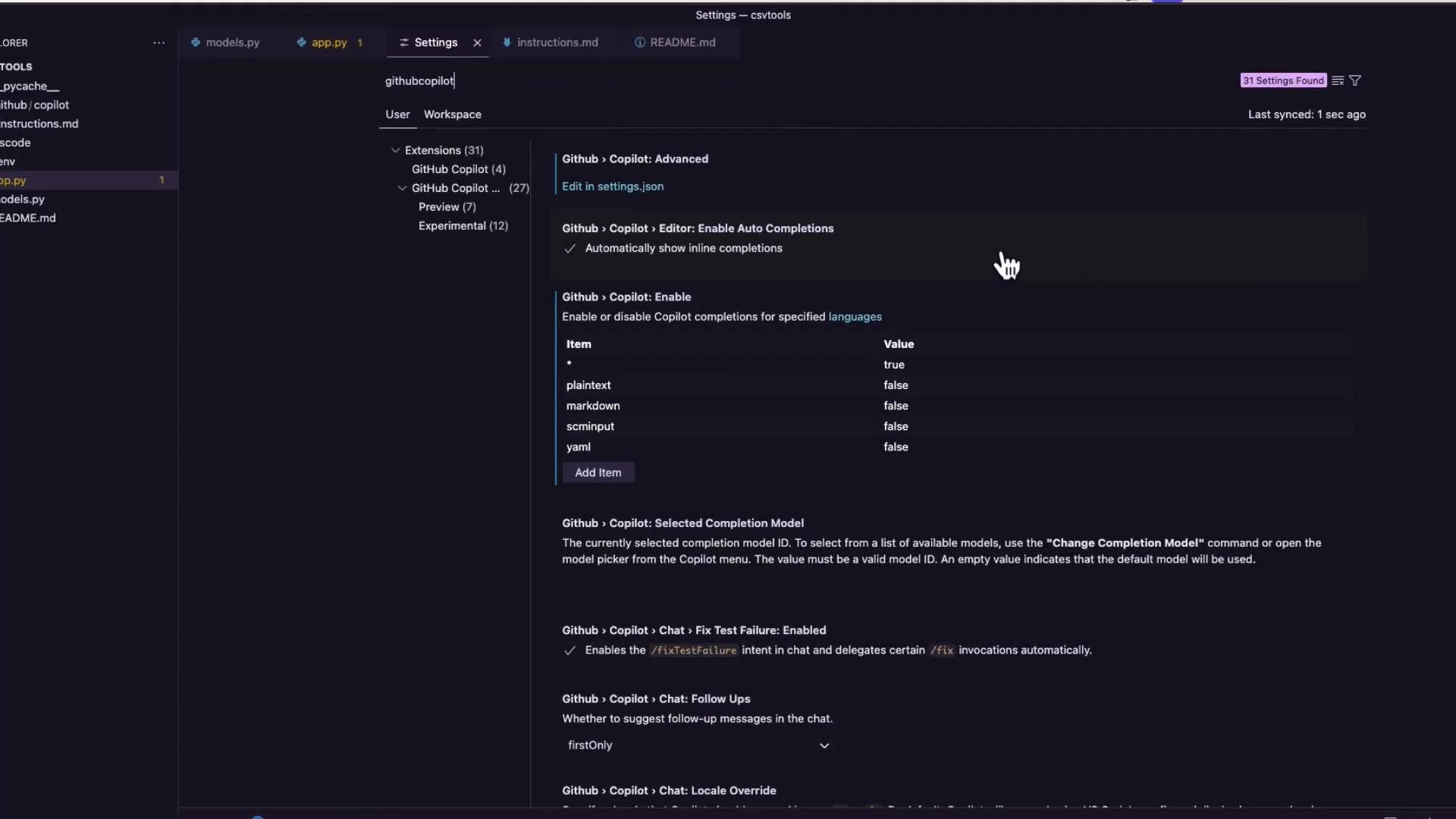
items_db in one place and then accepting the assistant’s proposal to update related usages nearby.
Next Edit Suggestions are useful during refactoring — they propose subsequent edits related to the change you’re making. This feature may be in preview or evolve over time.
Links and references
- Flask documentation: https://flask.palletsprojects.com/
- GitHub Copilot docs and settings: https://docs.github.com/en/copilot
- Python documentation: https://docs.python.org/3/
- Inline completions that finish code you are actively typing.
- Multiple suggestions and alternative completions you can pick between.
- Comment-driven suggestions that expand comments into working code.
- Next Edit Suggestions that propose follow-up edits while refactoring.