Welcome to the GitHub Copilot Certification Course—your guide to mastering AI-driven pair programming and becoming a certified Copilot expert. In this course, you’ll learn how to automate repetitive tasks, accelerate code scaffolding, and integrate AI seamlessly into your development workflow.Documentation Index
Fetch the complete documentation index at: https://notes.kodekloud.com/llms.txt
Use this file to discover all available pages before exploring further.
Why GitHub Copilot?
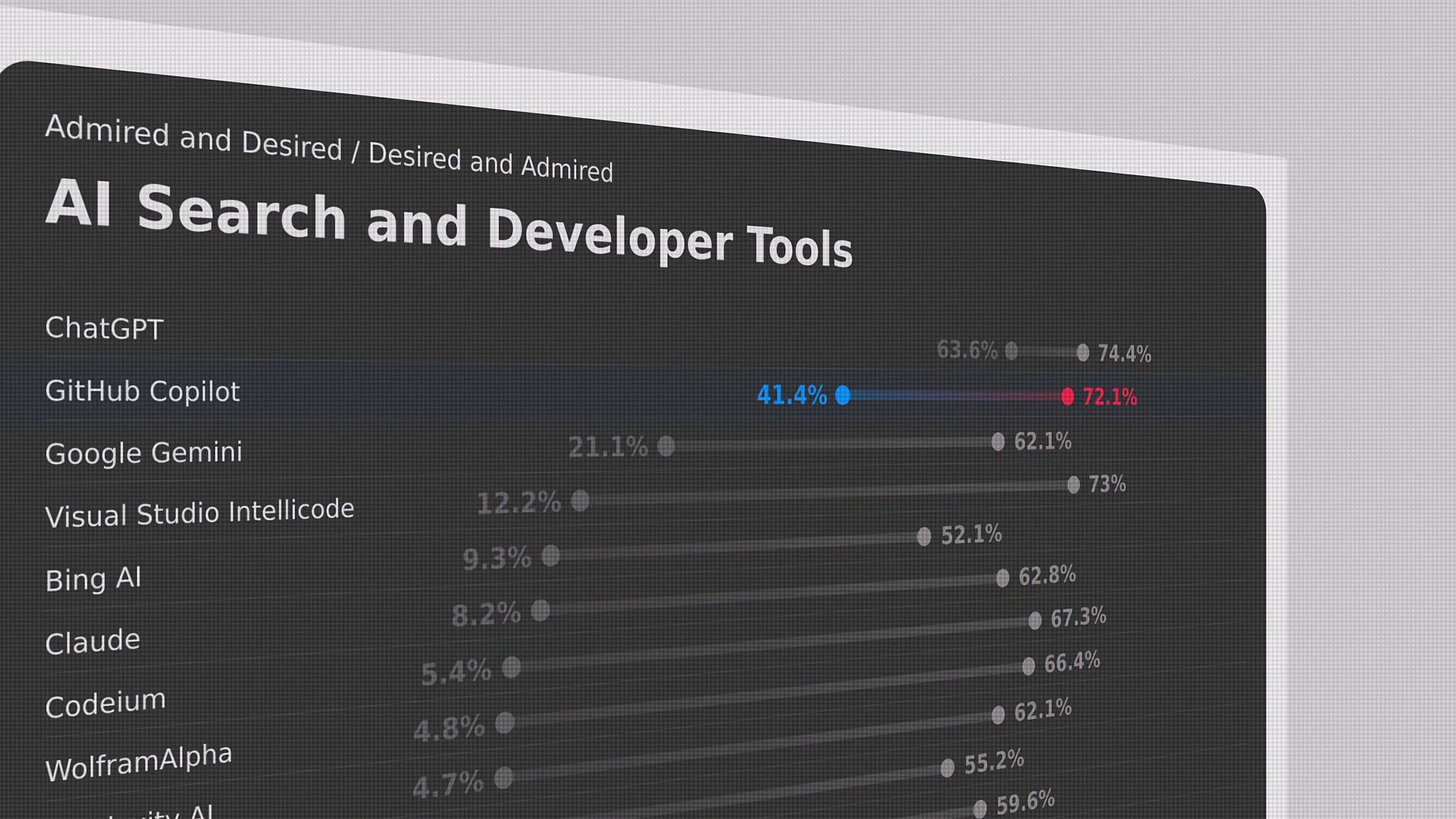
According to the Stack Overflow Developer Survey, GitHub Copilot is the second most used AI developer tool worldwide, just behind ChatGPT. Its growing adoption demonstrates how AI-assisted coding can boost productivity and reduce boilerplate work.
About Your Instructor
I’m Jeremy Morgan, and I’ll guide you through:- AI pair programming fundamentals
- Responsible AI principles
- Copilot setup, configuration, and best practices
- Advanced prompting and context manipulation
- Command-line integrations, subscriptions, and privacy
- Hands-on project development, testing, and documentation
Course Outline
| Module | Topic | Key Takeaways |
|---|---|---|
| 1 | AI Pair Programming | Copilot basics & IDE setup |
| 2 | Responsible AI | Microsoft’s six principles |
| 3 | Prompt Engineering | Zero-shot, one-shot, few-shot |
| 4 | Slash Commands & Copilot Agents | Automating workflows |
| 5 | Context & CLI Integration | Advanced command usage |
| 6 | Privacy, Security & Subscriptions | Data exclusion & contracts |
| 7 | Troubleshooting & Best Practices | Debugging AI suggestions |
| 8 | Hands-On Project & Certification Prep | Build APIs, test, document |
Ensure you have the latest versions of Node.js, Python, .NET SDK, and a GitHub account with Copilot access before you begin.