

- Import that CSV into a local SQLite database.
- Scaffold a small FastAPI service that can return fake-person records on demand (for example: “give me 50 fake names, email addresses, ages, etc.”).
- Implement a minimal Pydantic request model and a POST endpoint for generating fake data.
- Show how to connect FastAPI to SQLite using SQLAlchemy with a dependency-based session.
- Open DB Browser for SQLite (or your preferred SQLite client).
- Create a new database file (for example
fakeData.db). - Use File → Import → Table from CSV and import
fake_data.csv.- If your CSV includes headers, make sure “Column names in the first line” is checked.
- Verify the table is populated in Browse Data mode.
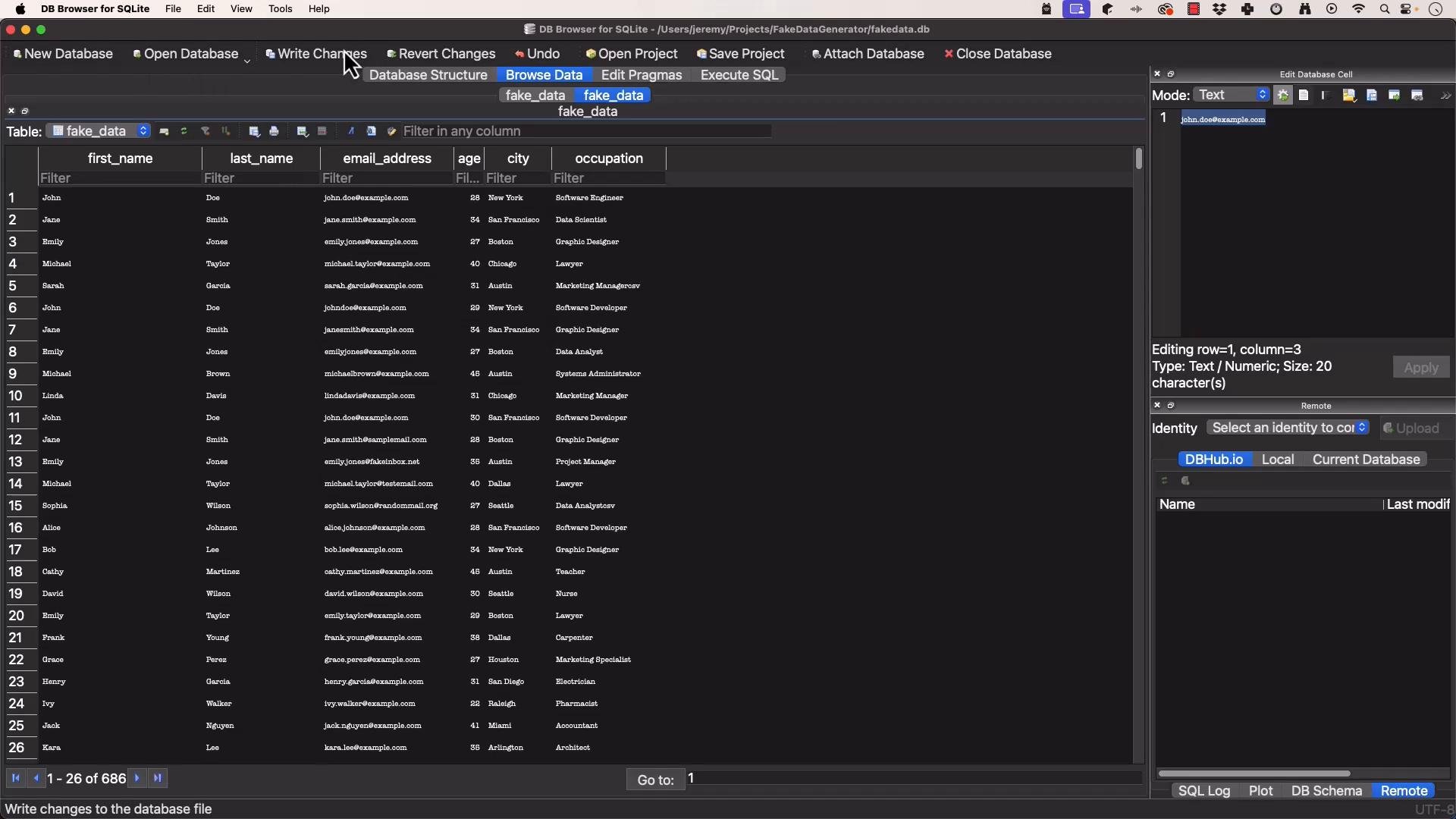
fakeData.db (or whatever filename you chose) ready to use from your application.
Example terminal prompt where the project lives:
- Goal: small Python REST API that returns fake-person data on demand.
- Framework: FastAPI — chosen for performance, async support, and automatic interactive docs.
- Productivity: GitHub Copilot Chat was used to accelerate scaffolding; remember Copilot is a helper and its suggestions often need manual refinement.

- Use SQLAlchemy to manage the database engine, sessions, and models.
- For SQLite, set
check_same_thread=Falsewhen reusing the engine across threads (typical when using uvicorn in dev).
database.py (db layer):
- We’ll accept a POST request that includes a small Pydantic model describing the fake-data request (fields:
data_type,count, optionallocale). - Initially we used simple deterministic generators (no external Faker dependency) to keep the prototype lightweight and reproducible.
models/fake_data_request.py):
- Keep a single router file to control routing for this small project.
- Implement a few simple generators (name, email, phone) without using Faker for now.
- Validate
data_typeagainst supported generators and return HTTP 400 if unsupported.
api/endpoints/router.py):
GitHub Copilot can scaffold directories, models, and routes quickly, but expect to refine the output — for example, Copilot suggested integrating Faker; for the prototype we replaced that with simple Python generators to avoid extra dependencies and keep results deterministic during early development.
- Install dependencies:
- FastAPI, Uvicorn, SQLAlchemy, Pydantic (and others as needed).
- Example:
pip install fastapi uvicorn sqlalchemy pydantic
- Start the app:
- If you POST without a body (or with an invalid body), FastAPI/Pydantic will return a
422 Unprocessable Entitywith descriptive errors about the missing or invalid fields.
data_type the API returns a 400:
- Replace the in-memory generators with DB reads/writes to
fakeData.dbto return real rows (for example, SELECT random rows or generate variations from DB fields). - Create proper output schemas (Pydantic models) for structured person records.
- Add unit and integration tests for endpoints and services.
- Expand API docs and examples; FastAPI auto-generates OpenAPI docs at
/docs. - Optionally reintroduce Faker for richer, localized fake data—pin dependency versions and validate generated values before production use.
fakeData.db and add structured response schemas, tests, and richer generation strategies.
Links and references
- FastAPI — https://fastapi.tiangolo.com/
- Uvicorn — https://www.uvicorn.org/
- SQLAlchemy — https://www.sqlalchemy.org/
- Pydantic — https://docs.pydantic.dev/
- DB Browser for SQLite — https://sqlitebrowser.org/
- Faker (optional) — https://faker.readthedocs.io/en/master/
- GitHub Copilot Chat learning resource — https://learn.kodekloud.com/user/courses/github-copilot-in-action