

- Python 3.7 or higher
- A virtual environment with
fastapi,uvicorn, andpydanticinstalled - SQLite for a local database
Table of Contents
- Project Layout & Dependencies
- Initializing the FastAPI App
- Database Context Manager
- Fetching Fake Data
- Defining the API Endpoint
- Running the Server
- Swagger UI & Redoc Interfaces
- Fine-Tuning Your OpenAPI Schema
- Links and References
1. Project Layout & Dependencies
Ensure your project uses this structure:2. Initializing the FastAPI App
3. Database Context Manager
4. Fetching Fake Data
Requests exceeding 1000 entries will return a 400 Bad Request. Always validate
count before calling the endpoint.5. Defining the API Endpoint
6. Running the Server
- Swagger UI: http://127.0.0.1:8000/docs
- Redoc: http://127.0.0.1:8000/redoc
- OpenAPI JSON: http://127.0.0.1:8000/openapi.json
7. Swagger UI & Redoc Interfaces
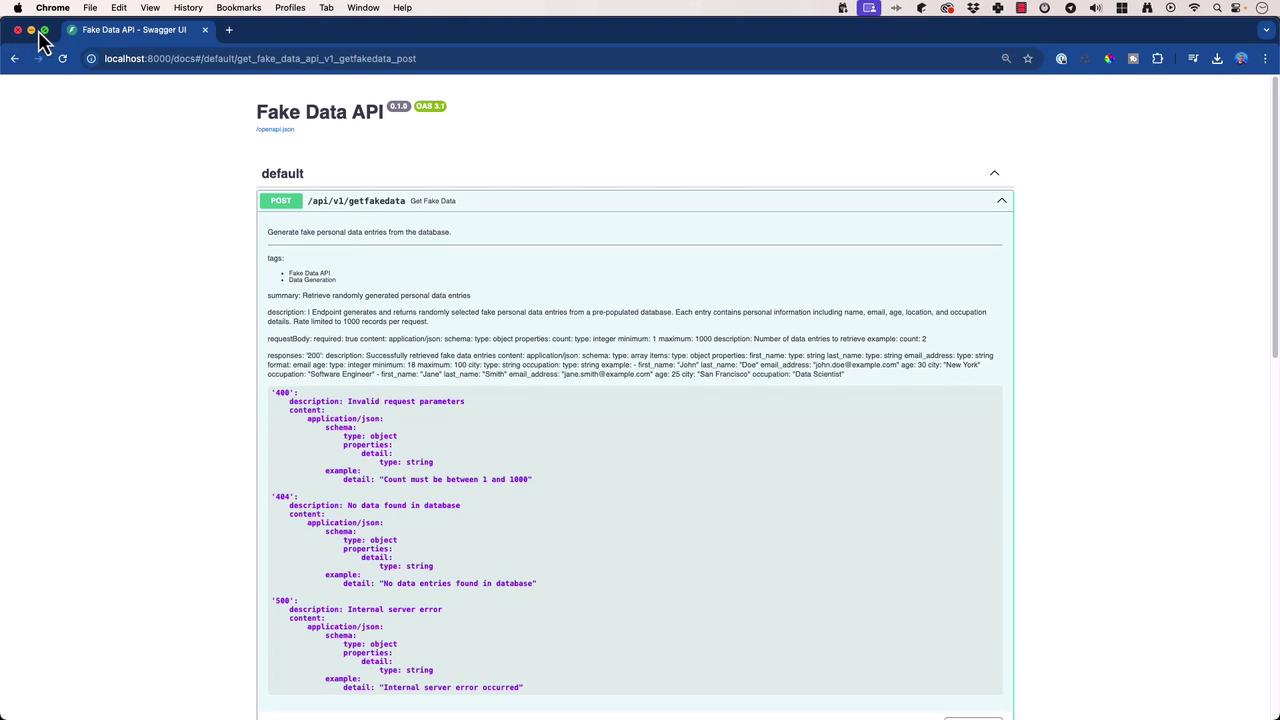
8. Fine-Tuning Your OpenAPI Schema
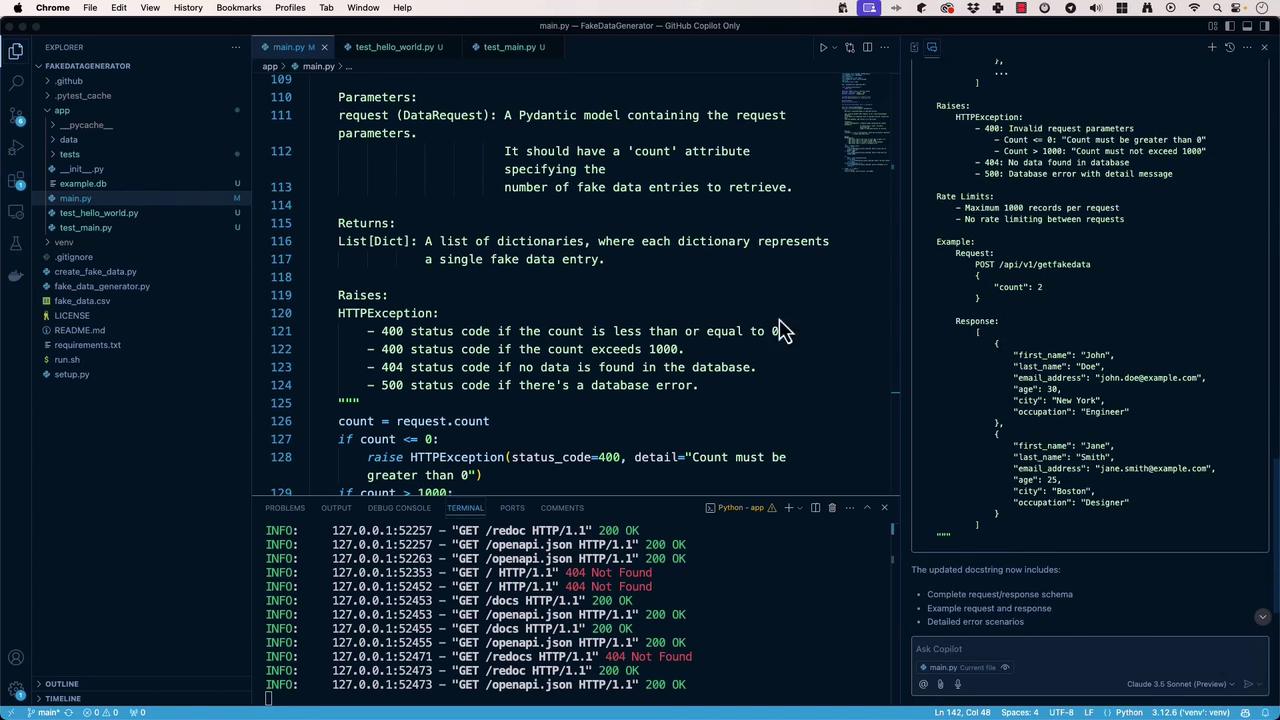
- Docstring Conventions: Follow PEP 257 and embed OpenAPI YAML blocks for richer metadata.
- Examples & Schemas: Include
examplesections for request/response payloads. - Error Documentation: Clearly list possible HTTP error codes and messages.
- Security & Rate Limits: Add
securitySchemesand rate-limit info undercomponentsand endpoint descriptions.
9. Links and References
- FastAPI Documentation
- Uvicorn — The Lightning-Fast ASGI Server
- Pydantic Documentation
- SQLite Official Docs