In this lesson, we’ll explore how to view and modify file permissions and ownership on a Linux system. You’ll learn to inspect permission bits, change owners and groups, and apply both symbolic and numeric modes with chmod, chown, and chgrp.

Inspect Current Ownership and Permissions

Run ls -l to display the owner, group, and permission bits for files and directories:
  • Owner: aaron
  • Group: family
  • Permissions: -rw-r-----
Only the file owner or the superuser (root) can change these settings.

Viewing and Changing Group Ownership

Use chgrp to assign a file or directory to a different group you belong to:
Check your group memberships with:
You can only switch a file’s group to one you’re already a member of.

Changing File Owner with chown

Only root can change file owners. Prefix with sudo if necessary:

Understanding Permission Bits

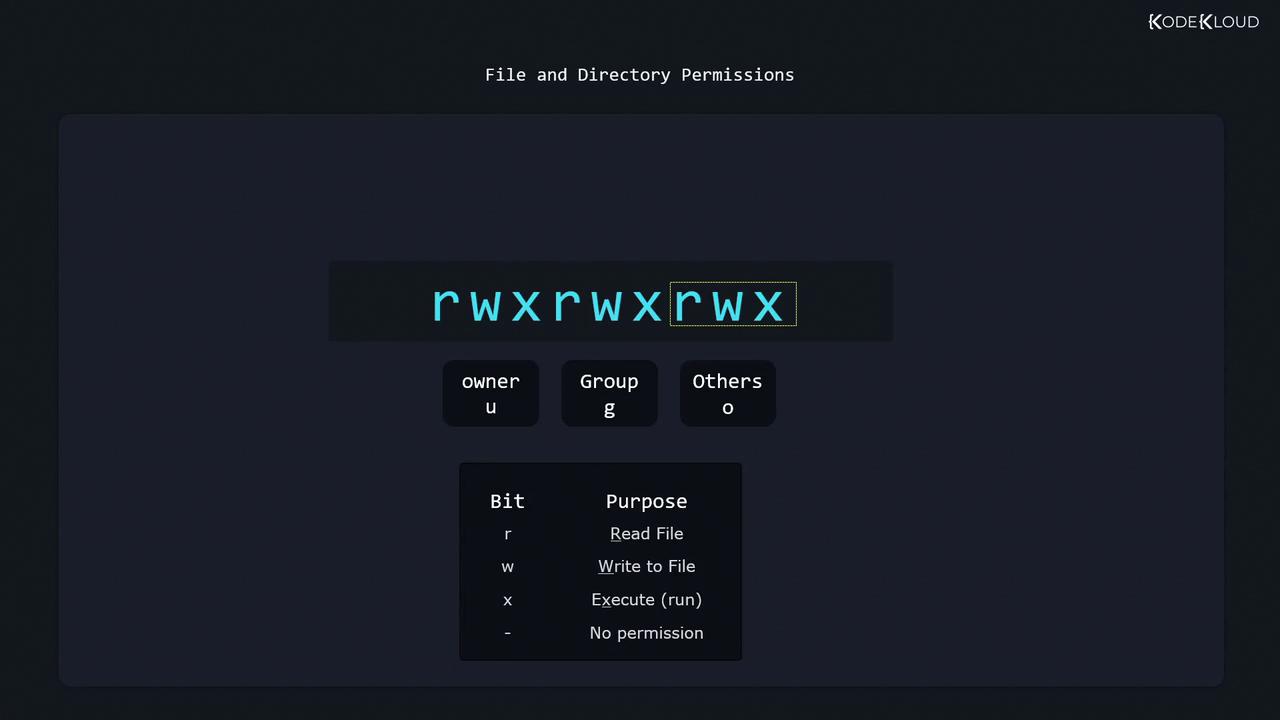
The permissions string (-rwxrwxrwx) breaks down as:
  • First character: file type
    • - = regular file
    • d = directory
    • l = symbolic link
  • Next nine: three triplets for owner, group, and others, each with r (read), w (write), and x (execute).
The image illustrates file and directory permissions in a Unix-like system, showing the permission string "rwxrwxrwx" for owner, group, and others, along with a key explaining the meaning of each permission bit.

Permission Effects

  • Files
    • r: view contents
    • w: modify contents
    • x: execute (scripts or binaries)
  • Directories
    • r: list entries (ls)
    • w: create/delete entries
    • x: enter directory (cd)

Modifying Permissions with chmod

Use the symbolic syntax:

Adding Permissions

Allow the owner to write:

Removing Permissions

Remove the read bit for others:
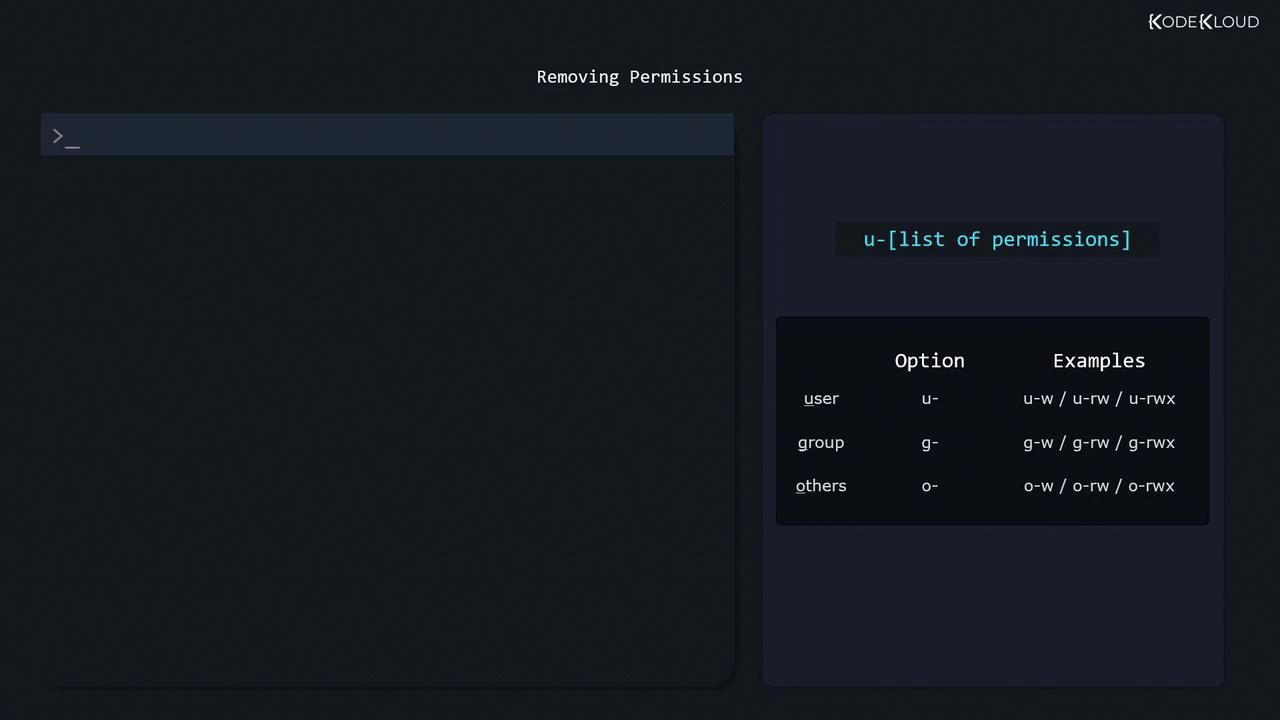
The image shows a guide on removing permissions in a command-line interface, with examples for users, groups, and others. It includes options like u-, g-, and o- with examples such as u-w, g-rw, and o-rwx.

Setting Exact Permissions

Grant group read-only:

Combining References

You can comma-separate multiple adjustments:

Numeric (Octal) Notation

To inspect the octal value, use stat:
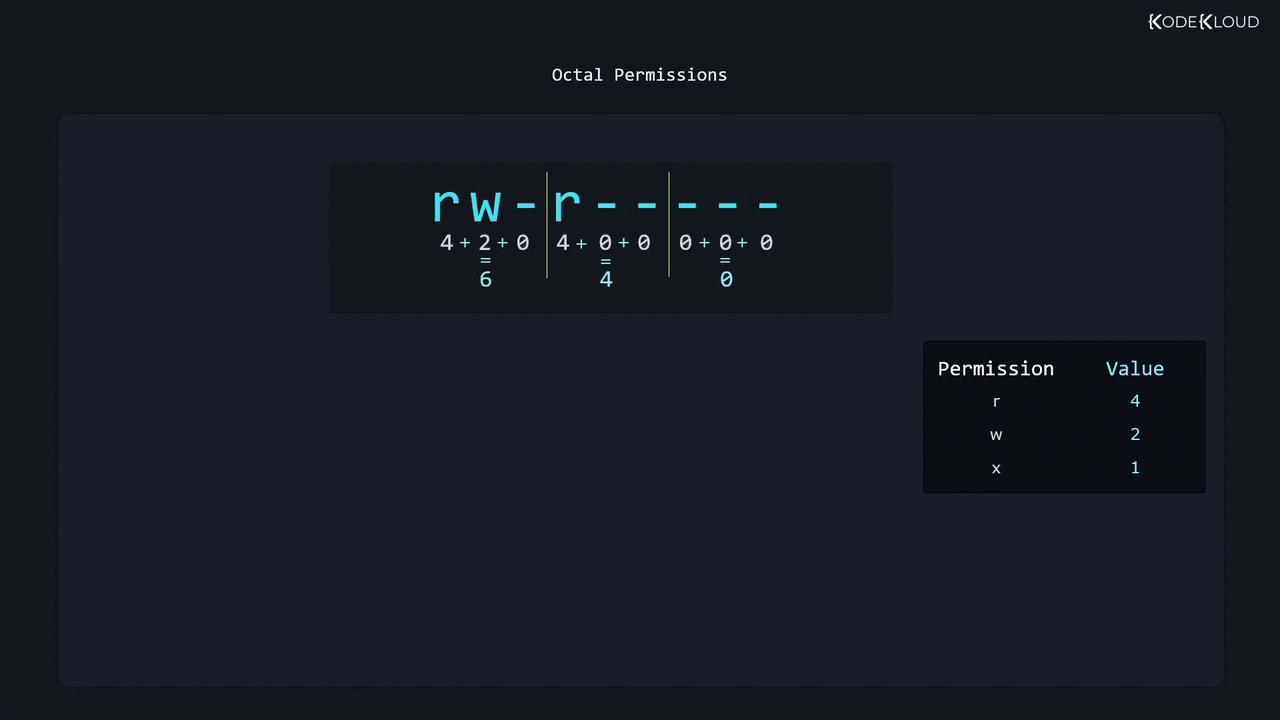
Here owner has rw- (6), group has r-- (4), others have --- (0) → mode 640.
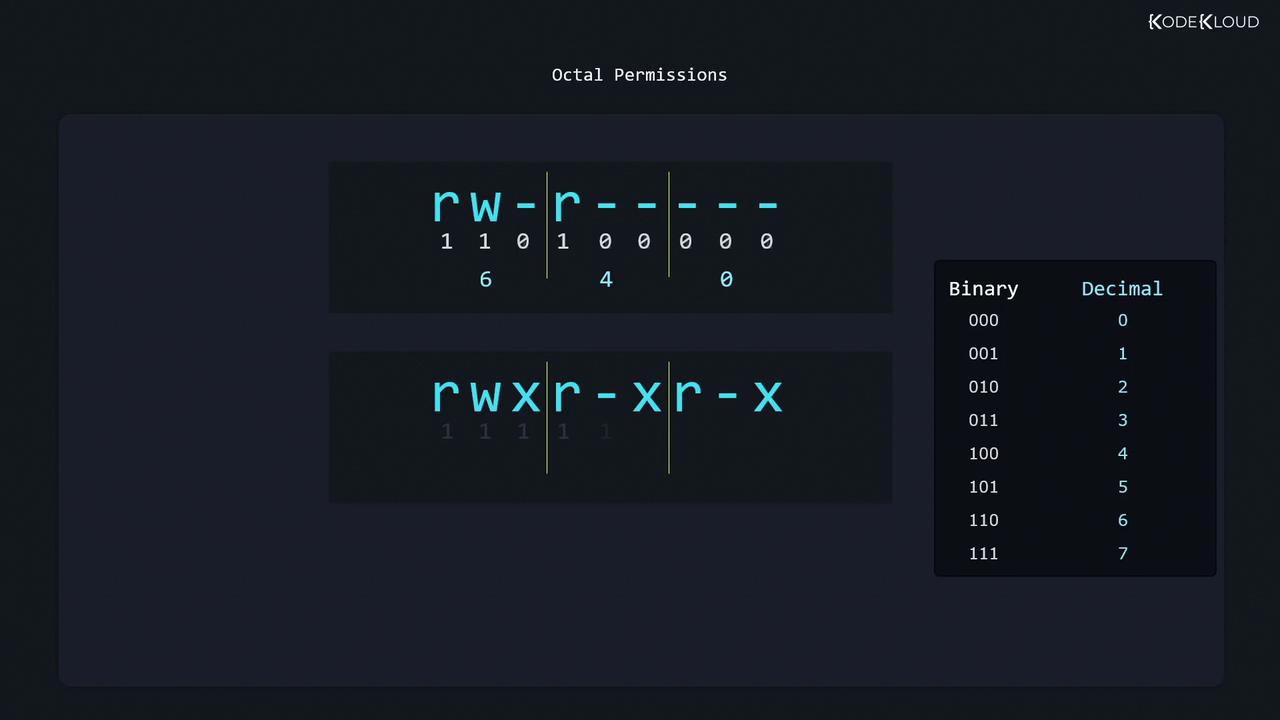
The image illustrates octal file permissions, showing the conversion between symbolic, binary, and decimal representations. It includes examples of permissions like "rw-r--r--" and "rwxr-xr-x" with their corresponding binary and decimal values.
Alternatively, assign values: r=4, w=2, x=1:
  • rwx = 4+2+1 = 7
  • r-x = 4+0+1 = 5
  • r-- = 4+0+0 = 4
The image explains octal permissions in a Unix-like system, showing how the permissions "rw-r-----" translate to the octal value "640". It also provides a key for permission values: read (r) is 4, write (w) is 2, and execute (x) is 1.

Setting Numeric Permissions

Further Reading

Watch Video