

Table of Contents
- Standard Streams Overview
- Redirecting Output
- Appending Output
- Discarding Output
- Merging and Redirecting Both Streams
- Redirecting Input
- Here Documents and Here Strings
- Pipes and Pipelines
- Quick Reference
- Links and References
Standard Streams Overview
Linux programs communicate using three standard streams: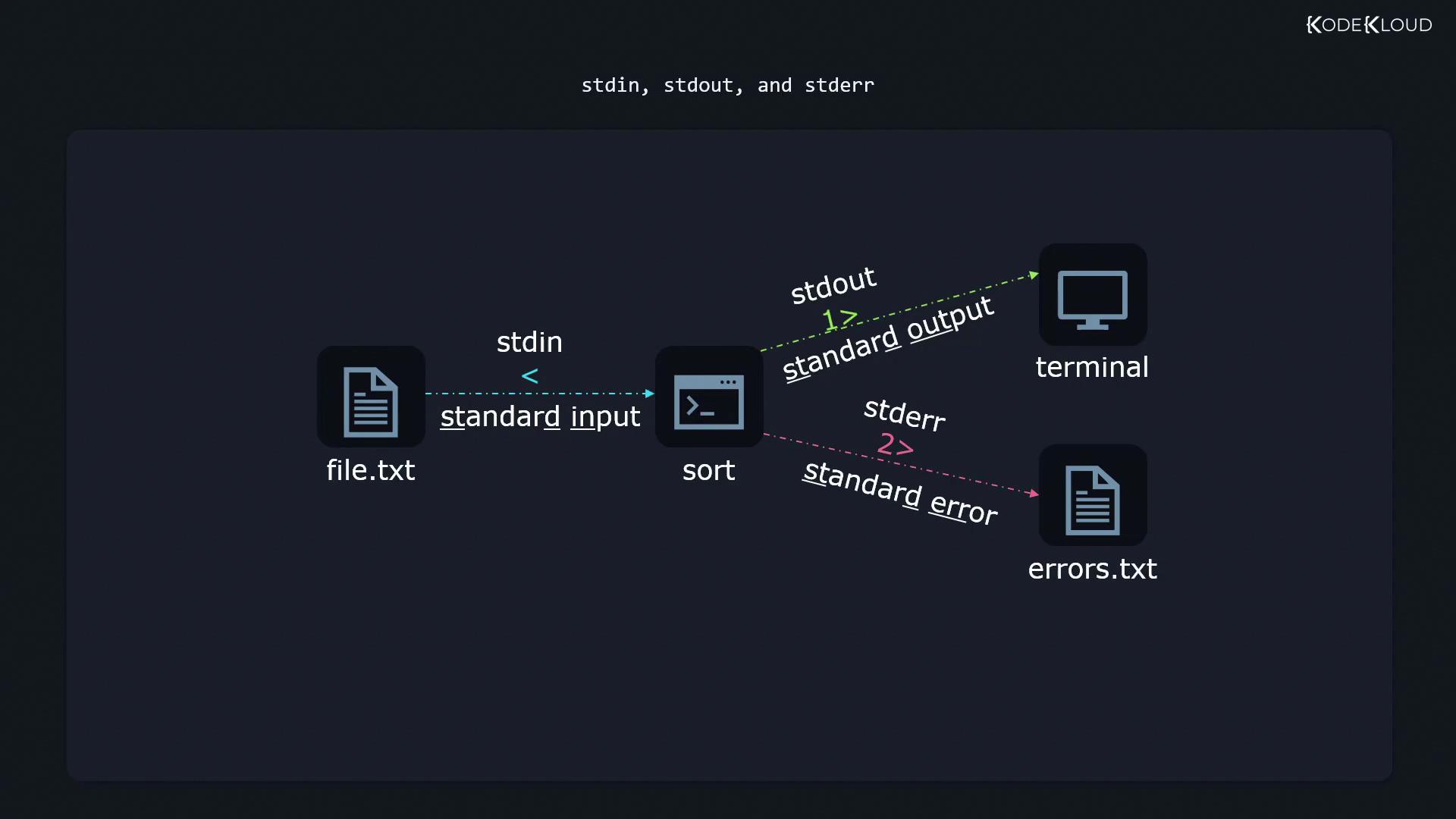
stdout and stderr appear on your terminal. You can redirect them separately:
Redirecting Output (>)
To save a command’s output to a file (creating or overwriting it), use the > operator.
-
Create a file with unsorted numbers:
-
Sort the file and write the result to
sortedfile.txt:
Using
> always overwrites the target file. You will lose previous contents!Appending Output (>>)
To add output to the end of an existing file without erasing its contents, use >>:
Discarding Output (/dev/null)
Send unwanted output or errors to /dev/null, the “black hole”:
Merging and Redirecting Both Streams
-
Redirect
stdoutandstderrto separate files: -
Append both streams:
-
Merge
stderrintostdoutand write to one file:
Order matters:
> all_output.txt 2>&1 merges error output into the same file, while reversing redirects leaves errors on the console.Redirecting Input (<)
Some commands read from stdin instead of a file argument. Redirect a file into stdin like this:
email_content.txt feed directly into sendemail.
Here Documents and Here Strings
Here Documents (<<)
Embed a block of text as input:
EOF (or any marker you choose) encloses the input region.
Here Strings (<<<)
For single-line input, here strings are concise:
Pipes and Pipelines (|)
Pipelines let you chain commands by feeding one’s stdout into the next’s stdin. Example: filter, sort, and align columns from /etc/login.defs:
grep -v '^#'removes commentssortorders linescolumn -taligns columns into a neat table