

- Multiple sessions, each containing one or more windows
- Independent windows running separate programs
- Splitting windows into regions (panes)
- A command prefix (default
Ctrl-a) followed by command keys - Detachable sessions that continue running in the background
- Socket connections, copy/scrollback mode, and extensive customization
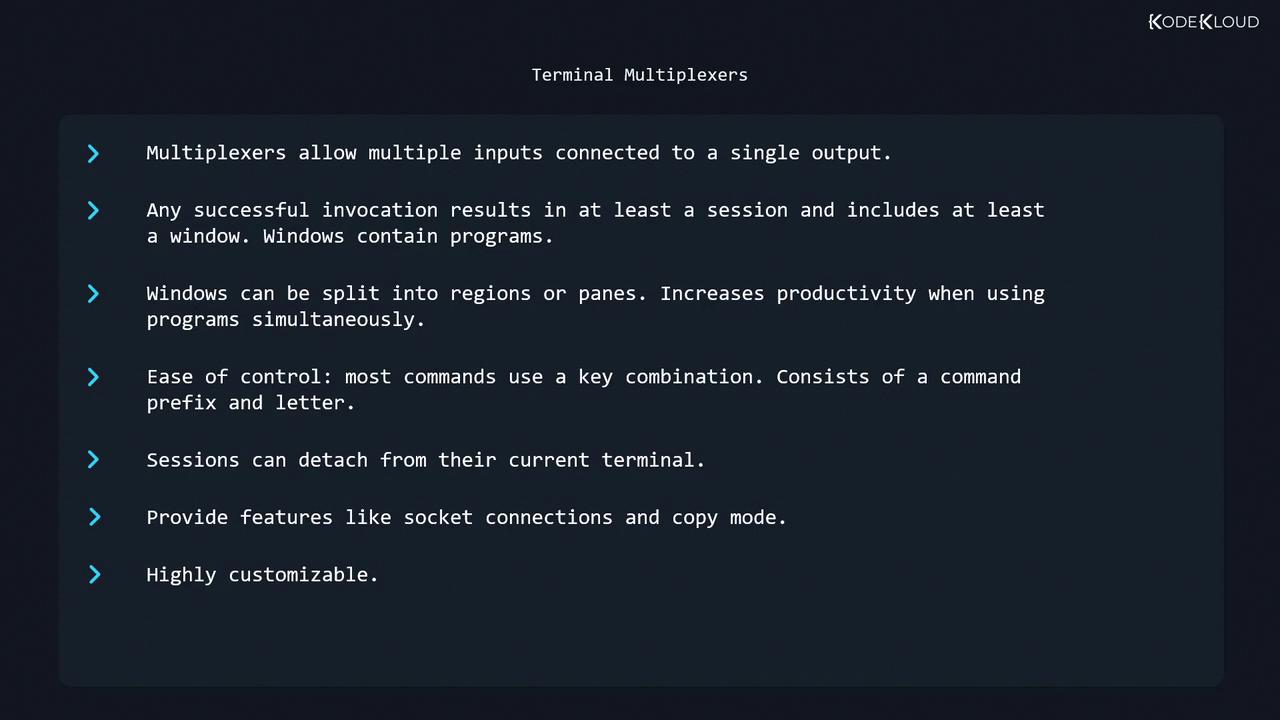
Table of Contents
- History
- Getting Started
- Prefix & Window Management
- Navigating & Closing Windows
- Splitting into Regions (Panes)
- Sessions: Listing, Naming & Killing
- Detaching & Reattaching
- Copy/Scrollback Mode
- Configuration
- Links & References
History
In the era of physical VT100 terminals (1970s/80s), users had no windowing system. GNU Screen, introduced in 1987, emulated multiple VT100 sessions on a single terminal, transforming remote and local shell workflows.Getting Started
To launch a new Screen session:Prefix & Window Management
All Screen commands begin with the default prefix:Ctrl-a (denoted C-a), followed by a command key.
Example: Managing Windows
- In window 0, run:
- Press
C-a cto create window 1, then runpsagain. - Press
C-a wto view the window list: - Rename window 1:
- Press
C-a A - Enter
ps
- Press
- Create window 2 named “yetanotherwindow”:
Navigating & Closing Windows
Switching Windows
After
C-a ", use ↑/↓ and Enter:
- Exit the shell/program inside the window
- Or press
C-a k, then confirm withy:
When the last window closes, the Screen session terminates automatically.
Splitting into Regions (Panes)
Divide your window into multiple regions for side-by-side workflows.Empty regions display as two hyphens. Closing a region does not kill its window; it simply hides the view.
Sessions: Listing, Naming & Killing
Listing Active Sessions
- 1037: Session PID
- pts-0.debian: Terminal and host
Naming a New Session
screen -ls shows:
Killing a Session
Detaching & Reattaching
Use
man screen for the complete list of attach/detach options:
https://man7.org/linux/man-pages/man1/screen.1.htmlCopy/Scrollback Mode
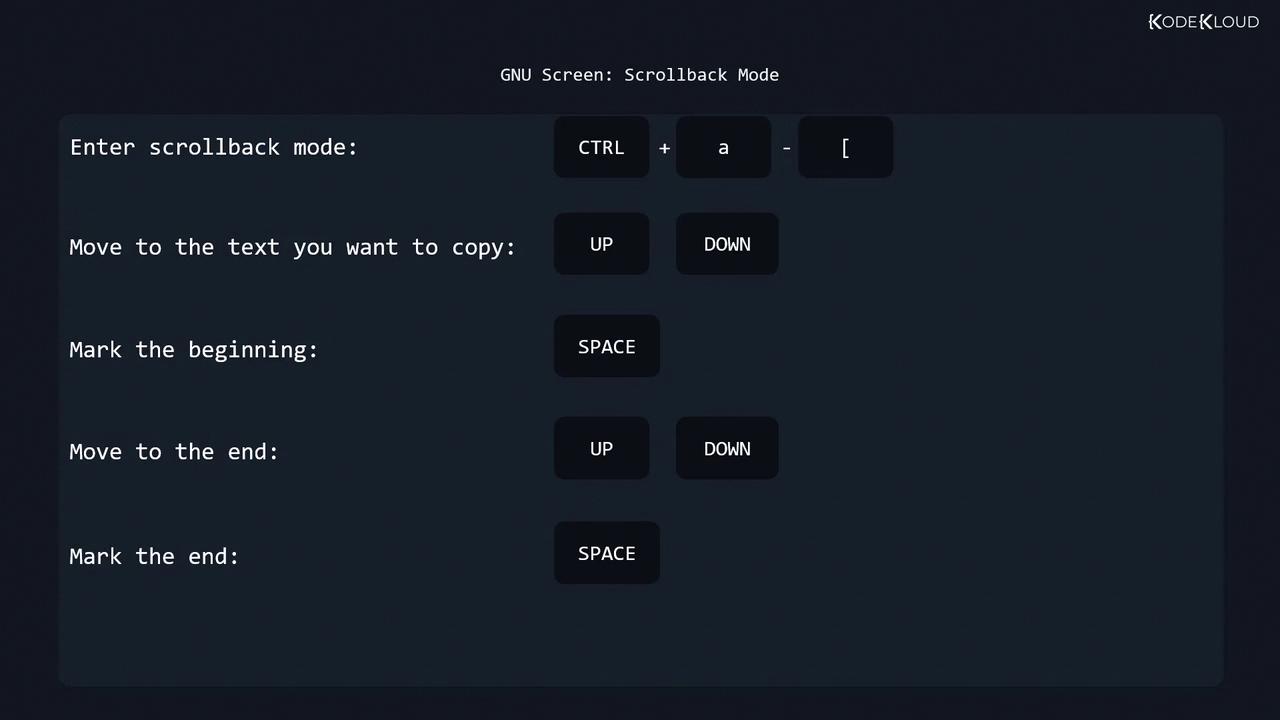
Screen’s scrollback mode allows you to browse history and copy text across windows:- Enter mode:
C-a [ - Move cursor to the start of the text (arrow keys)
- Press Space to begin selection
- Move to the end of the text
- Press Space to complete selection
- Paste with:
C-a ]
Configuration
Screen reads two primary config files:
Each config file may include:
- General settings
- Key bindings
- Terminal settings
- Startup screens