

Amazon RDS Performance Insights — overview and value
Performance Insights is a lightweight diagnostics dashboard for RDS. It surfaces database load, wait categories, and the SQL statements that consume the most resources — much like a vehicle dashboard highlights engine strain or overheating.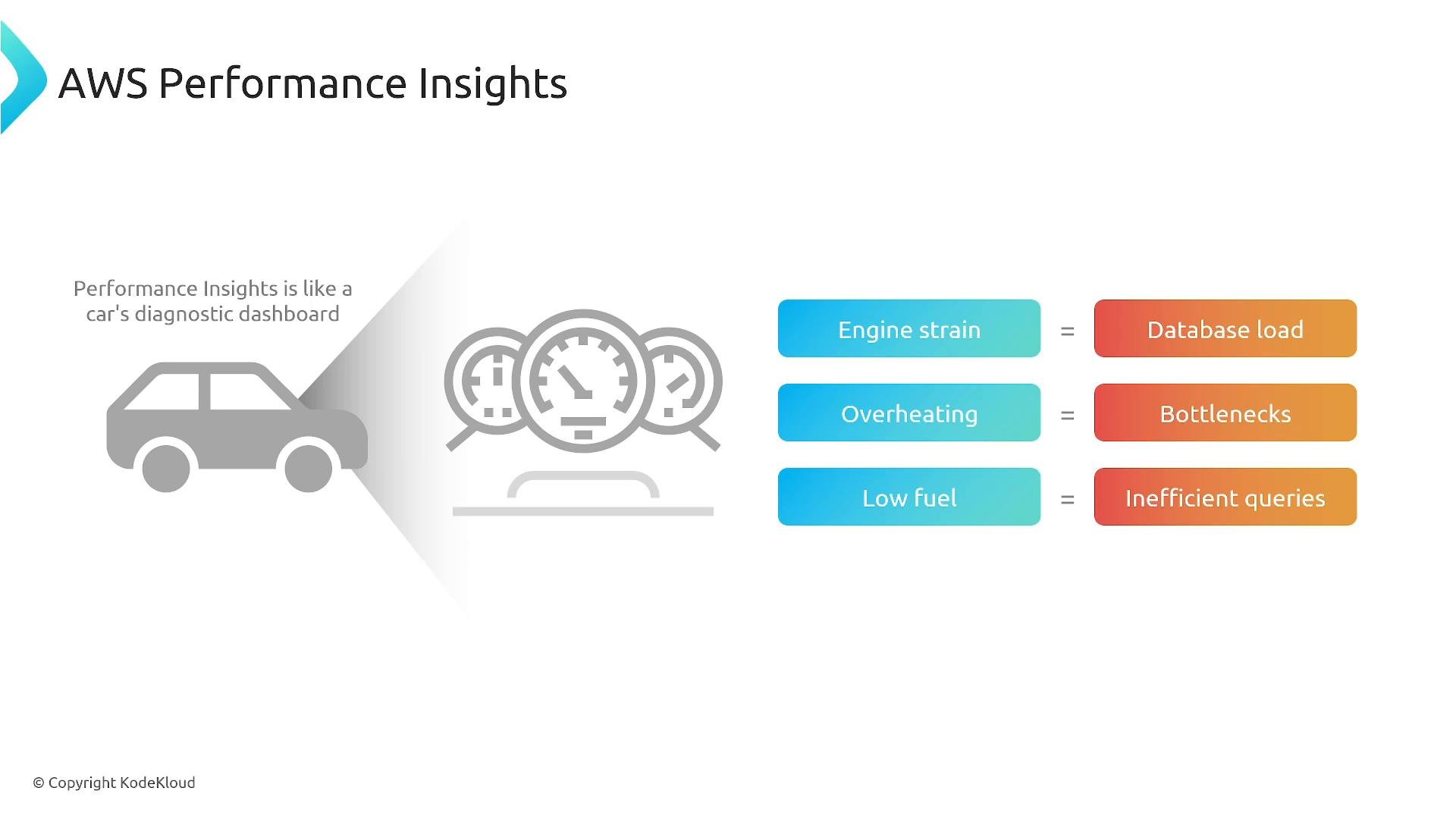
- Visualization of DB load (DB load) and wait categories to show where time is spent.
- Top SQL: identify long-running queries or queries using the most CPU/IO.
- Historical and near-real-time analysis to compare trends and seasonality.
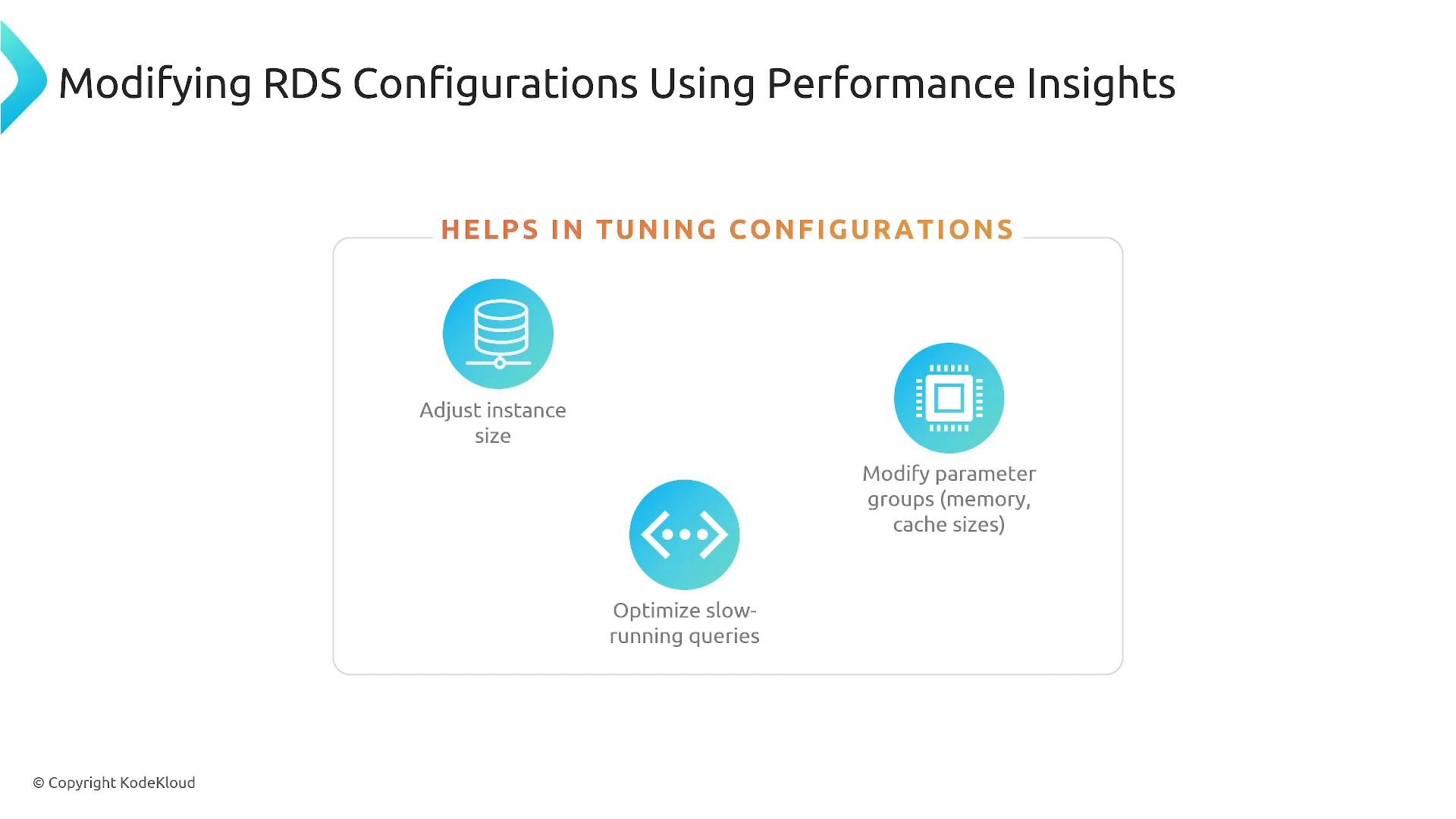
- Actionable recommendations: instance sizing, parameter group adjustments, indexing, and query tuning.
- Increase instance size if CPU, memory, or I/O are constraining throughput.
- Tune parameter groups (cache sizes, buffer pool settings, timeouts).
- Add or change indexes and rewrite queries to avoid full table scans.
- On transactional systems (for example, e‑commerce checkouts), addressing inefficient queries and adding appropriate indexes often reduces latency and DB load substantially — improvements of tens of percent are common depending on the root cause.
RDS Proxy — connection management and resilience
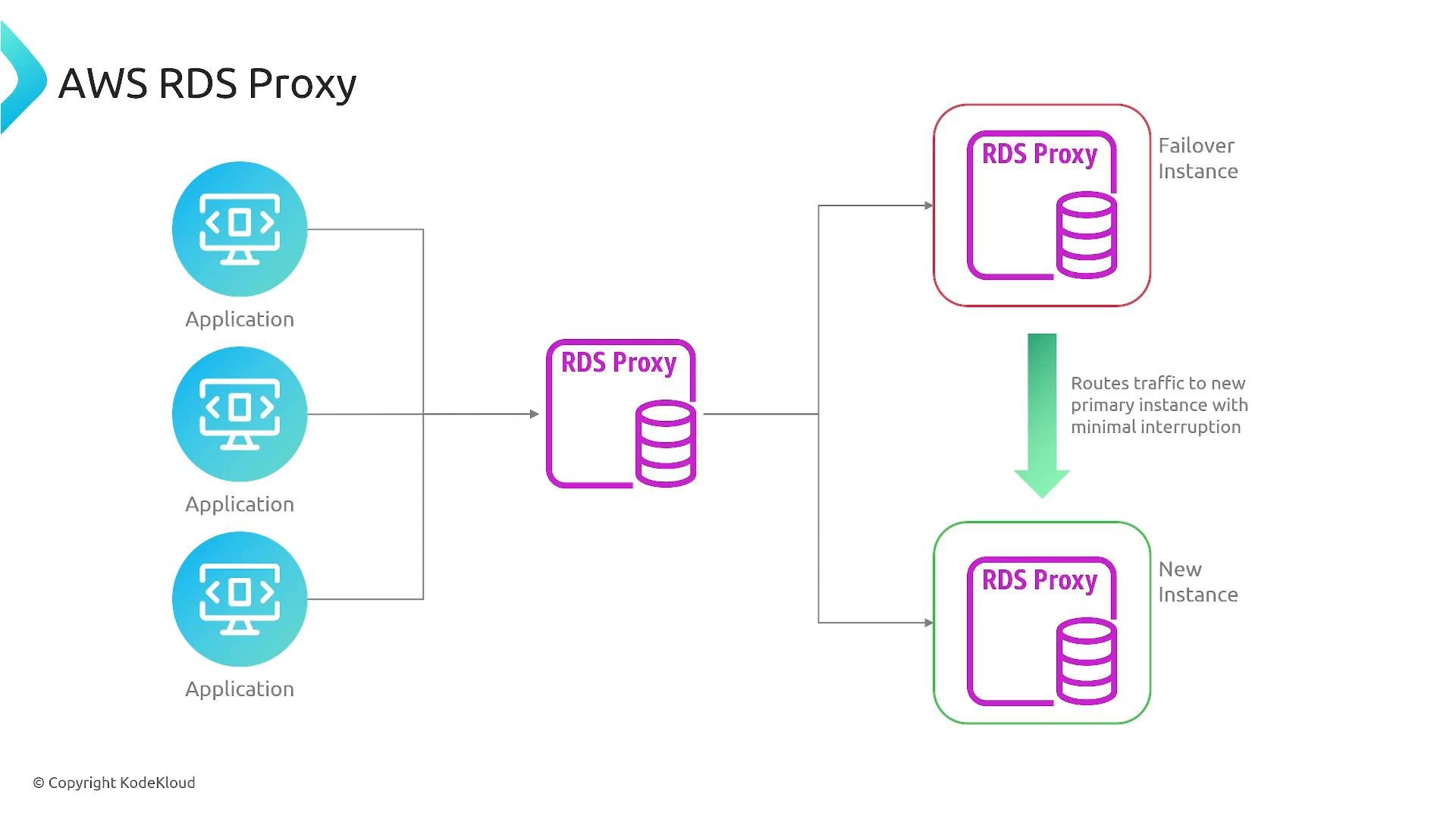
RDS Proxy sits between your application and the database as a connection-management layer. Instead of every client opening/closing a direct DB connection, clients connect to the proxy, which maintains a pool of warm backend connections. Key benefits- Connection pooling and reuse: reduces total concurrent DB connections and connection churn.
- Improved scalability: smooths bursts of connection requests from many short-lived clients (e.g., serverless functions).
- Reduced failover impact: during Multi‑AZ failover, the proxy can manage reconnections and reduce visible disruption.
- Security integration: supports AWS Secrets Manager and IAM authentication for supported engines.
- Applications connect to the proxy endpoint.
- The proxy keeps a pool of persistent backend DB connections.
- The proxy hands out connections from that pool instead of creating new DB connections per client request.
- During failover, the proxy can transparently reconnect and route traffic to the new primary, minimizing client-side errors.
Comparison: when both help
Use cases and exam relevance
- Use Performance Insights to find top resource consumers and to guide indexing and parameter changes.
- Use RDS Proxy for workloads that create many short-lived connections (serverless functions, lambda-based backends) or to minimize failover impact in Multi‑AZ setups.
- Both features are commonly referenced in AWS exams for database monitoring, scaling, and resilience scenarios.
Performance Insights and RDS Proxy are complementary: Performance Insights helps you find and fix load- or query-related issues, while RDS Proxy helps manage connection scale and reduce failover disruption.
Links and references
- Performance Insights docs: https://docs.aws.amazon.com/AmazonRDS/latest/UserGuide/USER_PerfInsights.html
- RDS Proxy docs: https://docs.aws.amazon.com/AmazonRDS/latest/UserGuide/rds-proxy.html
- AWS RDS CLI reference: https://docs.aws.amazon.com/cli/latest/reference/rds/index.html