

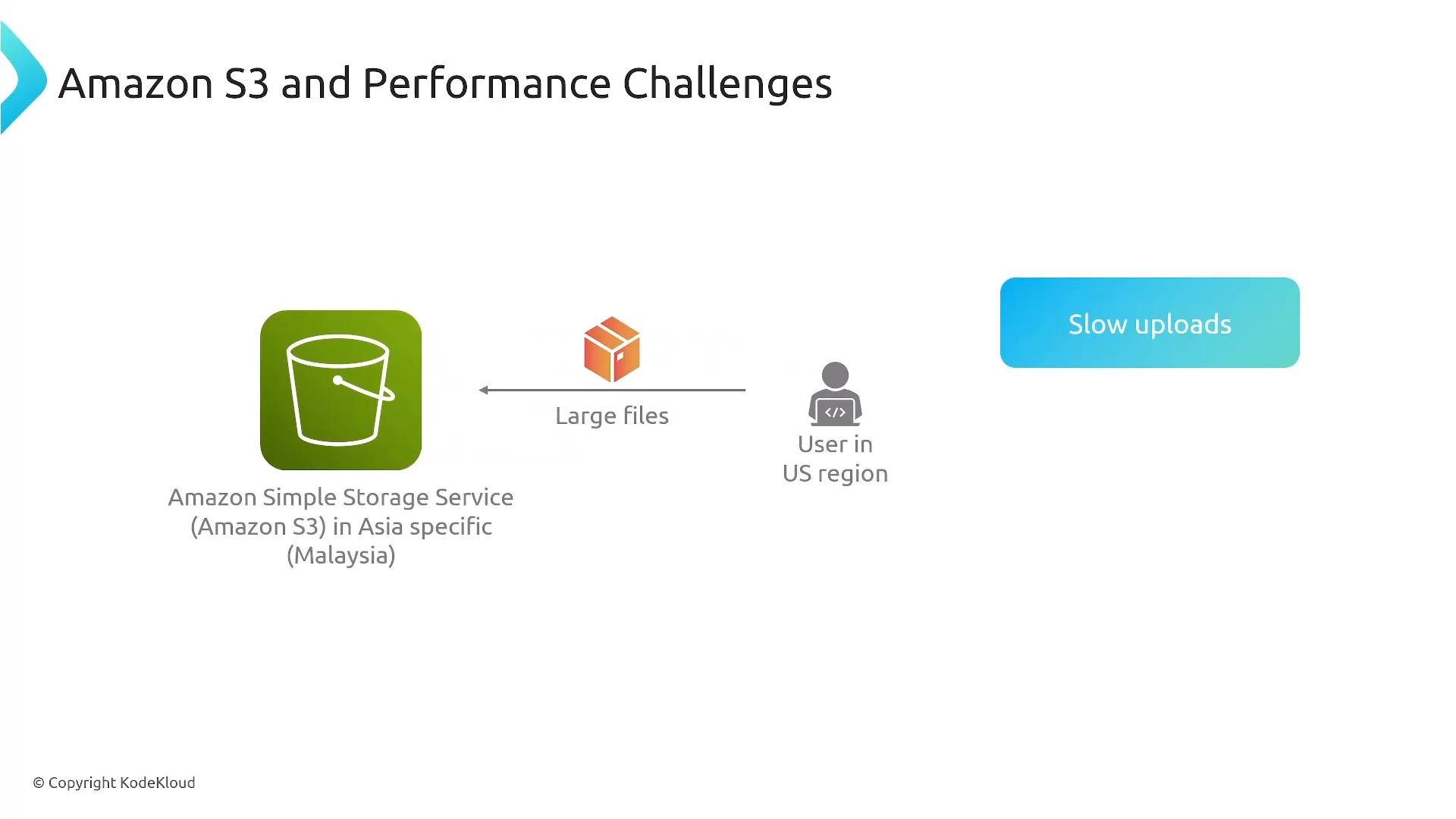
- Long-haul uploads are sensitive to round-trip time (RTT). Higher RTT reduces TCP throughput and increases upload durations.
- Packet loss and variable routing across the public Internet can require retransmissions and connection retries, hurting overall transfer reliability.
- For large objects, retrying a single failed connection is costly; breaking the upload into parts and using optimized network paths mitigates that cost.
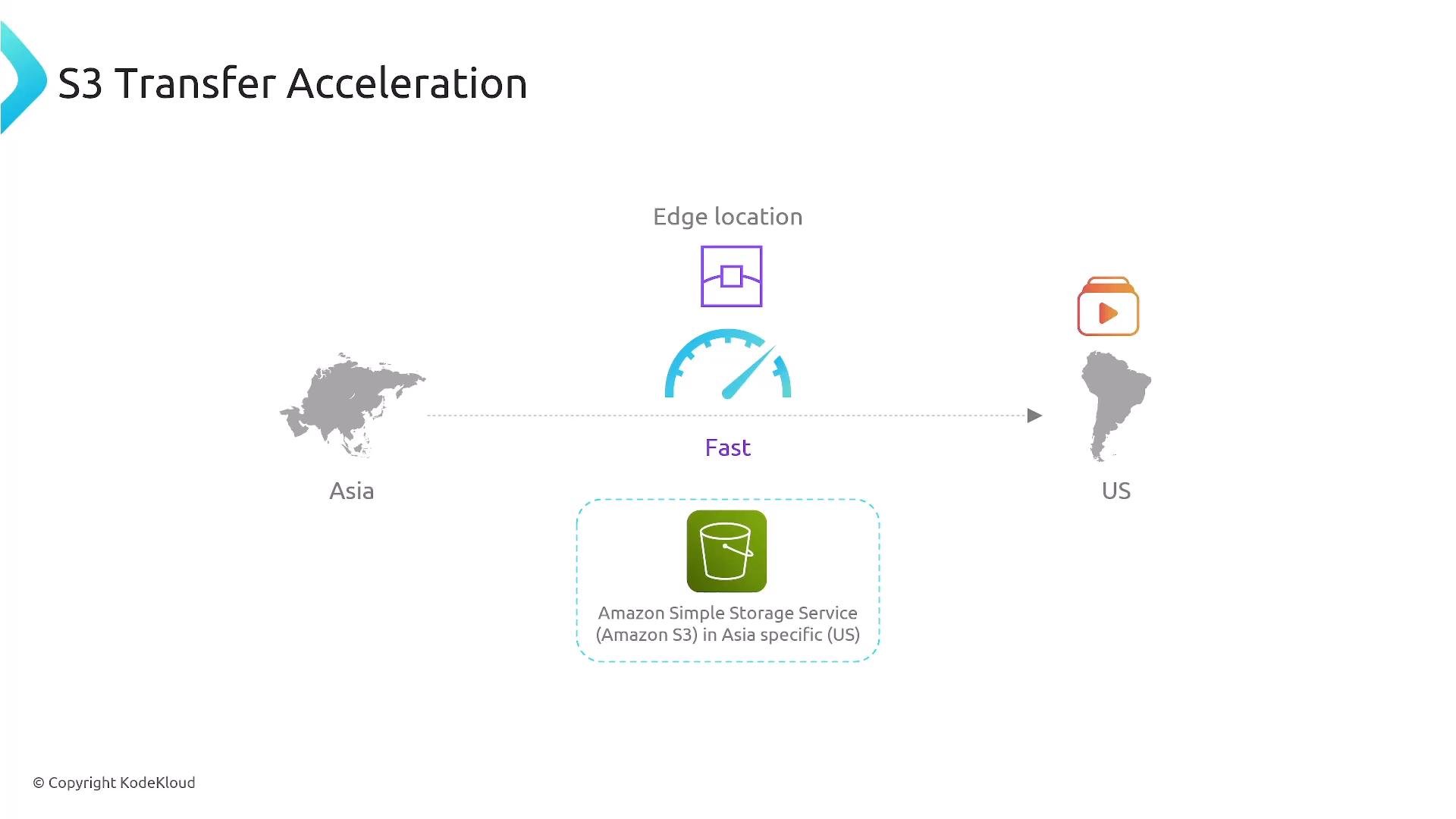
- Amazon S3 Transfer Acceleration reduces latency and improves upload throughput by routing uploads to the nearest AWS edge location (part of the Amazon CloudFront network), then forwarding data across Amazon’s optimized global backbone to the destination S3 region.
- Enable Transfer Acceleration on a bucket and use the accelerated endpoint
bucketname.s3-accelerate.amazonaws.com. This changes the network path for uploads/downloads but does not move your bucket to a different region. - Performance improvements depend on the geographic distance between clients and bucket, current Internet conditions, and whether the AWS backbone offers a shorter/faster path. Typical gains vary—some clients report up to ~50% improvement, but results are case-dependent.
- Transfer Acceleration is a billable feature. Use the S3 Transfer Acceleration speed comparison tool or run short tests from representative client locations before enabling it broadly.
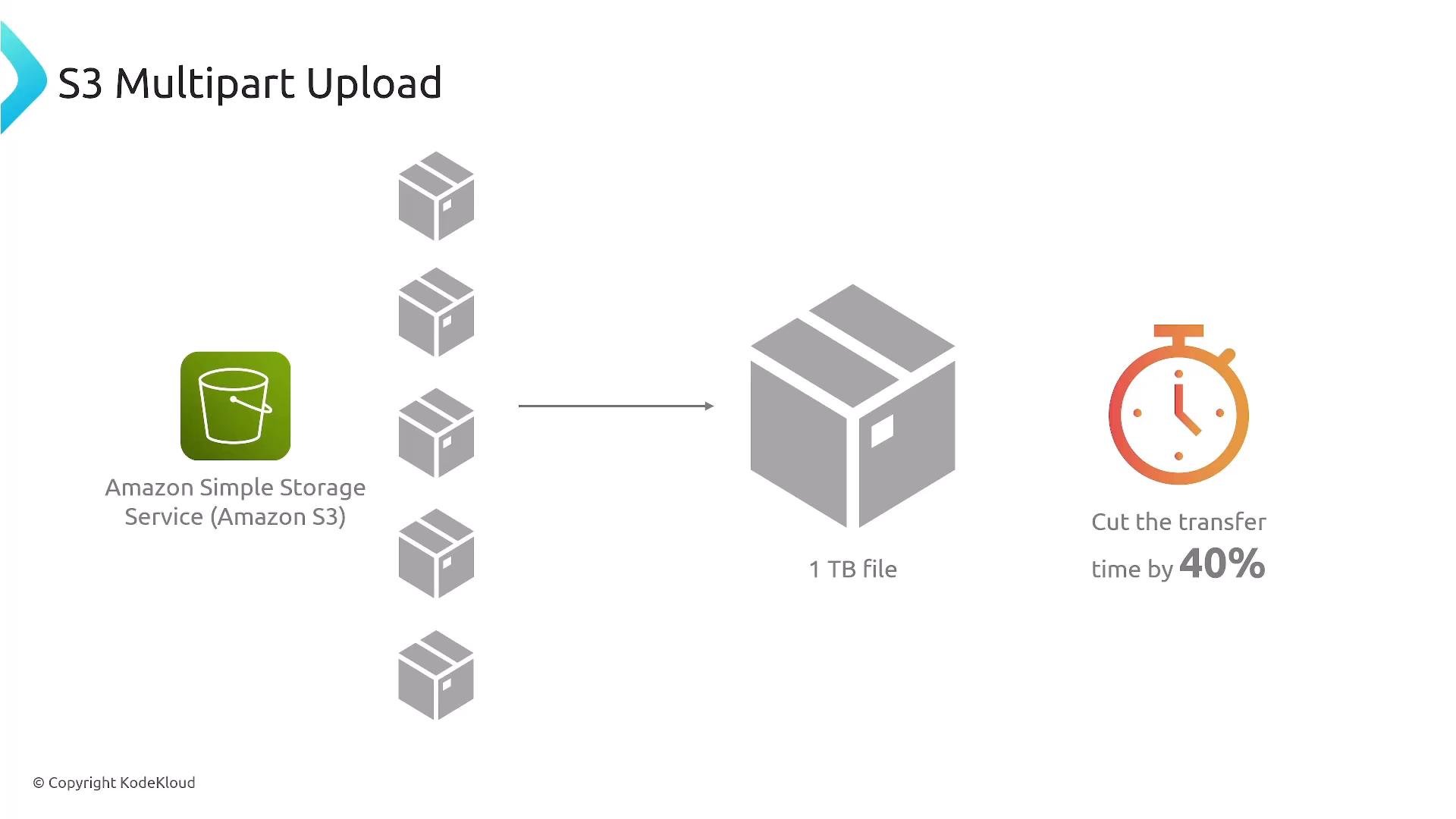
- Multipart Upload splits an object into multiple parts that can be uploaded in parallel. S3 reassembles the parts into the final object after all parts are successfully uploaded.
- Benefits:
- Faster overall transfers by using parallel connections.
- Improved resilience: if a part fails you only retry that part, not the entire object.
- Resumable uploads for long journeys or flaky networks.
- Typical use cases: large media files, database backups, VM images, or any object where upload time and reliability are priorities.
Operational considerations
- Always Complete or Abort multipart uploads to avoid orphaned parts that can incur storage costs. Use lifecycle policies to clean up incomplete multipart uploads if needed.
- Combine Transfer Acceleration and Multipart Uploads when appropriate: Transfer Acceleration improves the network path for each connection, and multipart uploads open multiple parallel connections for the same object — together they can dramatically reduce wall-clock time for cross-region large-file uploads.
- Measure first: run representative tests from your client locations to your S3 bucket region to quantify latency and throughput improvements and compare them to the additional cost of Transfer Acceleration.
- Monitor and log: capture metrics and logs for upload success, part retries, and overall transfer times so you can tune part sizes and concurrency.
- Test Transfer Acceleration from multiple client locations before enabling it globally.
- Use multipart uploads (or rely on SDK/CLI automatic handling) for files larger than ~100 MB — required for >5 GB.
- Choose part sizes that balance parallelism with management overhead (larger parts reduce number of parts).
- Complete or Abort every multipart upload; enable lifecycle rules to clear incomplete uploads older than a threshold.
- Combine Transfer Acceleration + Multipart for large cross-region transfers and measure the combined benefit vs. cost.
Enable Transfer Acceleration only after quantifying improvements for your client locations. For large objects, use multipart uploads (or let the CLI/SDK handle them) — multipart is recommended for objects larger than ~100 MB and required for objects over 5 GB.
Multipart upload part sizes must meet the minimum of
5 MiB for each part except the last. For extremely large objects, ensure you obey S3 limits (5 TB max object size) and properly complete or abort multipart uploads to avoid lingering incomplete parts and unexpected storage charges.